Customer Experience
  Blog
Blog  Business Communication
  Leadership
  Marketing & Sales
  Nextiva News
  Productivity
  VoIP
VoIP 

Call center managers love call whisper because they can coach agents during live calls without the customer hearing their guidance. Whether an agent needs a product detail, a reminder, or advice on a difficult conversation, the supervisor can offer it while the agent stays on the line.
New to whisper systems? You’ve come to the right place.
This quick guide covers how whisper coaching works, when to use it, and how to make it part of your team’s training routine. You’ll also see how it compares with monitoring, barge-in, and call tracking whisper messages.
What Is Call Whisper?
Call whisper, also called call whispering or whisper coaching, is a phone system feature that lets a supervisor speak privately to an agent during a live customer call. The agent hears the guidance; the customer does not.
It’s designed to support agent performance while the agent continues the conversation. Supervisors can give instructions, reminders, or encouragement discreetly, although long prompts can distract an agent who is also listening to the customer.
How Does Call Whisper Work for Live Coaching?
A supervisor selects an agent’s active call in a supported phone or contact center system and starts a private coaching session. The supervisor can listen to the conversation and speak to the agent without sending that audio to the customer.
Whisper coaching can be used on incoming and outgoing calls where the platform supports it. Before using it, check supervisor permissions, agent assignments, and any license requirements.
Here are three common scenarios where a manager may initiate the call whisper feature.
Monitoring calls
Call center monitoring is the process of listening to calls in real time or after completion for the purposes of agent training and improving customer service.
Depending on your scenario or business objective, your monitoring can be selective or random. For example, you can select specific calls by agent, team, or type to measure performance and create a benchmark.
You can also randomize the calls you monitor to reduce cherry-picking. A random sample still needs enough coverage across agents, shifts, and call types to give a useful picture of performance.
Responding to call events
In an office environment, it may be obvious that a call center agent needs help from a supervisor. For example, if there are raised voices, obvious signs of struggle, or changes in an agent’s mood, it’s likely caused by what’s happening in their headset.
Here, supervisors can start monitoring the live call and decide whether to initiate whisper mode and help with any customer objections, technical troubleshooting, or clarifying product details.
Likewise, the agent may flag that they need help. If a call is getting heated, a simple wave to an in-person colleague (or an instant message to a remote supervisor) isn’t uncommon. Again, the supervisor can start listening in and choose whether to initiate call whisper.
Integrating with call center software
Call whisper is available in supported configurations of Nextiva’s call center platform alongside monitoring and barge-in. The steps for starting or changing modes depend on the product, permissions, and setup.
Where a platform provides real-time sentiment analysis and configured alerts, artificial intelligence (AI) can flag signs of frustration for a supervisor to review. These signals need context; they do not establish how a customer feels. Check whether analysis happens live or after the call and which notification options your plan supports.
Once aware, the supervisor can decide whether to start monitoring the call and initiate whisper.

What Are the Benefits of Call Whispering for Agent Coaching?
Here are some key benefits call whispering offers:
1. Enables real-time agent coaching
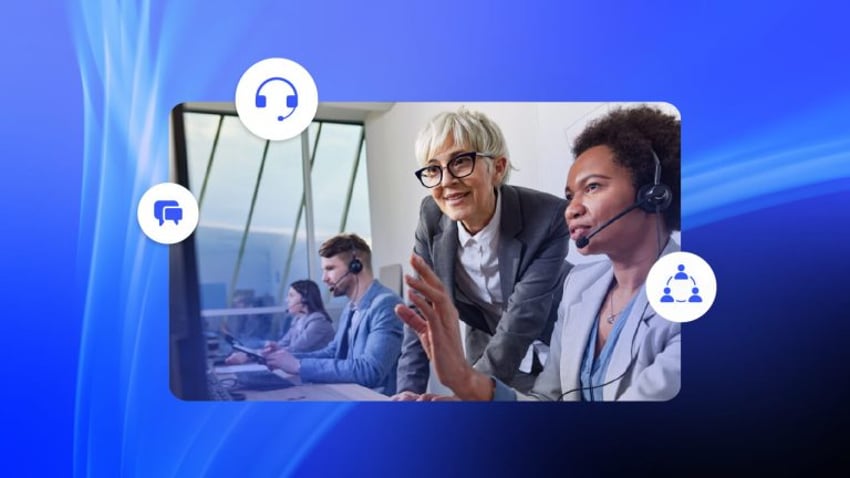
Supervisors can guide struggling or new call center agents through difficult conversations, which may support first-call resolution (FCR) when the guidance resolves the customer’s issue.
This is particularly important if you’re short on experienced agents and need your new team members to hit the ground running. An available supervisor can step in with guidance before an agent gives an incorrect answer. Whisper coaching still needs enough supervisor coverage; it cannot make up for poor staffing levels.
2. Improves training and onboarding
New agents can receive immediate support during live calls and practice what they learned in training with a supervisor on hand.
Even with all the roleplay and training outside of live calls, learning on the spot gives agents a chance to put those skills into practice. However daunting it may be to let new staff loose with your customers, it’s a whole lot easier when you can provide on-the-job coaching in real time.

3. Enhances call quality and customer satisfaction
When a customer has been in a call queue for some time, the last thing they want is incorrect answers and poor responses to urgency. It’s their right to feel they’ve queued for a quality response.
Call whisper helps agents deliver better customer experiences, with supervisors providing corrective guidance during high-stakes interactions. In periods of high incoming call volume, it’s easy for even the most experienced agents to take their eye off the ball.
The use of whisper ensures your processes remain streamlined. A brief reminder can bring an agent back to the right process without asking the customer to explain the issue again.
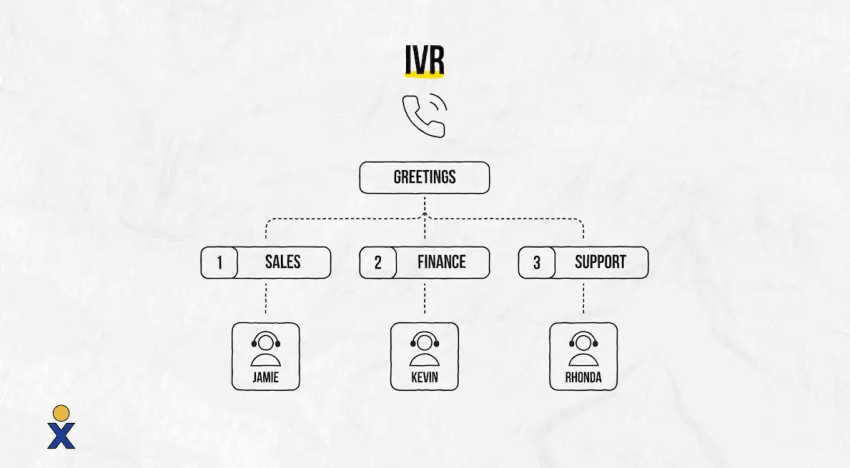
Pro Tip: Use an IVR system to streamline call routing to get customers to the right agents faster and reduce wait time.
4. Boosts agent confidence and reduces stress
Knowing that supervisors are available to provide support can reduce the pressure agents feel when handling difficult calls.
Without this on-the-spot coaching and advice, agents may feel like they’re constantly on the back foot, battling against customers who think they know best. As morale drops, both productivity and helpfulness will decrease too. The awareness that a supervisor is on hand might be all an agent needs to remain focused and stress-free.
5. Increases sales and upselling success
Sales teams benefit from coaching in real time, especially when agents need help with call handling or upselling. Sales call whispering lets a supervisor suggest a discovery question, clarify an offer, or guide an objection response while the salesperson continues speaking with the prospect. For example, a supervisor might say, “Ask how many locations need coverage before recommending a plan.”
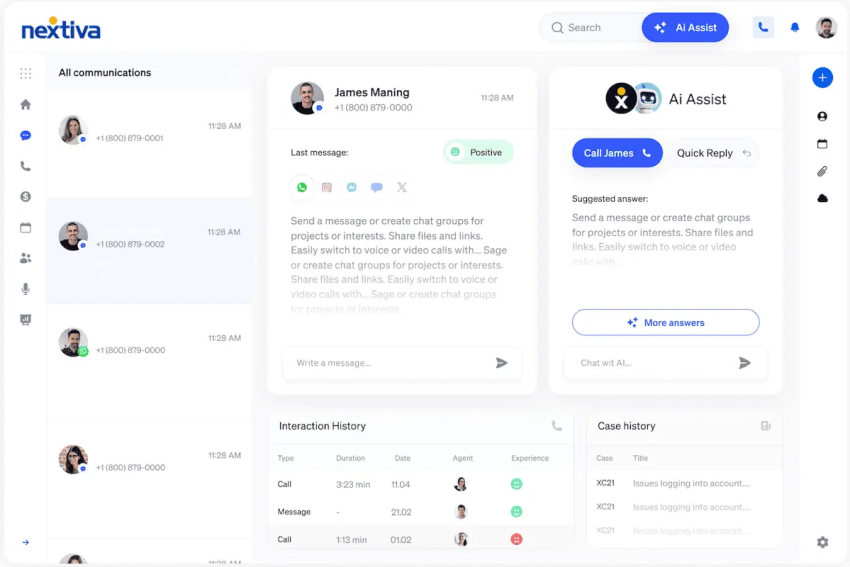
Another option is AI Agent Assist, which can provide on-screen guidance during a conversation, depending on the solution and connected knowledge sources. It can complement supervisor coaching with suggested information or next steps, while the agent checks that the guidance fits the customer’s request.
6. Maintains call flow without interrupting the customer
Unlike barging into a call, whisper mode keeps the supervisor’s voice private while the agent remains responsible for the conversation. Keep prompts short and wait for a pause so the agent is not trying to follow two speakers at once.
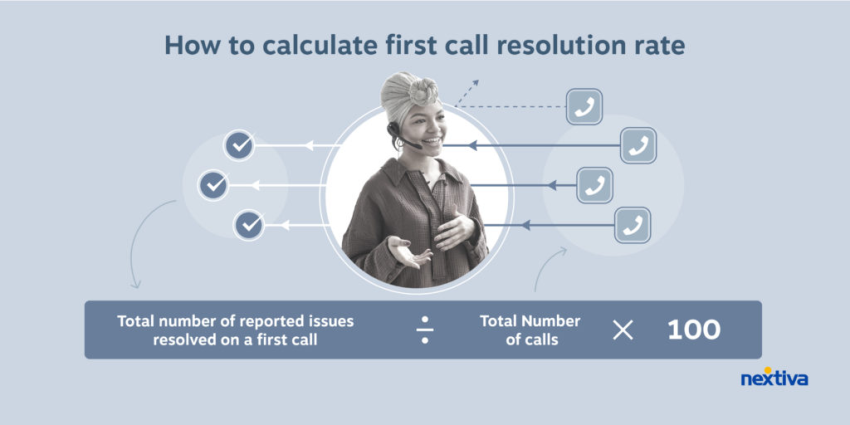
Whisper coaching may affect metrics like average handle time (AHT) and first-call resolution (FCR), but the result depends on the call and the guidance. A useful coaching prompt may lengthen a call if it takes more time to resolve the issue properly.
How Does Call Whisper Compare With Monitoring, Barge-In, and Call Tracking?
Call Whisper lets a supervisor coach an agent privately; monitoring is listen-only, and barge-in lets the supervisor speak to both parties. Call tracking connects calls with marketing sources and may use an automated whisper message to give the answering agent context.
The table below lays out the major differences between call whisper, call tracking, standard call monitoring, and call barge-in.
| Feature | Who hears the supervisor or message? | What does the supervisor hear? | Best use |
|---|---|---|---|
| Call whisper | Only the agent hears the supervisor’s guidance | The agent and customer | Giving a brief coaching prompt while the agent continues the call |
| Call tracking | Tracking itself adds no audio. If a whisper message is configured, only the person answering hears it before connection. | No live supervisor is required | Connecting calls with marketing sources and providing campaign context |
| Live call monitoring | Neither the agent nor customer hears the supervisor’s voice. A notification or tone may apply. | The agent and customer | Assessing a live call and deciding whether coaching is needed |
| Call barge-in | Both the agent and customer hear the supervisor | The agent and customer | Joining an escalation or speaking directly with the customer |
Monitoring and recording are also different: live monitoring happens during the call, while recorded-call review happens afterward.
What Is a Whisper Message in Call Tracking?
A whisper message is a short automated announcement played to the person answering a tracked call before they are connected to the caller. It can provide context such as the source or campaign that prompted the call; the caller does not hear it.
For example, a message might say, “Call from the spring promotion.” The agent can then tailor the opening question to that offer. This combines call tracking and a whisper system for call context rather than live supervisor coaching.
Depending on your call tracking platform, you can customize whisper messages with source and campaign information. Test the message through your forwarding and queue setup, as routing limits vary. Agents should wait for the announcement to finish before greeting the caller.
How Do You Roll Out Whisper Coaching and Keep Agents Using It?
Start with a small pilot, clear coaching rules, and scheduled supervisor coverage before expanding whisper coaching across the team. Keep adoption on track with agent feedback, regular call reviews, and checks that supervisors are available when agents request help.
1. Define when supervisors should intervene
Choose specific triggers, such as a new agent handling an unfamiliar request, uncertainty about a product detail, or an objection that needs guidance. Explain the difference between a short coaching prompt and an escalation that requires barge-in or transfer.
Tell agents when monitoring may happen, how to request help, and how feedback will be used. Follow your organization’s monitoring, recording, and disclosure policies.
2. Test permissions and audio before launch
Assign agents to the right supervisors and check the required licenses. Use internal test calls to verify who hears each mode, how supervisors enter and leave a session, and whether whispered audio appears in recordings or transcripts. Repeat the test for remote agents, outbound calls, and transferred calls where supported.
3. Plan supervisor-to-agent coverage
There is no single supervisor-to-agent ratio that fits every whisper coaching program. Size coverage around agent experience, call complexity, shift patterns, and the time supervisors also need for quality reviews and other duties.
For a planning example, 10 agents receiving two five-minute live coaching sessions each would require 100 minutes of supervisor time before debriefs and other work. This is a workload illustration, not a staffing benchmark. One supervisor cannot actively coach several conversations at once, so spread sessions across the shift and name a backup for overlapping requests.
4. Give brief prompts and debrief afterward
Use one actionable instruction at a time, such as “Confirm the delivery address before offering a replacement.” Save the explanation for a short post-call discussion so the agent can focus on the customer.
Ask what the agent found useful or distracting. As an agent becomes more confident, reduce intervention and use monitoring to check whether they can apply the skill independently.
5. Review adoption after the pilot
Assign an owner to schedule coaching and review its use beyond launch. Track planned sessions completed, unanswered help requests, repeat coaching topics, and agent feedback. Review call quality, first-call resolution, and customer satisfaction alongside handle time rather than judging success by speed alone.
If usage drops, check coverage, permissions, and whether prompts are interrupting agents. Fix those issues before expanding the program. Compare similar call types when reviewing results, and account for staffing or process changes that could also affect performance.
When Should You Use Whisper Coaching Instead of Post-Call Review?
Use whisper coaching when a brief instruction could improve the outcome of the call happening now, such as correcting a product detail or guiding the next troubleshooting step. Use post-call review for deeper feedback on discovery questions, listening skills, or recurring habits that do not need immediate intervention.
Whisper is useful when an agent can continue with guidance. If the customer needs a supervisor’s direct involvement or the agent lacks authority to resolve the issue, use barge-in or transfer instead.
The two coaching methods work together: offer the prompt during the call, then review why it mattered afterward. This gives the agent a chance to apply the lesson on the next call without another prompt.
How Can Nextiva Support Whisper Coaching?
Nextiva provides private supervisor coaching in supported call center configurations, so managers can guide agents during live calls. Its monitoring, recording, and reporting tools can support a broader coaching program, depending on the product and plan.
When choosing a call center provider, it’s important to check off all the features you need (call whisper being just one of them). But there’s also a plethora of other factors to consider.
Coaching and development
Nextiva supports supervisor coaching in documented call center configurations, with separate tools for monitoring and barge-in. Confirm the requirements for the product you’re buying rather than assuming every business phone plan includes these features.
For NextOS Call Center, Nextiva’s supervisor coaching guide specifies a Call Center Enterprise license for agents, an eligible supervisor license, and agents assigned to that supervisor. The supervisor starts coaching by dialing #85 and then the agent’s extension. These instructions apply to that product; other Nextiva interfaces may use different controls.
Depending on your solution and plan, these tools can be complemented by AI-powered features such as Agent Assist and interaction analytics.
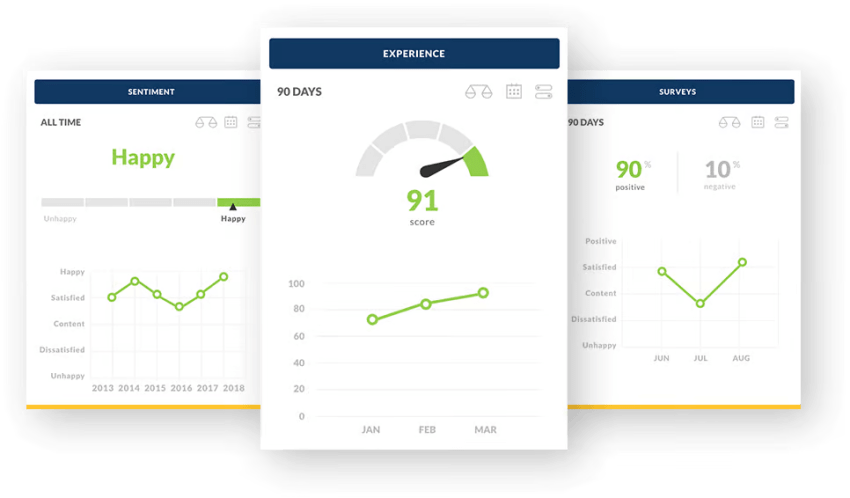
Alongside live coaching, review the reports available in your hosted contact center for quality assurance, customer experience, and agent performance.
Personalized coaching experience
Within the call whisper function, you can customize settings to fit the workflow of your contact center.
Choose the supervision mode that fits the call:
- Silent monitoring to listen without speaking.
- Whisper coaching to give guidance only the agent hears.
- Barge-in to join the conversation so both the agent and customer hear you.
Available controls and notification settings depend on your Nextiva product and configuration.
After the event, you can review phone calls for quality assurance purposes by accessing the call recordings stored within the cloud contact center platform.
You can even automatically analyze and score your customer interactions, including incoming call transcriptions, chats, emails, and SMS.
This intelligent software uses speech analytics, natural language processing, and machine learning algorithms to evaluate agent tone and adherence to scripts, and even to detect potentially dissatisfied customers based on linguistic cues.
24/7 customer support
When you need support to help managers set up and use call whisper effectively, Nextiva is on hand. Whether it’s a customized coaching plan or technical setup, we pride ourselves on our Amazing Service®, so much so that we trademarked it!
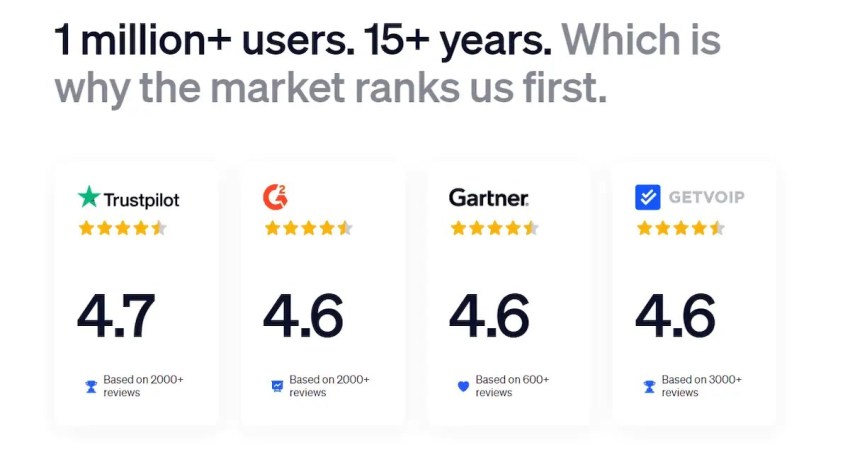
94% of our customers say they are very happy with our service and support.
Nextiva offers 24/7 support with quick response times and accessible resources for troubleshooting and training.
Advanced analytics and monitoring
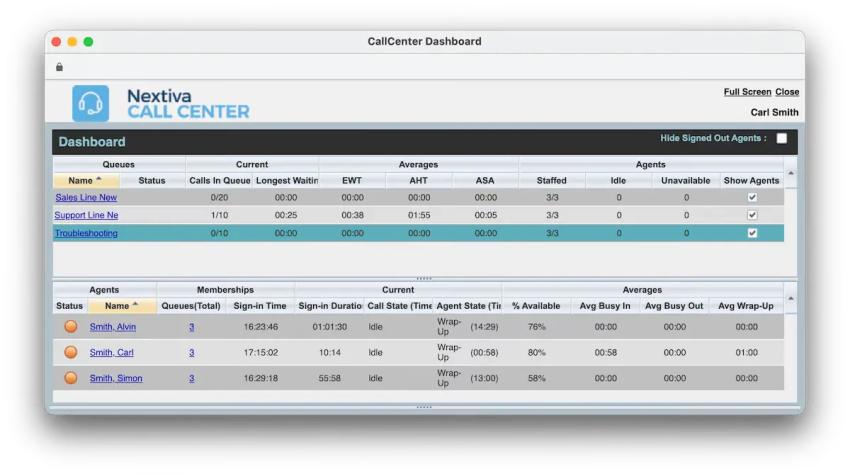
When you use Nextiva’s call center monitoring, you can access real-time and after-the-fact monitoring. This includes features like call recording, enabling you to listen to all recorded calls online.
With this capability, you can grade and analyze how your agents are performing, either by selecting calls or choosing to randomize the process.
In-call supervisor features like whisper allow you to coach agents on the fly. For example, if there’s a difficult call in progress, you can join and advise the agent on what to say without the caller hearing you.
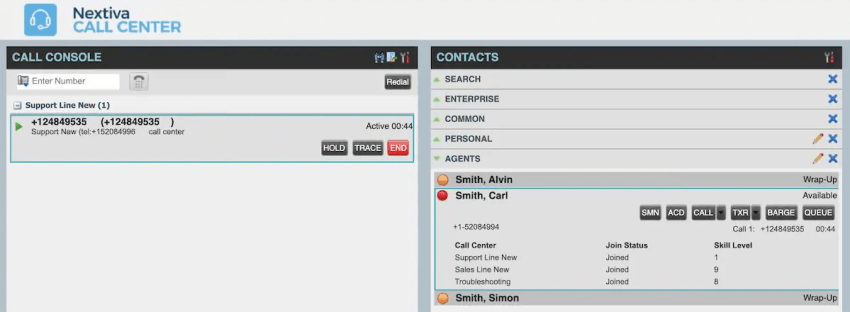
If the call escalates and you feel you need to take over, the barge-in feature allows you to announce yourself and join or take over.
Scalability for remote teams
Whisper coaching works for distributed teams, ensuring consistent agent performance no matter where they are.
While it’s easy to detect when an agent is struggling next to you in an office, the popularity of remote work has created a new challenge for call center supervisors.
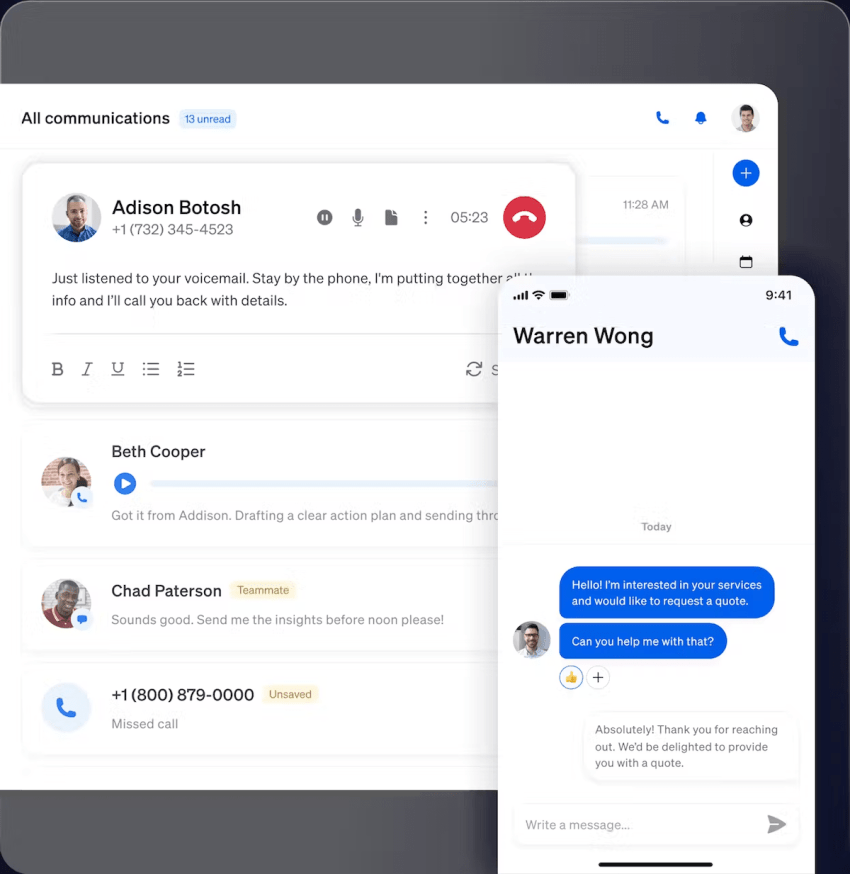
Using Nextiva’s cloud contact center means you maintain agent-to-supervisor relationships via internal calls, instant messages, and collaboration areas. During live calls, there’s a constant two-way exchange flagging when help is needed or suggested.
Unlike disparate platforms, you can use Nextiva for both your telephony and unified communication needs as well as your contact center platform.
The seamless integration of the two makes it possible for frontline agents to contact back-office support teams when needed, reducing the wait time customers experience.
For further integration, Nextiva’s open APIs allow you to seamlessly connect your other line-of-business apps too.
Your Top-Ranked Contact Center Solution
Transform your customer interactions with a contact center platform that saves you time and money, reduces agent and supervisor stress, and flexibly adapts to fit your needs.
Frequently Asked Questions About Call Whisper
No. In whisper mode, the agent hears the supervisor’s guidance, but the customer does not. In barge-in mode, both the agent and customer hear the supervisor.
Platforms such as Nextiva support call whispering so supervisors can coach agents privately during live customer calls. Check the required licenses, supervisor permissions, and supported call types for your setup.
Use whisper when the agent can continue the conversation with a brief prompt. Use barge-in when the supervisor needs to speak directly with the customer; a full handoff may require a transfer.
That depends on the platform and recording configuration. Do not assume that audio hidden from the customer is also excluded from recordings or transcripts.
Whisper mode does not necessarily interrupt call recording, but whether the supervisor’s guidance is captured depends on the platform and recording settings. Check your provider’s documentation and run a test call to confirm what appears in the recording.
Listen for a specific gap you can address with a short prompt, such as uncertainty about a product detail or the next troubleshooting step. Agents can also request help through an agreed signal or internal message.
Yes, where the cloud calling platform supports supervisor coaching for the team’s devices and call setup. Test remote audio, permissions, and the process for requesting supervisor help before rollout.