Customer Experience
  Blog
Blog  Business Communication
  Leadership
  Marketing & Sales
  Nextiva News
  Productivity
  VoIP
VoIP 

Purchasing is an emotional decision. Whether someone buys something as simple as a flower or as complex as software, emotion drives the decision. How you handle those emotions determines your close.
When a customer reaches out, they express those emotions out loud. They expect you to respond sooner than you’d expect. If you respond in one or two days, you leave them vulnerable and let competitors swoop in to take your sale.
A small business lead follow-up system helps you solve this for your customer, and most importantly, for your business. In this article, you’ll learn how to build a follow-up system, what effective lead management looks like in real businesses, and what to expect from the system.
What Is a Small Business Lead Follow-Up System?
A lead follow-up system is a written, repeatable process for handling inquiries consistently. It captures each lead in one place, gives it an owner and a response deadline, and runs a timed sequence of calls, texts, and emails that stops when the lead replies.
People often mistake the system for software. The software is the tech part that comes later, but this is what lets you act before a lead loses intent. There are three parts of this system.
Part 1: Capture every lead in one place
Leads arrive by phone call, web form, chat, text, and ad-lead form. Each one needs to land in a single list or customer relationship management (CRM) system with a timestamp and a source. If it lives in someone’s voicemail, it’s as good as lost.
As you grow, tool sprawl makes it harder than it sounds. Nextiva CX research notes that companies average six to seven tools for customer interactions. And 86% of companies with multiple CX tools report siloed data. Those teams may be larger than yours, but they face the same problem on a larger scale.
Bernie Clark, founder of Majux, sees it at law firms. Many law firms route calls from every channel to a receptionist or paralegal and, in his words, “never check up on it, never think about it.” These become missed sales opportunities.
To avoid such misses, record this lead data for each lead that comes in and follow the steps listed:
- Contact data: Name, phone number, and email.
- Lead source and time: Where the lead came from and when it arrived.
- The ask: What they want in one line.
- Consent: Whether they agreed to texts, and where and when they agreed.
- Owner and next step: One named person and a due date.
You don’t need lead scoring at this stage. Wait until there’s more activity on it.
What happens when you capture every lead in one location
Aqua-Tots Swim Schools shows what it looks like when one team owns every lead. The franchise group grew from one location to six and built a small centralized team on Nextiva. The team handles new-family calls for every location, with coverage beyond school hours. The group has also piloted XBert, Nextiva’s AI receptionist, for after-hours calls at one location.

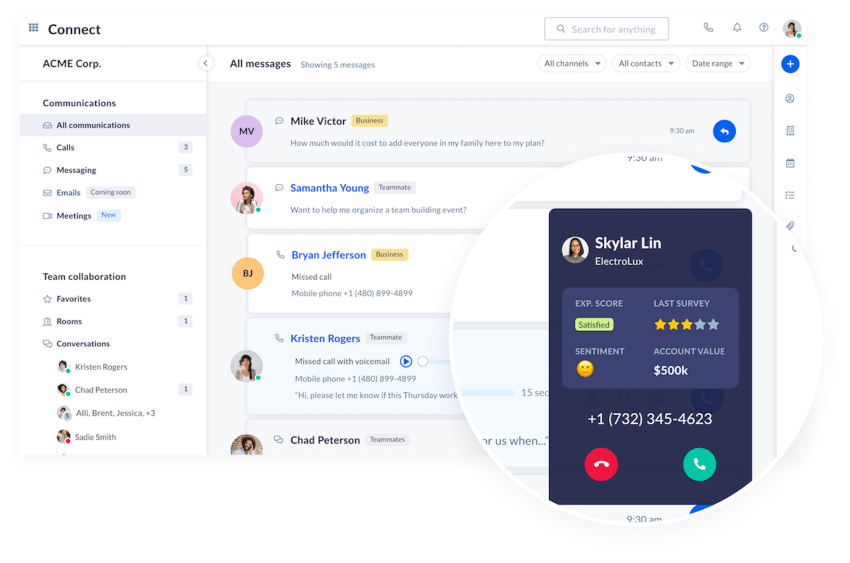
At very low volume, a shared spreadsheet does this job. But once calls and texts start coming in daily, a business phone system that keeps calls, texts, and voicemail in one app saves most of the copying.
Part 2: Assign an owner and a deadline
Every new lead gets two things the moment it arrives: a named owner and a deadline. Skip the owner, and everyone assumes someone else has it.
For the deadline, I’d start with five minutes during business hours. The number comes from customers: respondents in Nextiva’s Customer Patience Benchmark expect phone, SMS, or ticket responses within five minutes. After hours, the target shifts to first thing the next morning, with an automated acknowledgement covering the gap.
End every initial contact by logging the next step and a due date. Sales teams call this first-response window speed to lead, and it only holds when every handoff has an owner.
Part 3: Set the sequence of follow-ups in subsequent days
The third part is a written sequence of follow-ups across phone, text, and email for leads who don’t book on first contact. Writing it down matters, because “call them back sometime” is a plan nobody follows in a busy week.
The sequence needs a stop rule: Any reply, booking, or “no” pauses the automation and hands the lead to a person. Leave that out, and someone who booked on Tuesday gets a “just checking in” text on Wednesday. Respect the “no” as well.
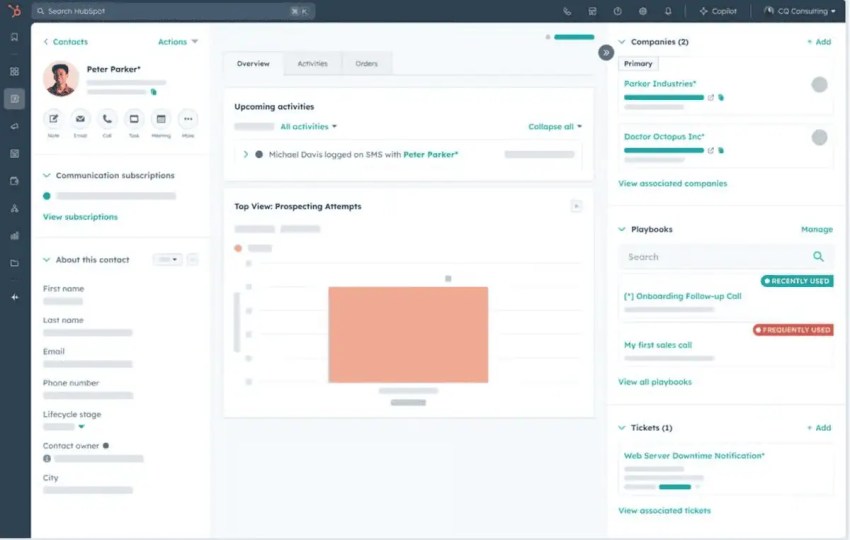
Track leads through a short sales pipeline of stages so anyone can see where they stand: new, contacted, quoted, booked, and then won, lost, or nurture.
What Should the Ideal Lead Response Time Be?
Three studies back most claims about lead response time. Let’s look at what they measure and what you can take away from it:
- InsideSales research: This study measured over 15,000 leads and over 100,000 call attempts at six companies over three years. It found that the odds of qualifying a lead dropped 21 times when the first call came at 30 minutes instead of five.
- HBR audit: This group studied 1.25 million leads at 42 U.S. companies to find out that firms that tried to reach a lead within an hour were seven times as likely to qualify it as firms that waited for one hour or more.
- Drift survey: It sent secret-shopper forms to 433 B2B SaaS companies. 7% responded within five minutes, and 55% had not responded after five business days.
Although some of these studies are dated, they point toward a similar insight. The earlier you reach out to a prospect, the better your chances of qualifying them, but the question is: how soon?
If you look at newer data, for example, in a survey of 1,050 home service business owners, 60% of professionals reply to leads the same day, and 20% respond within the hour. So it’s still not quite there yet.
Nextiva’s customer patience study shows a gap between what customers expect and how soon brands respond. For example, customers expect phone, SMS, or ticket responses within five minutes and email responses within 30 minutes. This conclusion is based on a more recent study. It says customers are increasingly impatient about how quickly a brand responds.
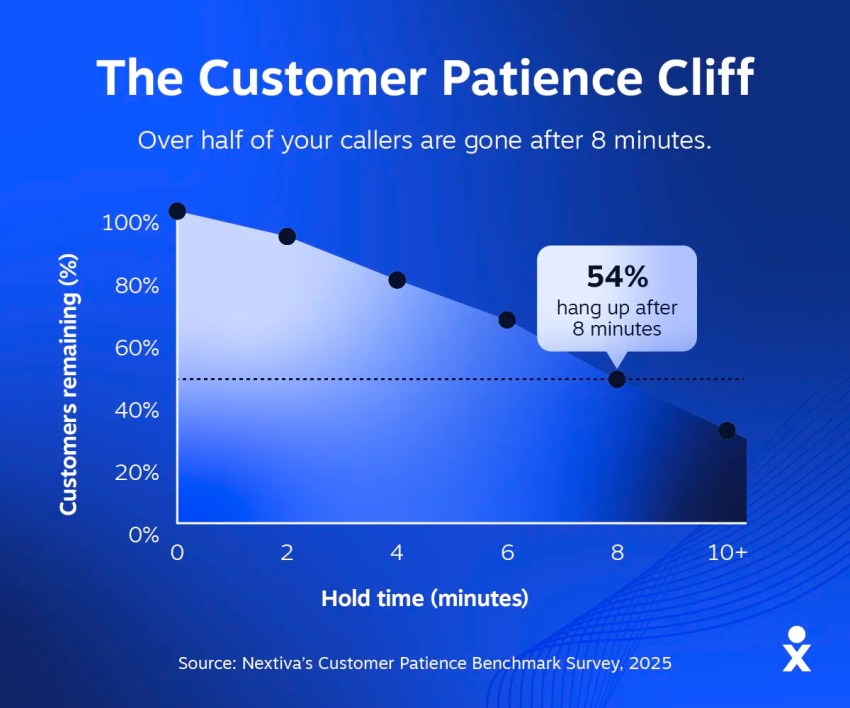
This means you need a lead follow-up system that helps you meet customer expectations by responding within five minutes of an inquiry, whether by phone or SMS. Otherwise, Invoca’s 2026 survey of 693 U.S. customers points to a reality where 79% of customers switch to a competitor that responds faster.
How to Set Up a Multi-Channel Follow-Up Cadence
The table below is a simple starting template. Adjust this to your sales cycle length. Here’s an example of a follow-up cadence that you can configure for your business:
| Day | Touch | Channel | Goal |
|---|---|---|---|
| Day 0 (within five minutes) | Acknowledge and ask one qualifying question | Text | Show someone is on it |
| Day 0 | Call attempt; leave a short voicemail | Phone | Real conversation |
| Day 1 | Morning call, then a short email with next steps | Phone, email | Second chance at live contact |
| Day 3 | Text with a booking link | Text | Make saying yes easy |
| Day 7 | Helpful resource: price guide, FAQ, or before-and-after photos | Earn attention without pressure | |
| Day 10 | Call about their timeline | Phone | Catch the lead who got busy |
| Day 14 | Polite close-out: “Should I close your file?” | Text or email | Get a clear yes or no |
| After Day 14 | Monthly or seasonal check-in | Long-term nurture |
Some brands start with a text. Research found that 87% of U.S. consumers (in a sample of 959) check a new text within 15 minutes, and 82% respond within that time.
This assumes you send business text messages from your company number, where the whole team can see the thread, and not from a personal cell. What each message says matters as much as when it goes out. You must personalize these follow-ups and ensure you include one specific detail.
Here are a few follow-up templates that you can use:
- Day 0 text: “Hi (name), this is (your name) at (business). Got your request about (job). Is this urgent, or are you planning ahead?”
- Day 3 text: “Hi (name), this is (your name) at (business). I have openings Thursday and Friday for (job). Pick a time here: (link).”
- Day 10 call: “I’m calling about your timeline for (job). Has anything changed on your end?”
- Day 14 close-out: “Hi (name), are you still considering the quote for (job), or should I close your file?”
However, businesses tend to prefer the channel that works best for them.
How hard to push, and when to nurture leads
Some operators run far heavier sequences. For example, legal intake consultant Gary Falkowitz recommends what he calls “a three by three by three”: email, phone call, and text, three times each, over the first three days. He also wants at least 10 different days of attempts before a firm gives up.
Similarly, Sam Preston, CEO of a home service marketing agency, describes an attic insulation company that responds within 60 seconds and then reaches out three to five times a day for about 15 days.
The right intensity depends on your industry, for example:
- Home services: Same-day response matters most. For repair work, compress Days 0 through 3 into the first 24 hours.
- Legal: Lead with the intake call, and then book the consultation.
- Real estate: Go text-first, and keep each message to a line or two with one question.
- Healthcare: Make the first answer live or automated, and check your privacy obligations before you put health details in a text.
Past customers need a lighter rhythm than new leads. One Texas HVAC group’s CSR manager runs a set cadence: week one, a call and a text; week two, a call and an email; week three, all three; then nine weeks of rest. Use something like it for the After Day 14 row, and keep a person behind it.
You need to remember a few legal rules before you speed up multi-channel follow-ups.
Texting rules to get right
When it comes to texting, the Telephone Consumer Protection Act (TCPA) and A2P 10DLC apply. The former is a federal law on consent and opt-outs, and the latter is the carriers’ registration system for business texting.
Below are the rules you can consider. However, this is not legal advice, so confirm your own obligations with counsel.
- Get consent before you text: TCPA’s consent rules for automated calls also apply to automated texts.
- Keep proof: CTIA’s messaging principles expect express written consent before marketing messages, plus a record of when and how each person opted in.
- Say who you are: Put your business name in every text for the same reason, since a lead who doesn’t recognize the number has no reason to reply.
- Honor opt-outs fast: In a federal provision in effect since April 11, 2025, a person can revoke consent by any reasonable method. Replies of stop, quit, end, revoke, opt out, cancel, or unsubscribe always count. Other wording counts if a reasonable person would read it as an opt-out. You have at most 10 business days to comply.
- Send one confirmation at most: A single text confirming the opt-out is allowed if it contains no marketing. If it goes out within five minutes, the rule presumes it falls within the person’s prior consent.
For opt-outs, consider one thing. Earlier, an FCC order indicated that an opt-out for one type of informational message may apply to all other messages from the sender.
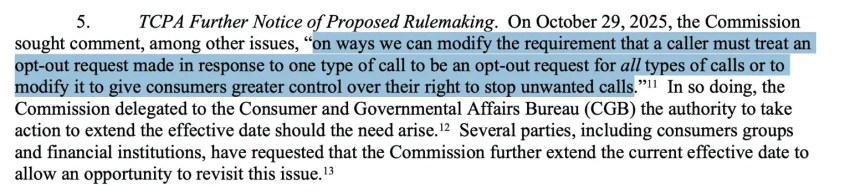
Read the FCC order.
However, on September 30, 2026, the FCC adopted an order that lets senders treat an opt-out from an informational message as covering only that category.
Also, if you’re not yet registered on the carrier side, complete the 10DLC registration for your brand and campaign through your phone or messaging provider. Nextiva’s help center puts its own process at 10 to 30 business days and notes that you can’t send texts while it’s pending. This is an entry requirement.
If you’re comparing text messaging services, ask each one how it handles registration, consent capture, and opt-outs.
How to Handle Missed Calls in a Lead Follow-Up System
Missed calls don’t wait for you. Most customers abandon the call, and only a few leave voicemails, as you’d expect. Some call other businesses. When you call back later, it doesn’t help you recover the lead.
Scott Leune, who hosts the Dental CEO Podcast, recalls what his dental call center found when it returned missed new-patient calls: “Only one in 10 or so hadn’t already scheduled somewhere else.” These calls are missed opportunities that cost you significantly.
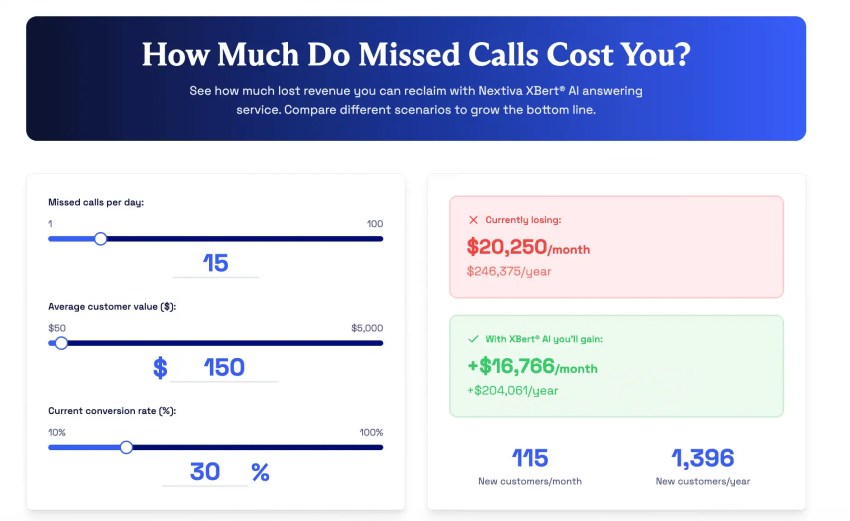
Nextiva’s missed calls calculator runs the math with your own numbers. Set up your system to fix such leaks using these methods.
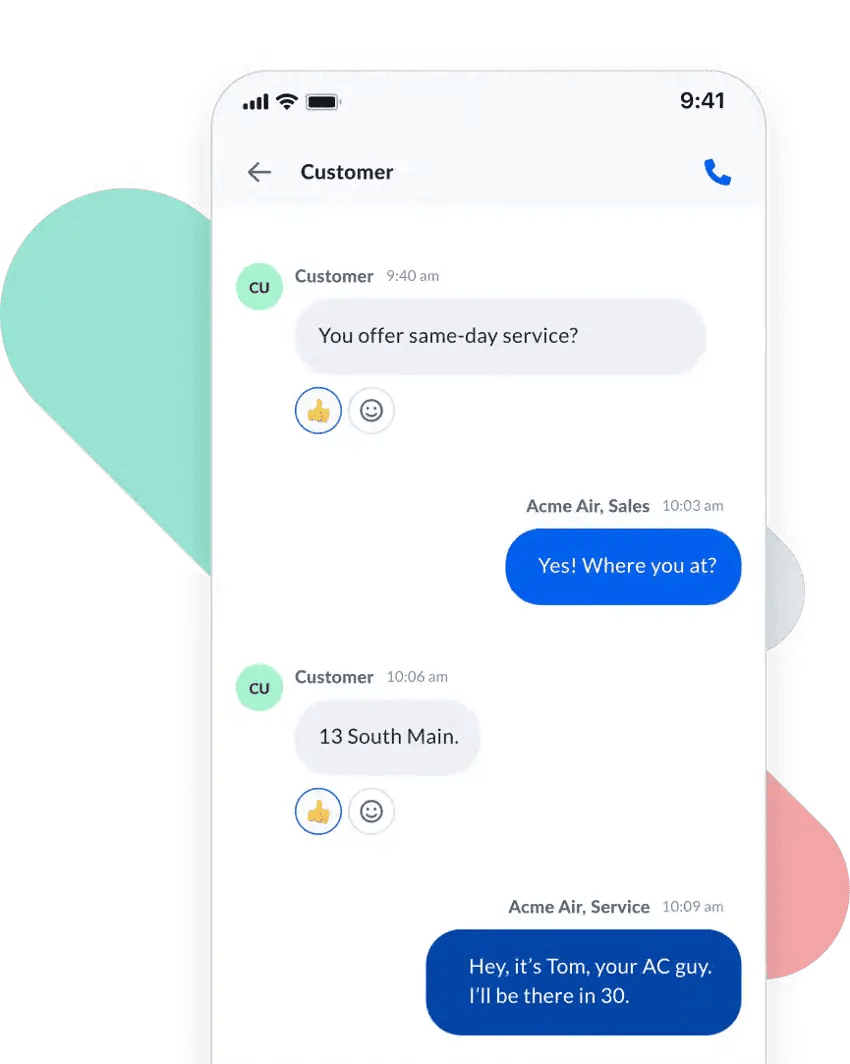
Missed-call text-back
Text-back is the simplest first fix. When a call goes unanswered, an automatic text goes out from your business number in under a minute: “Sorry we missed you. What can we help with?” The reply opens a thread that a person or an AI receptionist picks up.
It works because it buys you time. The texting rules above still apply. The caller started the conversation, but a text-back is an automated message from a business. Keep it to the reason they called, honor opt-outs, and ask counsel how your consent language should cover it.
On low-intent paid leads from aggregators and social ads, Wilson says an automated text alone takes the book rate from zero up to 20%, and a trained CSR who keeps chasing by call, text, and email gets it past 30%. Those are his numbers, and the lead quality from those sources is low. But the shape holds, and it decides whether that marketing spend pays off: The automation starts the conversation, and converting leads is a person’s job.
You’ll need business SMS on the same number customers call, so the text arrives from a number they recognize.
An AI receptionist for after-hours and busy hours
Text-back still depends on someone reading the reply. A better fix is an AI-powered receptionist that takes that call when you miss it. The AI receptionist would capture the caller’s details, answer common questions, book the appointment, and log the conversation.
For an incoming inquiry, the lead might want to talk to a person. But until that happens, the receptionist buys you time. It’s also more cost-effective at scale than a live answering agent service. If you want, feel free to compare what an AI receptionist costs versus a human-first answering service.
It helps if you get an AI receptionist with the following specs:
- It discloses itself: The caller hears that it’s an assistant in the first sentence.
- It finishes the job: It books the appointment or gets the caller to a person. A promise of a callback isn’t enough.
- It logs everything: Your team sees the transcript and the lead’s history, so the customer doesn’t have to repeat the story.
- It respects “don’t call me”: An opt-out spoken to an AI still counts, so ask how the system records one.
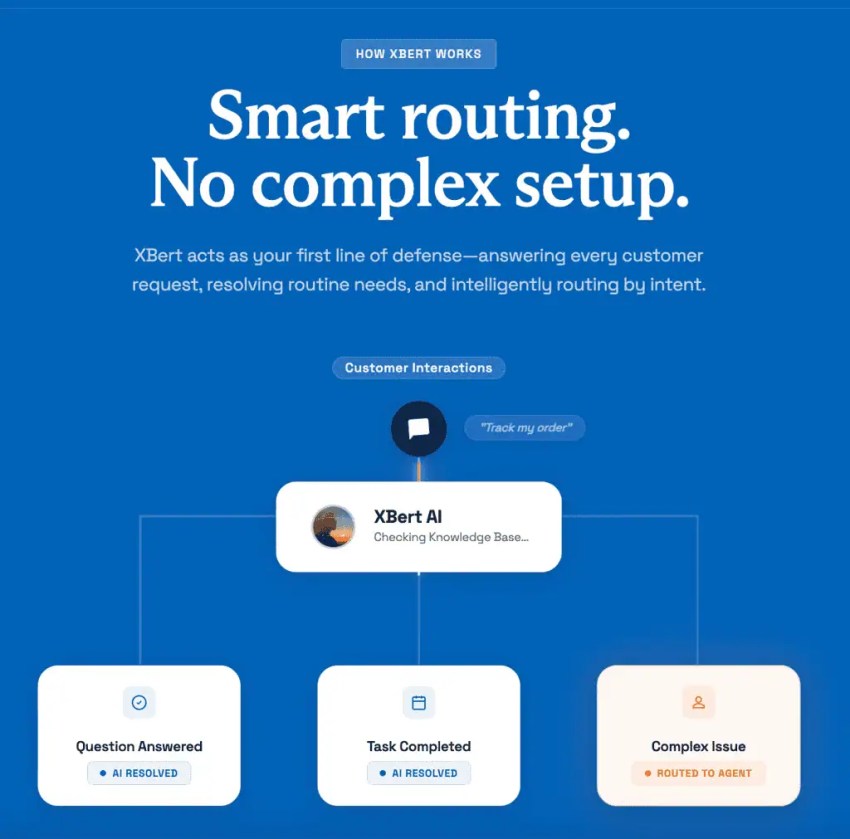
XBert, Nextiva’s AI receptionist, is built to finish the job. It answers calls, texts, and web chats around the clock, captures and qualifies leads, answers common questions, and books or reschedules appointments.
When it transfers a caller, your team gets the conversation’s context, and it records and transcribes every conversation. XBert’s voice sounds natural by default, and you can configure it to introduce itself as your virtual assistant.
XBert pricing starts at $99 per month for 100 AI conversations, and additional conversations cost $0.99 each. A conversation is a call longer than 30 seconds or a text or chat thread with three or more interactions.
With XBert, if no one answers within 20 seconds, the call goes to XBert, skipping voicemail.
Best Practices for Handling Lead Follow-Ups
These are notes from small business operators on what worked for them in managing their lead follow-up system. Take inspiration, and use caution where needed:
- Every lead lands in the same place in the same format: Alex Purdy, an owner-operator at Carolina Terrain, a North Carolina drainage contractor, points every channel to one place. SEO, Google Ads, and Google Business Profile all point to a single request form.
- Acknowledge every request as soon as it arrives: Cory Byron, owner of Vancity Electric, auto-acknowledges every request as soon as it arrives. Byron says his conversion rates have held at about 48% while his estimated volume grew past a thousand a year.
- Submit call forms in under 60 seconds: Steve Hunsaker, a home service business owner, posted his rule: Answer the phone when it rings and call form submissions back in under 60 seconds or lose.
- Call weekend leads in 10 minutes from an AI agent: Jordan Santiago, a real estate investor, has an AI bot that calls weekend leads within about 10 minutes. It then schedules them on the company’s calendar for salespeople to call.
- Answer every call efficiently: Even with a centralized call center, Demias Pegues, CEO of a 14-location orthodontic group in North Carolina, realized they answered calls only 60% of the time. After moving to a dental-specialist answering team with longer hours, the answer rate went to over 90%.
Hiring a specialized call-center team with longer hours is one option to defend your answer rates. But it’s costly. A more cost-effective option is a reliable AI receptionist. It can deliver better outcomes at a fraction of the cost while your lean sales team focuses on higher-priority leads.
The Tech Stack for Small Business Lead Follow-Up
Four layers of sales tools cover everything above. You can assemble them from separate vendors, but each added login is one more place for a lead to sit unseen.
| Layer | What it does | Nextiva option |
|---|---|---|
| Business phone and texting | One business number for calls and texts on every device | Nextiva business phone with business SMS |
| AI front door | Answers, qualifies, and books when nobody is free | XBert |
| CRM or pipeline | Owner, stage, and next step for every lead | Integrations with Salesforce, HubSpot, and Zoho |
| Automation | Triggers texts, tasks, and reminders | Workflow builder on Nextiva’s Scale plan, or a third-party connector like Zapier |
Choose lead management tools that your sales team will use every day. Your system leads the behavior and drives the next one, with each layer sharing one record. This ensures a lead doesn’t have to repeat what they have already conveyed.
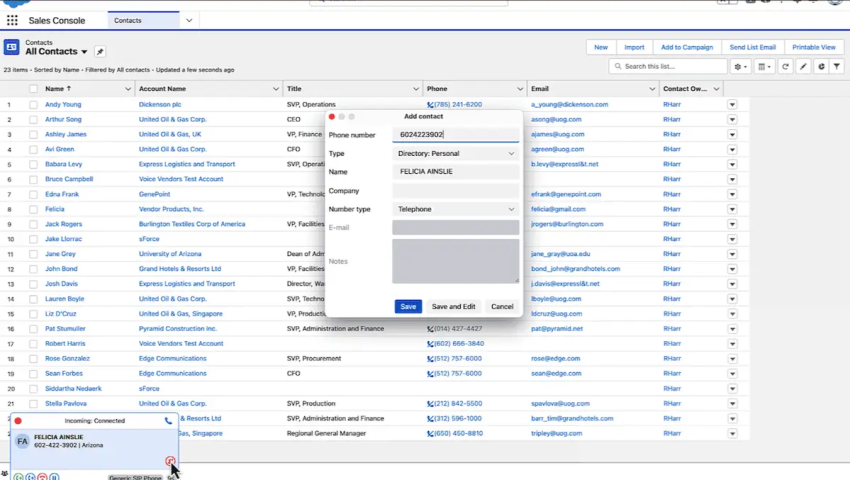
Nextiva lists integrations with Salesforce, HubSpot, and Zoho, so your phone system and your CRM work from the same customer data. Our overview of CRM integrations explains how phone and CRM data connect.
How to Know If Your Lead Follow-Up System Is Working
When a lead follow-up system fails, it fails quietly before you notice. To avoid that, put 15 minutes on the calendar each week and check seven things:
- Time to first response: Average response time in minutes from inquiry to first reply, split by business hours and after hours.
- Contact rate: The share of leads you reached for a real conversation.
- Ownership: Leads with no owner or no next step. Aim for zero.
- Missed calls: Include calls nobody saw and calls seen but not returned in time.
- Coverage gaps by hour: The times of day when unanswered calls cluster.
- Automation health: Send a test lead through every form and confirm it lands.
If you run an AI line, add one comparison. Check how many callers hang up on the AI against how many hang up on a voicemail prompt. If the two numbers are close, your AI line needs more configuration.
At the start, it’s best to watch your trends and improve gradually rather than trying to reach a certain benchmark.
Answer Every Lead With Nextiva
In a business running this lead follow-up system, all inbound leads land in one list with an owner. Within five minutes, a text goes out, and soon after, a call follows. If no one picks up and returns the call later in your after-hours, XBert covers the gap and qualifies leads, whether your team is out for the day or the whole weekend.
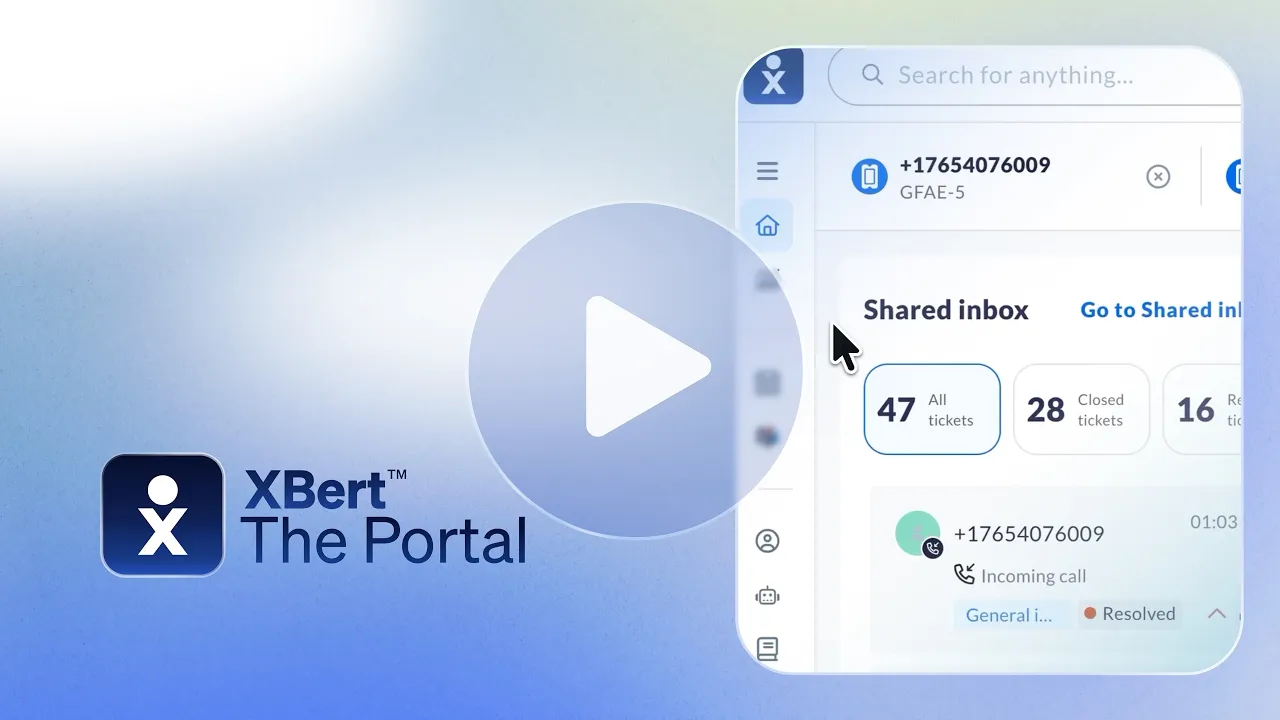
None of it takes a sales ops hire. It takes one number for calls and texts, a written cadence, and something that answers when you can’t. Nextiva’s contact center handles the first part, and XBert handles after-hours calls. You can configure the workflow according to the set cadence in your system.
Explore Nextiva’s small business phone, and be the business that answers first.
Frequently Asked Questions About Lead Follow-Up
It’s the practice of responding to every new inbound lead within five minutes. The number traces back to the InsideSales study in 2007, which compared first calls at five minutes and at 30 minutes. An automated acknowledgment makes the target realistic for a small team.
No proven number exists that works for all businesses. The template in this guide makes about eight touches in 14 days and then drops to a monthly or seasonal check-in. It stops the moment the lead replies or says no.
Give every message a reason to exist: the lead’s name, one specific detail, and one simple question. Drop “just checking in,” space the touches out, and stop when they answer.
Not at first. A shared spreadsheet with an owner, a stage, and a next-step date for each lead works at low volume. Move to a CRM when leads arrive daily or when more than one person works them.
Treat consent as required. The FCC applies its TCPA consent rules to texts, and CTIA’s guidelines expect written consent for marketing messages. According to CTIA, when a consumer initiates a text exchange, no permission is required, and the business may respond only with relevant information. Those guidelines are voluntary, so confirm your setup with counsel.