VoIP
VoIP  Blog
Blog  Business Communication
  Customer Experience
  Leadership
  Marketing & Sales
  Nextiva News
  Productivity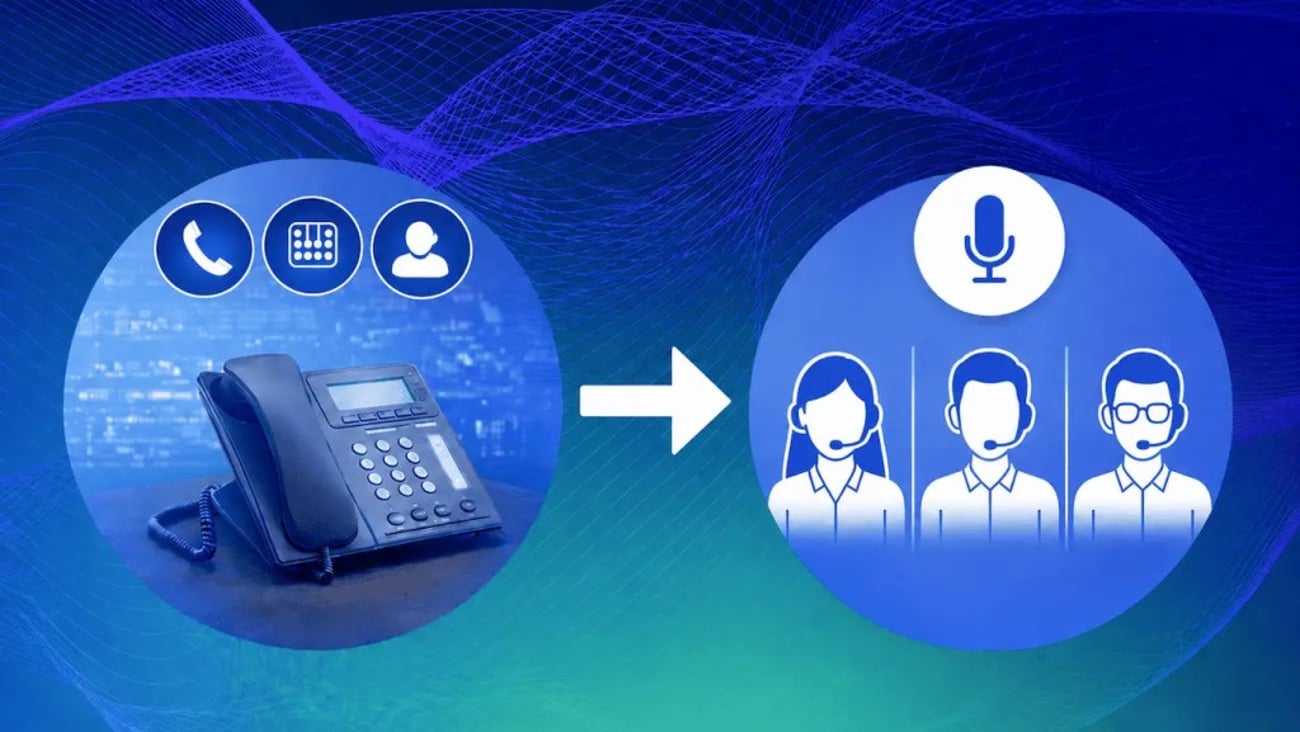

A caller waits on hold and explains the problem once. They get transferred and have to explain the problem again to someone new, or the line rings a few times and drops into a voicemail box nobody checks until Monday. Transfers are where a lot of otherwise good phone systems quietly lose customers.
This is a small phone-system failure with a surprisingly large effect. Nextiva’s Customer Patience Benchmark found that 72.3% of callers expect a response within five minutes, while 56% may change channels or switch to a competitor when a response takes too long. A good call transfer service needs to do more than move calls between people. It also needs a sensible fallback when the first destination doesn’t answer.
This guide covers how call transfers work and why the choice between warm and cold matters less than what happens when nobody picks up. You’ll also learn about what changes when you send a call to a cell phone and the cost of different routing services (live, automated, and AI).
Two Questions, One Search Term
Anyone searching “call transfer service” is usually asking one of two things, so it helps to split them up front.
The first is a feature question: How do I move a call to a coworker on the system I already have? Most business phones support a warm transfer, where you announce the caller first, and a cold transfer, where the call goes straight through. You can do either of these from a desk phone, a mobile app, or a softphone, and the option usually sits behind a single button labeled “Transfer.”
The second is a buying question: Who or what should answer and route calls in the first place? It could be a live receptionist service, an automated attendant, or an AI receptionist, and it’s a big decision with real cost trade-offs.
How a Transfer Actually Works
When you strip away the vendor language, a transfer is a simple handoff. A call arrives at a business number. A person, auto attendant, or AI agent answers it, identifies what the caller needs, and routes the call to an extension, a ring group, or an outside number.
An internal transfer keeps the call inside your phone system. An external transfer, where you send the call to a cell phone or another business, creates a second, separate outbound call leg. Those two behave differently on the network and are billed differently.
It’s worth mentioning one other feature that gets confused with transferring. Say you’re mid-call at your desk and you need to head to your car. Call flip lets you move that live call to your cell phone without hanging up or looping in anyone else. The caller keeps talking to the same person the whole time. That’s different from a transfer, where the call moves to a different employee who has to pick up where the last one left off.
Warm, Cold, and the Question That Matters More
The choice between warm transfers and cold transfers matters, but there’s another setting that can determine whether the call is lost or ends successfully. That setting is the fallback.
Warm and cold, briefly
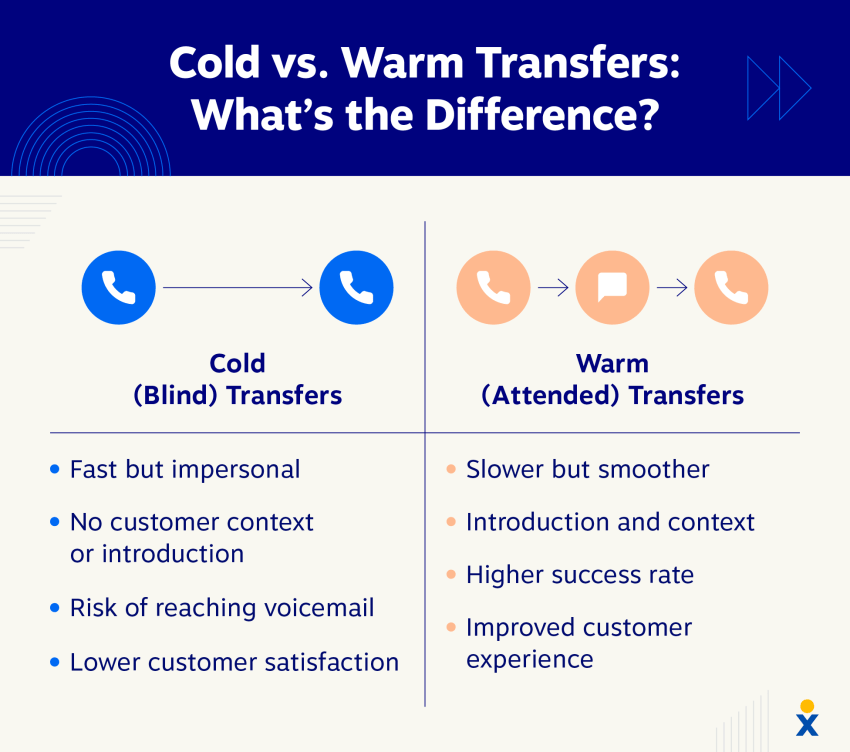
A warm transfer means announcing the call to the receiving person first, so the caller doesn’t have to repeat themselves. The person transferring the call puts the caller on hold, reaches the destination, gives a short rundown (who’s calling, why, and anything already covered), and only then connects the two.
A cold transfer, also known as a blind transfer, skips those steps, and the call goes straight through. The destination learns who’s calling only by speaking with the caller.
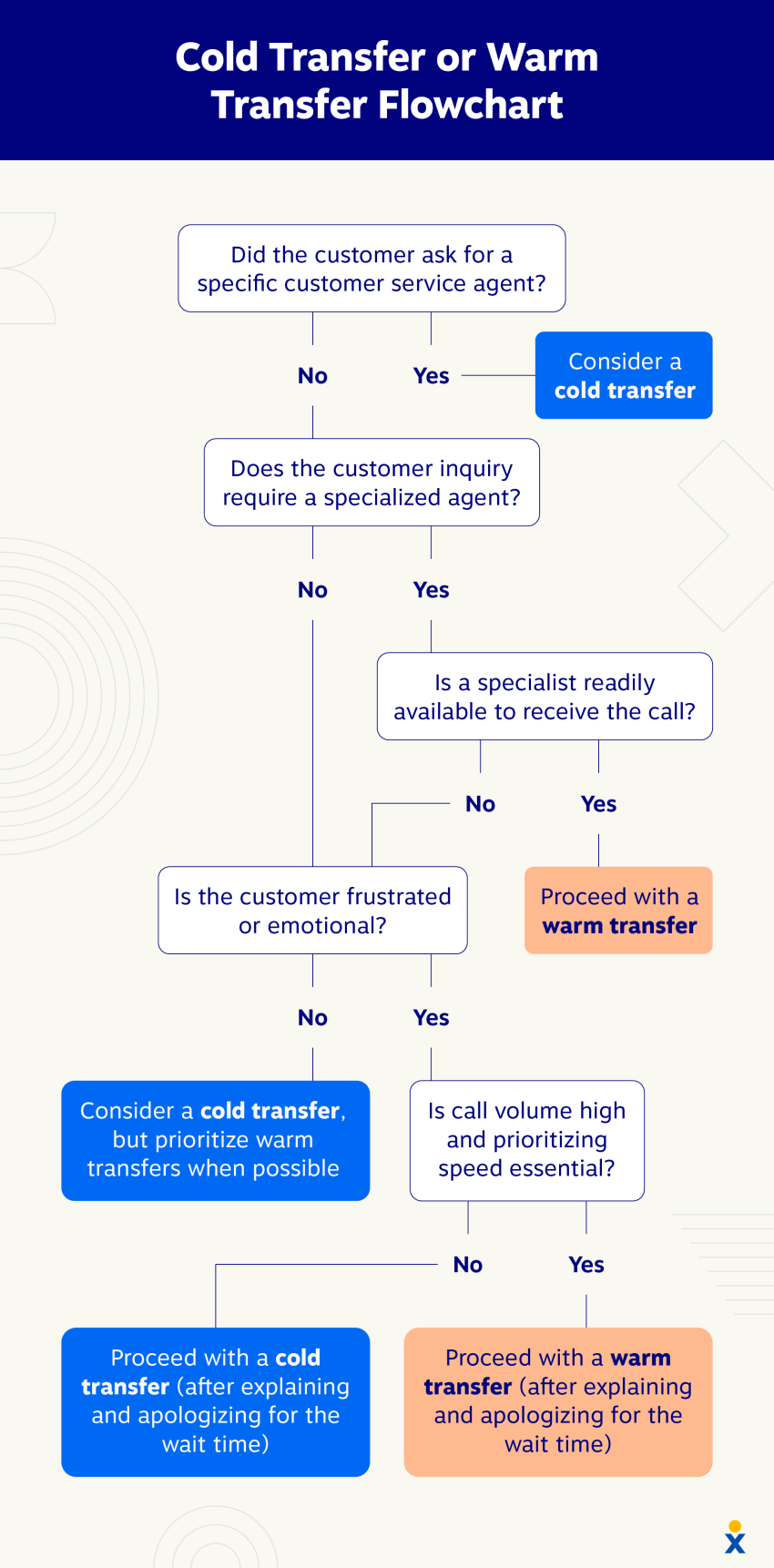
Warm transfers take longer because the caller has to wait on hold for a bit, and the transferring employee has to hold two conversations back-to-back. Cold transfers are faster, but they only work if the destination is actually free to answer immediately. If nobody’s there, the cold transfer just goes to voicemail, and the time saved by skipping a few steps no longer matters.
Use warm transfer whenever context is worth passing along, such as in a billing dispute that has already been explained once or an escalated complaint that shouldn’t have to be re-explained. Use a blind transfer for routine call routing to a destination that’s reliably staffed.
The fallback path is the real decision
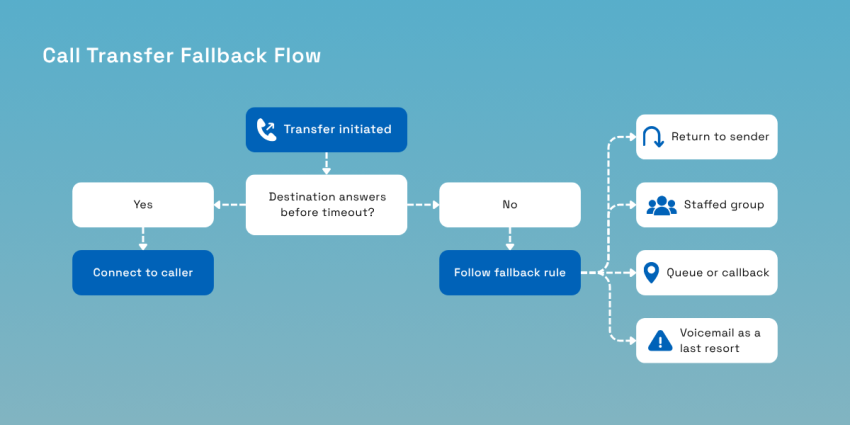
A cold transfer to an unstaffed extension is the worst outcome in this system. The caller has already spent whatever patience they had working through a greeting or an automated menu, and all they get is a voicemail box. The cause of failure sits one layer below the warm-or-cold choice, and that’s a missing fallback rule. The problem is that most phone systems ship with a weak default.
That’s why every transfer destination needs a failure rule. Before you decide between warm and cold transfers, decide what happens when the destination doesn’t answer.
No-answer time-outs across common business phone platforms tend to cluster in a similar range, somewhere around 20 seconds by default, with an acceptable range of 1–100 seconds, before a call counts as unanswered. That’s a reasonable starting point, but it’s usually set once during onboarding and never revisited.
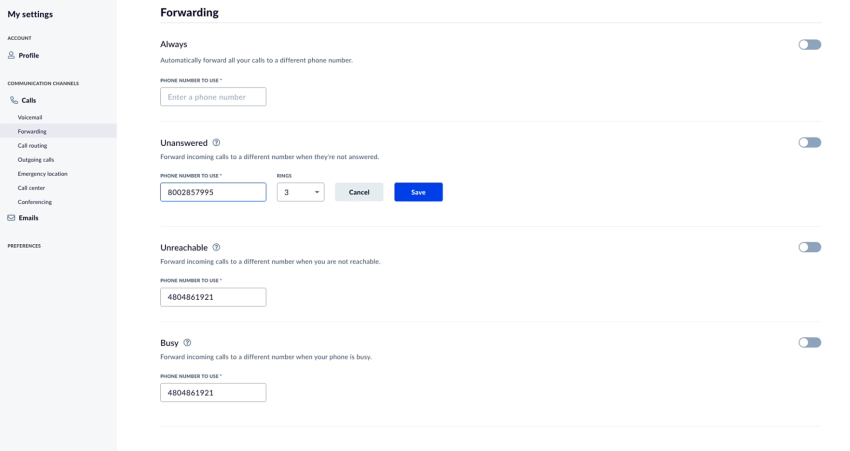
The time-out only controls one thing: how long a call rings before it’s marked as failed. What happens after that matters just as much, and that’s the part almost nobody configures on purpose.
Answer these questions for every transfer destination in your system:
- How many rings, or how many seconds, should I allow before this transfer counts as failed?
- Where does the call go next? Does it go back to whoever transferred it or roll to a group?
- Does the rule change outside business hours?
- Is there a cap on how many times one caller gets bounced between people before someone takes ownership of the call?
There’s no universal right answer to any of these. A two-person office, for instance, might reasonably want every failed transfer to return straight to whoever sent it since there’s nobody else positioned to catch it.
A larger team might prefer routing failures to a group instead so one person stepping away from their desk doesn’t strand a caller. What both setups have in common is that someone made a deliberate choice about the answer, rather than accepting whatever the system did by default.
Test each path by actually calling it because the rules are easy to configure and just as easy to get wrong. Call your own number and go through each menu option. Have someone ignore the call at the destination and see where you end up. Then, repeat the test after hours.
Configuration screens show you the rule as written but not the rule as it currently behaves after months of staffing changes, call forwarding settings, and routing tweaks.
A caller can’t tell the difference between a business that’s closed and a transfer that failed. Both sound identical, with ringing that goes nowhere followed by the same generic voicemail greeting.
If your fallback design doesn’t separate those two situations for the caller, like a distinct after-hours message versus a midday dead end with a callback offer, it’s like asking them whether trying again later will do any good.
| When the transfer fails | Weak default | Better rule |
|---|---|---|
| Nobody picks up | Rolls to that person’s voicemail | Return to the sender or roll to a staffed group before any voicemail |
| Whole department is busy | Rings out, then goes to voicemail | Queue with a position message or offer a callback |
| Call comes in after hours | Same routing as daytime | Separate after-hours path with a clear next step and a time promise |
| Caller is transferred twice | No limit | Cap transfers, then hold the caller with one person who owns the outcome |
Transferring to a Cell Phone and the Caller ID Problem
External transfers create another issue that’s easy to miss.
Almost every small business forwards or transfers calls to a mobile phone at some point, such as when an owner is working from a job site. The problem is that almost none of them know what that does to the call on the other end.
Sending a call out to an external number creates a new outbound call from your provider’s network. Something has to appear as the caller ID on that leg, and there are only two real options, each with a trade-off.
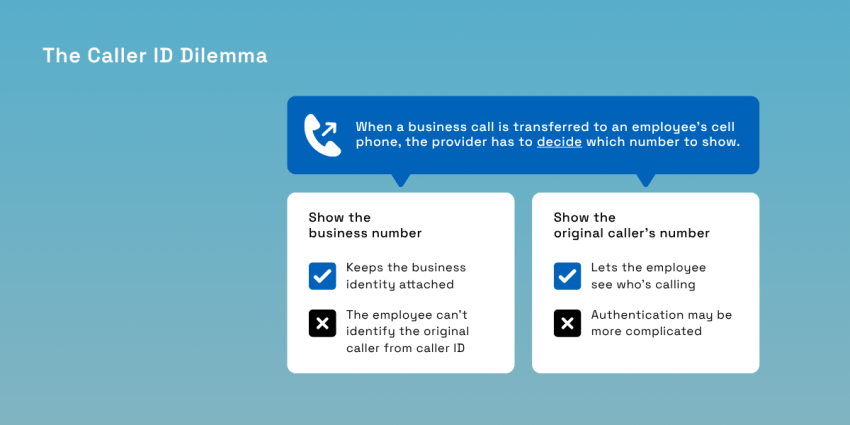
The two choices
The first option is to present your business number. That keeps the business identity attached to the call. It also gives the provider a number that it is authorized to use for the outbound call. The downside is that the employee answering has no idea who’s calling, which defeats the point of screening.
The second approach is to present the original caller’s number, which gives the employee useful context. The trade-off is that the provider may not be authorized to attest to a number that belongs to the original caller.
Under STIR/SHAKEN, the framework the Federal Communications Commission (FCC) requires for authenticating caller identity, the originating provider signs every call with an attestation level. A call it can’t fully verify gets a lower level.
Low attestation doesn’t automatically cause a call to display “Spam Likely.” Spam labels are applied separately by carrier analytics. Caller ID authentication information can be one input among other signals used by those systems.
That distinction matters because a transferred call can be legitimate and still face a higher risk of unwanted labeling, depending on how its caller ID is presented and authenticated. The FCC also treats caller ID authentication as part of the broader effort to combat spoofing and unwanted calls.
What to ask and what to do
When looking for a call transfer service provider, ask:
- Which caller ID the external leg presents by default and whether that’s configurable.
- Whether the original caller’s number can be delivered another way because many platforms can pass it as a whisper announcement or an app notification instead of as a caller ID. This approach gets you both pieces of information at once.
You also need to check your own outbound numbers periodically for spam labels, rather than assuming they’ll always display correctly, since caller ID reputation can change over time.
Live, Automated, or AI: Who Answers First?
Once you move beyond basic call transfer, the next decision is how the first interaction should be handled. A small office with 15 calls a day has different needs from a company receiving hundreds.
| Option | Best for | Typical pricing | The trade-off |
|---|---|---|---|
| Live receptionist service | Complex or sensitive intake, low volume | Per minute or per call | Costs scale directly with volume; billing often includes hold time |
| Auto attendant or interactive voice response (IVR) | Predictable routing, defined departments | Included with most phone plans | Only routes; can’t answer a question or book anything |
| AI receptionist | After-hours coverage, screening, booking | Monthly, often with an interaction allowance | Needs configuration and review in the first weeks |
| Your own team | Very small teams, low call volume | Staff time | Missed calls when everyone is busy or out |
Live versus automated versus AI isn’t really a single either-or choice. Most businesses that get this right run some combination. For example, an auto attendant or AI receptionist handles first contact and everything after hours, while a live or human virtual receptionist can fill the gap for calls that need judgment or issue resolution. The real design question is where the handoff between machine and human sits.
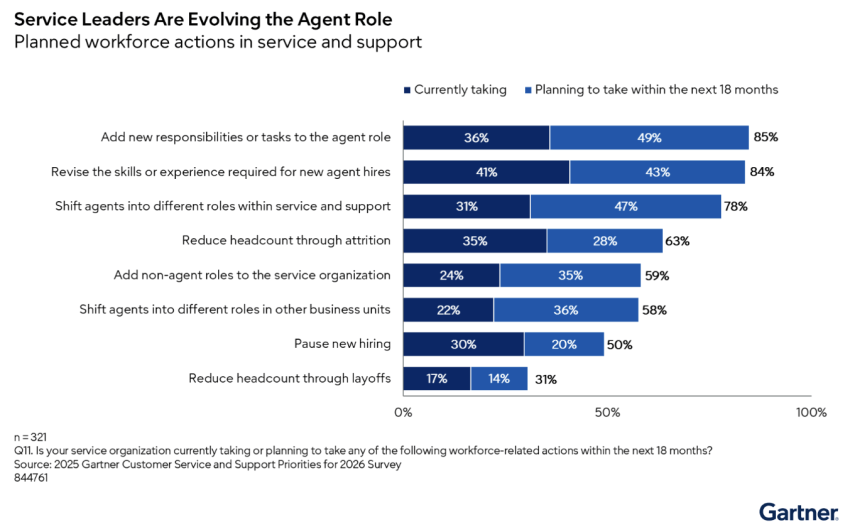
AI adoption in this space is moving fast. In a 2025 Gartner survey of 321 customer service and support leaders, 91% reported pressure from executive leadership to implement AI in 2026.
Meanwhile, a separate Gartner survey (September–October 2025) found that 85% of industry leaders are looking to use AI efficiency gains to expand the tasks and responsibilities of human frontline agents.
What It Costs
Pricing depends heavily on what you’re buying.
A live answering service typically bills per minute or per call, commonly around $0.75 to $1.50 per minute once fees are included, or a flat monthly fee in the low hundreds for a set number of minutes. The bill climbs exactly when the business is busiest since volume drives the meter directly.
Meanwhile, a cloud business phone system that includes an attendant typically charges per user per month, starting around $15 (Dialpad Connect), with costs increasing per user for advanced call management features. AI receptionists usually bill monthly against an interaction allowance, often under $100 for a starter tier, with per-conversation overages once you exceed it.
| Cost model | What you pay for | Watch for |
|---|---|---|
| Per user | Each phone system user each month | Minimum users and higher-tier features |
| Per minute | Time spent handling calls | Hold time, transfer time, and overages |
| Per call | Each answered interaction | Minimum monthly volume and short calls that still count |
| Monthly AI allowance | Set number of interactions | Overage charges and what counts as an interaction |
The billing model can matter more than the advertised starting price. That said, you also need to check for costs that are easy to overlook.
Setup and porting can carry fees. Usage above an included allowance can change the monthly bill. External transfers can introduce charges for the outbound leg, while regulatory and Enhanced 911 (E911) charges may appear separately on a business phone bill. Toll-free numbers and virtual numbers used for call tracking usually carry a small added monthly fee, too.
It’s also worth asking any provider these specific questions:
- What does this cost at my current call volume?
- What does it cost in my busiest month?
A provider worth working with can quickly answer both questions.
Designing a Call Flow That Holds Up
Here are some tips to help you design an effective call flow:
- Start by mapping where calls actually need to go. Two or three solid paths on your IVR system beat a nine-option menu that can otherwise frustrate callers.
- Set business hours and a separate after-hours path, building ring groups so no single person becomes a bottleneck. Then, set a fallback destination for every important extension. Some systems also support skill-based routing, which means you’re sending a billing question to whoever’s good at billing rather than whoever happens to answer first.
- Decide what the caller hears while waiting. A brief message can reassure callers that they’re still connected.
This last step is important, but it’s something nearly everyone skips, and it’s exactly where the problems start.
- Call your own number and walk every path, including the ones that are supposed to fail.
- Let a transfer time out on purpose, call after hours, and try it again when every employee is busy or when the destination is an external mobile number.
Route Every Call With Nextiva
None of this is really about features. It’s about making sure every caller is handed off inside your business to a useful destination, instead of getting stuck in a voicemail box. It’s also about turning that handoff into issue resolution instead of another callback next week.
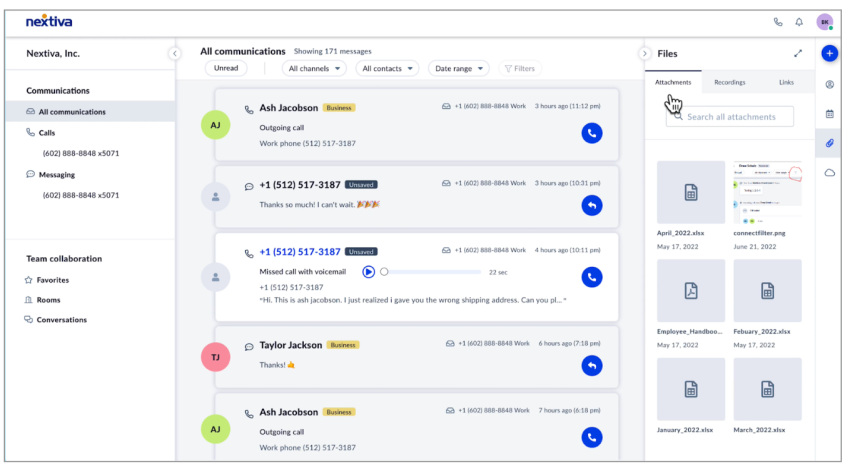
Nextiva’s business phone system gives you a visual call flow builder, so your routing rules are visible instead of buried three menus deep. Warm transfers and cold transfers work the same way from a desk phone, mobile app, or desktop client, with mid-call device switching built in for when you need to step away without dropping the caller.
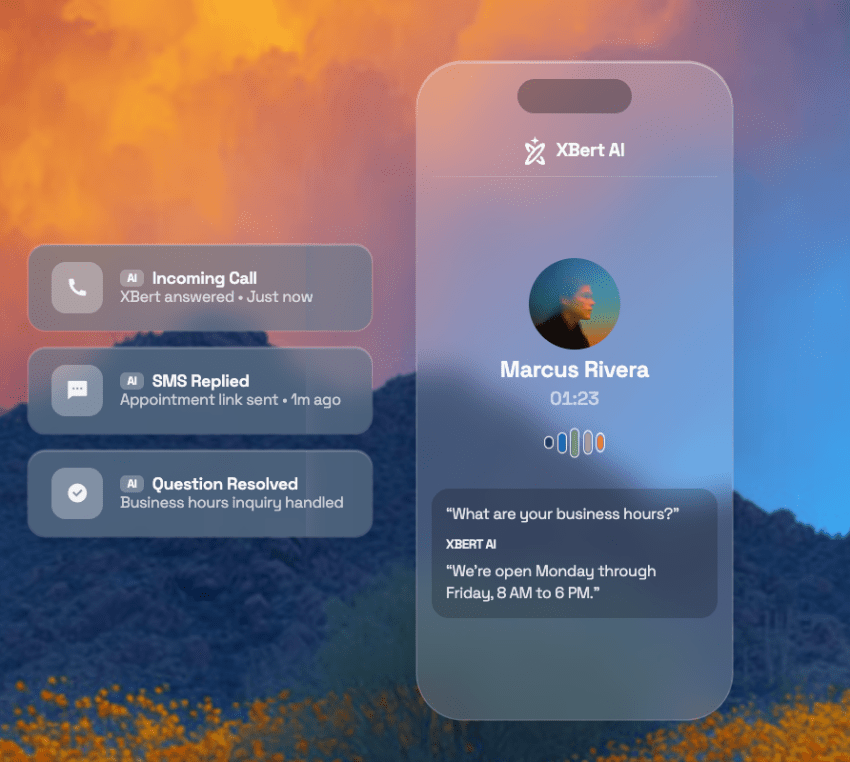
When the first answer needs to be automated, XBert can pick up, screen, and route before a person ever touches the call.
Buzz Franchise Brands, a home services franchisor operating across 250+ territories, is a prime example. Their franchisees can take office calls from the field, with their franchise business coach describing this capability as “[having] a desk phone with them at all times!”
If you’ve read this far, you likely already know where your fallback paths are weak. Talk to Nextiva about a call flow review and find out before the next caller does.
The small business VoIP phone system for modern work.
Get business phone calls, video meetings, and secure messaging in one platform. Easy setup. Budget-friendly. Trusted by millions.