Productivity
  Blog
Blog  Business Communication
  Customer Experience
  Leadership
  Marketing & Sales
  Nextiva News
  VoIP
VoIP 

No one likes being monitored 24/7, not agents, managers, or business owners. But monitoring happens for a good reason because every customer conversation leaves an impression on your business.
That’s why businesses treat call monitoring as a quality assurance and use it to understand customer conversations, improve agent performance, maintain compliance, and catch service gaps before they affect the customer experience.
Apart from recording calls, modern call monitoring software uses AI-powered transcription, deep conversation analytics, and real-time sentiment analysis to uncover patterns, identify coaching opportunities, and help teams improve conversations at scale.
In this guide, you’ll learn how call monitoring works, why it’s important, and how businesses use it to improve customer interactions, agent performance, and overall contact center operations.
Why Should Businesses Monitor Calls?
Call monitoring helps businesses align company expectations with real customer experiences. Every customer interaction reveals valuable insights about service quality, agent performance, customer sentiment, and operational efficiency across every call center environment.
Call center monitoring serves two primary purposes:
- Continuous improvement: Managers can identify exactly where conversations succeed or break down. These insights help teams evaluate agent performance, improve coaching, refine scripts, reduce escalations, and strengthen customer interactions over time.
- Quality consistency: Monitoring helps businesses maintain professional communication standards across every customer conversation while ensuring agents follow compliance and service guidelines.
Agents are always free to improvise based on the situation. But knowing that every word they exchange with a customer is being recorded prevents them from saying or doing anything that might be perceived as an unfair or malicious business practice.
In 2026, call monitoring platforms use AI-powered auto-QA, advanced analytics, and sentiment analysis to identify patterns in customer behavior and uncover opportunities for better customer interactions.
This gives support managers a continuous pulse on customer experience without depending on constant micromanagement. Instead of manually reviewing a small set of calls, businesses can now:
- Detect compliance risks in real time
- Identify recurring customer frustrations
- Analyze customer sentiment at scale
- Measure agent performance more accurately
- Uncover coaching opportunities faster
Monitoring capabilities allow support managers to analyze live or recorded calls, helping everyone keep customer satisfaction at the forefront.
Benefits of Call Monitoring Softwares
Call center quality monitoring software offers businesses better visibility into customer conversations and contact center performance. Here are some of the key benefits businesses gain from using call monitoring tools.
Improves customer experience and satisfaction
A call monitoring system allows contact center management to identify the common pain points that customers mention in conversations. It serves as input to optimize the communication strategy.
This helps to improve customer service offered by customer support agents. With the communication strategy already optimized for these recurring problems, agents know what to say whenever these pain points make their way into conversations.
Call monitoring leads to fast resolutions, increasing resolution rates, and first-contact resolutions. You can use these metrics to highlight your team’s strong performance in stakeholder meetings, and even if you don’t, the numbers will speak for themselves.
Beyond numbers, call monitoring influences customer satisfaction and retention.
Enhances agent performance and training
Contact center agents experience mental stress. Frustrated customers, targets, call volumes, and administrative workload are generally the most significant contributors.
Call monitoring tools save your agents from the added stress of not knowing what to do in a typical customer situation. It allows call center managers to offer real-time feedback, helping them handle the call effectively.
The call recording becomes a source of actionable insights and learnings for coaching the whole team. It doesn’t just support one agent’s performance but helps elevate the entire call center’s performance.
Subsequently, a series of similar recordings and examples lets new agents ramp up and develop their skills in a comparatively shorter time.
Ensures compliance and quality management
When agents know their conversations are being monitored, it automatically encourages them to align with a company’s guidelines and regulation standards to avoid getting into trouble. It can also keep unrestrained attitudes in check, helping agents follow the expected communication standards.
The call logs, scripts, and escalations go for review, allowing managers to deliver constructive feedback. This encourages the agent to be more cautious and automatically improves the quality of conversations.
Optimizes call center operations and performance
Reviewing call recordings periodically, monitoring trends in call duration, and making them part of your process directly influence agents’ performance.
The suggested alternatives, ideas, and modifications shared in reviews help call center agents gradually improve and reduce wait times, automatically enhancing your service level agreements.
Better- and well-trained agents directly deliver their impact on the contact center’s key performance indicators. They help optimize present workflows to improve the center’s operational efficiency.
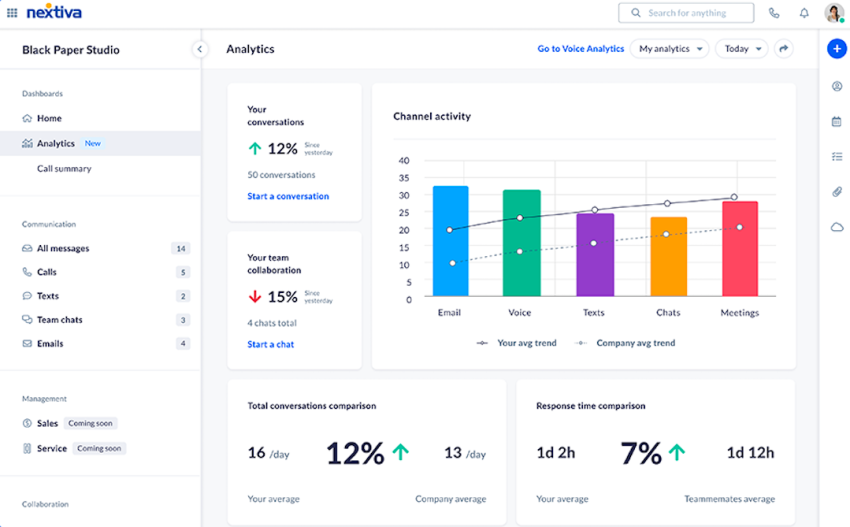
What to Look for When Evaluating Calls
Below are certain points you should look for while reviewing agents’ calls.
Call handling efficiency and service quality
This involves assessing if agents are managing inbound and outbound calls professionally. Monitor the trends in resolution rates to see whether they are improving over time.
If not, investigate to understand why and make the required modifications to the communication strategy.
Adherence to scripts and compliance guidelines
It’s natural for agents to create their own path to communicating with customers, considering the uniqueness of their support issues.
However, it’s best to address the uniqueness with an innovative resolution rather than straying too far from the established communication path. This will help ensure that calls meet legal and compliance standards.
Customer satisfaction and feedback
Assess how customers rate their experience in post-call surveys. As customers often miss completing a survey unless prompted, you can add a prompt in call scripts that encourages customers to fill out the survey after the call.
Pay close attention to escalations. Review why the issue was escalated and what service the customer received afterward. If it’s not up to standard, advise your team on alternative counter measures to deliver a satisfactory customer experience (CX).
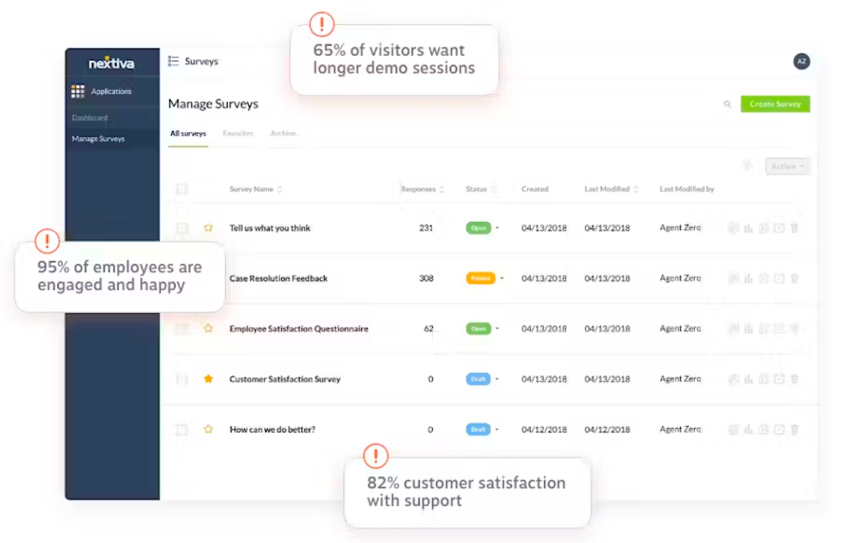
Agent performance and engagement
Check if agents are efficiently resolving concerns. The time to resolution or handle time is crucial here. You don’t want to keep testing a customer’s patience. Listen to the customer’s side to see if they are providing useful feedback to the agent.
This is the most critical insight to understanding the customer expectations front.

How the Call Monitoring Process Works in 5 Steps
Businesses need a structured process for operational improvements. Modern contact centers use a combination of live monitoring, AI-powered analytics, and continuous feedback loops to improve customer experience and agent performance at scale.
| Step | Purpose | What businesses should do |
|---|---|---|
| Goal alignment | Define success metrics | Set KPIs like CSAT, FCR, sentiment score, escalation rate, or average handle time (AHT) |
| Calibration | Maintain scoring consistency | Hold regular QA calibration sessions where managers review and score the same calls together |
| Active monitoring | Improve call visibility | Use live call monitoring, AI transcription, whispering, and analytics based on agent needs |
| The feedback loop | Improve agent performance | Deliver coaching within 24-48 hours while the interaction remains fresh |
| Strategic optimization | Improve long-term operations | Update scripts, workflows, and training materials using trends identified during monitoring |
Methods for Monitoring Phone Calls
Call center monitoring software facilitates different methods for reviewing customer communications. These methods include:
Live call monitoring
With this approach, supervisors or contact center management listen to real-time customer calls to see if they can add value or help the agents improve their performance. It works best as an immediate coaching tool during ongoing calls and delivers feedback that requires prompt implementation.
This method is typically used to see how new agents handle customer conversations while managing inbound or outbound conversations.
Call recording and playback
Calls are recorded, and the supervisors review them later for quality assurance and quality control. This allows the managers to show that the call center complies. It also helps management understand an agent’s performance so they can select examples for coaching sessions. This helps not only one agent but all team members.
Call whispering and barging
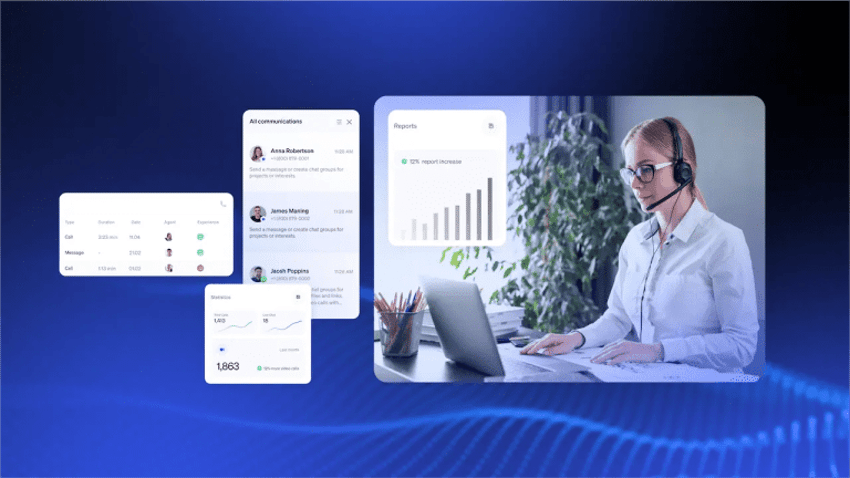
With in-call whispering, call center supervisors can talk to agents in real time without the customer hearing. This helps an agent navigate complex support cases or close sophisticated upsells or cross-sells over calls.
Many call monitoring software tools also include call barging capabilities. This allows managers to intervene in calls whenever necessary.
AI-powered transcriptions and analytics
Managers can choose to monitor a call through a transcription. It makes the text searchable, which allows them to check whether specific information was conveyed on the call.
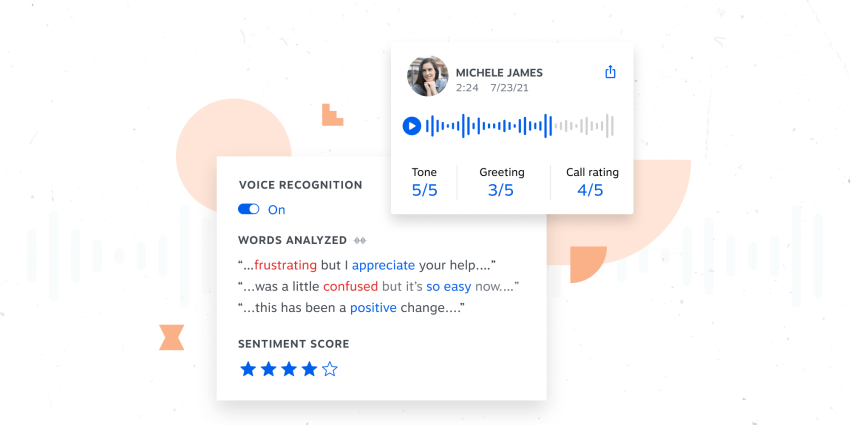
Call monitoring software with artificial intelligence (AI) also comes with real-time sentiment analysis. Managers can monitor calls and train their team to use insights from sentiment analysis to guide the conversation.
Conversation trends collected through AI analytics can also support customer research and future marketing efforts.
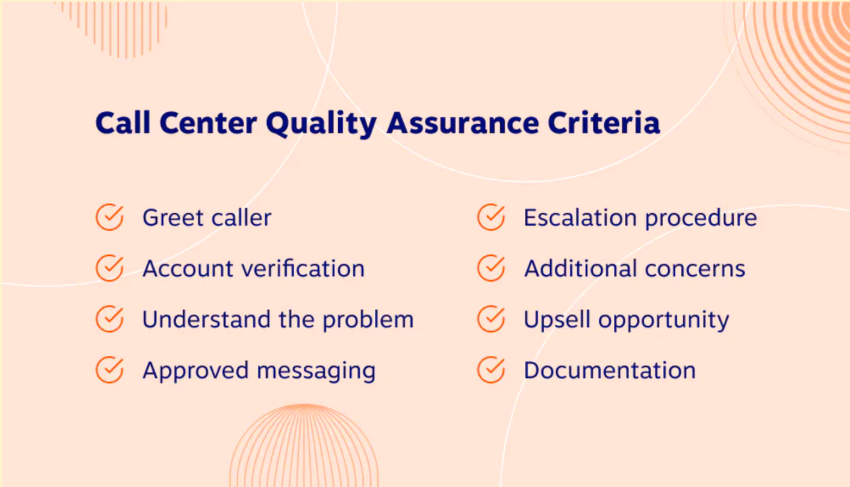
QA scorecards
Quality assurance (QA) scorecards help supervisors evaluate customer conversations using standardized performance criteria.
Managers can score calls based on communication quality, professionalism, compliance adherence, empathy, and issue resolution. This creates a measurable evaluation process across the contact center.
CRM integration
Many call monitoring tools integrate directly with CRM platforms to give agents and managers complete customer context during conversations.
CRM integration ensures agents have access to the full customer history during calls, enhancing service delivery. It helps businesses personalize conversations, reduce repetitive questions, improve resolution speed, and track customer interactions more proactively.
Keyword tracking
Keyword tracking allows businesses to monitor specific words, phrases, or topics discussed during customer conversations.
Managers can use keyword tracking to detect compliance risks, identify escalation triggers, analyze recurring customer complaints, monitor competitor mentions, and track sales opportunities.
Compliance alerts
Compliance alerts help businesses identify conversations that may violate legal or regulatory guidelines. Modern platforms also support compliance monitoring by automatically flagging missing disclosures, sensitive payment information, risky language, and policy violations.
This reduces compliance risks while maintaining proper communication standards.
Omnichannel monitoring
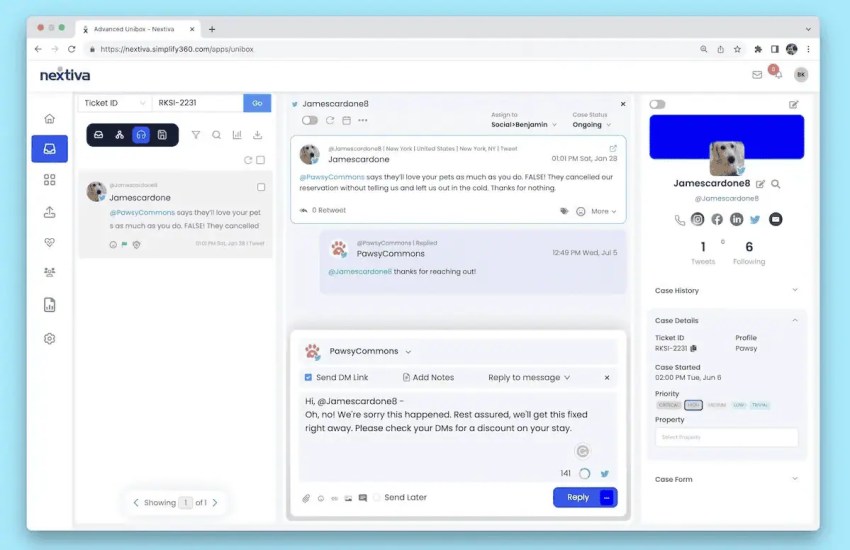
Modern contact centers support customer communication across multiple channels, including voice, email, chat, SMS, and social media.
Omnichannel monitoring helps businesses review customer service interactions across all these channels from a centralized platform, creating a more complete view of the customer journey and overall service quality.
Top Call Monitoring Software Solutions
The best call center monitoring software combines different tools in a user-friendly interface to help businesses scale customer support operations.
Below are some of the top call monitoring solutions businesses use to monitor live calls, analyze customer interactions, and improve customer experience at scale.
1. Nextiva
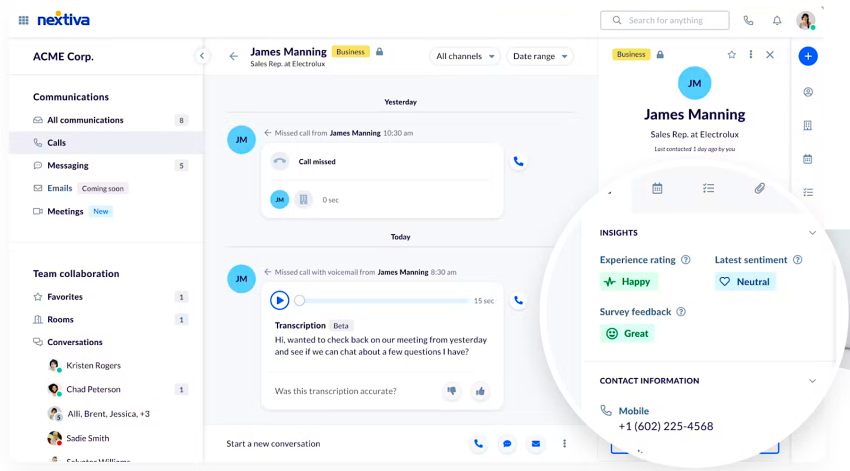
Nextiva offers cloud-based call monitoring with supportive features like live call whispering, call recording, and real-time analytics. It integrates seamlessly with popular CRM systems to improve the workflows of contact centers and sales teams, ensuring a smooth CX with high-quality calls.
Here’s an overview of Nextiva’s call monitoring solution:
- G2 rating: Nextiva scores a 4.5/5 based on 3,300 reviews.
- Pricing plan: Plans start at $15 per user per month. The Engage and Power suites offer robust capabilities for companies that need business voice and call center capabilities. Those start at $25 and $75 per user per month, respectively. Enterprises can start at $129 per agent per month.
- Top features in addition to call monitoring: Features include smart call routing, a unified inbox for website chat, text messaging, social media management, and email.
- Factors influencing pricing: Higher-tier plans offer advanced features like intelligent call routing, interactive voice response (IVR), and in-depth analytics.
- Unexpected costs: Nextiva offers straightforward pricing with no hidden fees.
- Benefits: Real-time monitoring provides immediate feedback and peer-to-peer learning by listening to and providing feedback on calls.
2. Gong.io
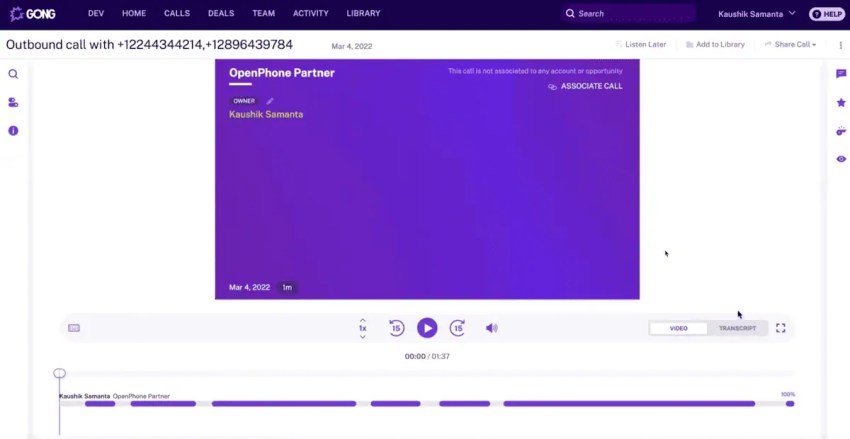
Gong uses AI-driven conversation analytics that help businesses improve sales call performance. It charges around $5,000 as a platform subscription fee and offers professional services and agent training for an additional $7,500.
Here’s an overview of Gong.io:
- G2 rating: Gong scores a 4.8/5 based on 6,074 reviews.
- Pricing plan: Plans include a $5,000 base fee per year and the following rates per user: $1,600 per user per year (up to 49 users), $1,520 per user per year (50–99 users), $1,440 per user per year (100–249 users), and $1,360 per user per year (250+ users).
- Top features: Automatic call recording, transcription and search, AI-powered insights, CRM integration, and performance analytics make up the popular features.
- Factors influencing pricing: Gong’s call software imports contacts from your CRM, so your CRM must be compatible.
- Unexpected costs: Gong usually charges $5,000 for a platform subscription (base price). Other costs include $7,500 for professional services (customer support and training costs). In addition, Gong.io charges for three years upfront for most companies.
- Benefits: Gong Connect allows your support team to record calls, capture key customer details, and track deals from the mobile app. It syncs with your CRM to keep calls linked to the correct accounts so that reps can work from anywhere.
3. Dialpad
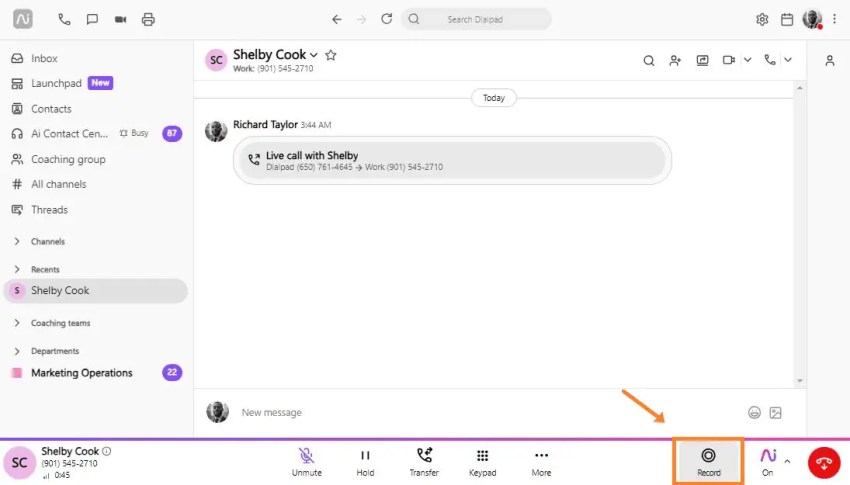
Dialpad manages real-time transcription and call recording. It facilitates agent coaching and helps managers with real-time analytics.
Below is an overview of Dialpad:
- G2 rating: Dialpad scores a 4.5/5 based on 1,861 reviews.
- Pricing plan: Rates are $15–$25 per user per month on an annual payment basis. A free 14-day trial and custom plan are also available.
- Top features: Dialpad provides easy navigation, call history/progress, call recording, live metrics, and real-time assistance.
- Factors influencing pricing: Features like call queues and CRM Integration are locked to the pro plan.
- Unexpected costs: An additional porting fee, administrative cost recovery fees, and an E911 regulatory recovery fee might apply.
- Benefits: It streamlines your communication with a centralized AI-powered app, helps you stay focused on what matters with AI Recaps, and has real-time analytics for managers and admins.
4. NICE CXone
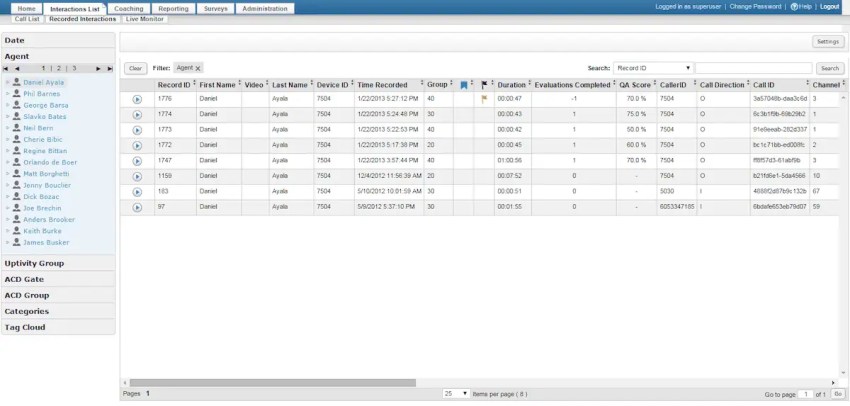
NICE CXone software uses call monitoring features focused on compliance tracking and quality management to ensure calls are aligned with quality standards. Here’s an overview of the software:
- G2 rating: NICE CXone scores a 4.3/5 based on 1,636 reviews.
- Pricing plan: Plans are priced at $71–$209 per month. Call monitoring features are spread across different plans. There is also a feature-heavy ultimate plan at $249 per month.
- Top features: Enlighten AI for CX, journey orchestration, and call routing functionality top the list.
- Factors influencing pricing: Add-ons such as knowledge management, proactive engagement, automated interaction summarization, and AI-powered self-service might cost extra.
- Benefits: NICE CXone provides access to unlimited innovation via open APIs and pre-integrated certified partner applications, seamless integration of various communication methods, rigorous quality control measures, and detailed analytics and reporting capabilities.
5. Five9
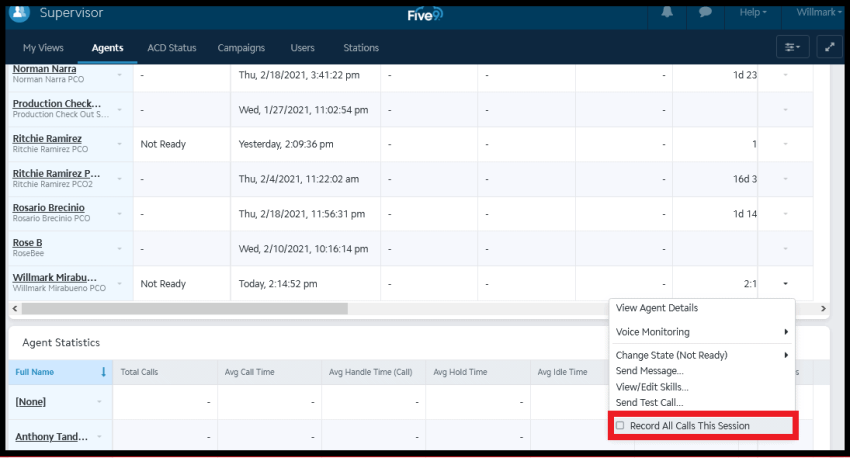
Five9 includes speech analytics, live call monitoring, and CRM integration. Here’s an overview of the software’s pricing and top call monitoring features:
- G2 rating: Five9 scores a 4.1/5 based on 511 reviews.
- Pricing plan: Plans cost $175–$325 per month.
- Top features: Features include Omnichannel contact center, automation and AI tools, interaction analytics, and workforce engagement management.
- Factors influencing pricing: Add-ons like Admin Assist, Agent and Supervisor Consoles, and CRM Connectors might cost extra.
- Benefits: Five9 delivers advanced voice quality, ready to scale with your enterprise and facilitate global reach.
6. Talkdesk
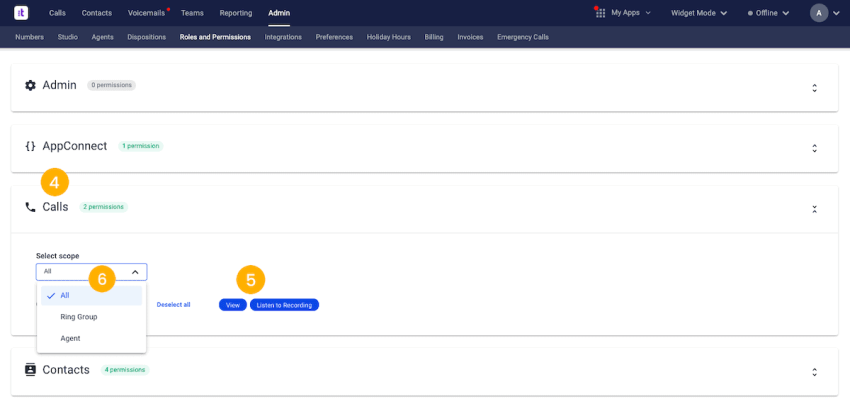
Talkdesk offers many features for managing your call center operations, including IVR, custom reporting, and advanced security tools. Here’s an overview of the software:
- G2 rating: Talkdesk scores a 4.4/5 based on 2,411 reviews.
- Pricing plan: Rates are $85–$145 per user per month.
- Top features: Call whisper feature, call barging, call takeover, and call recording are the leading features.
- Factors influencing pricing: Add-ons like Talkdesk Autopilot, Talkdesk Navigator, Customer Experience Analytics, and Workforce Management might come at an additional cost.
- Unexpected costs: No hidden costs are tied to Talkdesk’s pricing plans.
- Benefits: Talkdesk enables you to keep track of what happens during active calls and allows you to improve agent coaching and training.
7. RingCentral
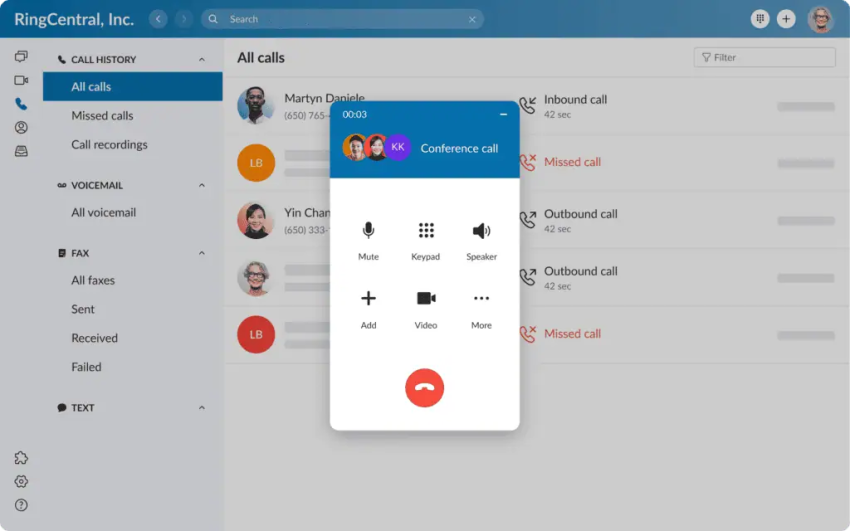
RingCentral offers live call monitoring with features like detailed call logs. It allows managers to quickly hop onto the call and relieve the sales or support agent to ensure callers are satisfied with the exceptional customer service. Here’s an overview of RingCentral software:
- G2 rating: RingCentral scores a 4.0/5 based on 147 reviews.
- Pricing plan: Plans are priced at $30–$45 per user per month. These are starting prices, and the exact cost might vary depending on the number of users and the specific features you choose.
- Top features: RingCentral offers improved customer support, robust security policy controls, and affordable and transparent pricing.
- Factors influencing pricing: Some core features, like call recording, require extra fees on lower tiers.
- Benefits: You can train your sales and support staff during live calls.
How to Choose a Call Monitoring Software
Understanding how many calls your business handles daily also helps determine scalability requirements. When selecting call monitoring software for your business, consider these points:
Define call monitoring goals
Document the goals you aspire to achieve with your call monitoring system. Do you want to train people, assure quality, or remain compliant? Whatever the goal, define and stick to it; it will gradually lead to customer satisfaction. Make sure you have clear KPIs to measure success.
Select the right call monitoring software
Choose a tool that aligns with your business needs, phone system, and contact center operations. Check whether the tools integrate with the CRM, customer support platform, or call center solution.
Train your team, and implement monitoring workflows
User adoption is crucial when you want the system to contribute to ROI. Encourage your supervisors to leverage the software’s benefits while following call monitoring best practices. Implement live call monitoring and whispering while introducing feedback sessions in your regular workflows.
Optimize call quality and ensure customer satisfaction
Improve scripts and service quality using real-time call data and customer feedback. Use AI-powered transcriptions and analytics to continuously improve customer satisfaction scores.
Monitor Calls and Improve CX With Nextiva
Nextiva helps you turn customer conversations into actionable insights that improve service quality, team performance, and operational efficiency.
The cloud-based platform gives you factual customer data with the visibility and flexibility needed to support agents, reduce escalations, and maintain consistent customer experiences across every interaction.
With built-in AI capabilities, real-time supervision tools, and omnichannel support, Nextiva helps you manage customer communication more proactively while keeping your contact center operations efficient and scalable.
Ready to improve customer conversations and contact center performance? Learn more about Nextiva’s call monitoring solutions today. 👇
Build Amazing Customer Experiences
Transform customer experience on a Unified Customer Experience Management platform designed to help you acquire, retain, and grow your customers.
FAQs About Call Monitoring Software
Here are a few questions people frequently ask when shopping for call monitoring software:
Call recording captures and stores customer conversations so businesses can review them later for documentation, compliance, or training purposes. Call monitoring goes a step further by actively evaluating live or recorded calls to improve agent performance, customer experience, and quality assurance.
Modern call monitoring software often includes additional key features like live listening, call whispering, sentiment analysis, AI transcription, and performance analytics.
Yes, but businesses must follow regional call recording and data privacy laws and must comply with local one-party or two-party consent laws before recording or monitoring calls. Most call monitoring systems include automated call recording disclosures, such as “This call may be recorded for quality and training purposes,” to help businesses meet legal and compliance requirements.
Call monitoring helps businesses ensure agents follow company policies, industry regulations, and data privacy requirements such as GDPR, CCPA, and PCI-DSS. Many platforms automatically flag risky language, missing disclosures, or compliance violations, helping businesses reduce legal risks and maintain consistent standards across customer interactions.
Call monitoring provides real-time feedback and training opportunities to help agents improve their call handling, resolution rates, and overall efficiency.
Yes. Call monitoring tools help managers support agents better during difficult customer interactions. Features like real-time guidance, call whispering, and targeted coaching help agents handle conversations with more confidence instead of feeling unsupported. Recorded calls also create valuable training examples that help new agents learn faster from real customer situations.
Not when businesses use it correctly. When managers use call monitoring only to criticize mistakes, it can create pressure and frustration for agents. But when businesses position it as a coaching and support tool, it helps agents improve their skills, gain confidence, and handle customer conversations better.
Yes. By tracking call quality, businesses can proactively address customer concerns before they escalate.
Call monitoring helps businesses identify operational issues that affect customer experience and team productivity. Managers can detect problems such as long hold times, repeated customer complaints, inefficient workflows, or inconsistent communication patterns. Using more relevant data to improve processes can help contact centers improve service levels, increase call center efficiency, and deliver more consistent customer support.