VoIP
VoIP  Blog
Blog  Business Communication
  Customer Experience
  Leadership
  Marketing & Sales
  Nextiva News
  Productivity

A friend of mine launched a consulting business out of her spare bedroom last year. She ran the whole operation on her personal cell. Three weeks in, a prospect called back, hit her kids’ rambling voicemail, and then vanished. A vendor who needed her partner couldn’t get transferred. Every outbound call landed as a generic mobile number, sometimes flagged as spam.
She asked whether she needed a business phone or if her residential setup was fine. I get this question often. After two decades helping sales and CX teams pick communication platforms, the honest answer is rarely “your home line is fine.” The underlying technology is the same on both sides. What sits on top of it isn’t.
What Is a Business Phone Service?
A business phone service is a communication platform built for professional use. It supports multiple users, higher call volumes, and call-management features that residential services don’t include.
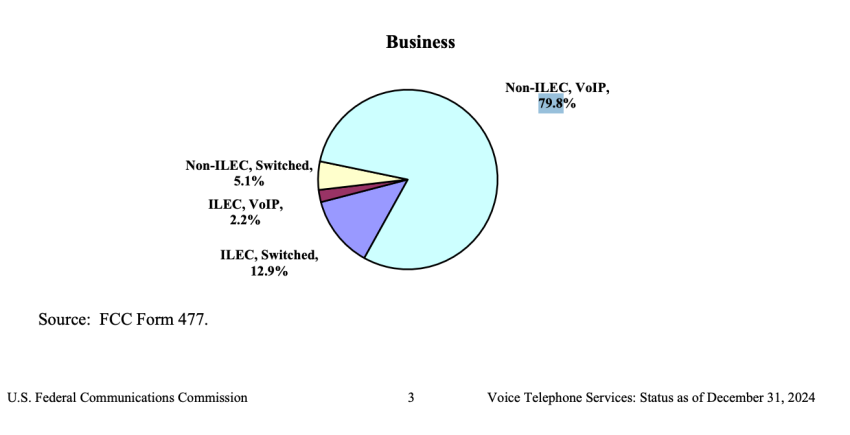
While a business phone service can run on traditional lines, the FCC’s December 2024 voice services report shows that 79.8% of business wireline connections use non-ILEC interconnected VoIP.
This is what makes a phone behave like a system instead of a single line. It offers several capabilities:
- Auto-attendants greet callers and route them to the right team.
- Call queues hold inbound traffic when everyone is busy.
- Voicemail transcription drops a written summary in your inbox.
- CRM integrations log every call against the right contact.
- SMS, video, and team chat live in the same app as voice, so you no longer have to juggle tools.
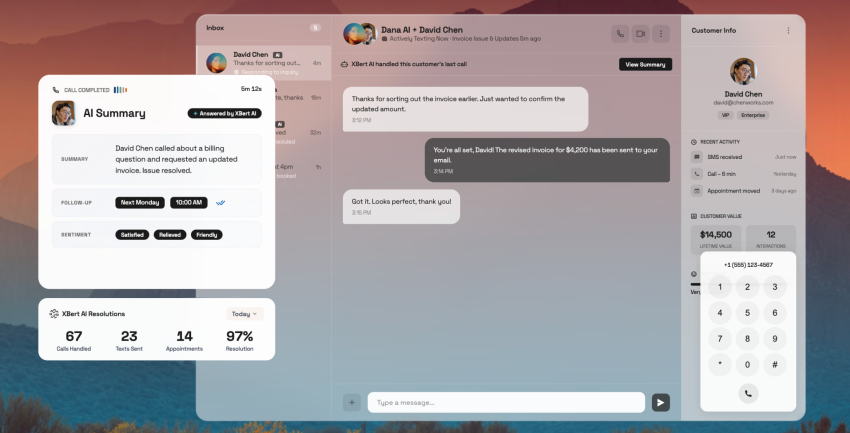
On a platform like Nextiva, these features are all packaged into NextivaONE, the unified app that handles voice, text, video, and team chat from a single screen. However, it doesn’t mean that you need to bear the high cost of this consolidation. Nextiva’s core plan starts at $15 per user per month for annual billing.
Explore the total cost of Nextiva.
What Is a Residential Phone Service?
A residential phone service is a single line designed for a household. Historically, this came from your local phone company over copper wires. Now, it comes in the form of a consumer VoIP plan from service providers like Ooma Telo, magicJack, or Vonage for Home, or a phone line bundled into your cable internet package.
Its purpose is to handle low-volume personal calling. You get caller ID, voicemail, call waiting, and call forwarding, as well as one to three concurrent calls, depending on the provider. There’s no auto-attendant, no call queues, no business SMS, and no CRM. Pricing usually ranges from $5 to $30 per month for unlimited domestic calling, but it’s sometimes less if you bring your own device.
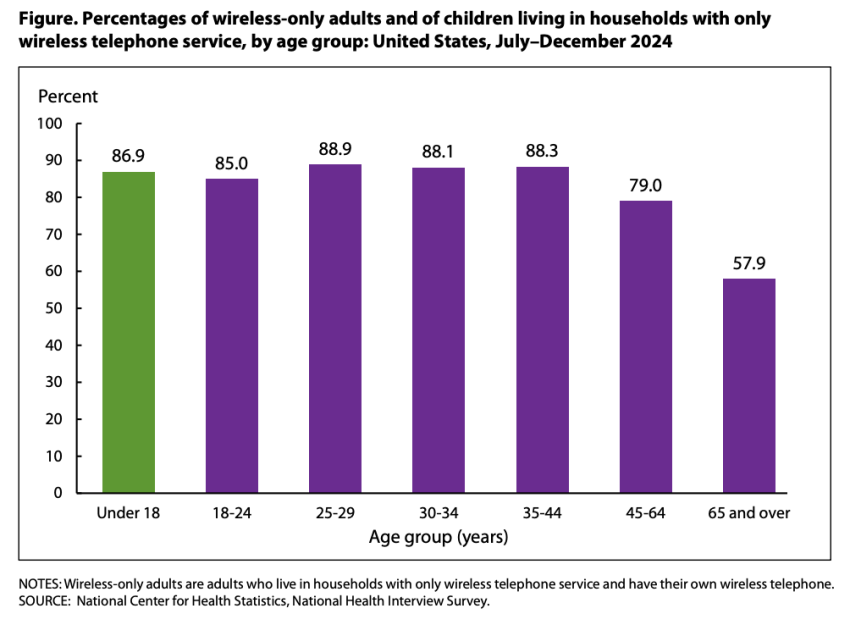
The CDC’s National Health Interview Survey found that 78.7% of U.S. adults now live in wireless-only households without a landline. This suggests that the number of landline connections could decline in the foreseeable future. To remain relevant and reachable, you should consider alternative options.
A residential service is not a stand-in for a business line. The carrier databases that drive caller ID classify it differently, and compliance frameworks treat it differently. The Campaign Registry, which manages 10DLC business texting registration on behalf of AT&T, Verizon, and T-Mobile, blocks unregistered SMS traffic to U.S. numbers.
In 2026, registration requires a valid Tax ID (EIN). A residential line cannot register under a business identity. This constraint, more than any feature gap, is why home lines stop working for business — if you text a customer, they likely won’t receive it.
Business vs. Residential Phone Service: The Key Differences
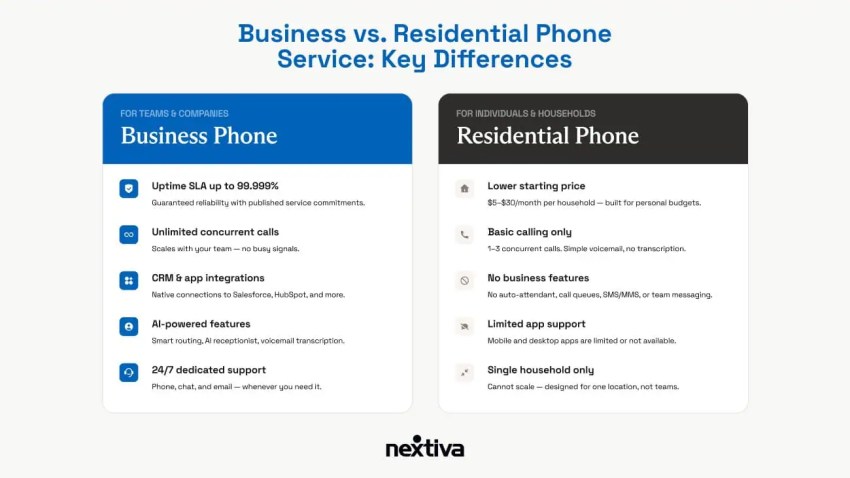
There’s a difference between a business phone service and a residential one. The moment a second person needs to answer the phone or a customer expects a text confirmation, the differences become clearer.
| Feature | Business Phone Service | Residential Phone Service |
|---|---|---|
| Starting price | $15 to $30 per user per month | $5 to $30 per household per month |
| Concurrent calls | Unlimited (scales with users) | One to three calls |
| Auto-attendant | Included on most plans | Not available |
| Call queues and routing | Included or available as an add-on | Not available |
| Business SMS/MMS | Included on most plans | Blocked under 10DLC |
| Video conferencing | Included on most plans | Not typically included |
| Team messaging | Included | Not available |
| CRM integrations | Native (Salesforce, HubSpot, etc.) | Not available |
| Call recording | Available on most plans | Not available |
| Voicemail transcription | Included | Basic voicemail only |
| Mobile and desktop apps | Full-featured | Limited or none |
| Caller ID reputation | Business-verified, branded | Personal, may trigger spam flags |
| Uptime SLA | Up to 99.999% (top providers) | None published |
| Scalability | One user to thousands | Single household |
| AI features | Smart routing, AI receptionist | None |
| 24/7 support | Phone, chat, email | Limited or self-service only |
A few of these rows deserve a closer look. For example:
Call capacity
A residential line handles one to three calls. A business platform scales to hundreds across a distributed team without anyone ever hearing a busy signal. If you’ve ever had a customer hit voicemail because two team members were already on the line, you’ve likely felt this gap.
Caller ID and trust
This is the one most people underrate. Buyer-side fraud-prevention systems treat consumer phone numbers as a higher-risk line type. A registered business number passes security checks, but a residential or consumer VoIP line often does not.
Mobility
Business VoIP works interchangeably from a desk phone, laptop, or smartphone, and the mobile apps treat each handoff as the same conversation. A residential service is tied to a physical address or a single device. These differences become apparent for anyone doing remote work or splitting time across mobile devices.
AI and automation
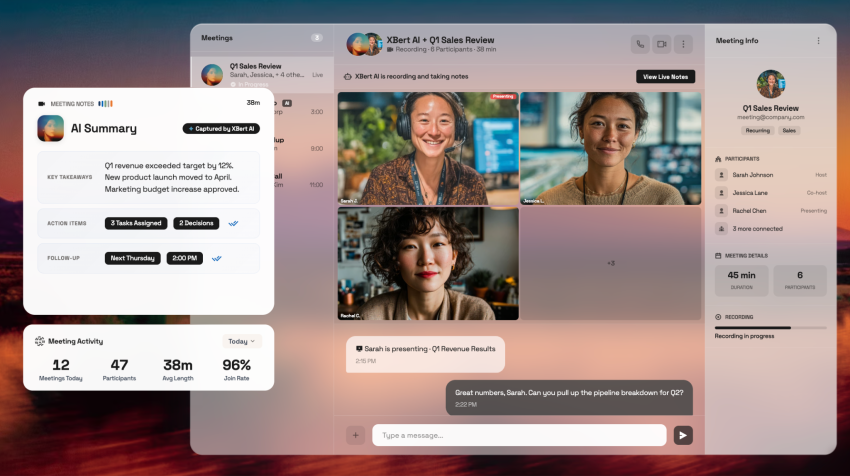
This is where the gap has widened the most in the last 18 months. Business platforms now ship with smart call routing, AI voicemail summaries, and 24/7 AI receptionists, such as Nextiva’s XBert, which answer calls, qualify leads, and book appointments without adding a person to your payroll. No residential plan offers anything close.
What Business and Residential Phone Services Have in Common
To be fair, the two services aren’t entirely different. They share several aspects. For example:
- They run on VoIP.
- They deliver voice over an existing internet connection.
- They allow you to port an existing mobile or landline number to the new service.
- They work with hardware desk phones or softphone apps.
- They offer unlimited domestic calling on most plans.
- They offer voicemail, caller ID, and call forwarding as standard features.
If your phone use is genuinely personal, simple, and low-volume, these overlaps mean residential VoIP can absolutely cover you. Where the categories stop overlapping is the moment a second user, a customer, a CRM, or a compliance requirement enters the picture.
What to Look for in a VoIP Provider
Whether you land on business or residential, the evaluation framework for VoIP solutions is similar. The weights are different:
True all-in cost
What does the monthly price include? Look for mandatory bundles, per-minute charges, hardware fees, and add-ons that inflate your bill. Regulatory recovery and E911 fees are common in business plans. The most cost-effective option is rarely the one with the lowest sticker price.

Call quality and reliability
HD voice, an SLA of up to 99.999% uptime, and redundant infrastructure are table stakes for business-grade service. Ask the provider how they handle outages and whether they publish status data.
Bandwidth and internet connection
Voice calls over VoIP need roughly 100 Kbps per concurrent call, but jitter and packet loss matter more than raw speed. Confirm that your network and Wi-Fi can handle the load.
Feature fit, not feature count
A solo home-based consultant may not need call queues. A five-person sales team absolutely does. Match features to how you work.
Mobile and desktop apps
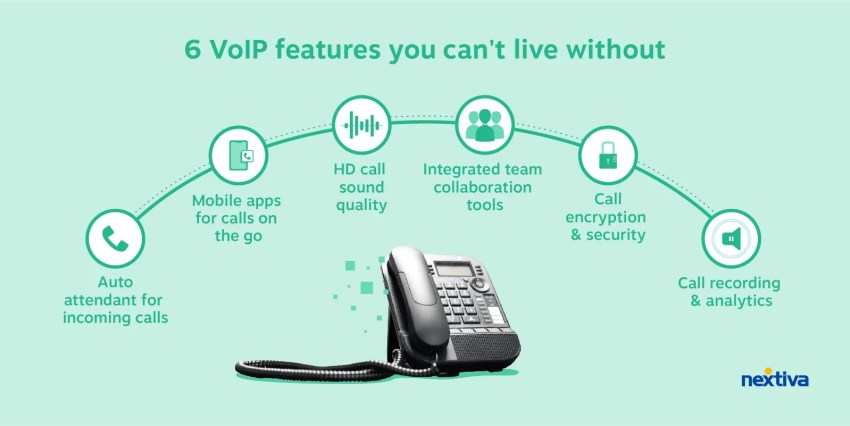
A full-featured app that handles phone calls across devices is essential for hybrid teams.
Support availability
24/7 phone, chat, and email matter, especially during setup and number porting. Residential providers often offer self-service only.
Number porting
Confirm free porting to keep your existing business phone number.
AI options
Smart routing, AI voicemail, and AI receptionists have become standard on top business platforms in the last year. They matter most when you can’t add headcount.
Security and compliance
Business providers should offer encrypted calls, as well as SOC 2 and HIPAA compliance where necessary. Residential providers rarely meet these bars.
Top Business VoIP Providers in 2026
I’ll go in order of overall fit of the best office phones for a small or growing business.
1. Nextiva — Best for AI-powered unified communications
I’ve watched enough teams roll out Nextiva to recommend it without the usual caveats. However, I have my biases. So I encourage you to look at it in terms of value and see where you get the most.
The Core plan at $15 per user per month with annual billing includes voice, business SMS (100 messages per user per month), video meetings, team chat, and mobile and desktop apps.
The Engage plan at $25 per user per month adds inbound call center capabilities, advanced reporting, a toll-free number with included minutes, and a chatbot. CRM integrations with Salesforce, HubSpot, and other platforms are available as add-ons.
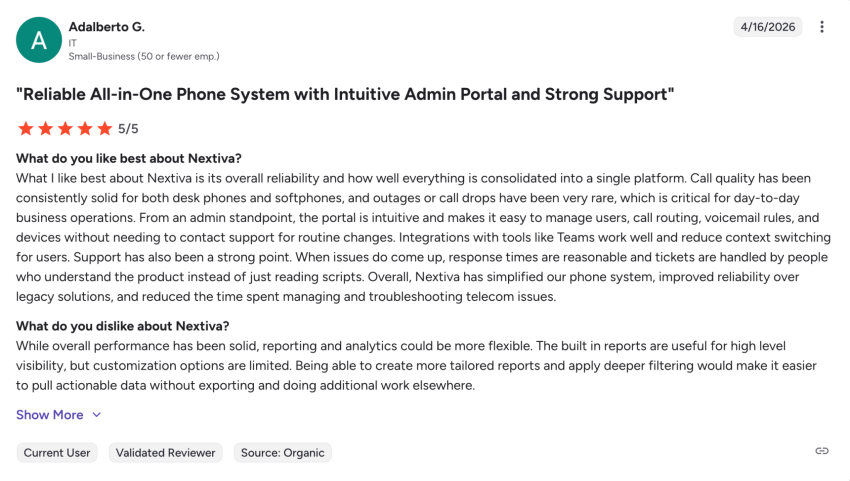
What stands out in real deployments isn’t the feature list; it’s the consolidation. From an admin standpoint, the portal is intuitive, making it easy to manage users.
With Nextiva, you get 24/7 call handling without adding a receptionist. XBert AI Receptionist starts at $99 per month, and answers calls, qualifies leads, books appointments, and routes complex questions to a human when needed. Nextiva strives for 99.999% uptime, and its support team, in my experience, knows the product. That last part is rarer than it should be.
Nextiva is a fit for any business that wants a complete VoIP phone system covering voice, video, SMS, team chat, and AI on a single platform, without stitching together three vendors.
2. Ooma Office — Best for simple brick-and-mortar businesses
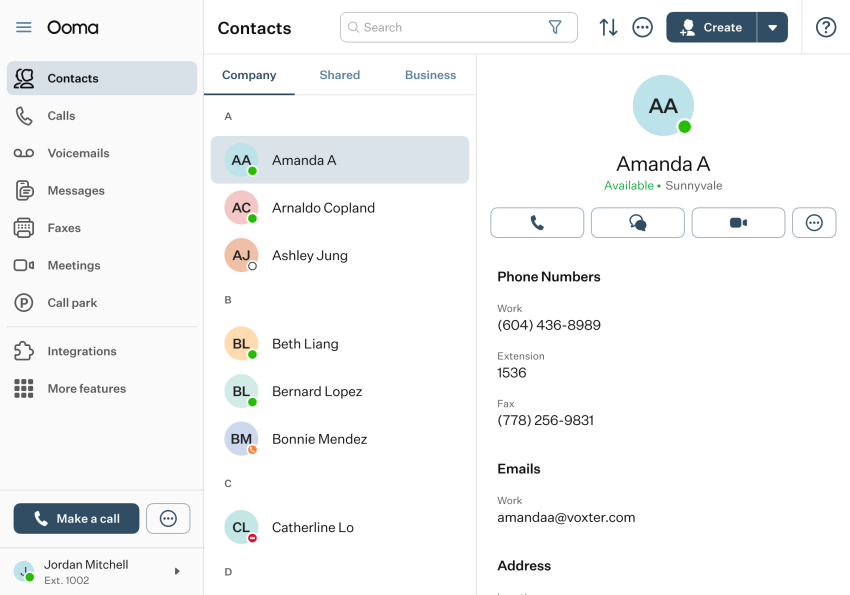
Ooma Office Essentials starts at $19.95 per user per month with no contracts. It includes unlimited calling in the U.S., Canada, Mexico, and Puerto Rico, plus a virtual receptionist and ring groups on every plan.
It’s a clean fit for very small brick-and-mortar businesses (one to five users) that need basic calling and not much else. The trade-offs show up quickly past that. The Essentials plan has no SMS, video, desktop app, or CRM integrations. These features only unlock at Pro Plus ($29.95 per user per month).
Users describe it as a slightly more costly option than others on the market.
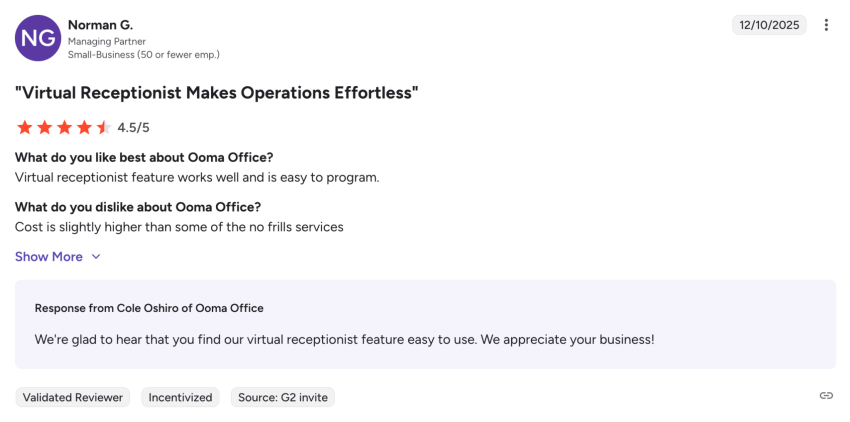
Ooma is an entry-level step up from a residential line. Most teams that need video, SMS, or AI capabilities outgrow the platform within a year.
3. Vonage Business Communications — Best for API customization
The Vonage Mobile plan starts at $19.99 per line per month with annual billing. At $29.99 per line per month, the Premium option adds video conferencing, CRM integrations, and desk phone support. The platform’s strength is its Communication APIs, which give developers the building blocks to embed voice, SMS, and video into custom applications.
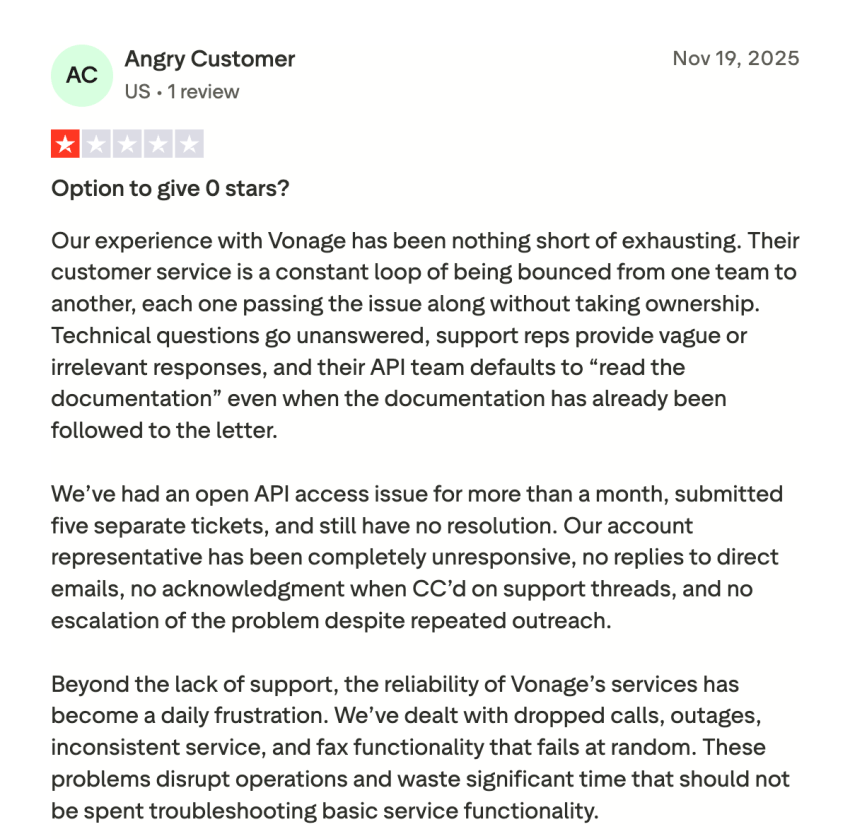
For most small businesses, these APIs are interesting but not necessary. What you’ll experience day-to-day is the platform itself, and reviews on it are mixed. Some users report stable call quality and easy setup. Others describe occasional call-quality fluctuation during peak hours, a dated interface, and unreliable SMS service due to technical or regulatory issues. A 2023 FTC settlement over Vonage’s cancellation practices is also worth knowing about before you sign an annual contract.
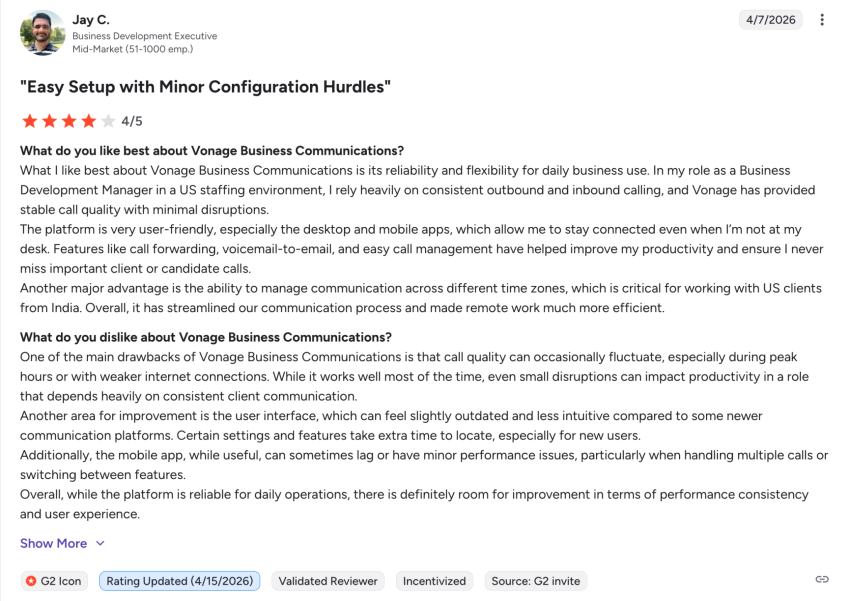
Vonage is a fit if you need API-level customization. Otherwise, Nextiva delivers much better value for its price. Some users also report issues with the Vonage API and find the technical support less helpful during testing.
4. GoTo Connect — Best for multi-site and international businesses
GoTo Connect’s Phone System plan offers unlimited international calls to 50 countries, making it one of the strongest options for long-distance and multi-site calling. The administrative tools for multi-location management are excellent.
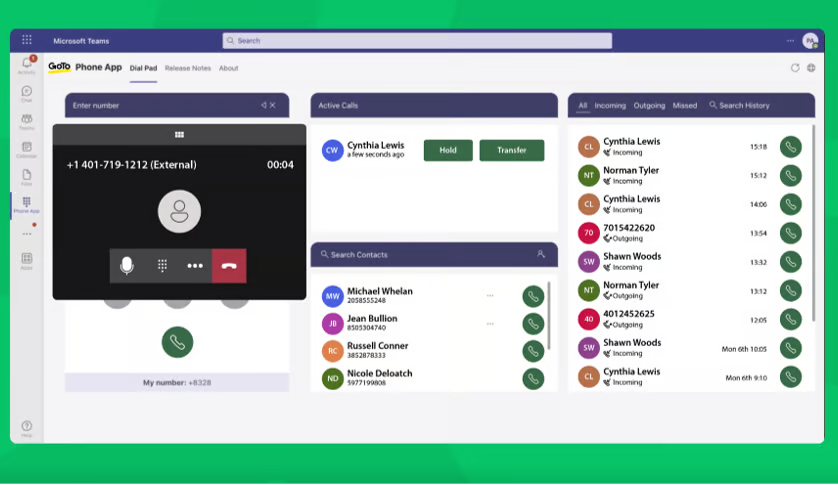
The drawbacks are pricing transparency (some tiers require a quote) and advanced features locked behind add-ons. AI is limited to meeting summaries on the standard plans. Specific pricing isn’t available on its pricing page; you need to request a custom quote.
You may also face some challenges with the technical support team.
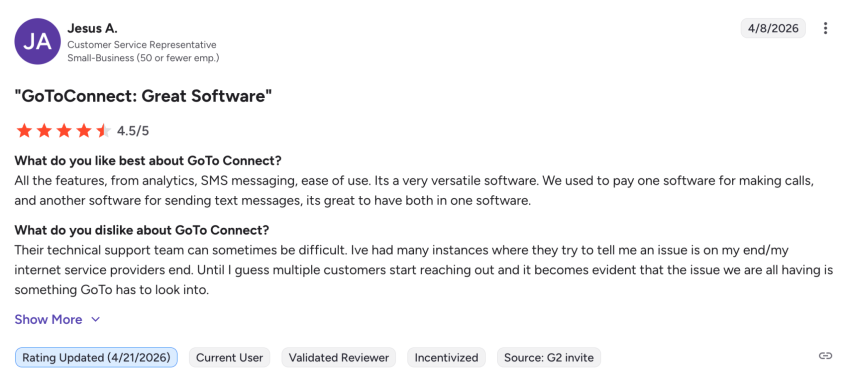
GoTo Connect is a fit for distributed, multi-location businesses with international calling needs. For most U.S.-based small businesses, it’s heavier than it needs to be.
Top Residential VoIP Providers in 2026
If you’ve decided the use case is personal, here are the three most common picks.
1. Ooma Telo
You buy the Ooma Telo device once (about $99), and the basic monthly service is free, aside from taxes and fees, which are usually $5 to $7 a month. At $9.99 per month, Ooma Premier adds call blocking, voicemail-to-email, and a second line. Calling is unlimited in the U.S., Canada, Mexico, and Puerto Rico. Setup takes a few minutes. Plug it into your router, connect a regular phone, and you’re done.
The product does what it’s designed to do. For a household replacing a copper landline, it’s hard to beat.
2. magicJack
Plans start at around $43 per year. You get unlimited calling in the U.S., Canada, and Puerto Rico through a magicJack adapter or the magicJack mobile app. It’s one of the cheapest residential VoIP options on the market.
The trade-offs match the price, with features stopping at basic voicemail and caller ID. Call quality can be inconsistent, and customer support is limited.
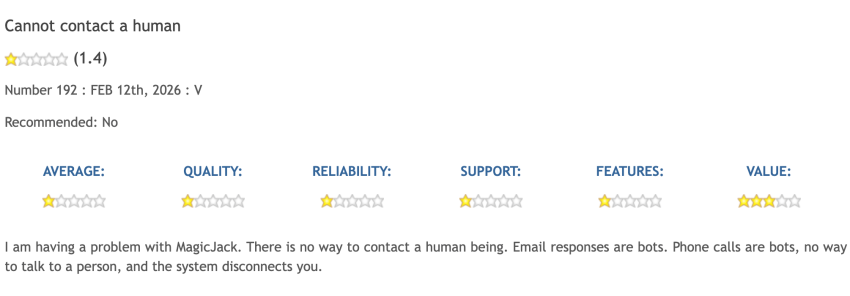
For a budget-conscious household that wants the lowest possible bill and isn’t picky about advanced features, it works.
3. Vonage for Home
Vonage for Home runs at $9.99 to $14.99 per month, depending on the features and your international calling needs. You get unlimited domestic calling, call forwarding, simultaneous ring across multiple devices, and voicemail. The Vonage Extensions app lets you take your home number with you on a smartphone.
The catch is the direction of travel. Vonage has shifted its focus to business and API products, which means residential options get fewer updates and less attention than they used to. For households with overseas family members who want decent international rates, it still earns its keep.
A note on home-based businesses: A residential VoIP plan can handle your personal calls fine. The moment you start taking client calls, sending business texts, or trying to sound professional on outbound calls, you’ll feel the ceiling immediately. The price gap between a residential plan and Nextiva’s Core plan at $15 per user per month is small, but the capability gap is enormous.
Business vs. Residential Providers: Side-By-Side Comparison
I’ve split this into two views to keep each table readable. The first covers pricing and reach. The second covers professional features and reliability.
Business vs. residential phone service: On pricing and calling reach
| Provider | Type | Starting Price | Unlimited Calling |
|---|---|---|---|
| Nextiva | Business | $15 per user per month | U.S. and Canada |
| Ooma Office | Business | $19.95 per user per month | U.S., Canada, Mexico, and Puerto Rico |
| Vonage Business | Business | $19.99 per line per month | U.S. |
| GoTo Connect | Business | Custom quote | 50+ countries |
| Ooma Telo | Residential | $79.99 (one-time hardware cost) | U.S., Canada, Mexico, and Puerto Rico |
| magicJack | Residential | ~$15.99 per month | U.S., Canada, and Puerto Rico |
| Vonage for Home | Residential | $9.99 to $14.99 per month | U.S. |
Business vs. residential phone service: On professional features and reliability
| Provider | Auto-Attendant + SMS + Video | AI Features | Uptime SLA |
|---|---|---|---|
| Nextiva | All three included | AI voicemail, smart routing, and XBert AI from $99 per month | Up to 99.999% |
| Ooma Office | Auto-attendant on all plans; SMS and video on Pro and up | None | Up to 99.999% |
| Vonage Business | Auto-attendant on Premium and up; SMS yes; video on Premium and up | None native | Up to 99.999% |
| GoTo Connect | Auto-attendant, SMS, and video | AI meeting summaries | Up to 99.999% |
| Ooma Telo | None | None | None published |
| magicJack | None | None | None published |
| Vonage for Home | None | None | None published |
A few takeaways from this matrix:
Every business VoIP provider includes an auto-attendant, business SMS, and a mobile app. No residential provider does. Nextiva’s Core plan delivers more voice, video, SMS, team chat, CRM, and AI capability per dollar than any residential plan at any price. Nextiva includes an integrated AI receptionist that handles 24/7 call answering, lead qualification, and appointment booking.
For a home-based business, the gap between $10 and $15 per month is the smallest line item on a P&L. The gap in what you can do with the line is the biggest.

When a Residential Phone Service Still Makes Sense
I want to be honest about the cases where residential is the right call:
- Households that want a backup home line for family use, especially if older relatives prefer a dedicated number tied to a familiar local area code
- Homeowners who need an analog connection for a security system, fax machine, or older device that requires an ATA adapter
- Budget-conscious individuals making occasional personal phone calls only
- Low-usage retirees who want the cheapest landline phone replacement available
In all four cases, residential VoIP earns its place. What I’d push back on is using it for business calls, even occasionally. Once you’re billing time, taking client calls, or sending appointment reminders, the math shifts immediately.
The Choice Becomes Easier With Nextiva
Residential phone services are built for households. Business phone services are built for professionals. The underlying technology for both is the same VoIP infrastructure, but everything on top of that is different.
After two decades of evaluating phone systems for sales teams, support teams, and growing companies, the conclusion is clear. If your phone is a tool for earning revenue, business VoIP pays for itself. The features, reliability, and compliance simply aren’t available on a residential plan at any price.
Remember my friend in the spare bedroom? She made the switch. Now, her kids’ rambling greetings stay on the home line where they belong, and her prospects hit a professional auto-attendant that routes them straight to her cell.
Nextiva’s Core plan starts at $15 per user per month — a small price to pay to ensure no prospect ever vanishes into a household voicemail again.
See how Nextiva fits your team and stop letting a home line do a business job.
The best VoIP phone system for businesses.
Get a complete business phone system with advanced features and superior call quality for less. Win every conversation, measure every interaction, and use AI to optimize every customer journey.
Frequently Asked Questions
A business phone service is built for multiple users, higher call volumes, and professional features like auto-attendants, call queues, business SMS, video, CRM integrations, and AI tools. A residential phone service is a single line for household use, designed for low-volume personal calling. Both run on VoIP today, but the features built on top differ dramatically.
You can, but you’ll hit limits fast. Residential lines can’t register for 10DLC business SMS, get classified as consumers in carrier databases (which affects caller ID trust and spam reputation), and don’t include features like call routing, transcription, or CRM integration. For low-volume personal use only, it works. For anything client-facing, it doesn’t.
Per line, yes, slightly. Nextiva’s Core plan is $15 per user per month with annual billing. Residential VoIP is $5 to $30 per household per month. For a one-person business, the gap is $5 to $10 per month for a dramatically larger feature set. For multi-user teams, business VoIP per-user pricing is comparable to residential per-household pricing and includes capabilities that residential options cannot match at any price.
Business phone services include auto-attendants, call queues, ring groups, business SMS/MMS, video conferencing, team messaging, CRM integrations, call recording, voicemail transcription, full mobile and desktop apps, branded caller ID, multi-user scaling, AI call routing, and AI receptionists. Residential services include basic voicemail, caller ID, call waiting, and call forwarding.
Yes, in most cases. A business number gives you a clean, professional identity, lets you register for 10DLC SMS, keeps work calls out of your personal voicemail, and protects your privacy. Even solo operators benefit from separating the two. Most providers let you pick a local or toll-free number during signup.
Yes. Most business VoIP providers, including Nextiva, support free number porting from any landline or mobile carrier. The porting process timeline can vary, but generally takes 5-7 business days for simple ports once all requirements are met. More complex ports with multiple numbers or toll-free numbers could take 4-6 weeks.
Learn more about switching to VoIP.
Nextiva is the strongest overall fit for small businesses based on entry-level pricing ($15 per user per month with annual billing), feature breadth on the Core plan, AI options, including XBert, scalability without per-line caps, and 99.999% uptime.
No. Nextiva is built for businesses of every size, from solo operators to enterprise contact centers. For home use only, providers like Ooma Telo or magicJack are better matches. For any professional use, even part-time, Nextiva’s Core plan is closer to residential pricing than most people expect.