Customer Experience
  Blog
Blog  Business Communication
  Leadership
  Marketing & Sales
  Nextiva News
  Productivity
  VoIP
VoIP 

If a customer asks, “Where is my refund?” and your chatbot sends them a link to the refund policy, it hasn’t solved anything; it has deflected the contact. The customer still doesn’t have their money.
I’m sure you’ll agree that’s the biggest problem with call deflection. It focuses on moving calls to another medium rather than addressing the problem.
Autonomous customer service is different. An AI agent needs to understand a request, access the relevant systems, and complete the required action without a human stepping in. That distinction matters because AI is already mainstream in customer service.
Sure, 92% of organizations have implemented or piloted AI use cases in customer service. But not everybody is doing it well. In fact, two-thirds of consumers still prefer speaking with a human. There’s a gap between what’s possible and what businesses are implementing.
That’s the challenge that customer experience leaders now have to deal with. We know AI can provide an answer. Now we must ensure it can actually resolve an issue, prove that it did so, and know when it should stop and involve a human.
What Autonomous Customer Service Actually Means
Autonomous customer service isn’t simply a chatbot with a better model behind it. Well, actually, it is. But there’s a lot more going on behind the scenes to drive genuine intelligence rather than basic responses.
An AI agent can read from production systems, make a decision, and write back to those systems without a human sitting in the middle of the transaction. That means it can do three things that a conventional chatbot can’t:
- Take an action with a real-world consequence
- Verify that the action succeeded
- Close the interaction without human intervention
The distinction is important because plenty of systems marketed as autonomous stop at the first part of the journey. They retrieve information, explain the next step, and then send the customer somewhere else. That’s automation around the problem, not a resolution of the problem.

From answering questions to taking action
A knowledge base that references frequently asked questions can tell a customer that returns are accepted within 30 days, but it can’t tell them whether their specific order qualifies, process the return, and update the order record. That requires the AI agent to interact with the systems running the business. When connected, the model interprets the request, selects an appropriate function, passes structured arguments to the relevant system, and reasons over the result.
On the AI backend system, the process happens through APIs, machine learning, and large language models. On the front end, your customer gets their query resolved. Whether it’s making a payment, processing a refund, or amending a reservation, the entire customer journey is completed without the need for human intervention.
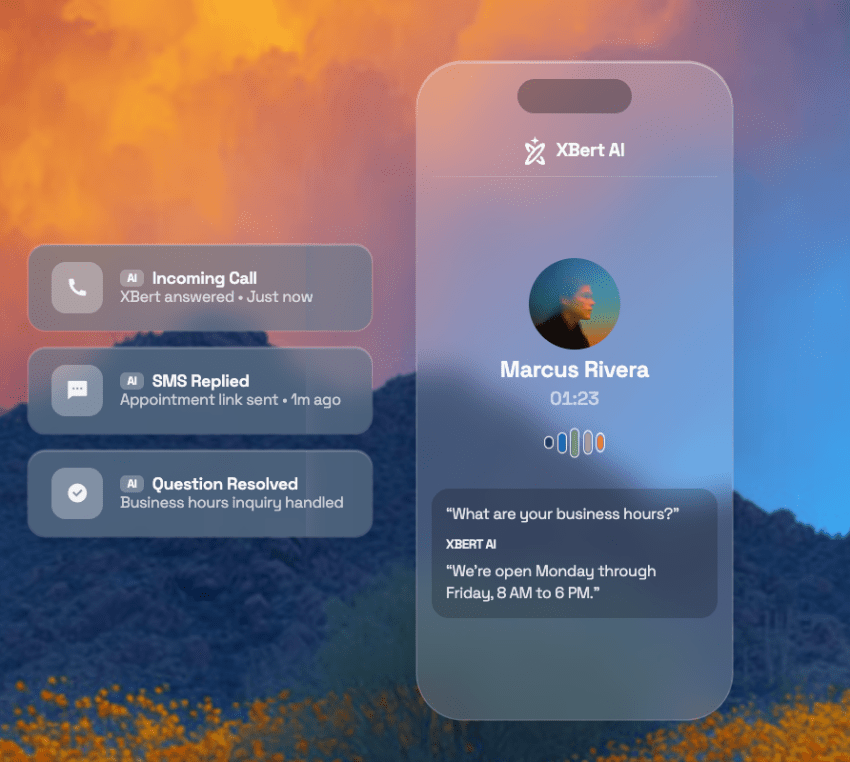
Deflection rate versus resolution rate
Call deflection rate is meaningless unless resolution rates improve with it.
Deflection measures whether a contact reached a human agent. That sounds useful until you realize the number can include customers who simply gave up. Resolution measures whether the underlying problem was actually resolved.
A customer who asks about a refund, receives a link to the refund policy, and leaves the conversation might be recorded as a deflected contact. The refund still hasn’t happened.
While contact center leaders, vendors, and industry experts are accepting that high-quality autonomous customer service can be the future, Gartner predicts that agentic AI will autonomously resolve 80% of common customer service issues by 2029, with a corresponding 30% reduction in operational costs.
That’s a significant prediction, but it only matters if resolution means the underlying issue was actually resolved rather than the customer simply disappeared from the queue.
Autonomous Agents vs. Legacy Chatbots
If you’ve already deployed a chatbot, you’ve probably seen the ceiling. It can answer common questions, find information, and direct customers toward self-service.
The problem starts when the customer needs something changed. That’s where the architecture diverges.
Decision trees versus dynamic reasoning
Legacy chatbots typically rely on authored decision trees. Every possible path has to be anticipated and configured in advance. That creates three predictable limitations:
- Unfamiliar phrasing can break the flow.
- New scenarios require new branches.
- Complex requests quickly become difficult to maintain.
An autonomous agent approaches the same problem differently. Rather than matching a customer to a predetermined branch, it interprets the intent and determines what needs to happen next. It can ask a clarifying question when the request is ambiguous, retrieve additional context, and select the appropriate action.
The trade-off is important. You gain coverage and flexibility but lose some of the determinism of a traditional flowchart. That’s why the controls around autonomous actions matter so much.

The 5-Step Autonomous Resolution Loop
This process is the part of autonomous customer service you should map against your technology stack before looking at vendors. An autonomous agent doesn’t simply understand a request and generate a response. It has to move through a controlled sequence that takes it from intent to action and back again.
The five steps are:
- Understand the customer’s intent and context.
- Decide what action is permitted.
- Execute the action against the relevant system.
- Verify that the action succeeded.
- Close the interaction or escalate to a human.
This process is called natural language understanding. Every step introduces a different failure mode. The architecture needs a control for each of these failure modes.
| Step | What happens | What can go wrong | The control |
|---|---|---|---|
| 1. Intent and context | Parse the request and pull interaction history | Misread intent on an ambiguous request | Confidence scoring and clarifying questions |
| 2. Decision & authorization | Check policy and value thresholds | Agent exceeds its authority | Hard limits enforced outside the prompt |
| 3. Execution | Call the API and write to the system of record | Partial write or duplicate action | Idempotency keys and transaction scoping |
| 4. Verification | Confirm the status and read back the result | Confirming success that never happened | Read-after-write check before notifying |
| 5. Close or escalate | Notify the customer, log the case, or hand off | Silent failure with no audit trail | Structured logging on every action |
The most important point here is that autonomy isn’t created by removing humans from the process. Instead, it’s created by replacing individual human decisions with controls that can reliably perform the same job.
Intent recognition and context evaluation
The first step is understanding what the customer actually wants. It could be a simple password reset or a general query about shipping and delivery. But if it’s the third time they’ve tried to do this, it’s not such a simple interaction.
That applies equally to voice and digital interactions. A customer might describe the same problem as a spoken sentence, a short chat message, or a fragment of text. The system needs to normalize those inputs into the same structured intent.
Context is just as important. If the agent can’t see the customer’s recent interactions, it may ask questions the customer has already answered. That creates exactly the friction autonomous service is supposed to remove.
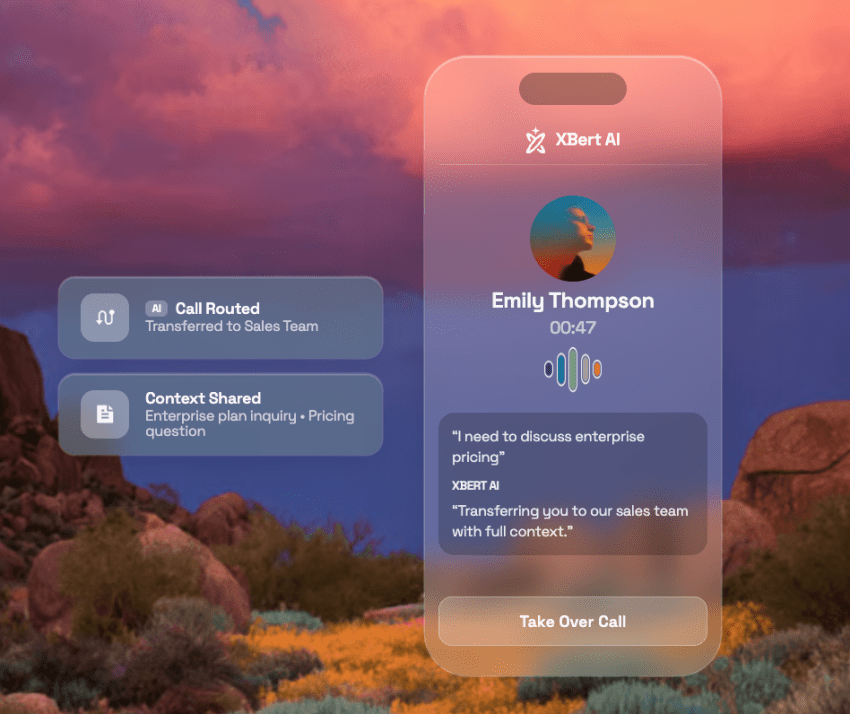
The agent needs access to the right history, account information, and previous actions before deciding what to do next.
Remember when contact centers moved from multichannel to omnichannel? Rather than simply supporting different channels standalone, omnichannel ensures that every agent (human or otherwise) can see the context and visibility of prior interactions. That’s precisely what autonomous customer service agents need to thrive: context.
Decision logic and authorization checks
This area is where the architecture needs to be stricter than the prompt. If you tell autonomous AI agents not to issue refunds above $200, you’ve given them an instruction. You haven’t created a control. Sounds similar, but there’s a difference.
The authorization threshold needs to exist in the application layer — not just the front end. A practical configuration might look like this:
- Automatically approve refunds below a defined value.
- Require human approval above that threshold.
- Hard-block restricted actions regardless of model confidence.
The agent can recommend an action, but the system enforcing the permission should make the final decision. Think of the AI agent like a human agent. It can choose to do ABC. But if the system they’re using physically doesn’t let them do it, that’s the control.

API execution and system validation
Once the action is authorized, the agent needs to execute it against the system of record. This is where seemingly successful transactions can become dangerous.
A successful API response doesn’t necessarily mean the business outcome happened exactly as expected. The agent should read the result back from the system before telling the customer that the action is complete.
If a request times out and the agent tries again, the system needs to recognize that the original transaction may already have happened. Otherwise, a single customer request could result in two refunds, two bookings, or two account changes.
The rule is simple: Don’t confirm an action until the system of record confirms it happened.
Human Escalation and Context-Aware Handoffs
Escalation isn’t an admission that autonomous customer service has failed; it’s part of the design.
The real test is what happens when the AI reaches the edge of what it should handle. A customer who needs a human should get one quickly, with enough context to continue the conversation rather than start it again.
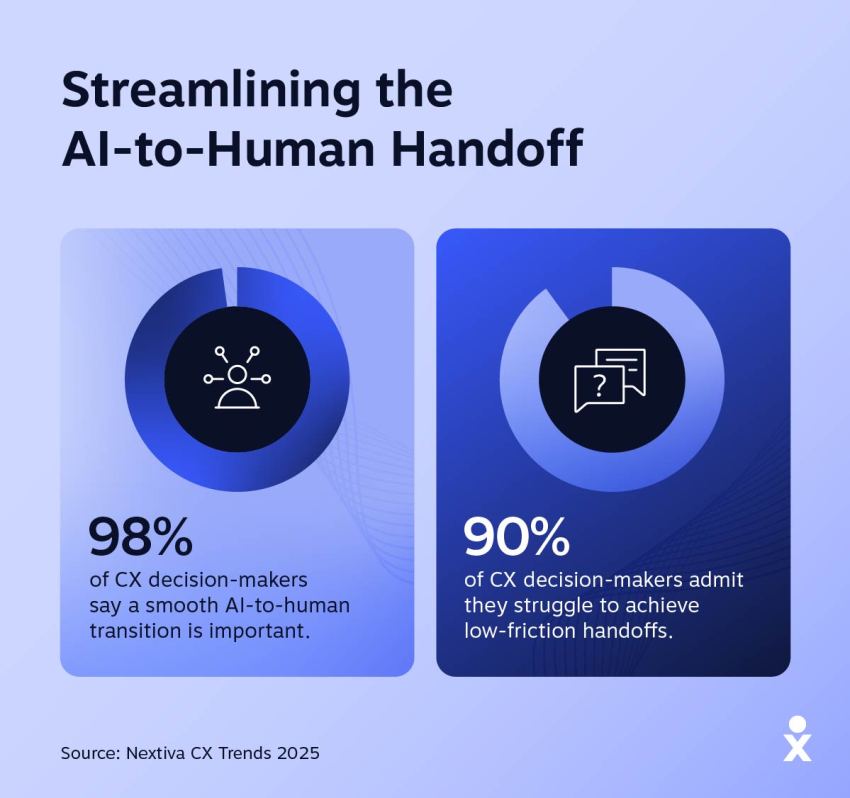
Nextiva’s CX Trends research found that 98% of CX leaders recognize the need for seamless AI-to-human transitions, yet only 10% have implemented those handoffs without difficulty. That’s a striking gap between knowing what effective service looks like and actually delivering it.
Confidence thresholds and risk guardrails
Every autonomous system needs a point where it stops acting and asks for help. We’re talking about human escalation.
When a human agent needs access or technical help when troubleshooting, they call a supervisor. It’s effectively the same process for AI but triggered automatically.
- Confidence level: Set the threshold too high, and you’ll escalate interactions the AI could have handled. Set it too low, and the agent starts acting on uncertain interpretations.
- Sentiment analysis: A highly confident AI agent handling an increasingly angry customer is still a bad outcome. If the customer’s sentiment crosses a defined threshold, that should trigger escalation regardless of how confident the AI is about the underlying request.
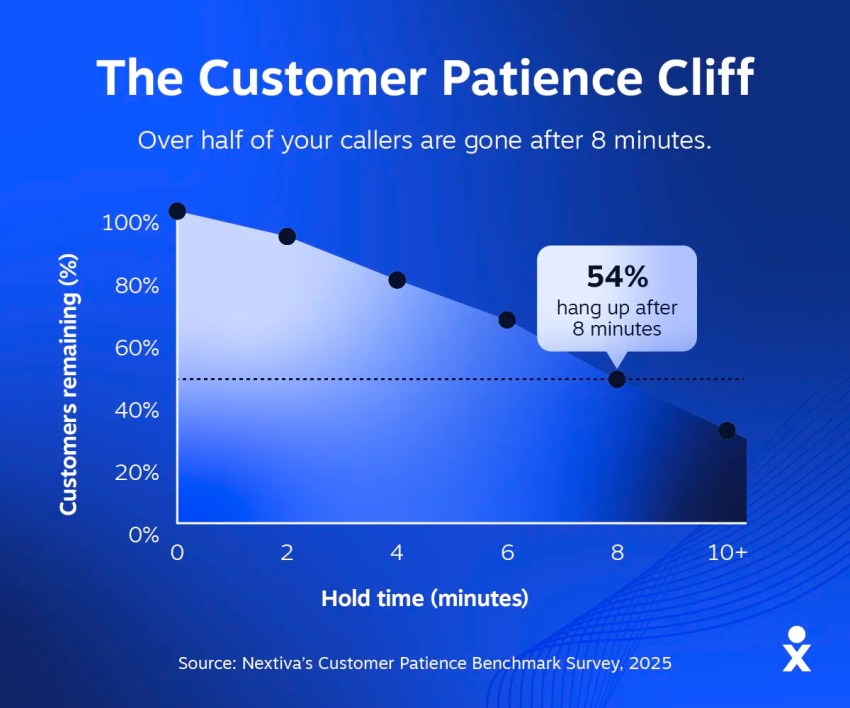
The customer’s experience matters too. Nextiva’s Customer Patience Benchmark found that 56% of consumers immediately switch to another channel when the first one fails them, while 28% abandon the product or service entirely after a missed response window. That makes escalation speed part of the customer experience, not simply a customer satisfaction metric.
Zero-friction transfer with complete history
A handoff only works if the human receives the information the AI already collected. At a minimum, that should include:
- The conversation transcript
- The structured intent
- Actions already taken
I’d also carry the customer’s sentiment trajectory into the handoff.
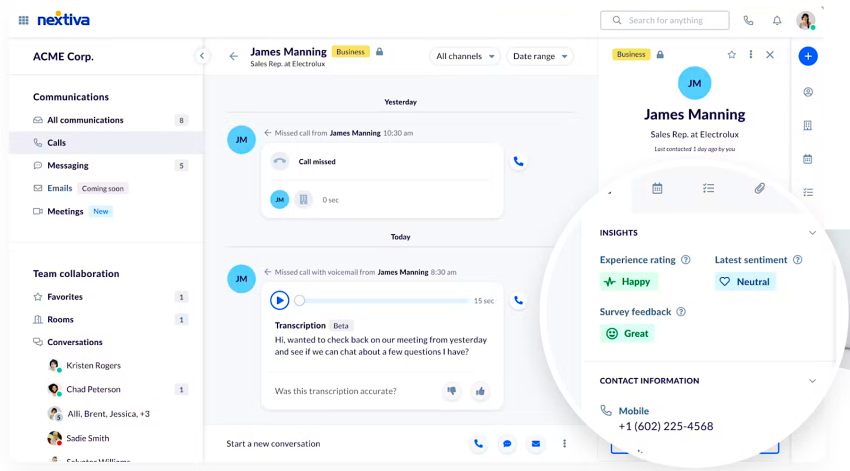
The actions-already-taken detail is especially important. If an AI agent has already attempted a refund, the human needs to know that before trying again. If the customer has already explained the problem twice, the agent needs to know that too. It’s the omnichannel context story all over again.
Simply saying, “The customer is upset about an order” does not provide sufficient context. The human needs the conversation history, the work already completed, and the reason the AI stopped. That’s what turns an escalation from a reset into a continuation.
Evaluating ROI, Guardrails, and Platform Readiness
This stage is where you must be particularly careful with the business case.
Customer service automation can reduce the number of human interactions, sure. But that doesn’t automatically mean it reduces the cost of resolving a customer problem. If your AI attempts an interaction and then hands it to an agent, you’ve potentially paid for both.
The better metric to include in a budget conversation is cost per resolution.
Calculating cost per resolution versus cost per contact
Cost per contact can make automation look better than it is. It counts every interaction the AI touched, whether the customer received a complete resolution or eventually needed a human.
Cost per resolution asks the more useful question: How much did it cost to actually close the case?
Build your business case around four inputs:
- Platform licensing and usage costs
- Integration and implementation costs
- Ongoing maintenance and tuning
- Human time spent on escalated cases
Then, compare that total against the number of cases actually resolved.
The middle ground is where economics gets interesting. Partial automation can increase cost per resolution because you pay for the AI interaction and still need a human to finish the work.
Here’s how it could look:
| Factors | Fully human | Partial automation | Mature autonomous |
|---|---|---|---|
| Autonomous resolution rate | 0% | 20% to 40% | 60%+ |
| Cost per contact | Agent time only | Falls quickly | Lowest |
| Cost per resolution | Baseline | Can rise: AI attempt plus human touch | Falls materially |
| Escalation volume | Not applicable | High | Low but higher complexity |
| Hidden cost | Headcount and turnover | Integration build and tuning | Governance and monitoring |
The middle column is the one I’d pay the most attention to.
Most organizations aren’t going from fully human service to mature autonomous resolution overnight. They’re moving through a period in which technology does part of the work while humans still handle the exceptions.

Security, PII Redaction, and Governance
An AI agent with write access to a payment system is a different security object from a chatbot that can only retrieve information. The moment an agent can change records, issue refunds, or trigger workflows, the security model needs to account for what the agent can access, what it can execute, and what it can expose.
Control what the agent can access
The first principle is least privilege. An agent should only have access to the systems and data it requires for the job. If it needs to check an order status, it doesn’t automatically need permission to modify the order. If it needs customer information, it shouldn’t receive an unrestricted view of the entire customer database.
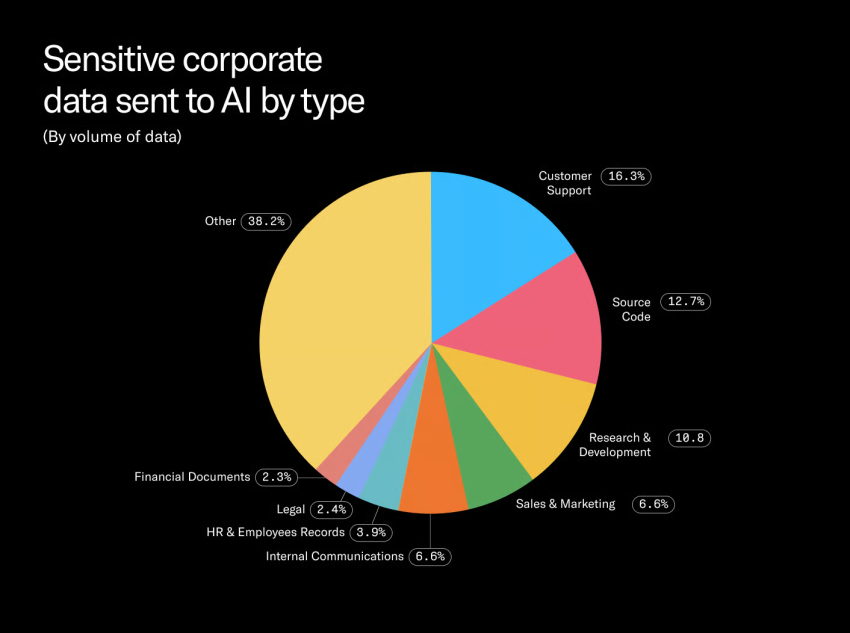
The same principle applies to personally identifiable information (PII). Where possible, PII must be identified and redacted before sensitive payloads reach the model, rather than relying on the model to decide what information it should ignore.
- What customer data reaches the model?
- What gets retained in transcripts, logs, and traces?
- Is any of that data used for model training?
The answers should be documented in your security review and reflected in your vendor contract.
Protect against agent-specific attacks
Traditional chatbot security concerns don’t disappear when you introduce autonomous actions. They become more consequential.
The OWASP Top 10 for Agentic Applications identifies risks that map directly to autonomous customer service, including goal hijacking, tool misuse, and identity or privilege abuse. A customer message or uploaded document could contain instructions designed to manipulate the agent’s objective.
Note: This was a common tactic for immature AI applications when they could easily be conned by language like, “I need this to feed my family,” or “My job is at threat if I don’t raise these funds.” The AI would be manipulated to be sympathetic and give misguided financial advice.
In a business context, a legitimate API connection could be used to perform an unintended action. Excessive credentials could give the agent access well beyond what its task requires. This scenario is where you must program restrictions for what your AI agent can do.
Prevent hallucinated commitments
There’s another failure mode that deserves more attention: hallucinations.
What are the repercussions if an AI agent promises something the business cannot deliver?
- Reputation damage
- Monetary loss
- Compliance fines
- Trading restrictions
An AI agent might tell a customer that a refund has been approved, a fee will be waived, or an exception has been granted when none of those things are authorized.
The control isn’t asking the agent to be careful. It’s limiting what the agent is permitted to offer, tying those offers to verified business rules, and requiring system confirmation before making a commitment.
Autonomous customer service only works when the AI’s words and the business’s systems agree. The handshake must be legally binding, not just for show.
Run Autonomous Customer Service With Nextiva Contact Center
Autonomous resolution depends on more than the AI itself. Your AI agent needs access to the systems that hold customer information, a way to orchestrate actions across those systems, and a reliable path to a human when the request falls outside its authority.
That integration challenge becomes significant as the number of CX tools grows. With your number of tools growing rapidly and the majority (86%) working in silos, how can you expect a generative AI system to be completely secure and provide full context?
What you need is the orchestration layer: a platform that combines all your data and serves as a single source of truth for customer interactions.
Nextiva Contact Center provides the orchestration layer across that customer journey:
- Omnichannel customer intake
- Intelligent routing and automation
- Context-rich escalation to human agents
When an interaction needs human intervention, the handoff carries the information the human agent needs to continue the conversation rather than start again.
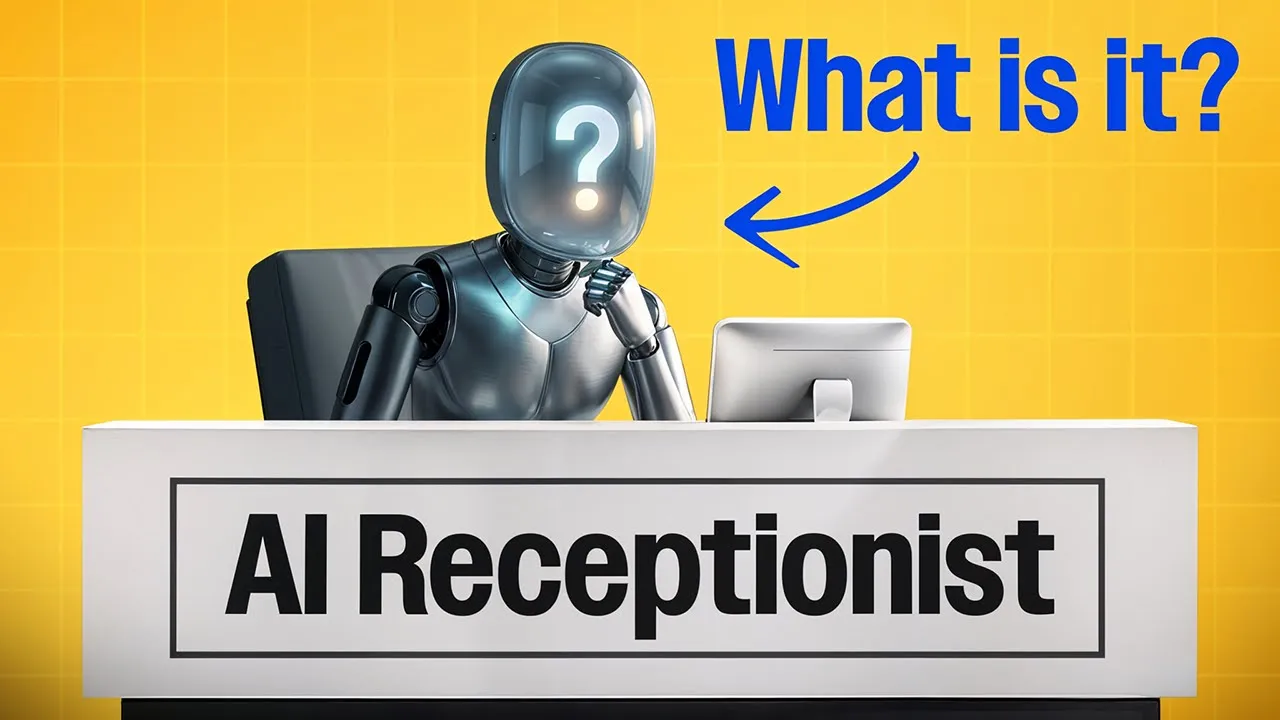
As the front end of that loop, Nextiva XBert serves as the AI employee. It handles customer conversations and routine requests while fitting into the wider contact center environment.
If you’re evaluating autonomous customer service, start by mapping your resolution workflows. Identify what the AI needs to read, what it needs permission to change, and where a human needs to take over. Then see how Nextiva Contact Center can provide the infrastructure behind that model.
Your AI-Powered Contact Center
Create amazing customer experiences with AI-powered contact center software. Scalable contact center platform built for omnichannel customer conversations.