Customer Experience
  Blog
Blog  Business Communication
  Leadership
  Marketing & Sales
  Nextiva News
  Productivity
  VoIP
VoIP 

An AI employee ROI that shows up as saved hours usually brings a question: Where do those hours show up on the P&L? In McKinsey’s 2026 State of AI survey, 37% of respondents attribute some earnings before interest and taxes (EBIT) impact to AI use. However, when the question calls for an objective answer, like the one above, meetings stall on informed guesses without clarity.
The gap lies in earning an actual ROI and then proving it. This guide offers a framework I’d use in those meetings. It covers what to count, what to discount, and what an AI employee costs after budgeting for human oversight.
What Is an AI Employee?
An AI employee is software that handles a role’s recurring work end to end. It answers calls, handles chats and texts, books appointments, follows up, and hands off to a person with the context attached. All of these tasks happen without a human involved.
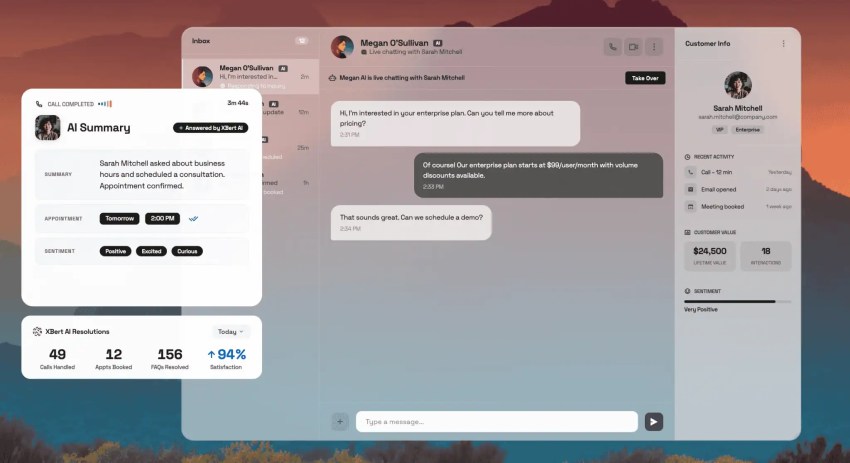
AI employee ROI becomes more measurable when no human is involved. By contrast, a copilot helps a human work more efficiently, and the human completes tasks slightly faster as a result. It becomes tricky to prove whether those extra minutes matter.
An AI employee’s value shows up as work completed with no human in the loop, which you can count directly, such as calls answered, bookings made, or tickets closed. These aren’t as abstract as counting minutes or hours saved.
The AI employee isn’t unsupervised. It needs consistent review for exception handling and tuning as policies change. While calculating AI staff ROI, you might also want to include this supervision in one of the cost lines.
Why AI Employee ROI Is Hard to Measure
It’s tricky to point at a number when measuring AI ROI for an AI employee. In Goldman Sachs’ analysis of the fourth quarter of 2025, only 10% of S&P 500 management teams quantified AI’s impact on specific use cases, and only 1% quantified its impact on earnings.
However, this doesn’t represent issues with the technology. The issue is how companies approach measuring ROI. If you measure activity without tying it to business value, it sounds abstract to finance stakeholders.
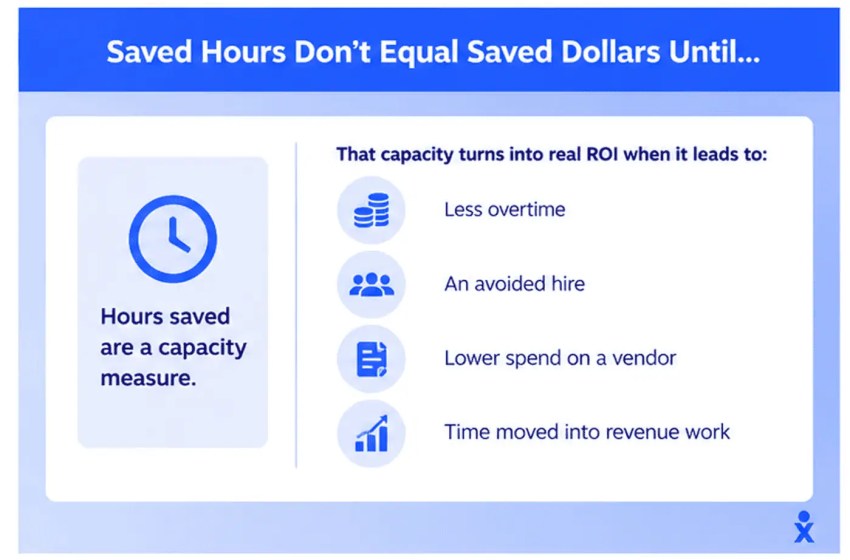
Saved hours don’t equal saved dollars until…
If an AI employee saves a human staff member five hours per week, and they use those hours for longer breaks or slower ticket resolution, the ROI seems abstract. Hours are a capacity measure. This capacity translates into cost savings or revenue through:
- Less overtime
- An avoided hire
- Lower spend on a vendor
- Time moved into revenue work
If these don’t happen, the hours stay on the capacity ledger rather than crossing over to the P&L.
A Gartner survey of 321 customer service leaders found 20% reduced agent staffing because of AI. At the same time, 55% of them reported stable staffing levels while handling higher customer volumes. For the latter group, the real value was reflected in the absorbed volume.
How organizations use these saved hours depends on their priorities. Some use them to upskill their team, while others see efficiency gains in managing their workload. The business has to decide where the saved hours go, and the ROI value becomes clearer.
Strong task gains from AI adoption, but weak macro signal
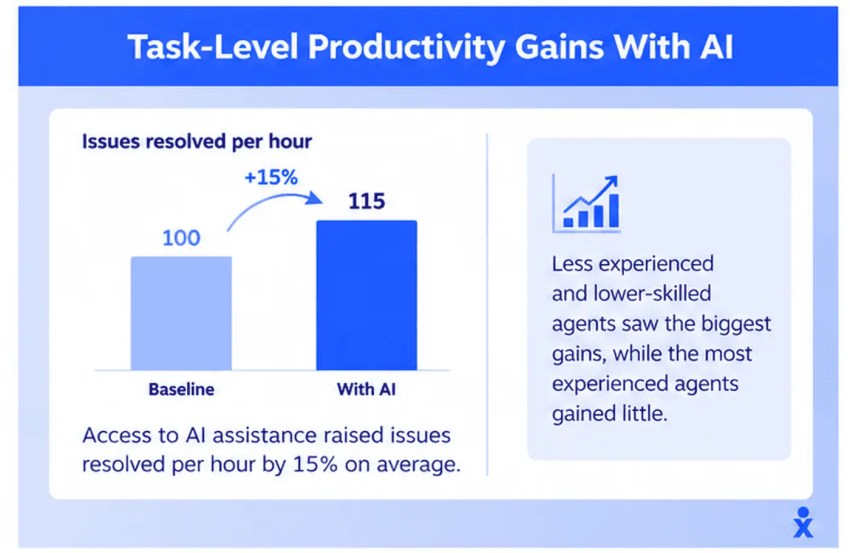
AI employees deliver productivity gains, but they remain at the task level and vanish in the aggregate when you don’t redeploy the time. The best-controlled evidence comes from customer support. In a peer-reviewed study of 5,172 support agents published in the Quarterly Journal of Economics, Brynjolfsson, Li, and Raymond (2025) found that access to AI assistance raised issues resolved per hour by 15% on average.
Less experienced and lower-skilled agents gained the most, while the most experienced agents gained little. The 15% lift in resolutions per hour is still a capacity number unless you decide what agents do with the spare time.
You get to break this pattern by measuring AI employee ROI end to end, which contributes to the macro signal. But before the pilot, baseline your support team’s call center productivity on resolved issues per hour.
The Total Cost of Ownership Before Calculating ROI
For a true sense of ROI, you need clarity on the “investment” first. This goes beyond the AI employee subscription cost. The cost column includes direct costs and hidden costs, including:
| Cost category | What it includes | Often missed? |
|---|---|---|
| Software | Subscription, per-interaction or usage fees, and overages | Overages at peak volume |
| Integration | CRM, calendar, phone system, and data connectors | Yes |
| Setup and configuration | Scripts, prompts, knowledge base, data preparation, and routing rules | Sometimes |
| Human oversight | QA review of transcripts, exception handling, and escalations | Yes, almost always |
| Ongoing tuning | Prompt updates, new intents, and policy changes | Yes |
| Training and change management | Staff training on how to work alongside the AI | Yes |
Vendors of AI systems do sell autonomy, but someone still reviews transcripts, handles exceptions, and takes escalations. Workday’s research suggests that 77% of daily users of AI tools review AI-generated work as carefully as human work. Review takes time, and that time scales with volume. This labor stays in the cost of goods sold, which directly contributes to the investment in an AI employee.
Additionally, you need to factor in integration costs. If the AI employee can’t connect to your CRM or calendar, its usefulness is a bigger question than its ROI. Data quality matters here too, since an AI employee reading a messy CRM gives messy answers.
Most proposals for AI services quote the basic licensing cost and push hosting, API keys, and staffing into the fine print. Make sure you estimate costs based on the fine print.
Lastly, ongoing maintenance, such as tuning AI models, and change management are slow leaks. To manage such events and oversee AI deployments, organizations are hiring for a new role. In a Gartner’s survey, 42% of organizations are hiring specialized roles, including conversational AI designers and automation analysts, to support AI deployment. This is a new payroll, and it also contributes to the investments made.
Where AI Systems Hide Costs: Tool Sprawl and Peak-Month Overages
Every extra vendor adds its own integration and its own oversight queue. Nextiva’s State of Customer Experience research found that teams use between six and seven tools on average for customer interactions. If the AI employee becomes tool number eight, the hidden costs in the integration and oversight rows above multiply.
A platform that runs voice, messaging, and the AI employee together removes several of those rows, reducing operational costs before you model anything. Nextiva’s guide on reducing customer service costs walks through the consolidation math.
In addition, most AI solutions, including AI employees, are priced as a bundle plus a per-interaction overage. This means your investment in an average month and what you make in a peak month are different.
Model your peak-month call volume, and read the billable-unit definition before you do. XBert, for example, counts a conversation as a phone call longer than 30 seconds or an SMS or chat thread with three or more interactions. Calls under 30 seconds and single-message chats do not count. This changes the overage line materially.
As a risk management step, build a price-increase scenario into stress tests, and prefer transparent, flat pricing with no contract lock-in so you can leave if the rate changes.
Calculating Net AI Employee ROI: The Formula
This is the formula for calculating net AI employee ROI.
Net ROI (%) = (realized benefits − total cost of ownership) ÷ total cost of ownership × 100
Before you move toward calculating the ROI, ensure you have the TCO column filled first. Then, start with the steps below.
Step 1: Calculate the realized labor value
The reinvestment factor is the share of reclaimed time that the business can prove it redeployed or removed as a cost through the four paths above. Use this formula:
Realized labor value = hours reclaimed x fully burdened hourly rate x reinvestment factor
The Bureau of Labor Statistics median for customer service representatives was $21.53 an hour in May 2025, which burdens to roughly $30.76. The median for receptionists was $18.27, which is roughly $26.10. Set the burdened rates conservatively, around 50% to 70%. It’s a modeling assumption.
Then, put the time saved into the formula as the hours-reclaimed input. Take a small amount off the hours-saved figure, since people tend to overestimate when you ask how long a task takes.
Step 2: Add captured revenue
To estimate revenue gains, count calls answered that would otherwise have gone to voicemail, leads booked after hours, and follow-ups that converted. Count only revenue tied to a booking or sale that the AI employee itself handled, and model it at gross margin.
This way, you get to point to direct dollars. But make sure to net it for callers who hang up on AI, because some do. The fair comparison is AI against the status quo (voicemail), not against a perfect human. During your baseline, measure hang-ups on the AI and compare them to hang-ups on voicemail.
Step 3: Subtract total cost of ownership before computing ROI
Calculate the total cost of ownership by adding software plus overages, oversight hours at the burdened rate, amortized integration, setup, training, and ongoing costs like maintenance and tuning.
Below is an example, but the inputs here are hypothetical. The pricing line uses XBert’s published rate of $99 a month for 100 conversations and $1.50 per conversation after that. Other numbers are illustrative.
| Line item | Calculation | Monthly value |
|---|---|---|
| Labor reclaimed | 60 hours × $30 burdened rate | $1,800 |
| Realized labor value | $1,800 × 60% reinvestment factor | $1,080 |
| Captured revenue | 10 extra booked jobs × $200 gross profit per job | $2,000 |
| Total realized benefits | $1,080 + $2,000 | $3,080 |
| AI software | $99 base + 100 extra conversations × $1.50 | $249 |
| Human oversight | Four hours of QA review × $30 | $120 |
| Total cost of ownership | $249 + $120 | $369 |
| Net ROI | ($3,080 − $369) ÷ $369 × 100 | ~ 735% |
In the table above, the labor line is discounted twice: once with the burdened rate assumption and then by the reinvestment factor. Here, captured revenue drives most of the positive ROI. This model survives reviews since generous assumptions are already removed.
However, there’s one thing to note. You don’t have integration, setup, tuning, and training charges modeled because these are often upfront investments or lumpy costs that you can touch in the payback calculation (one-time cost ÷ monthly net benefit).
In addition, soft ROI includes customer satisfaction scores, employee satisfaction, error reduction, and consistency. Track these intangible benefits as deltas against the baseline, and keep the dollar number for tangible benefits. Nextiva’s customer experience ROI guide shows how to report capacity released separately from spending reduced.
Model AI ROI for different scenarios
Stakeholders will test your ROI analysis with questions from different scenarios. It’s best to have answers to the common scenarios one might expect:
| Scenario | Benefits | TCO | Net ROI |
|---|---|---|---|
| Labor line ignored entirely | $2,000 | $369 | ~ 442% |
| Captured revenue zero, 60% factor | $1,080 | $369 | ~ 193% |
| Peak month: 300 extra conversations | $3,080 | $669 | ~ 360% |
If captured revenue is zero, then the break-even reinvestment factor becomes 20.5% ($369 ÷ $1,800). This means that even if AI employees book nothing new, the business only needs to prove it deployed one reclaimed hour in five to cover the costs. For rate increases, run the ROI calculations for different percentage increases, and bring your numbers so stakeholders can make informed decisions.
Payback Benchmarks for AI Investments: What Good Looks Like
Industry benchmarks vary, as the ROI of AI depends on each business and its use case. Vendor timelines and independent benchmarks often diverge.
Deloitte’s October 2025 survey of 1,854 senior executives reports satisfactory ROI on a typical AI use case within two to four years. The payback period is longer than what one expects from a technology investment (seven to 12 months), with only 6% reporting payback in under a year. Among the most successful projects, 13% saw returns within 12 months. Among those using agentic AI, 10% realized significant ROI.
Why the spread? Broad enterprise programs carry intangible costs, such as process redesign and retraining. These often outweigh direct technology investment when you’re deploying AI broadly.
But for narrow, high-volume workflows, the payback is faster because ROI depends on how quickly captured revenue arrives. For example, front-desk or support workflows can pay back faster than the enterprise averages above.
The only way to get a realistic benchmark for your business is to show it in your own 30-, 60-, and 90-day data. The contact center ROI guide will give you a template for calculation.
Where AI Employees Deliver Business Value Fastest
The fastest returns sit in any business function where interactions are high volume, bounded, and already carry a known dollar value. These workflows meet specific criteria.
Front desk and call answering
Every missed call costs the business money it already knows about. Vero Property Inspections, a one-person home-inspection business in Southeast Florida, put it at $250 minimum per missed call.
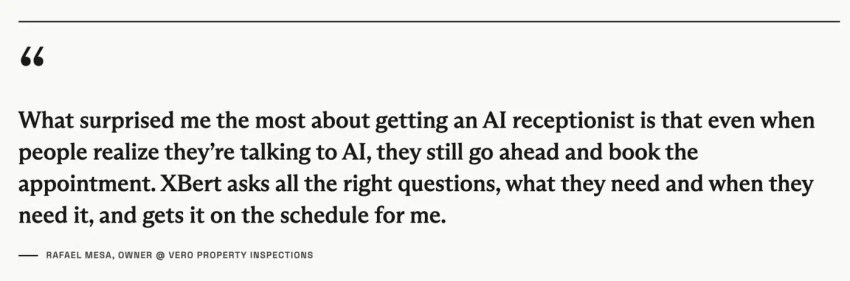
In Nextiva’s customer story, owner Rafael Mesa explains the physical constraint: “When you’re 20 feet up a ladder, you physically cannot grab your phone.” After deploying XBert and training it in about a week, the business reports capturing 15 to 20 extra bookings every week.
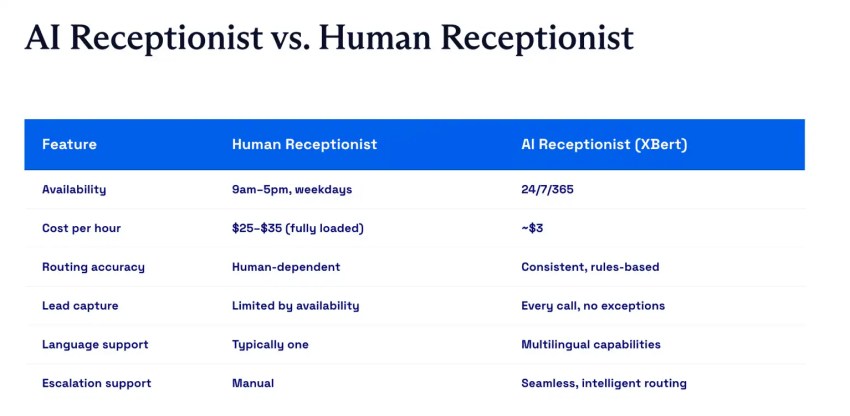
In this example, again, captured revenue carries all of the return. Speed is why the front desk pays back first. Our Customer Patience study of 400 U.S. adults found respondents expect chat replies within one minute and phone, SMS, or ticket responses within five minutes. A human front desk cannot hold that window at 7 p.m. without overtime; an AI employee can hold it through the graveyard shift for the same price.
For sector-by-sector break-even math, see the guide to AI receptionist payback, and for the revenue-at-risk side, see the cost of missed calls.
Customer support
The task-level evidence is strongest because the unit of work is countable. But you need to measure resolution here, not deflection. A deflected ticket that comes back in seven days can cost twice as much.
One operator who published numbers shows what good looks like. Connor MacDonald, CMO at Ridge, reported that almost 40% of tickets were handled outright by AI, with a 93.6% satisfaction score versus 94.2% for the human team, with headcount flat.
Sales and lead follow-up
Speed to lead and consistent follow-up produce the cleanest line in the formula because the output is a booked meeting or a quoted job with a known value. An AI employee that handles lead qualification, books the meeting, and hands it to your sales team with context converts directly into the captured-revenue row.
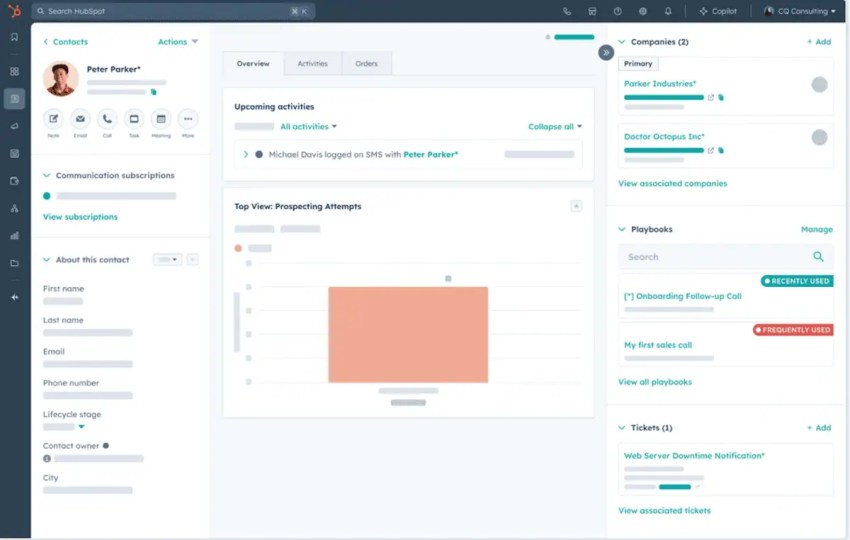
Count the pipeline created from AI-handled conversations, apply your historical close rate and margin, and report the result as revenue growth. Leave the hours-saved argument out of it entirely. This is the one workflow where you may not need a reinvestment factor at all.
How to Build a CFO-Ready Business Case for AI Projects
ROI measurement only works if you agree on the inputs before the pilot starts. Here is the sequence that prevents failure:
- Capture key metrics as a baseline before the pilot: The relevant metrics include missed-call rate, average handle time, cost per contact, after-hours volume, and hang-up rate on voicemail. Without a record of current performance, you cannot determine how much to subtract from the baseline. Two to four weeks of measurement is usually enough.
- Pick one narrow, high-volume workflow with a known dollar value per interaction: Andrew Ashton, SVP of Corporate Finance at Cisco, describes approving AI use cases piecemeal, each “based on a very finite kind of business case.” A finite case is one where the formula’s inputs already exist.
- Set the reinvestment factor and the margin assumption in writing with finance before launch: This is the step most AI initiatives miss, and it is the one that ends the argument later. Put the expected ROI and the walk-away criteria in the same document. If net ROI is below zero at 90 days, the pilot ends; if it clears, it expands. Decide both outcomes before anyone has a reason to argue, which keeps decision-making from being influenced by emotions.
- Review at 30, 60, and 90 days against the baseline: Report the four cashable business outcomes explicitly: overtime reduced, hires avoided, vendor spend cut, and revenue captured. Let hours reclaimed go in an appendix as a capacity note.
- Expand to the next workflow only after the first one pays back: Pilots that never end are the quiet killer of AI budgets. A payback date is what turns a trial into a decision.
Prove AI Employee ROI With Nextiva
Walk into a budget review with numbers that hold up. It gets easier when the AI employee’s cost column is short, and its benefit column is countable.
XBert, Nextiva’s AI employee, answers unlimited calls 24/7, handles AI text messaging and live chat, books appointments automatically, integrates with your calendar and CRM, and hands off to your team with full call transcripts and analytics available. Because it runs on the same platform as your phone system and messaging, several rows of the TCO table above shrink or disappear. Also, the no-contract terms give you a walk-away clause.
Plug your own baseline into the AI receptionist calculator, run the calculations from this guide, and bring the weakest version of your case to finance. If it still clears, you have a number the CFO will sign.
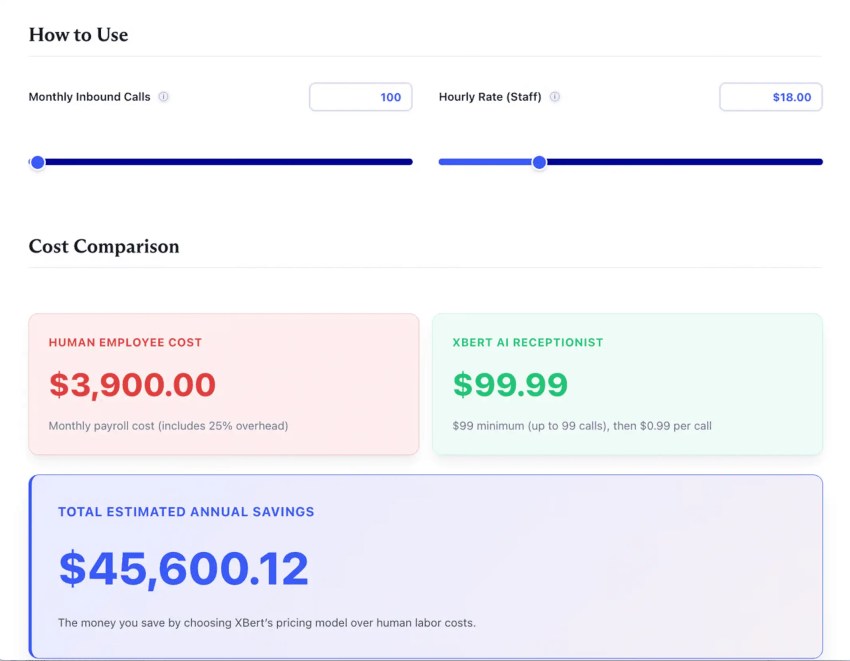
Explore Nextiva’s AI Employee to start capturing more revenue, which shows up in your P&L.
The employee that never clocks out.
XBert is your AI employee, trained on your business and working around the clock. It answers calls, handles chats, books appointments, resolves issues, and follows up so your team can focus on the work that matters.
AI Employee ROI FAQ
Yes, but it is unevenly distributed and poorly counted. McKinsey’s 2026 survey found 37% of respondents attribute at least some EBIT impact to AI, flat from the year before, and 6% qualify as high performers. The returns concentrate in narrow, measured workflows rather than broad programs, which is why this guide models one workflow at a time.
Through the reinvestment factor. Gartner found 55% of service leaders kept staffing stable while handling higher volumes, which is value without a headcount line. Model the share of reclaimed hours that went into absorbed growth, avoided hires, or reduced overtime, and count only that share. Add captured revenue separately.
Yes, always. Workday’s research found 77% of daily AI users review AI output as carefully as human work. Review hours at the burdened rate belong in total cost of ownership. Leaving them out is the most common way a business case fails a finance review.