Customer Experience
 Blog
 Business Communication
 Leadership
 Marketing & Sales
 Nextiva News
 Productivity
 VoIP
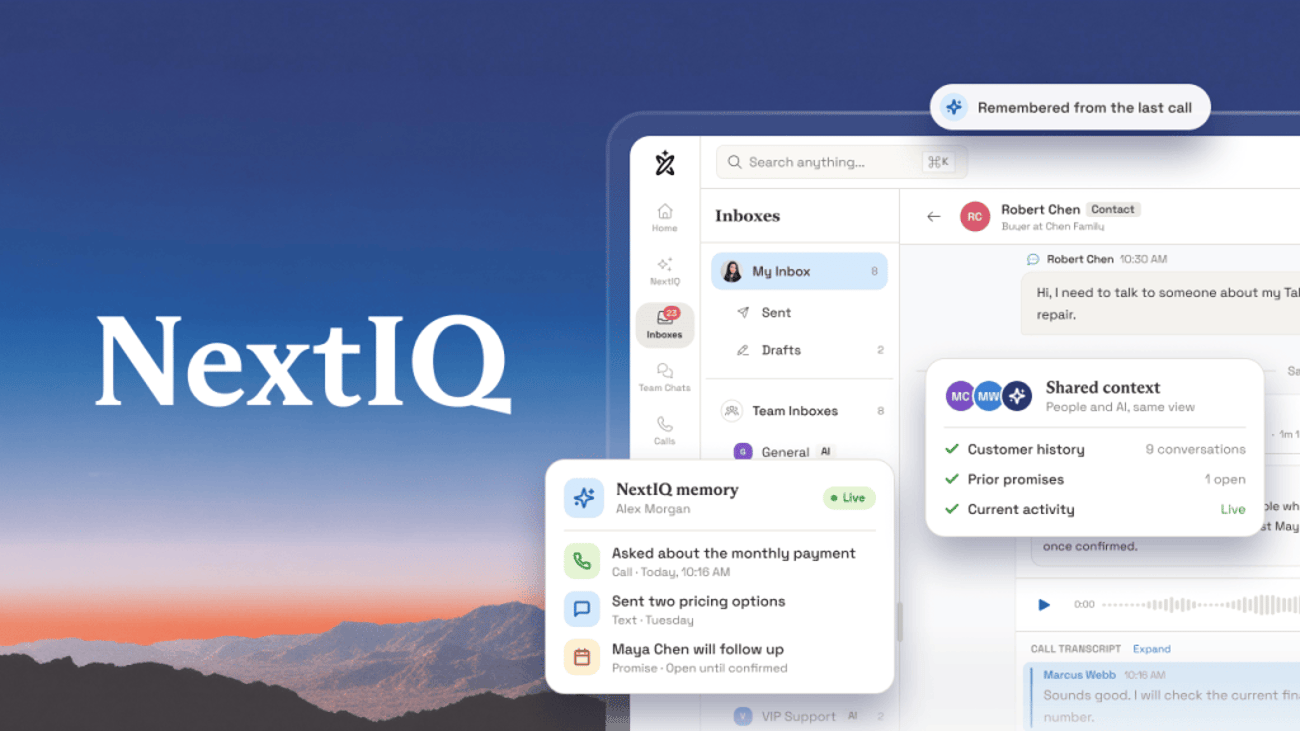

Conversations are at the heart of every sales and support interaction. Knowing who needs a reply first, whether a question is routine or part of a bigger issue, and what was promised last week. Those decisions used to depend on what a single person remembered.
Today, business leaders expect AI to help their teams make smarter decisions, faster. That help only works when the AI can see the whole picture.
Nextiva has spent years bringing calls, texts, chat, and customer data into a single communications platform, because businesses were hearing more from customers but understanding less. An AI tool added from outside your communications sees fragments, like a single transcript or ticket. NextIQ sits inside the platform where the conversations happen, so it works from the full history.
NextIQ is the memory and intelligence layer of NEXT. It brings all the necessary context from conversations across channels together, so your team and AI can understand what’s happened, pick up where the last conversation left off, and take the next best step
Whoever picks up already knows what the customer said, what was promised, and what comes next, and NextIQ suggests the next best step. NextIQ is included in every NEXT plan, which starts at $15 per user per month.
What Is NextIQ?
NextIQ is the intelligence layer of the NEXT platform. It remembers every customer conversation across channels and puts that history to work for your team while the conversation is still happening.
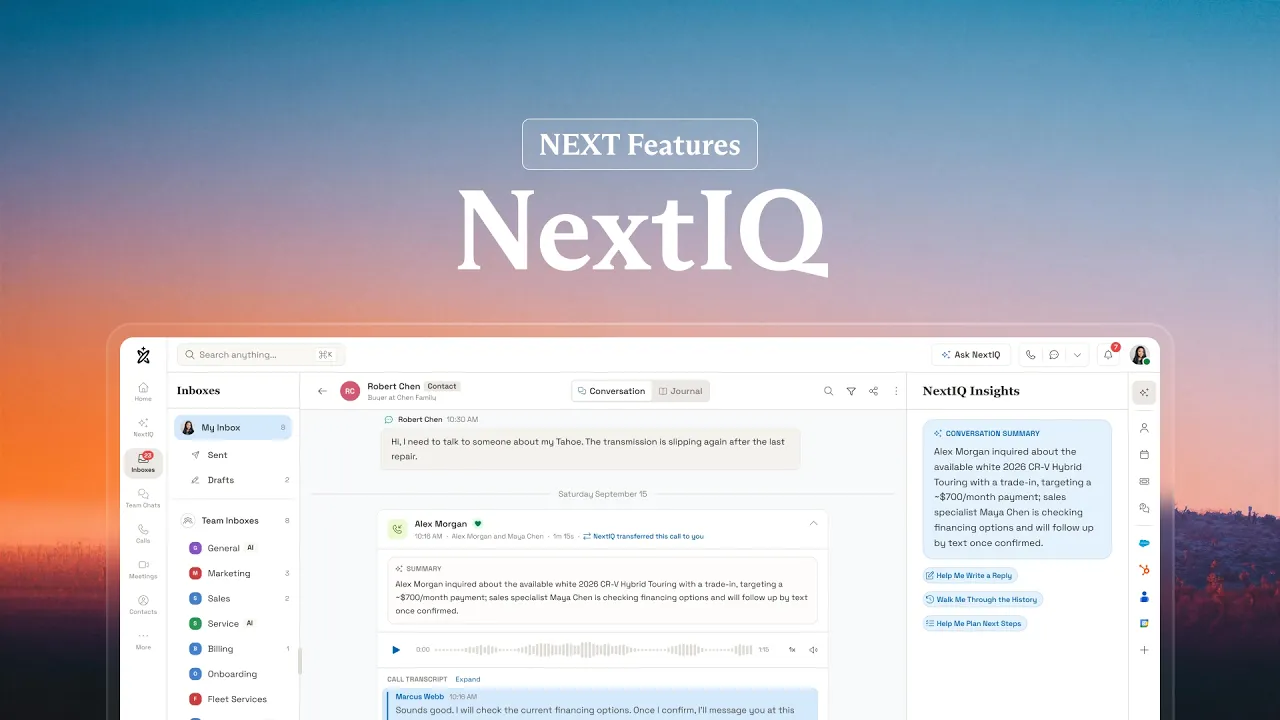
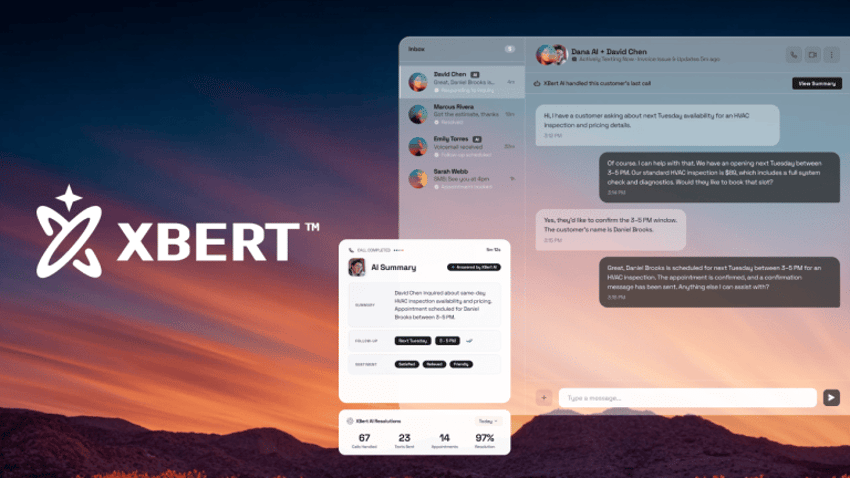
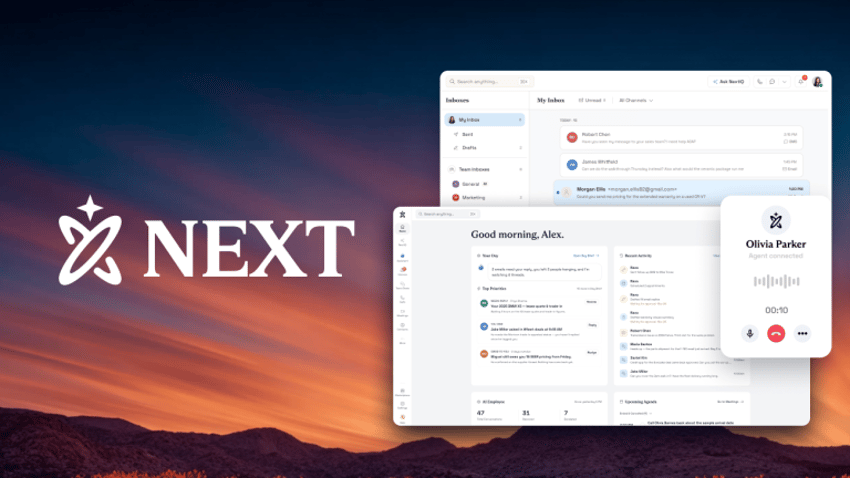
NEXT has three parts that work together. NEXT connects your conversations. NextIQ remembers and understands what’s happened across them. XBert acts on that context to answer questions, book appointments, and follow up.
Who NextIQ is best for
NextIQ is for business owners and leaders who want every customer to get the same informed, consistent experience no matter who answers. It’s especially valuable for small teams where one person often covers for another, and for businesses where customers call, text, and chat about the same job over several days.
What NextIQ means for businesses
For an owner, NextIQ protects the customer relationship from staff turnover, sick days, and busy weeks. The history no longer lives in one employee’s head. It lives in NEXT, where a new hire can answer a longtime customer with the same context you would.
NextIQ also saves your team real time. It writes the call notes, summarizes each conversation, and suggests the next step, so your people spend their time helping customers instead of typing up what just happened.
Where you’ll find NextIQ in NEXT
NextIQ shows up in two main places inside NEXT, plus a set of recommendations on your home screen.
| NextIQ feature | Where it appears | What it helps with |
|---|---|---|
| NextIQ Agent Assist | Beside an active customer conversation in the Inbox | A summary of recent conversations with that customer and suggested next steps |
| Ask NextIQ | Its own page, opened from the Ask NextIQ button | Plain-language questions like “Show my open tickets” or “What do we know about this account?” |
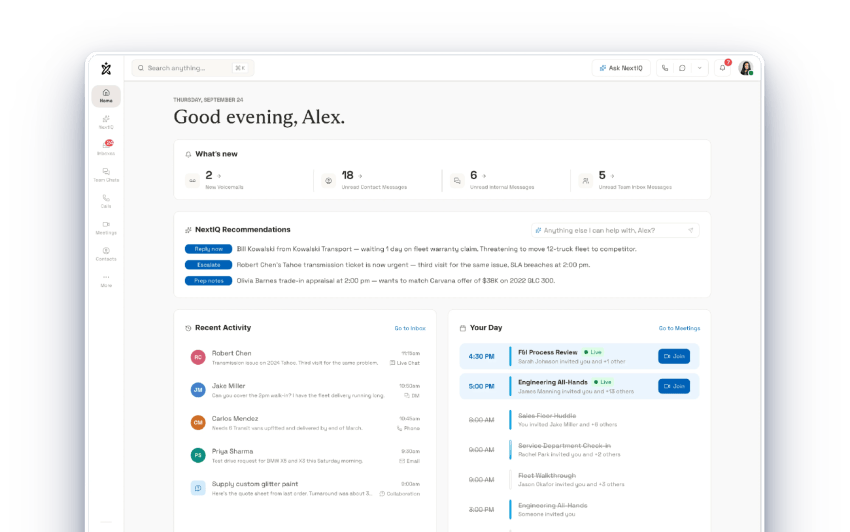
| NextIQ Recommendations | Your NEXT home screen | Who’s waiting on a reply, what to escalate, and what to prepare for |
Ask NextIQ answers from two kinds of information: your knowledge base and help content, plus your Nextiva records, including tickets, contacts, accounts, and conversation transcripts. What each person sees depends on how your account is set up and on their permissions. Our NextIQ help article explains each option.
How NextIQ’s AI Agents Help You Make Better Decisions
The biggest shift AI brings to a small business is in judgment. NextIQ helps your team make better decisions many times a day because it works from the same record of every conversation your business runs on.
Deciding who needs attention first
On a busy morning, your team has a queue of texts, voicemails, chats, and emails, and no easy way to tell which one matters most. NextIQ Recommendations on the NEXT home screen flag who’s waiting on a reply, what needs to be escalated, and what to prepare for. That makes it easier to spot the customer who has called twice about the same unresolved problem before they get buried by a question about store hours.
Deciding what to say in real-time
During a live conversation, NextIQ Agent Assist shows a summary of that customer’s recent conversations and suggests next steps. A newer employee can answer a longtime customer with the same context as your most experienced person. So decision quality no longer depends on who picked up.
Consider facts, not a hunch
Ask NextIQ lets anyone on your team ask a plain-language question, like “What do we know about this account?” or “Show my open tickets,” and get an answer drawn from your knowledge base and your Nextiva records. Before a renewal call, a service visit, or a tough conversation, you can see the full story in seconds instead of piecing it together from memory.
Why this works best inside the NEXT platform
Each of these decisions depends on the context that only exists inside your communications platform: the tone of the last call, the promise in yesterday’s text, the open ticket, and the appointment on the calendar. An outside AI tool has to be fed that information piece by piece, and the pieces it never sees become blind spots.
Because NextIQ is built into NEXT, it works from the conversations and customer context already connected to the platform, without relying on separate AI tools to piece the story together.
Our 2025 CX Trends research shows why that matters. We surveyed 1,058 customer experience decision-makers at companies with 100 or more employees with Dimensional Research, and 81% said they could improve the customer experience by consolidating customer data from all interaction points into one system of record. Better decisions start with one place where the whole story lives.
How Is NextIQ Different From a Separate AI Service
Unlike separate AI features that operate within a single channel or application, NextIQ is built into the platform where business conversations happen. It brings context across connected channels together, helping your team and AI respond with a more complete understanding of the customer.
By “separate AI service,” we mean bolt-on AI features like third-party transcription on a phone line or a chatbot on a website.
Add-ons can be useful on their own. The trouble starts when a customer switches channels, because a chatbot that never heard the phone call can’t know what your team promised. We designed NextIQ to close that gap.
| Question | Single-channel AI add-on | NextIQ in Nextiva NEXT |
|---|---|---|
| What can the AI see? | The call, chat, or app it’s attached to | Calls, texts, email, chat, and meetings in one customer record |
| When does it help? | Often after the conversation, as a summary or transcript | During the conversation, with history and suggested answers |
| Who can use the memory? | Whoever uses that one tool | Your whole team and XBert AI, based on permissions |
| What happens at a handoff? | The next person often starts over. | The next person or AI picks up with the full story. |
There’s a simple way to tell the two apart. A CRM or an outside AI tool records what happened after the customer hangs up. NextIQ is there during the conversation, when the outcome is decided. For your conversations, NextIQ is the system of record, and the intelligence that reads it.
Example: One Customer Uses Three Channels
The clearest way to see the difference is to follow one customer through a week. This example scenario shows how NextIQ carries context forward when a customer calls, then texts, then chats.
The business is a two-truck HVAC company. Jordan is a homeowner whose air conditioner stopped cooling on a hot Monday evening, and Sam is the company’s office manager.
Monday: Jordan calls after hours
XBert answers the call. It asks what’s wrong, confirms the address, and checks urgency. Jordan says the unit is running but blowing warm air, and that texting is the easiest way to reach them. XBert books the first open slot, Wednesday at 10 a.m., and texts a confirmation.
What NextIQ remembers after the call
NextIQ saves a summary of the call, the address, the symptom, the Wednesday 10 a.m. appointment, and Jordan’s preference for texts. Nobody on the team was working, and nothing was lost.
Tuesday: Jordan texts a question
Jordan texts, “Can the tech also look at my thermostat? It’s been acting weird.” Sam opens the text. Beside it, NextIQ Agent Assist shows a summary of Monday’s call and the Wednesday appointment, so Sam doesn’t have to dig through a transcript or ask Jordan to start over.
Sam adds the thermostat to the job notes and replies, “Yes, we’ll check it Wednesday at 10.”
What NextIQ remembers after the text
NextIQ now holds everything from Monday, plus the thermostat request and Sam’s promise to check it. That promise is part of the record, so it doesn’t depend on Sam remembering it.
Wednesday: Jordan uses the website chat
Jordan opens the chat on the company’s website and writes, “Running late at work. Can we move to this afternoon?” XBert answers the chat, sees the 10 a.m. booking, offers two open afternoon times, reschedules to 2 p.m., and texts Jordan the new confirmation.
What NextIQ remembers after the chat
NextIQ adds the new 2 p.m. time to the full history from the call and the text. Before driving over, the technician asks NextIQ, “What do we know about this customer?” The answer brings it all together: an AC unit blowing warm air, a thermostat to check, the move to 2 p.m., and a customer who prefers texts.
What carried forward at each step
| Step | Channel | What Jordan says | What the next person already knows |
|---|---|---|---|
| 1 | Phone call, after hours | AC is blowing warm air | Nothing yet, so XBert captures it |
| 2 | Text | Please check the thermostat too | The symptom, address, appointment, and text preference |
| 3 | Website chat | Can we move to this afternoon? | All of the above, plus the thermostat request |
| 4 | Technician prep | (none) | The full history across all three channels |
Jordan explained the problem once. XBert, Sam, and the technician all touched the job, and nobody asked Jordan to repeat anything. For the owner, that’s a customer who’s likely to call again and to recommend the company to a neighbor.
What Does NextIQ Handle Day to Day?
Most of NextIQ’s value comes from small moments that add up over a week. It handles the note-taking, searching, and remembering that usually eat into your team’s time between conversations.
- Transcribes calls automatically. Every call gets a written record, so nobody has to take notes while they talk.
- Summarizes each conversation. A summary and next steps appear after the call, which makes follow-up faster.
- Suggests what to say next. Answer Assist suggests replies and surfaces relevant answers during live conversations.
- Answers from your knowledge base. Your team gets consistent answers drawn from your own help content and documents.
- Finds records in plain language. Ask NextIQ looks up tickets, contacts, accounts, and past conversations without a special search syntax.
- Flags what needs attention. NextIQ Recommendations on the home screen point out who’s waiting on a reply and what to prepare for.
NextIQ can only use what’s in NEXT and what you’ve made available to it. If a customer’s history lives in a tool you haven’t connected, NextIQ can’t see it. That’s why we recommend you connect the tools you already use when you set up NEXT.
Why Shared Memory Matters to Businesses
Customers move between service channels without thinking about it. Pew Research Center reports that 91% of U.S. adults own a smartphone, so the same person can call, text, and open your website chat in one afternoon. Your business has to keep up.
Small teams feel this most. When the person who took Monday’s call is out on Tuesday, the customer’s history goes with them unless it lives somewhere everyone can reach. NextIQ is that place, and it’s what lets a growing business deliver the same experience on its busiest day as on its slowest.
Shared memory also makes AI safer to use. In the same CX Trends research, 95% of the companies we surveyed used multiple tools for customer interactions, averaging 6.3, and 86% of those multi-tool companies reported siloed customer data. AI that only sees one of those silos is working with part of the picture. NextIQ gives XBert and your team the whole picture.
How to Get Started With NextIQ
NextIQ starts working the day you move your conversations onto NEXT. Most customers start with NextIQ helping their team during live calls, because it speeds up every conversation without putting AI in front of a single customer.
From there, connect your calendar and CRM, so NextIQ sees the full picture. When you’re ready, add XBert so it can use NextIQ’s memory to answer after hours and handle routine requests. Explore the NEXT platform or talk to our team about where NextIQ can help first.
Give Every Customer Conversation a Memory With Agentic AI
Your customers shouldn’t have to remember what they told you. NextIQ remembers for them, across every call, text, email, and chat, so your team and XBert can pick up any conversation where it left off.
It also changes how your business makes decisions. Instead of relying on whoever remembers the most, your team works from the full story every time, with AI pointing out who needs attention and what to do next. That’s how a small business delivers the kind of experience customers expect from much bigger companies, without the bigger payroll. See how NextIQ fits with the rest of the platform in What Is Nextiva NEXT?, or explore the NEXT platform to see NextIQ at work.
Frequently Asked Questions About NextIQ
No. NextIQ is the memory and intelligence inside Nextiva NEXT, and XBert AI is the AI employee that answers calls, texts, and chats. NextIQ remembers what happened in every conversation, and XBert uses that memory to act. Your team uses NextIQ too, through Agent Assist and Ask NextIQ.
No. NextIQ works behind the scenes for your team, suggesting replies, summarizing calls, and answering their questions. When you want AI answering customers directly, that’s XBert’s job. Many businesses start with NextIQ helping their team on calls before they turn on XBert.
NextIQ answers from your knowledge base and your Nextiva records, like tickets, contacts, accounts, and conversation transcripts. What each person can see depends on how your administrator sets up NextIQ and on that person’s permissions, so each person sees only what they’re allowed to see.
No. Keep your CRM. NextIQ keeps the conversation history inside NEXT, and NEXT writes conversation details back to CRMs like Salesforce and HubSpot. Your CRM stays your record of the customer, and NextIQ gives your team that context during the conversation itself. NEXT by Nextiva can function as a lightweight CRM if you don’t currently have one.