Customer Experience
  Blog
Blog  Business Communication
  Leadership
  Marketing & Sales
  Nextiva News
  Productivity
  VoIP
VoIP 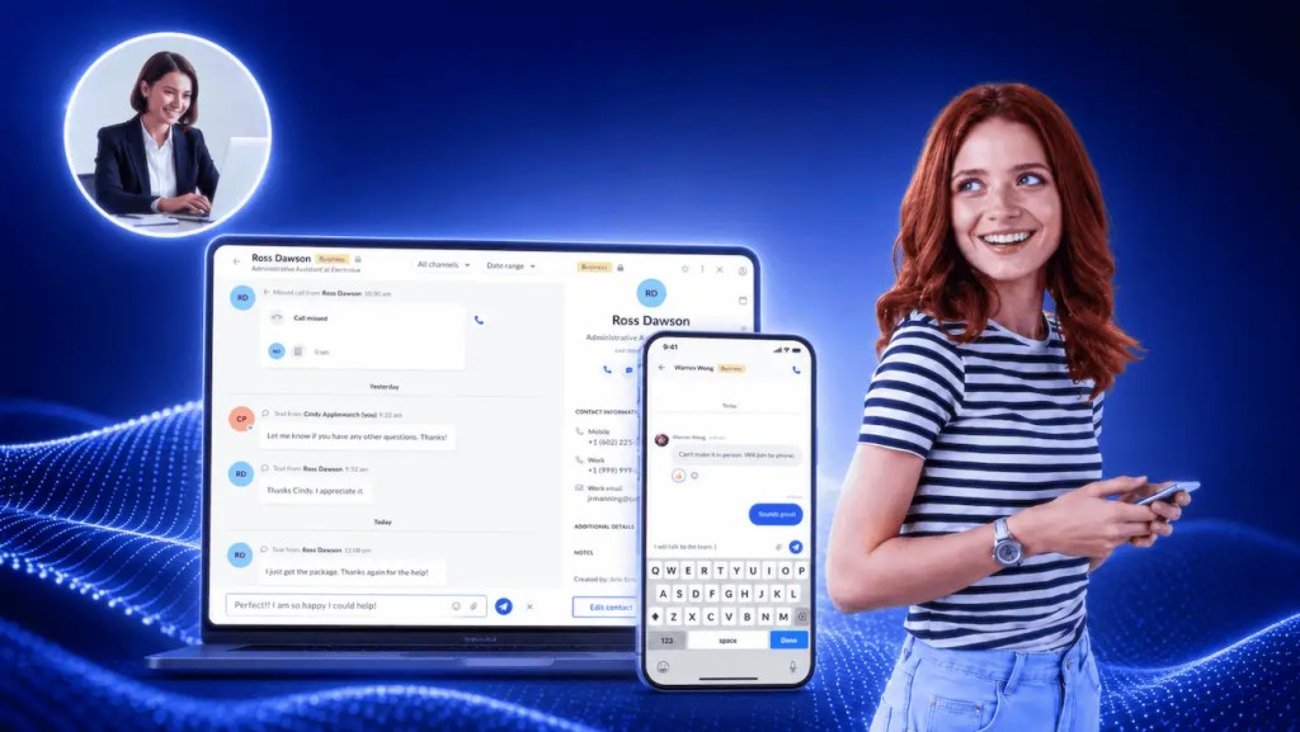

Somewhere in your queue right now, there’s a customer who wants to know if their order has shipped. They’ve been listening to hold music for nine minutes, even though the answer to their question takes four seconds to look up. Meanwhile, one of your agents is stuck on a 20-minute call about a billing dispute, which ties them up but ultimately needs their attention.
This mismatch is a frustrating problem. Short customer inquiries and longer emotional or critical calls are sharing a single queue. And unfortunately, the shorter customer requests often come through in higher volumes, which can make it hard for your team to quickly respond to the ones that need their attention most.
While slow response time is a huge customer service problem, business text messaging compliance is another. Almost nobody warns you about it until your messages have stopped arriving because they’re either not meeting compliance requirements or have been marked spam.
In this guide, we’ll outline three things you need for successful business texting for customer service:
- A plain-English 10DLC registration walkthrough
- A routing model that keeps two customer service agents from replying to the same customer
- 15 templates you can paste into your tool today
Let’s get started.
Why Customers Would Rather Text You
Before you add a new system, it helps to know how much demand there is and which parts of your queue texting can realistically absorb. The answer is encouraging on both counts.
What the demand data says
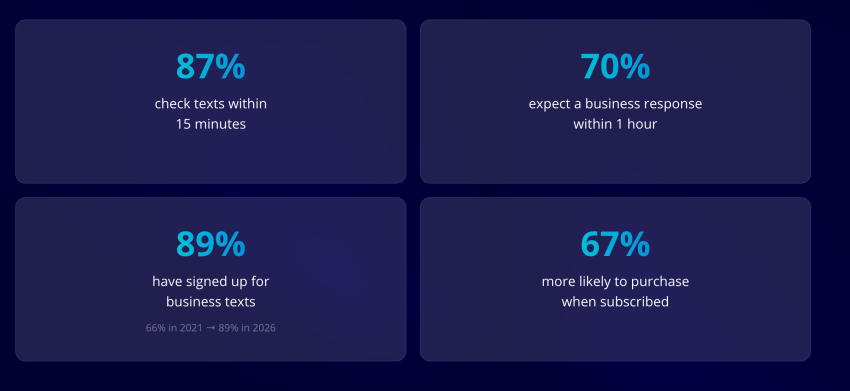
Most of your customers have already agreed to receive texts from someone. SimpleTexting’s 2026 study found that 85.6% of consumers have opted in to business texts and 75.3% of businesses send them.
EZ Texting’s 2026 report, based on 959 U.S. respondents, puts the consumer figure at 89%, up from 66% in 2021. The infrastructure to send texts and the willingness of customers to receive them both exist, but many support teams have never switched the channel on.
It’s important to remember that texting is not a replacement for phone calls. Gartner’s channel research notes that the phone remains a preferred channel across generations, including for urgent or complicated problems. Treat text as an additional lane that takes pressure off the voice queue, not as a way to retire it.
Where texting beats phone and email
Texting is the only support channel that’s asynchronous and immediate at the same time. The customer types a question, locks their phone, goes back to their meeting, and reads your reply when they check back later.
Web chat can’t do this type of communication because it chains the customer to an open browser tab, and the session dies when they close it. And email survives the wait, but nobody watches their inbox the way they watch text notifications.
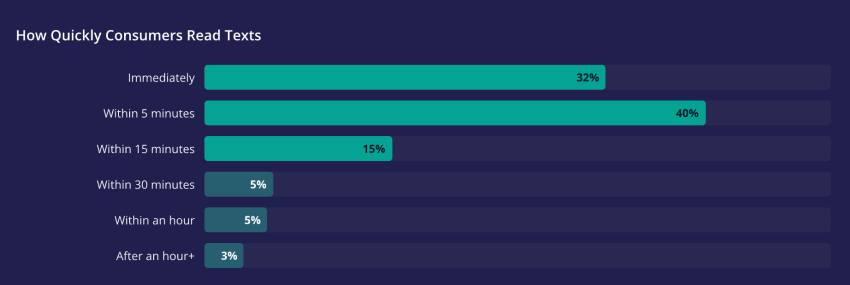
These distinctions decide which tickets belong in text. Good fits for SMS include anything that can be handled in one or two sentences and is relatively simple, including:
- Order status updates
- Delivery updates
- Appointment changes
- Balance questions
Anything more complex likely isn’t a great fit for text and should be routed to voice. Examples include:
- Billing disputes
- Cancellations
- Technical troubleshooting with multiple branches
- Situations where the customer is upset
The Operational Case for Text Support
Text support pays for itself through three mechanics. Customer service teams can run several threads at once, routine calls stop clogging the voice queue, and every conversation writes its own record. Here’s how each one works and what it’s actually worth.
One agent, many threads
A human phone agent handles one conversation at a time. Every second of that call is occupied, including the time the customer spends digging for an order number in their email while complaining about slow internet.
A text agent can handle several threads at once (especially when using a desktop app) because the time between replies is usable. A customer might take 90 seconds to find their tracking number, and in that window the agent can look up an order status for someone else.
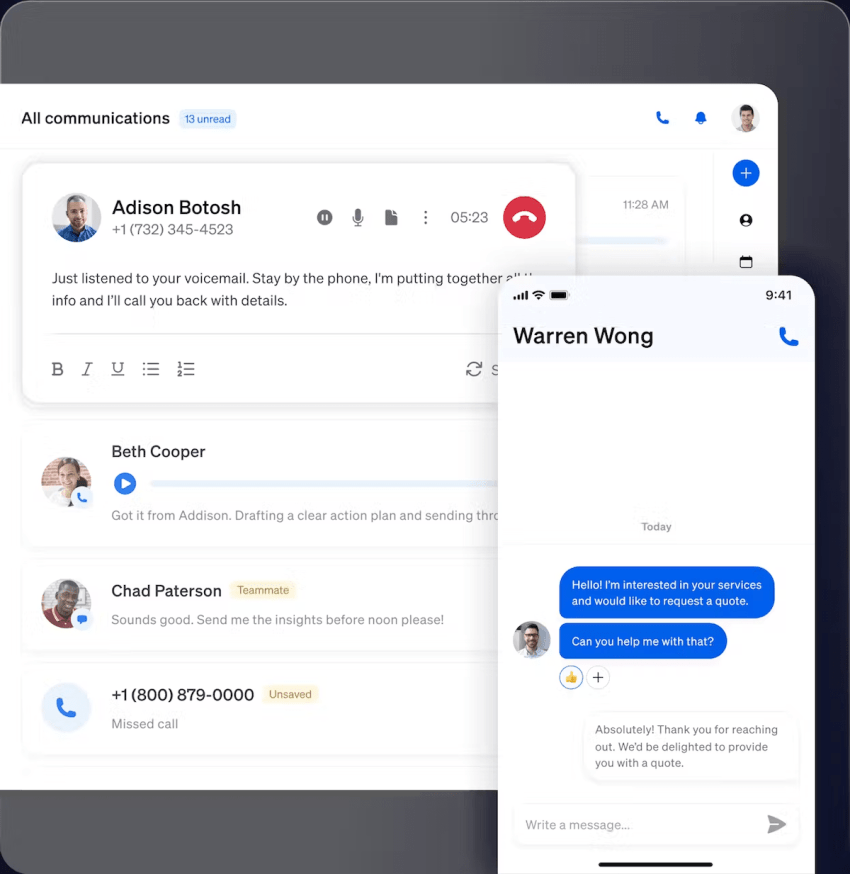
The number of threads a single agent can manage at once before quality drops depends on your issue mix. To see what works for your company, start at three or four concurrently, watch your first response time, and raise the cap only while that number holds under five minutes.
Voice deflection and cost
Every routine call you move into a text thread shortens the queue for the calls that genuinely need voice support. Customers who need an appointment reminder can get a quick answer in a text; someone who says your company charged them three times for a single transaction needs a person on the other end of a phone call, and they’ll only get more frustrated the longer they have to wait on hold.
Measure the savings in recovered queue time rather than telecom spend. If order-status calls are 30% of your inbound volume and your average hold sits at six minutes, deflecting even half of those calls gives every remaining caller a shorter wait, including the ones with a billing dispute who won’t accept a text.
The record keeps itself
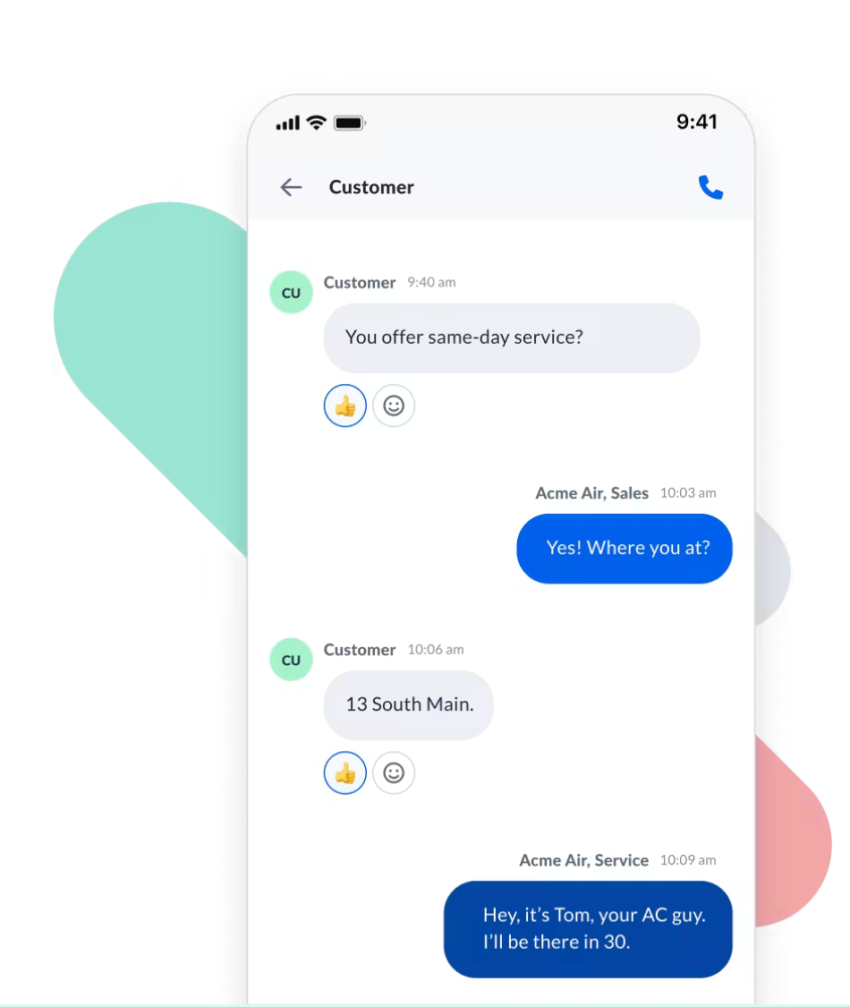
Every text thread is a written transcript. There’s no call recording to pull or agent notes to reconstruct when it comes to customer service texting, which means there’s no chance of an argument about what your team actually promised.
For QA, that means you can sample real customer conversations without needing transcription. And for disputes, it means the exact wording of a commitment is sitting in the thread with a timestamp. That alone is worth the channel for teams that handle refunds, warranties, or scheduling changes.
10DLC and Business Text Messaging Compliance: Your First Step
U.S. carriers won’t deliver business texts from an unregistered number, and they don’t tell you when they drop one. You must register your brand and campaigns if you want your messages to be delivered, so this step needs to happen before you even look at a texting template.
Here’s everything you need to know.
What 10DLC is and why carriers require it
10DLC stands for 10-Digit Long Code. It’s the framework U.S. carriers use to register application-to-person (A2P) business texting on standard local phone numbers. It relies heavily on guidelines set by the Cellular Telecommunications Industry Association, and it exists because carriers had no way to tell a legitimate appointment reminder from a phishing blast.
Mobile carriers Verizon, AT&T, and T-Mobile have adopted The Campaign Registry to vet senders. Registration has two parts, and you need to complete both:
- Brand registration: You identify your business to the carrier networks with your legal entity name, tax ID, entity type, and address. This process happens once.
- Campaign registration: You describe the use case for each campaign you intend to send, with three to five sample messages and proof of how you collect consent. Customer support is one campaign, for example, and appointment reminders may be another. One number attaches to one campaign at a time, though multiple numbers can share a campaign.
The enforcement is stricter than you might expect. Carriers moved from filtering unregistered traffic to blocking it, and providers implemented the cutoff on their own timelines. Twilio began blocking all unregistered U.S.-bound 10DLC messages on September 1, 2023, and Telnyx blocked any unregistered 10DLC traffic starting February 3, 2025.
Pro tip here: Budget for both the fees and the wait. Approval can take a few weeks and includes fees for brand registration, campaign vetting, and campaign registration. Once approved, your campaign gets a trust score that governs throughput. A higher score means more messages per second and better deliverability
Getting opt-in right for customer service and marketing text messages
Unsolicited text messages aren’t acceptable, so you need a dedicated opt-in process before sending marketing messages or customer support follow-ups.
You need prior express written consent from customers before sending promotional messages, and “they called us, so they clearly want to receive SMS messages” is not consent. These three methods are typically used to obtain express written consent that customers want to receive messages from you:
- A web form with clear disclosure next to the checkbox stating who is texting, what kind of messages, what kind of message and data rates may apply, and how to stop.
- A written agreement, such as a signed service form or intake paperwork with the same disclosure.
- A keyword reply, where the customer texts a keyword to your number, and you respond with a single opt-in confirmation message. This method is a double opt-in.
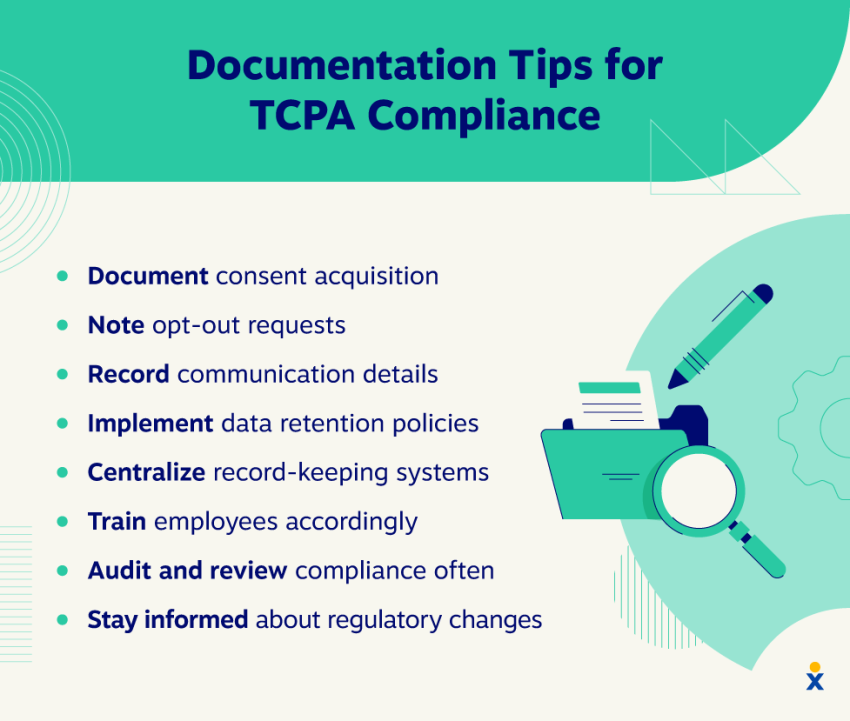
Whichever you use, document it and tie it to the customer record. Store the timestamp, the method, and the exact disclosure language shown because this evidence is what will hold up in the event of a Telephone Consumer Protection Act audit.
Handling opt-out requests automatically
You need explicit consent to send business text messages, and you also need to abide by a single request to stop sending them. Opt-out keywords have to halt messages immediately and automatically. If honoring one requires a human to work a ticket, your process is broken. You want opt-out instructions to be clearly visible on your site and in your promotional messages.
The FCC’s revocation rules, effective April 11, 2025, are specific. Businesses:
- Must honor stop, quit, end, revoke, opt out, cancel, and unsubscribe as conclusive revocations
- Must process requests within a reasonable time not to exceed 10 business days
- Cannot designate any single method as the exclusive way to opt out
You’re allowed to send one confirmation message acknowledging the opt-out, provided it contains no promotional content and goes out within five minutes. And if someone calls your support line and says, “Stop texting me,” that counts as opting out.
The short story? You need to respect opt-out requests.
Keep in mind, there’s one rule that’s still in flux and worth tracking. The FCC has extended the “revoke-all” provision, which treats an opt-out from one message type as covering all unrelated messages from you. On January 6, 2026, the FCC’s Consumer and Governmental Affairs Bureau pushed its effective date to January 31, 2027. Every other revocation requirement remains in force today.
Your 10DCL checklist for texting for customer service
Want to stay compliant? Run this checklist against your setup before you send a single message.
| Pre-launch check | What “done” looks like |
|---|---|
| Brand registered with TCR | Approved status in your provider’s admin portal, legal name matching your tax ID exactly |
| Campaign registered per use case | Separate campaigns for support, reminders, and marketing, each with three to five approved sample messages |
| Numbers attached to a campaign | Every texting number mapped to exactly one campaign |
| Website consent language live | Disclosure names your business, message types, message and data rates, and how to stop |
| Consent stored on the record | Timestamp, capture method, and disclosure version saved against each contact |
| Opt-out keywords automated | STOP, CANCEL, UNSUBSCRIBE, QUIT, END, REVOKE, and OPT OUT all halt sending with no human input needed |
| Non-keyword opt-outs captured | A verbal or emailed “stop texting me” reaches the same suppression list |
| Opt-out confirmation drafted | One message, no promotional content, sent within five minutes |
| Suppression list shared across systems | CRM, helpdesk, and marketing platform read the same list |
| Business identified in first message | Your name appears in the first text of every new thread |
| Test messages delivered | Live test to all three major carriers confirming actual receipt, not just sent status |
| Throughput understood | You know your trust score and messages-per-second ceiling before a high-volume send |
Routing and Queue Management for Customer Service Text Messaging
Compliance gets your messages delivered, so that’s the first step, but routing is what determines whether the customer experience is any better. Three configurations matter most, so let’s break down how queue management and routing work and when you should deflect calls to text.
How a shared team inbox works
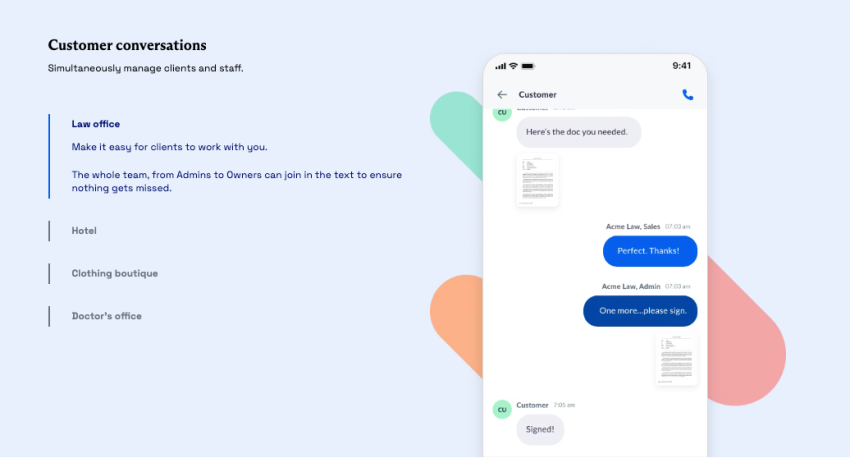
A shared inbox between agents can solve the problem of a double-reply, which wastes your resources and can frustrate and confuse customers. Two agents open the same thread, both answer, and the customer gets contradictory information. (Trust me, it happens.)
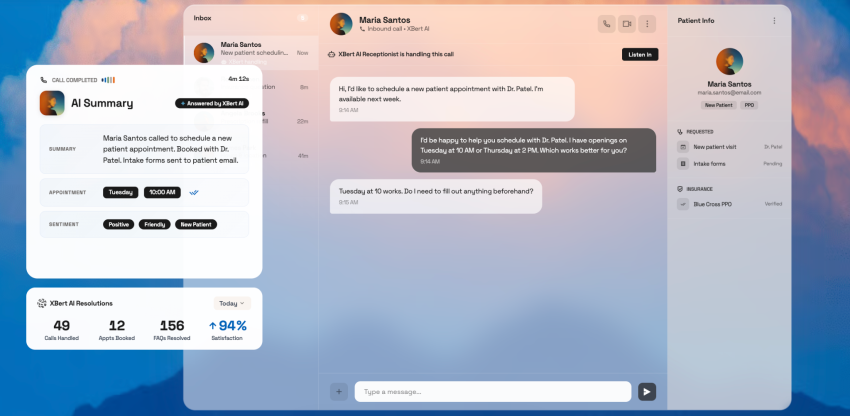
A real shared inbox fixes this with three mechanics:
- Assignment puts a named owner on each thread, by round-robin, by skill, or by whoever claims it.
- Claiming locks the thread visually so a second agent sees it’s taken before they start typing.
- Ownership persists across the conversation, so the customer’s follow-up two hours later lands with the same agent rather than starting over.
If your tool has an inbox without assignment rules, you’ve got a group chat instead of a queue. And as we all know, group chats can bring chaos. This is particularly true for multi-location companies.
Deflecting calls into text threads
Every caller sitting on hold is someone you could potentially be answering by text instead. Call deflection catches them at the moment they’re deciding whether to wait, and your phone menu offers a text conversation as an alternative to a queue position. Everyone who takes it shortens the line for the callers behind them.
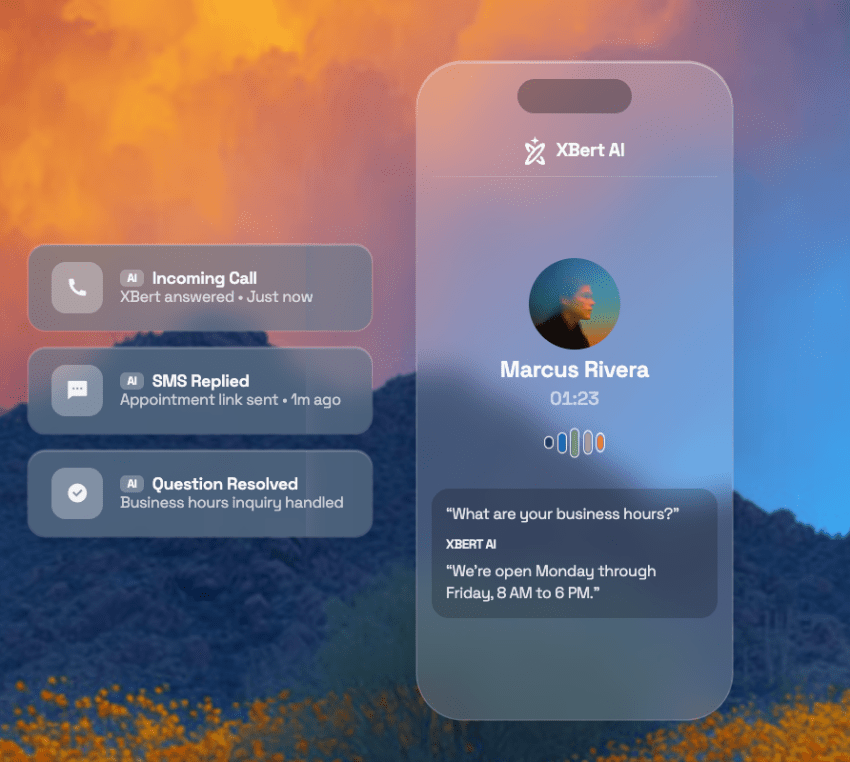
You can add this feature as an option to your IVR. Here’s what the build looks like:
- Trigger the option based on wait time: Offer the option only once the estimated hold exceeds your threshold, commonly three to five minutes. Offering it instantly makes you sound like you’re dodging the phone.
- State the trade clearly: Say, “Press 2, and we’ll text you. An agent will reply within five minutes.” By stating a clear time, customers won’t feel like they’ll never actually hear from you. Just make sure you can uphold the promise you’re making.
- Capture the mobile number from ANI: Pull the caller’s number automatically, then confirm it. Asking someone to key in the number they’re calling from is how you lose them.
- Send the first text before they hang up: The thread should already be open on their phone when the call ends. Include your business name and what they were calling about.
- Route it to a live queue, not a void: The deflected thread lands in the shared inbox with a priority tag because this customer was already waiting.
The key point here is to keep your promise. Set the response promise, and staff accordingly. A deflection that turns into a 20-minute silence is worse than the hold music you replaced.
Response-time targets
Texting feels instant to the sender, which means a slow text reads as neglect in a way a slow email never quite does.
Nextiva’s Customer Patience Benchmark, a survey of 400 U.S. adults, maps expectations onto a speed ladder. Chat replies are expected within one minute, and phone, SMS, and ticket responses within five. Email responses are expected within 30 minutes. Customers behave accordingly when you miss the window, as 56% immediately switch to another channel and 28% abandon the product or service entirely.
The takeaway here is that you want to staff a five-minute first response during business hours and use an automated message for after-hours communication. Track first response time, customer satisfaction scores, and thread resolution time separately because a fast greeting followed by a three-hour gap isn’t a fast channel.
Copy-and-Paste SMS Templates for Support
Bad support texts fail in predictable ways, even when you’re using a reliable VoIP texting solution, and the problem is usually with the processes. The customer can’t tell who’s texting them, there’s no obvious way to reply, or the message runs long and splits into two segments, and you get billed twice.
Keep these four rules in mind for the best results:
- Stay under 160 characters, because a longer message splits into segments and bills twice.
- Watch for emojis and curly quotes, which force the message into a different encoding and drop your limit to 70 characters without warning.
- Identify your business in the first message of every thread.
- Always leave a reply path, since a text the customer can’t answer is a notification, not support.
Each of the following templates follows these four rules, so you can download them and customize them according to your needs:
| Scenario | Template (under 160 characters) |
|---|---|
| Opt-in confirmation | [Business] here. You’re signed up for support texts. Msg & data rates may apply. Reply STOP to opt out or HELP for help. |
| After-hours autoreply | Hi [Name], thanks for texting [Business]. We’re closed now. Hours: [Hours]. We’ll reply at [Time]. Urgent? Call [Phone]. |
| Queue deflection | [Business]: rather than hold, we can help here. Reply YES, and an agent picks this up within [X] min. |
| Agent pickup | Hi [Name], this is [Agent] at [Business]. I’ve got your question about [Topic]. Give me 2 minutes to pull up your account. |
| Missed call follow-up | [Name], we missed your call to [Business]. Happy to help by text. What do you need? |
| Appointment reminder | Reminder: your [Business] appointment is [Date] at [Time]. Reply C to confirm or R to reschedule. |
| Confirmation received | Got it, [Name]. You’re confirmed for [Date] at [Time]. We’ll text if anything changes. Reply here with questions. |
| Reschedule offer | No problem, [Name]. Next openings: [Option 1] or [Option 2]. Reply 1 or 2, and we’ll lock it in. |
| Order or shipping update | Good news, [Name], your order [#] has shipped. Track it: [link]. Questions? Just reply to this text. |
| Delivery delay | [Name], order [#] is now [X] days late. The new ETA is [Date]. Sorry for the wait. Reply here if that doesn’t work. |
| Waiting on the customer | Hi [Name], I need [Item] to finish this up. Please send it over when you can, and I’ll handle the rest. |
| Escalation notice | [Name], I’m handing this to our [Team] team. [Agent] will text you from this same number by [Time]. |
| Payment or balance due | [Name], your [Business] balance of [$Amount] is due [Date]. Pay here: [link]. Reply with questions. |
| Resolution and survey | Glad we got that sorted, [Name]. Mind rating us? [link]. Takes 10 seconds. |
| Opt-out confirmation | You’re unsubscribed from [Business] texts. You won’t receive further messages from us. |
A few of these need extra care beyond the four rules above:
- Out-of-office and away messages: State your real hours, and promise a specific reply time rather than “as soon as possible.” If relevant, give a phone number for anything that can’t wait.
- Appointment and order updates: These are your highest-volume templates, so build reply keywords into all of them. C to confirm and R to reschedule turns a reminder into a quick two-way SMS transaction.
- Order tracking specifically: Use a short link, and keep the tracking detail on the landing page. Pasting a carrier tracking number into the message body eats half your character budget, and nobody types it in by hand anyway.
- Feedback and survey requests: If you want to gather customer feedback, send the message at resolution while the interaction is still fresh.
How to Choose Customer Service Texting Software
When you’re ready to choose SMS customer service software, these five questions can help you find tools that actually help your team (and filter out those that may only add a few more complications):
- Can it text-enable the number you already published? If the platform hands you a new number, every business card, invoice, and Google listing you own is wrong. Ask how they verify you own it, too.
- Does the platform handle 10DLC registration for you? Some walk your brand and campaign through The Campaign Registry inside the platform, which can save you time.
- Does the shared inbox actually assign threads? Ask about claiming, ownership, and reassignment, not just whether everyone can see the same messages.
- Does it log to the CRM on its own? If customer service agents have to copy threads over by hand, efficiency drags. This should be a no-brainer with today’s customer service automation capabilities.
- Does it have automated opt-out handling? This feature should be table stakes, but confirm it anyway and that it covers non-keyword revocations.
Start Texting Your Customers With Nextiva
Here’s the failure worth designing against: You launch, you send a few hundred messages, your dashboard shows every one as delivered, and six weeks later you discover half of them never arrived because nobody registered a brand. Your customers didn’t complain; they just assumed you ignored them. That’s the argument for keeping registration, routing, and sending in one platform rather than bolting a texting tool onto a phone system that doesn’t know it exists.
Nextiva’s business phone service includes business texting, a shared team inbox, multi-device syncing so a thread follows an agent from desktop to phone, automated out-of-office replies, and A2P 10DLC registration handled through the admin portal. Plans run $15 to $25 per user per month, and texting is included rather than sold as an add-on.
Most importantly, you text from the number customers already have and use the same line for calls and texts. This gives you one identity and one seamless customer experience, which means stronger customer relationships.

See how business texting works with Nextiva.
Customers love businesses that text
Meet prospects and customers where they prefer. With easy-to-use text capabilities that increase conversions and build loyalty.