Customer Experience
  Blog
Blog  Business Communication
  Leadership
  Marketing & Sales
  Nextiva News
  Productivity
  VoIP
VoIP 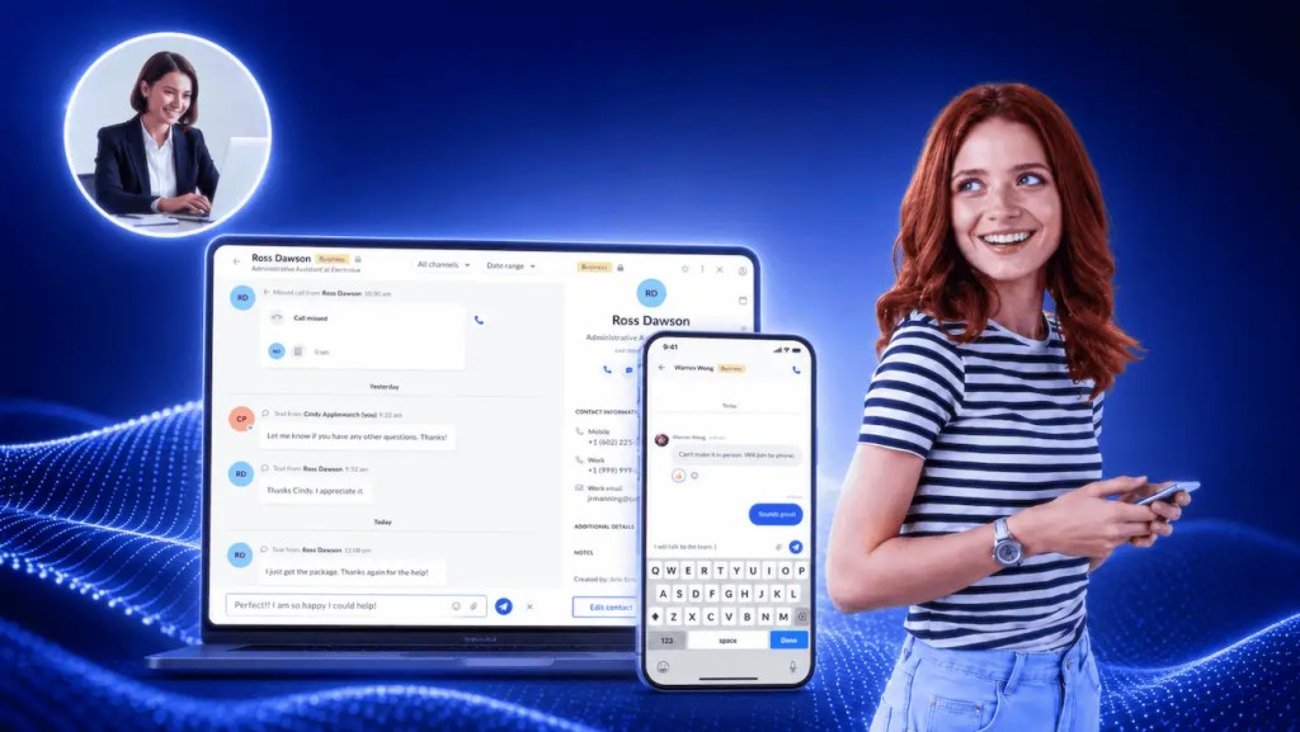

Texting customers from your personal number might work when your business is just starting. But as your customer base grows, it becomes chaotic.
The chaos presents itself in many forms. For example, a customer might get two different answers to the same question, or they might get no answer whatsoever because people on your team assumed someone else would reply.
The timing is a little unforgiving here. Nextiva’s Customer Patience Benchmark found that consumers expect a text or a ticket reply within five minutes. For web chat replies, it’s about 60 seconds. Five minutes is not enough time to forward a screenshot to a colleague and wait for them to weigh in. Business texting solves this issue for a team with a shared inbox.
This article covers the mechanics that prevent duplicate replies and the carrier and consent rules that determine whether messages get delivered.
What Is Business Texting for Teams?
Business text messaging for teams is a capability that lets multiple authorized users send and receive SMS and MMS messages through a single business number. Every message lands in a shared inbox that the whole team can see instead of just being viewable on one person’s device.
The customer never knows how many people are behind the number. They text one line and have one continuous conversation.
These days, teams often work from multiple locations. There are frequent situations where customer-facing team members aren’t in the same room, but they need to see the same customer thread. For text messages, a shared team inbox helps everyone stay aligned, no matter where they are.

What it’s not
Business texting for teams isn’t internal team chat. Internal chat is how your staff communicates, usually over the internet through an app everyone has installed. Business text messaging runs over carrier networks to a customer’s regular messaging app, with no download and no account required on their end.
Group Texting vs. a Shared Inbox for Text Messages
These two get confused constantly, and the confusion costs money because they solve opposite problems. A group text puts many recipients into one thread. A shared inbox puts many colleagues behind one number.
In the first case, your customers see each other. In the second, they see only your business.
| Criteria | Group texting | Shared team inbox |
|---|---|---|
| What it does | Sends one message to a list of contacts | Routes one customer’s messages to a team |
| Who sees whom | Recipients may see each other and reply-all | The customer sees one business; the team sees each other |
| Direction | Mostly one-to-many, outbound | Two-way, conversational |
| Best for | Announcements, alerts, promotions | Support, sales follow-up, service updates |
If you need to tell 400 customers that your hours have changed, you want a broadcast. If you need three people to handle 400 separate conversations without getting in each other’s way, you want a shared inbox. Most growing teams eventually need both.
Mechanics of Business Texting for Teams
A shared team inbox puts all inbound texts into one queue that updates live for everyone. Collision detection via typing indicators or thread locks prevents two agents from replying at once.
Assignment models such as manual claim, round-robin, and rule-based routing make ownership clear. Internal notes keep context within the thread so the next person can see the background information without switching apps.
The central queue
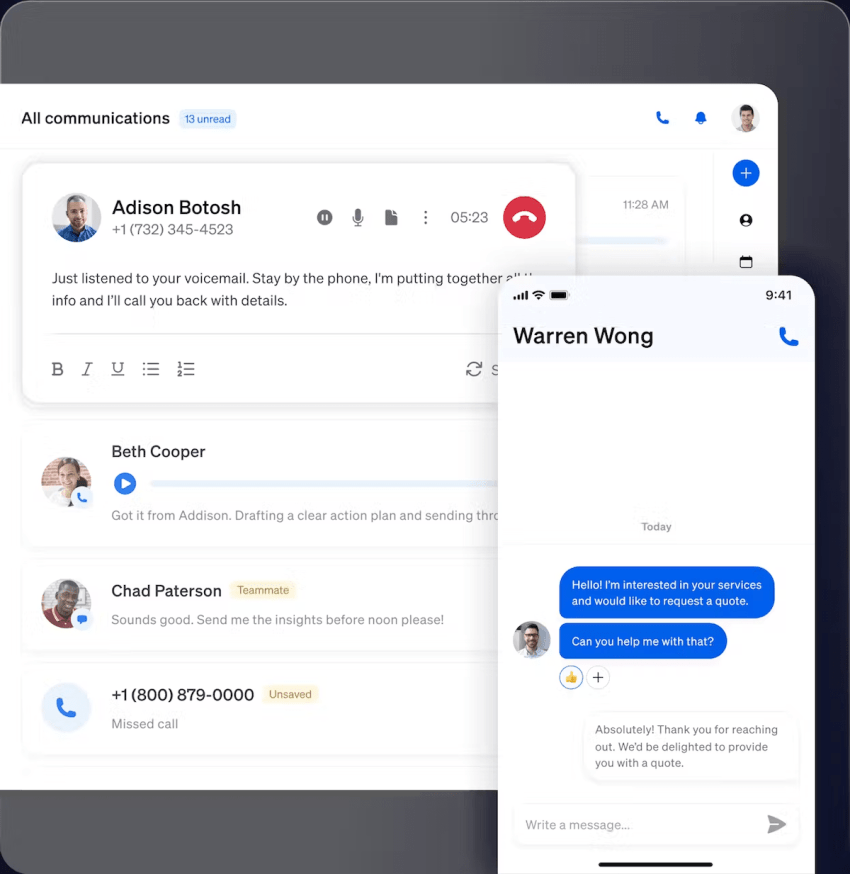
Every inbound message on your existing business number lands in one place instead of on one device. Threads update in real time for everyone with access, so a reply sent by one teammate appears instantly in everyone else’s view. This fixes the most common failure mode: a message sitting unread on someone’s phone in their pocket.
Collision detection
Collision detection is a signal that fires when a teammate is already working on a thread you just opened. A typing indicator shows a live marker inside the thread that says someone is typing, leaving you free to jump in if you have better context. A thread lock is stricter and temporarily reserves the conversation for whoever opened it first, releasing it when they send their message or close the thread.
Typing indicators suit small teams where people talk to each other. This approach is common in scenarios where more than one team member needs to speak with the same customer about a specific task.
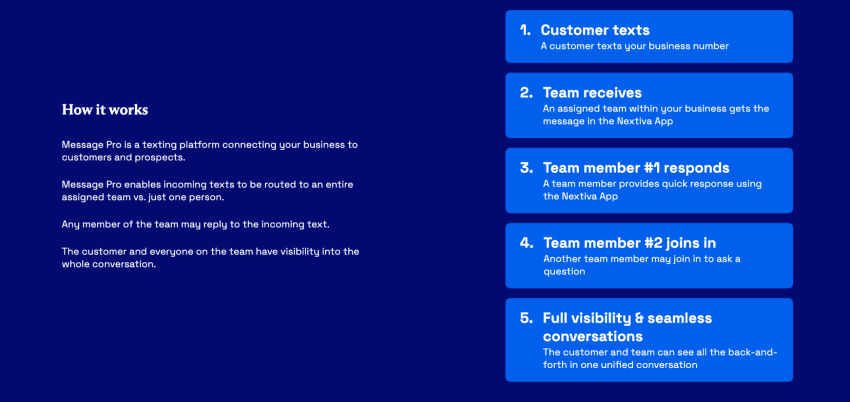
Nextiva’s Message Pro feature facilitates this scenario by enabling multiple team members to chat simultaneously with the same customer.
Assignment and thread ownership
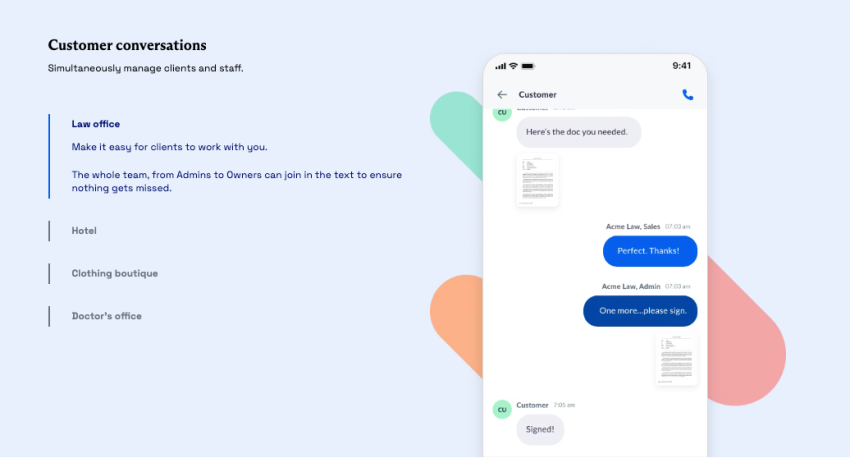
Assignment prevents the ambiguity that causes a collision. A manual claim is the simplest model, in which an agent takes a conversation, and their name is attached to it. Round-robin distributes new threads evenly among available staff, which protects your fastest responder from absorbing everything. Rule-based routing sends SMS threads by keyword, business hours, or department.
Nextiva Message Pro routes incoming texts to an assigned team rather than a single person. Any team member can reply, and the whole team maintains visibility of the full conversation.
Essential Features in Collaborative SMS Software
Feature lists often blur together during evaluation. These are the ones that change how the work feels day to day.
Desktop, web, and mobile access
Texting from a keyboard is much faster than texting on a phone with your thumbs, and support work is mostly typing. Users seek this option when they don’t need anything fancy and just want the ability to text customers from devices they use.
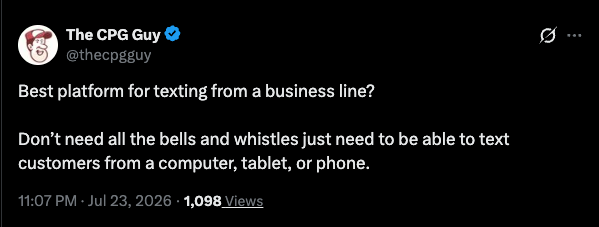
Nextiva covers this need with desktop, browser, and mobile apps and walks through the setup in its guide to texting from a computer.
Permissions and admin controls
Not every person should see every conversation. Role-based permissions govern which numbers a user can access, whether they can send messages or only view them, and who can change routing rules. For teams handling health, financial, or legal information, this is the difference between a shared message inbox and a compliance incident.
Templates and auto-replies
Saved replies keep answers consistent when five people are answering the same question. They also cut the response time on the messages that make up most of your volume.
When nobody is active, auto-replies take care of the incoming message, informing customers of the set office hours or when they can expect a response. An after-hours message that sets expectations is better than silence, and it prevents a customer from assuming you ignored them.
CRM integration and reporting
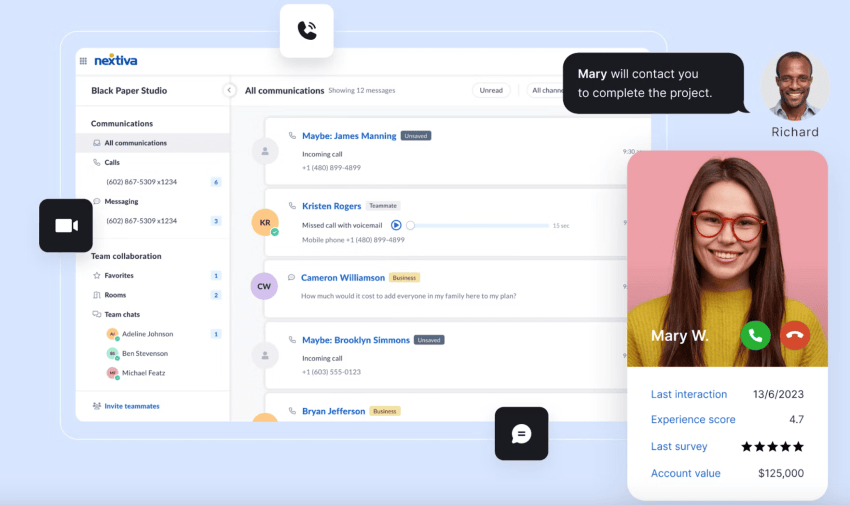
Texting that is not integrated with your CRM creates a blind spot. Integration pulls message history into the customer record so the next person to open the account sees the full picture. With analytics in place, you can see response time, resolution time, and per-agent volume. This makes staffing and routing decisions easier.
Security and compliance certifications
Certifications are worth checking before a demo, not after. This is especially important if you’re in the finance or healthcare sectors or you deal with people in the European region.
Nextiva Contact Center strives for 99.999% uptime and offers SOC 2 certification and HIPAA compliance. The same platform replaces seven apps with one, preventing tool sprawl as you scale.

Departmental Use Cases for Team Texting
Three departments use the same shared inbox for genuinely different reasons.
Speed to lead for sales teams
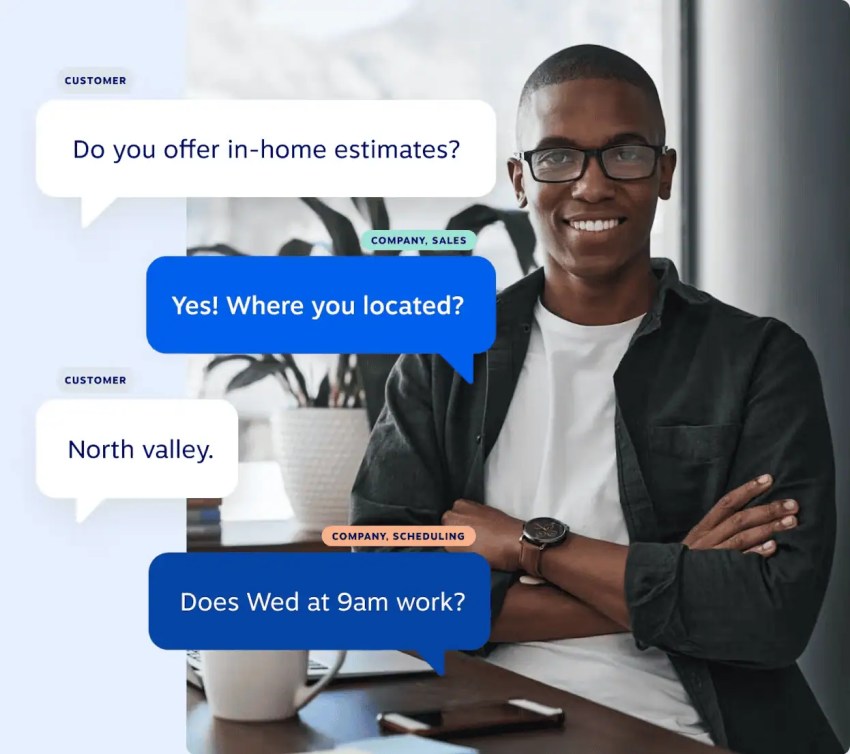
Leads decay fast, and texting helps you get a reply in the window that matters. On the revenue side, e-commerce benchmarks put SMS at 10% to 20% of total store revenue for mature direct-to-consumer programs.
Suppose a customer texts you at the end of office hours; they can still reach whoever is working, regardless of who owns the contact record.
Queue management for customer support
Support is where the five-minute expectation is most critical. Nextiva’s patience research found that when a brand misses the response window, 56% of customers immediately try another channel and 28% abandon the product or service outright. So a missed text or one that’s waiting to be opened soon turns into a phone call or a missed opportunity.
A December 2025 survey of 87 CX leaders reported by eMarketer found that 48% plan to add two-way SMS, making it the most planned CX investment on that list. It signals the direction businesses are heading. Two-way SMS handles short questions that would otherwise become calls, shortening the phone queue for customers who genuinely need to speak to someone.
Appointment reminders for operations
Reminders are the most common use case for operations and the easiest to get wrong. Andrew Rampulla, who runs a blue-collar business, explained that without a reminder text, people forget to show up, which he considers fair, given how busy they are.
Customers push back just as clearly when the cadence goes too far. Replying in that same thread, one person said it was the two texts before a scheduled call that broke her patience, asking why anyone would message a minute beforehand to check on rescheduling.
Both are right. The frequency is tricky to manage effectively.
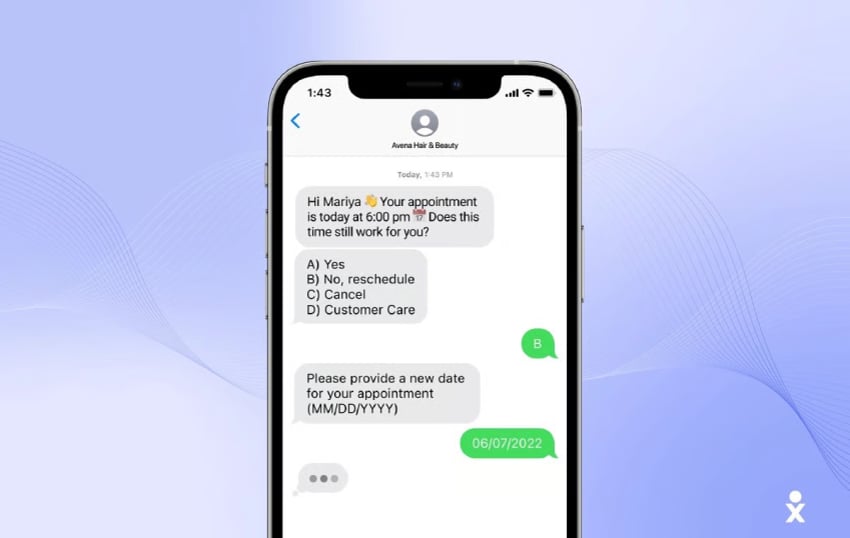
A practical cadence for most service businesses looks like this:
- One confirmation when the appointment is booked
- One reminder roughly 24 hours ahead, with a name and an arrival window
- One reply path so the customer can reschedule by text instead of calling
For multi-location operations, the coordination problem might extend beyond texting.
Compliance Standards and Carrier Registration Rules for Business Communication
Compliance involves two separate systems, which can create a single headache for most teams. Carriers decide whether your SMS text message gets delivered. Federal law decides whether sending it exposes you to a lawsuit. You need both handled, and a shared system handles them better than scattered devices do.
Understanding A2P 10DLC campaign registration
A2P 10DLC stands for application-to-person messaging over a 10-digit-long code, meaning business communications sent from an ordinary local number. You register your brand to verify your company identity, and you register each campaign to specify the messages you intend to send. Stefan Heller of The Campaign Registry described it as a centralized location where brands register their campaigns for 10DLC messaging.
The word “campaign” causes real confusion. It does not mean an SMS marketing blast. It means a registered use case, and appointment reminders count just as much as promotions do.

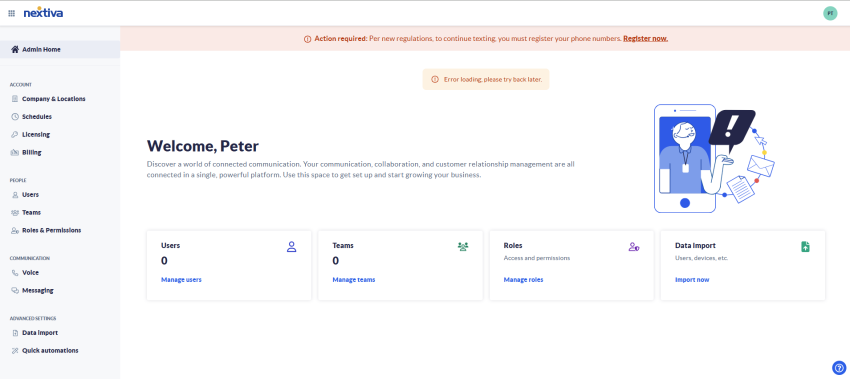
Rejections are common here and are frustratingly specific. Will Craig, co-founder of Signal House, warned that an application can be rejected for writing “message frequency varies” instead of “message frequency may vary.” Nextiva submits brand and campaign details on your behalf through the admin portal, and its guides to A2P 10DLC and The Campaign Registry walk you through what each stage asks for.
Telephone Consumer Protection Act opt-in rules
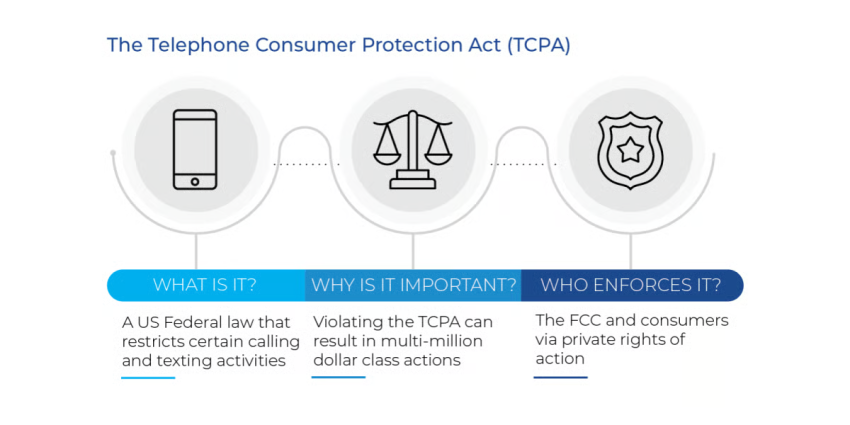
The TCPA requires prior express consent before you text and prior express written consent for any promotional messages. Consent is also not one thing. Having permission to send a service update does not permit you to send a promotion, so your records need to capture which consent you actually hold.
Automated opt-out handling
Josh Stevens, a compliance attorney at Mac Murray & Shuster, makes a precise point: Once a consumer revokes consent, that revocation applies to the business, so if it runs multiple systems and vendors, the opt-out must apply across them all.
Your business messaging platform should be able to configure this functionality at all ends. He added that a do-not-call request arriving via text should also be treated as applying to voice calls, and vice versa.
Nextiva’s contact center platform supports regulatory compliance and consent tracking. It also documents how and when consent was given, which is the audit history you need if a claim ever arrives. Its TCPA compliance checklist covers the operational side in more depth.
Give Your Team One Number Worth Trusting
A personal phone ties a customer relationship to one employee’s availability, memory, and eventual resignation. A shared number turns that conversation into something the business owns. It holds a record that survives turnover and a consent trail that stands up when someone asks for it. This practice is basic operational hygiene, and most teams only notice its absence after a customer gets two conflicting answers or an opt-out slips through.
Nextiva’s Message Pro routes customer texts to an assigned team so any member can reply with full visibility into the thread, while the wider platform brings calls, texts, and team channels into one place instead of seven. Your team already uses the same system for registration, consent records, and opt-out handling.
Advanced business texting.
Your customers are texting either way. Explore Nextiva’s business texting for teams and give every individual message a clear owner and a shared history.
Frequently Asked Questions
| Note: This section explains general requirements and is not legal advice. Talk to a licensed attorney about your specific messaging program. |
Yes. With a platform like Nextiva Message Pro, incoming texts route to an assigned team rather than a single person, and any member of that team can reply. Everyone on the team maintains visibility of the entire conversation.
Group texting sends a single SMS message to a list of contacts. A shared team inbox brings incoming customer messages into a central queue where your team can assign, track, and resolve each conversation separately.
Collision detection prevents this scenario. When one agent opens or starts drafting a reply, the platform either shows a live typing indicator or temporarily locks the thread so a second agent knows the conversation is already covered.
Get prior express consent before texting and prior express written consent for promotional messages. Offer a clear opt-out, such as STOP, honor it immediately, and apply it across every system and vendor you use. Keep records of how and when consent was given, since those records are your defense if a claim is filed.
A2P 10DLC is the carrier registration system that verifies business identity for texts sent from 10-digit local numbers. It requires registering both your brand and each messaging campaign, and yes, teams need it. Carriers block unregistered A2P traffic to U.S. numbers, so an unregistered number simply stops delivering.
Yes. Cloud-based texting platforms offer desktop, browser, and mobile apps with threads synced across all of them, so your team can reply from a keyboard and pick up the same conversation on a phone later.
Assignments work three ways in most platforms. An agent claims an open thread manually, the system rotates new conversations through available agents in turn, or routing rules push messages to a queue based on keyword, business hours, or the number they arrived on. Once assigned, the thread displays an owner so everyone else knows who is handling it.
Most platforms offer native integrations or an open API for such tasks. The payoff is context. When a message lands, the agent sees the customer’s record, past orders, and open tickets alongside the thread instead of having to switch tabs to find them. Check whether the integration writes texts back into the CRM timeline, because not all of them do.
Yes, photos can be sent through MMS. Field service teams send arrival photos, retailers send product images, and support teams send screenshots of the exact setting a customer needs to change. Carriers limit file sizes and compress larger images, so keep attachments small.
Teams should reply within five minutes. Nextiva’s Customer Patience Benchmark found that consumers expect a reply to a text or support ticket inside that window and web chat replies in about 60 seconds. This standard is challenging to meet when one person owns the number and even harder when that person is on a job site. A shared queue with alerts makes it realistic.