Customer Experience
  Blog
Blog  Business Communication
  Leadership
  Marketing & Sales
  Nextiva News
  Productivity
  VoIP
VoIP 

An after-hours answering service answers customer calls outside regular business hours. Depending on the provider, it may use AI, live agents, or a combination of both to answer questions, capture leads, book appointments, and route urgent requests.
Quick Answer
The best fit depends on the business’s call-handling needs:
- For home services: Nextiva XBert AI is a strong fit for HVAC, plumbing, electrical, landscaping, pest control, and other service businesses because it supports 24/7 call intake, appointment booking, urgent-call handling, calendar synchronization, and contextual escalation.
- For after-hours calls: Nextiva XBert AI provides 24/7 coverage, prioritizes urgent requests, detects caller sentiment, and can hand off calls to a human with context.
- For multiple locations: Nextiva can support location-aware routing through customized greetings, routing rules, calendars, and integrations. Businesses should confirm the required location structure during setup.
- For hybrid AI and live-agent coverage: Smith.ai combines AI call handling with live-agent support for businesses that need human involvement for complex conversations.
- For custom phone workflows: Goodcall focuses on configurable call flows and routing logic.
- For restaurants: Slang AI is designed for reservations, waitlists, and hospitality questions.
Try the best AI answering service free for 14 days
XBert AI answers questions and captures leads. Add your 24/7 answering service in minutes.
What Is an After-Hours Answering Service?
An after-hours answering service manages incoming calls outside regular business hours, including nights, weekends, and holidays. Callers reach a live person or an AI virtual receptionist instead of voicemail.
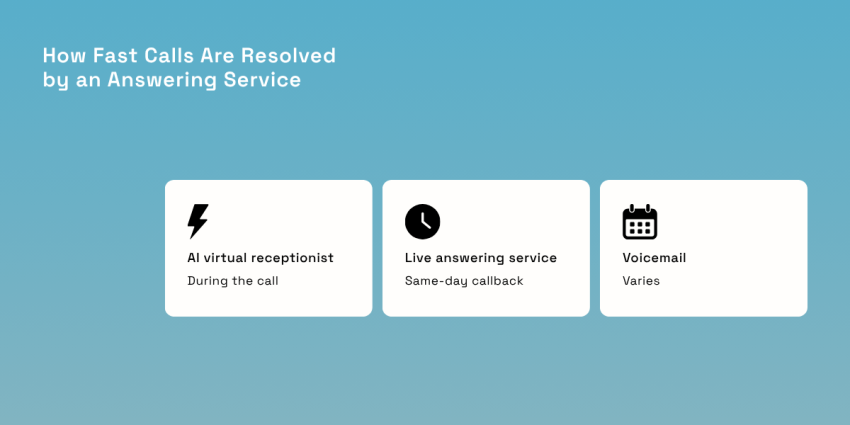
The service may:
- Answer common questions
- Capture caller and job details
- Qualify leads
- Book or reschedule appointments
- Send text-message follow-ups
- Route calls by department, location, or urgency
- Escalate emergencies to an on-call person
- Record transcripts, summaries, and customer information
How the options differ
| Service type | How it handles calls | Best suited to |
|---|---|---|
| Live answering service | Human agents follow scripts, take messages, schedule appointments, or transfer calls | Businesses that need human judgment for most calls |
| AI virtual receptionist | AI conducts natural-language conversations and completes defined tasks | Businesses that need 24/7 coverage and automated call handling |
| Hybrid service | AI handles routine calls while live agents handle complex or sensitive requests | Businesses that need automation with human backup |
| Auto attendant or IVR | Callers select menu options to reach a department or mailbox | Basic call routing |
| Voicemail | Callers leave a message for later follow-up | Businesses with low call urgency |
An IVR can route a caller, but it generally does not answer questions or complete tasks. A live answering service provides human interaction, though costs may rise with call volume or per-minute billing. An AI receptionist can handle routine conversations, book appointments, collect information, and trigger follow-up workflows during the call.
When Your Business Needs After-Hours Coverage
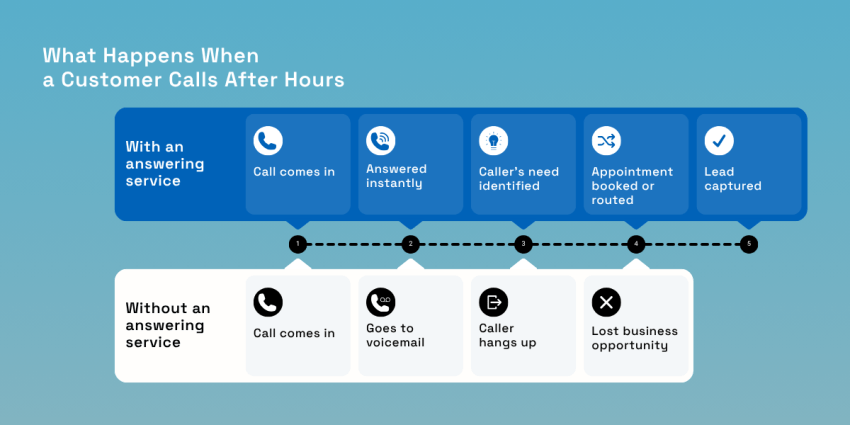
A business has an after-hours coverage gap when customers call during evenings, weekends, or holidays but receive voicemail or no answer.
The clearest signal appears in call data. If evening traffic remains high while connection rates stay low, the business may be losing leads and existing customers. Small businesses miss more than 60% of calls, with an estimated annual cost of $62,000, according to Nextiva data.
An after-hours service may be appropriate when:
- Customers call after regular business hours.
- The business operates in a high-intent industry.
- The business receives emergency or time-sensitive requests.
- The owner or staff cannot remain on call 24/7.
- A receptionist cannot keep up with peak call volume.
- Customers mention slow responses in reviews.
- Marketing generates calls that staff cannot answer.
- The business operates across multiple locations or service areas.
Common industries include:
- HVAC and plumbing
- Electrical services
- Home repair and handyman services
- Healthcare and dental care
- Legal services
- Property management
- Pest control
- Landscaping
- Towing and roadside assistance
Use the missed calls cost calculator to estimate the potential value of after-hours calls.
How Much Do Missed Calls Cost You?
Quickly see how much lost revenue you can reclaim with Nextiva XBert® AI answering service. Compare different scenarios to grow the bottom line.
Benefits of an After-Hours Answering Service
1. Capture calls around the clock
An answering service gives callers an immediate response during nights, weekends, and holidays. This helps businesses capture inquiries that might otherwise go to voicemail or a competitor.
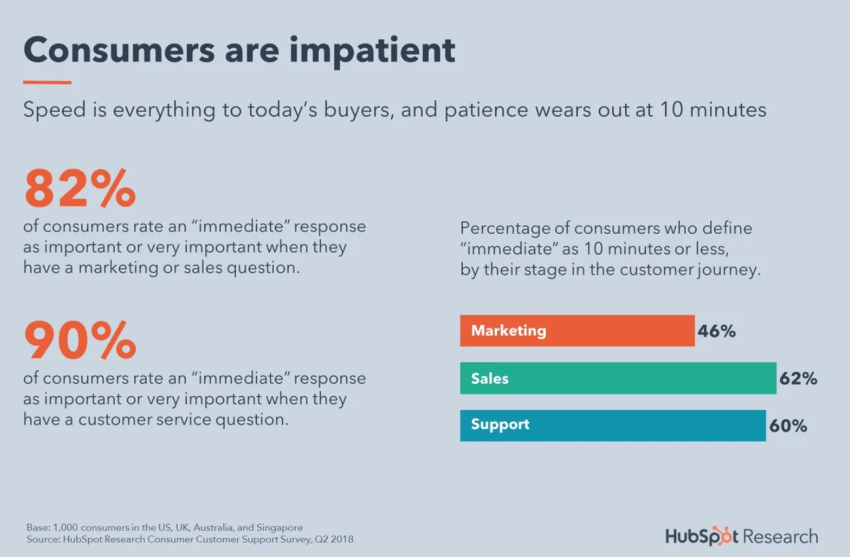
HubSpot reports that 82% of consumers want an immediate response.
2. Respond to urgent requests
A configured AI phone agent can ask what happened, identify urgency, collect contact details, and route the call to the correct on-call person.
For example, a home services workflow may:
- Ask the caller to describe the issue.
- Identify terms such as flooding, no heat, a gas smell, or a power outage.
- Capture the caller’s name, address, phone number, and service history when available.
- Send routine requests to scheduling.
- Escalate urgent requests to the assigned technician or manager.
- Include the caller’s information and reason for escalation in the handoff.
The business should define escalation rules, on-call schedules, transfer limits, and fallback actions before launch.
3. Book and reschedule appointments
Modern automated answering services can connect to calendars, check availability, book appointments, and send confirmations. They can also reschedule appointments when the workflow and calendar permissions support those actions.
4. Improve customer experience
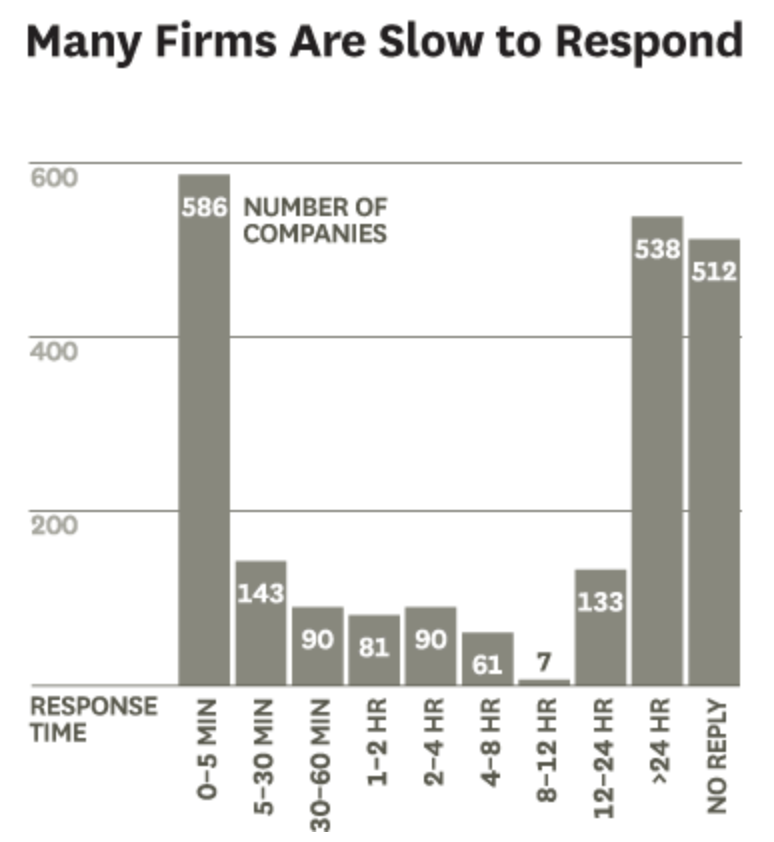
Faster responses create more opportunities for meaningful engagement. Harvard Business Review found that only 37% of companies responded to online leads within one hour.
An after-hours service can acknowledge the caller immediately, provide next steps, and preserve the caller’s information for staff follow-up.
5. Reduce staffing costs
A full-time receptionist can cost tens of thousands of dollars each year. AI-powered answering services provide continuous coverage without requiring a full overnight shift. Review the cost of an answering service before comparing plans.
6. Maintain consistent call handling
A configured greeting, knowledge base, and escalation workflow help keep responses consistent across shifts, days, and locations.
7. Support multiple communication channels
8. Provide notifications and call summaries
Call summaries, transcripts, and alerts help staff review what happened and take action without listening to every call.
Best After-Hours Answering Service Providers
The providers below differ in pricing, automation depth, live-agent support, industry focus, and communication channels.
Nextiva XBert AI: Best fit for most small businesses
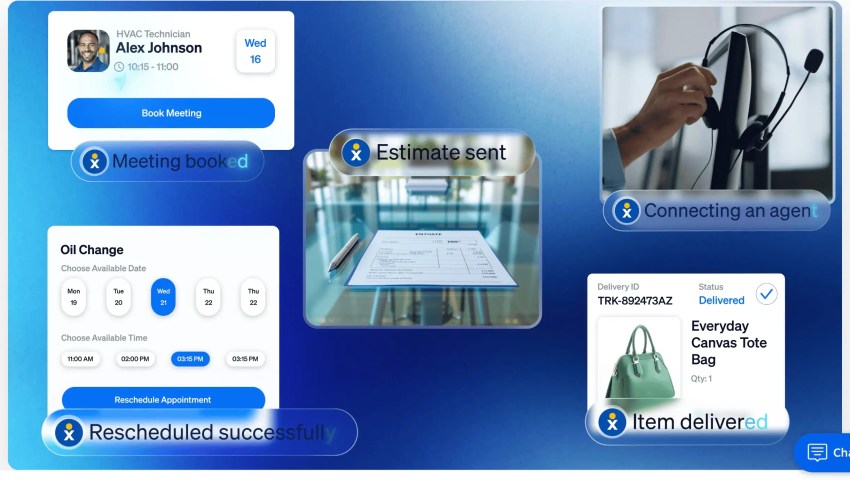
Nextiva XBert AI is an AI receptionist and answering service for businesses that need 24/7 call coverage. It can:
- Answer calls and common questions
- Use a business knowledge base
- Book and reschedule appointments
- Synchronize with calendars
- Qualify leads
- Send automated follow-ups
- Route calls by team, location, or urgency
- Escalate complex calls with context
- Provide transcripts, summaries, and performance data
XBert AI is a strong choice for a home services business that needs to book jobs, capture addresses, identify emergencies, and connect urgent callers with the correct technician or manager. It also fits businesses with several locations when each location has defined routing rules, calendars, greetings, and escalation contacts.
Nextiva’s platform supports phone, SMS, web chat, WhatsApp, Facebook Messenger, and Instagram from one dashboard. Integrations include CRM systems, Google Calendar, Outlook, and thousands of applications through Zapier.
Nextiva reports a 98% improvement in customer response time and an 11% increase in positive reviews for XBert AI. These are vendor-reported figures, not independent research.
Security and reliability considerations
Businesses that handle payment, health, or sensitive customer information should review:
- Data access controls
- Call recording and transcript policies
- Escalation permissions
- Compliance requirements
- Carrier reliability
- Business continuity procedures
- Integration security
Nextiva states that its AI voice agents support SOC 2, PCI DSS, and HIPAA requirements. It also cites HD voice, carrier-grade pathways, and eight points of presence as part of its reliability infrastructure. Businesses should confirm the specific compliance configuration required for their use case.
Hear why XBert AI is the best AI receptionist
XBert AI receptionist handles customer questions, captures leads, and books appointments. Try it free for 14 days.
Smith.ai: Best for AI with live-agent backup
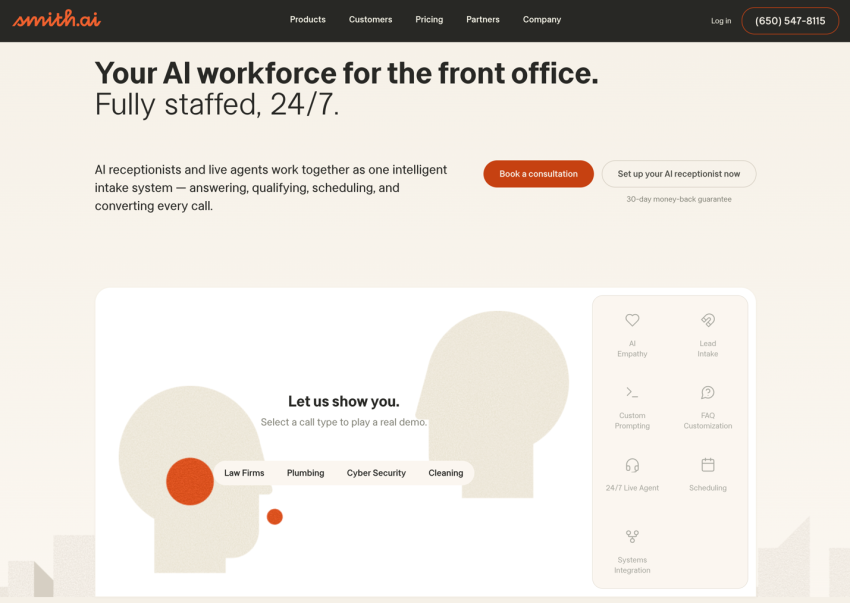
Smith.ai combines AI call handling with live agents who can step in when a call needs human attention. This model suits legal, financial, healthcare, home services, and other businesses with sensitive or complex calls.
Its live receptionist plan starts at $300 per month for 30 calls, while its AI-first option starts at $95 per month. The service supports CRM integrations, lead screening, appointment booking, and bilingual support.
The main limitation is usage-based pricing. Costs may rise as call volume increases. Smith.ai is a practical option for businesses that want a human escalation path for intake calls.
Goodcall: Best for custom call flows
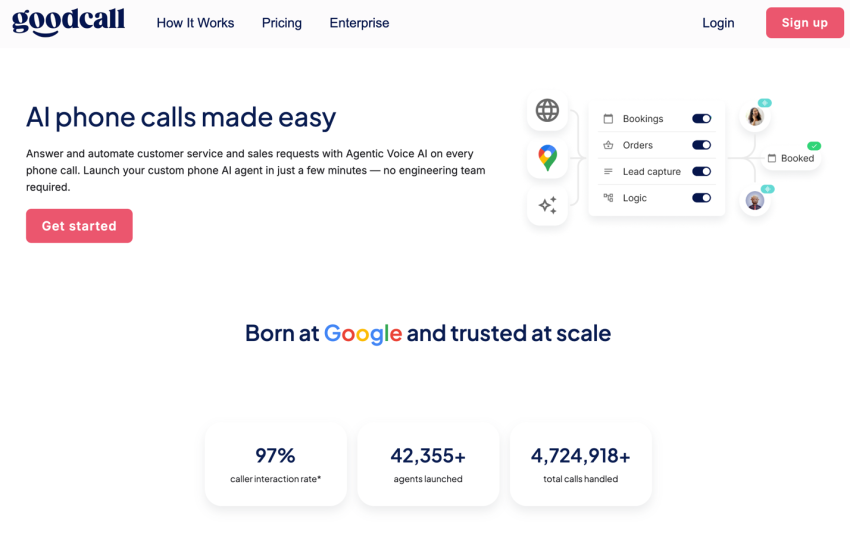
Goodcall lets businesses create custom call-handling workflows without engineering resources. Its agentic voice AI can follow defined logic for routing, escalation, and task completion.
Key capabilities include:
- Custom greetings and scripts
- Conditional forwarding
- Escalation rules
- Custom call-flow logic
- CRM and calendar integrations
The Starter plan costs $66 per month with annual billing. The Growth plan costs $108 per month with annual billing and adds CRM integrations, custom logic, and advanced routing.
Goodcall is best for a business that wants detailed control over phone workflows. It is primarily phone-focused and does not provide the same breadth of SMS, chat, and social coverage as a unified communications platform.
Rosie: Best for budget-conscious AI coverage
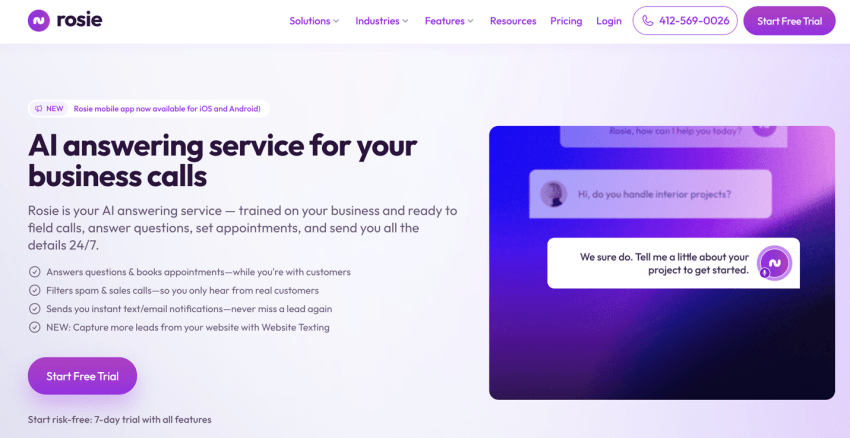
Rosie scans a business website and Google Business Profile to build an FAQ knowledge base. It provides AI voice conversations, call summaries, notifications, SMS follow-ups, bilingual support, and spam filtering.
Annual-billing prices include:
- Professional: $41 per month
- Scale: $124 per month
- Growth: $249 per month
Rosie connects with Zapier and has native integrations with HubSpot and Housecall Pro on higher-tier plans. Businesses that need real-time calendar synchronization, warm transfers, or multichannel coverage should review the applicable plan before choosing it.
Slang AI (best for restaurants and hospitality)
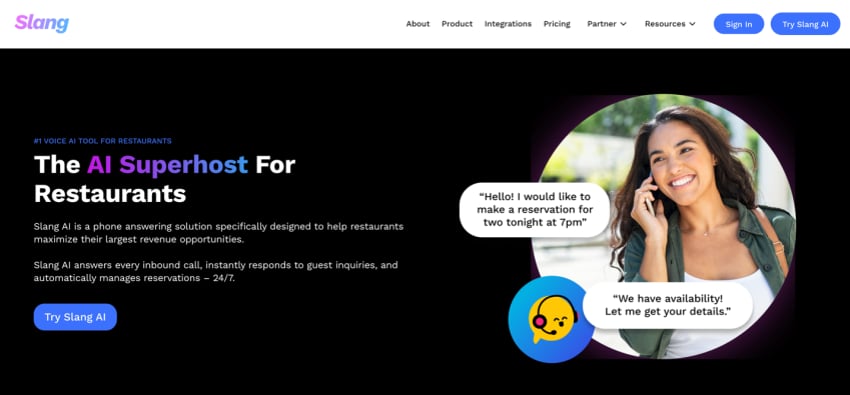
Slang AI focuses on restaurants and hospitality businesses. Its voice agent can:
- Handle reservations
- Answer questions about menus, hours, and parking
- Manage waitlists
- Connect with booking platforms such as OpenTable and Yelp
Pricing starts at $99 per month for à-la-carte products. Plans for multi-location operators start at $399 per month, with custom pricing available.
Slang AI is designed for hospitality workflows rather than general-purpose business calls. It is best suited to restaurants that need reservation and waitlist support.
Comparison Table
Here’s how the five providers compare:
| Feature | Nextiva XBert AI | Smith.ai | Goodcall | Rosie | Slang AI |
|---|---|---|---|---|---|
| Pricing unit | Monthly plan plus additional resolutions | Per call or plan usage | Monthly tier | Monthly tier | Monthly plan |
| 24/7 coverage | Yes, AI | Yes, AI and live agents | Yes, AI | Yes, AI | Yes, AI |
| AI answering | Yes | Yes | Yes | Yes | Yes |
| Live-agent escalation | Contextual handoff | Core hybrid capability | Configured escalation | Escalation options vary by workflow | Hospitality-focused support |
| Appointment scheduling | Calendar synchronization | Yes | Calendar synchronization | Higher tiers | Restaurant reservations |
| SMS follow-ups | Yes | Yes | Yes | Yes | Available for selected workflows |
| CRM integrations | CRM and Zapier integrations | Salesforce, HubSpot, and others | HubSpot, Google Sheets, and Zapier | Zapier, HubSpot, and Housecall Pro | Hospitality booking platforms |
| Location-aware routing | Configurable routing rules | Multi-location solutions available | Custom workflows | Basic AI routing | Multi-location hospitality focus |
| Transcripts and summaries | Yes | Yes | Yes | Summaries | Yes |
| Communication channels | Phone, SMS, chat, and social | Phone and chat | Phone | Phone and SMS | Primarily phone |
| Existing number | Yes, through call forwarding | Provider-dependent | Provider-dependent | Provider-dependent | Provider-dependent |
| Best for | Small businesses and service companies | Human backup and sensitive intake | Custom phone logic | Budget AI answering | Restaurants |
Decision matrix for common use cases
| Use case | Capabilities to prioritize | Best fit in this comparison |
|---|---|---|
| Home services | 24/7 coverage, emergency-intent detection, appointment booking, address capture, technician routing, CRM or field-service integrations | Nextiva XBert AI |
| Urgent after-hours calls | Intent detection, caller-detail capture, on-call routing, contextual handoff, fallback notifications | Nextiva XBert AI or Smith.ai |
| Multiple locations | Location-aware greetings, separate routing rules, local calendars, team permissions, reporting by location | Nextiva XBert AI with a confirmed location configuration, or Smith.ai for multi-location workflows |
| Custom phone workflows | Conditional routing, call-flow logic, CRM and calendar actions | Goodcall |
| Restaurant reservations | Reservation handling, waitlists, menu questions, hospitality integrations | Slang AI |
| Budget AI coverage | Automated FAQ handling, summaries, notifications, and entry-level pricing | Rosie |
The best choice depends on the workflow, not only the starting price. A low monthly price may become expensive with per-call, per-minute, or overage charges.
Shortlisting and Setup Criteria
Before choosing a provider, verify:
- Coverage: Confirm nights, weekends, holidays, overflow, and outage handling.
- Urgency detection: Ask how the system identifies emergencies and what information it collects.
- Escalation: Confirm whether the service transfers the call, sends a callback task, or alerts an on-call person.
- Context: Check whether the receiving employee sees the caller’s details, reason for calling, transcript, and prior history.
- Scheduling: Confirm whether the service can book and reschedule appointments through a live calendar.
- Existing number support: Check whether call forwarding works with the current carrier and phone system.
- Routing: Define rules by location, department, service type, technician, and time of day.
- Integrations: Review CRM, calendar, field-service, notification, and automation integrations.
- Pricing: Calculate monthly fees, resolutions, minutes, calls, overages, setup fees, and holiday charges.
- Reporting: Confirm access to transcripts, summaries, recordings, call outcomes, and performance dashboards.
- Security: Review data retention, access controls, encryption, compliance, and vendor agreements.
- Testing: Run test calls for routine questions, appointment booking, urgent requests, transfers, and failed escalations.
Configuration for multiple locations
A multi-location business should prepare a routing map before implementation. The map should include:
- Each location’s address, hours, phone number, and service area.
- Separate greetings and knowledge-base information where needed.
- The calendar or scheduling system for each location.
- Routing rules for local callers, service types, and urgent requests.
- Primary and backup contacts for each location.
- A fallback action when the assigned team does not answer.
- Reporting requirements for comparing locations.
Nextiva supports customizable greetings and routing rules. Businesses should confirm how their locations, calendars, permissions, and escalation paths will be configured during onboarding.
Common Mistakes
- Comparing base prices without calculating usage: A plan may include a limited number of minutes, calls, or resolutions.
- Selecting a service without emergency workflows: Routine appointment booking does not replace urgent-call escalation.
- Failing to define the escalation path: Every urgent request needs a destination and a backup action.
- Ignoring caller context: A transfer without the caller’s name, issue, address, and urgency forces the customer to repeat the story.
- Overlooking calendar permissions: Booking fails when the AI cannot access current availability.
- Assuming every provider supports multiple locations: Confirm location-level greetings, routing, calendars, and reporting.
- Ignoring existing-number support: Check forwarding, porting, carrier compatibility, and business-hour rules.
- Failing to test transcripts and summaries: Review whether the system captures the information staff need.
- Choosing live coverage without modeling call volume: Per-minute and per-call costs can rise quickly.
- Skipping security review: Businesses handling payment or health information should confirm compliance requirements before launch.
Nextiva XBert AI for After-Hours Calls
Nextiva XBert AI answers calls, texts, and chats 24/7. It can capture leads, book appointments, send follow-ups, prioritize urgent requests, and route complex calls with context.
For a local business with time-sensitive requests, the workflow can be configured to identify the problem, collect caller details, check whether the issue meets escalation criteria, and connect the caller with the appropriate on-call person. Routine calls can receive answers, appointment options, or a scheduled callback.
For home services, this supports after-hours intake for plumbers, HVAC technicians, electricians, landscapers, pest-control companies, and repair businesses. For multi-location companies, routing rules can direct callers to the appropriate local team when the business configures location data, calendars, and escalation contacts.
AI receptionist that never misses a call, text or chat.
XBert AI handles real customer conversations. It greets customers, books appointments, and captures leads while your business grows.

Frequently Asked Questions
For 24/7 coverage that detects caller sentiment and prioritizes urgent requests, Nextiva XBert AI is the top choice. It efficiently handles off-hours traffic and can seamlessly hand off calls to a live human with full context.
Local businesses dealing with emergencies benefit most from an agent that can identify the specific problem and collect details before evaluating emergency criteria. Nextiva XBert AI handles this workflow well, instantly connecting the caller to the correct on-call staff member.
Trades like HVAC, plumbing, and landscaping require robust 24/7 call intake and calendar syncing. Nextiva XBert AI stands out here by reliably managing these scheduling tasks alongside urgent-call routing.
Managing multiple branches requires location-aware routing, customized greetings, and local calendar integrations, making Nextiva XBert AI an ideal fit. If your workflows require a hybrid approach with human backup, Smith.ai is also a strong alternative.