Productivity
 Blog
 Business Communication
 Customer Experience
 Leadership
 Marketing & Sales
 Nextiva News
 VoIP

Staffing a contact center well is harder than it looks. Managers try to predict staffing needs based on historical trends. Still, unplanned agent absences, AI shifting which inquiries reach human reps, and even marketing campaigns can spike call volume without warning.
This instability affects contact centers and their employee churn rates. The Bureau of Labor Statistics reports roughly 289,500 customer service openings a year, mostly from turnover and transfers. When workforce management (WFM) is unbalanced, agents can burn out faster, resulting in higher call center turnover. Replacing these employees is both expensive and disruptive.
The right workforce optimization (WFO) software helps by connecting forecasting, scheduling, and quality management so you solve these problems together instead of in separate tools and spreadsheets.
In this post, we’ll cover the differences between WFM, WFO, and workforce engagement management (WEM), the core capabilities you need to look for, and the top solutions to consider today when you want to improve the employee scheduling process and send customer satisfaction scores skyrocketing at the same time.
WFM vs. WFO vs. WEM: What’s the Difference?
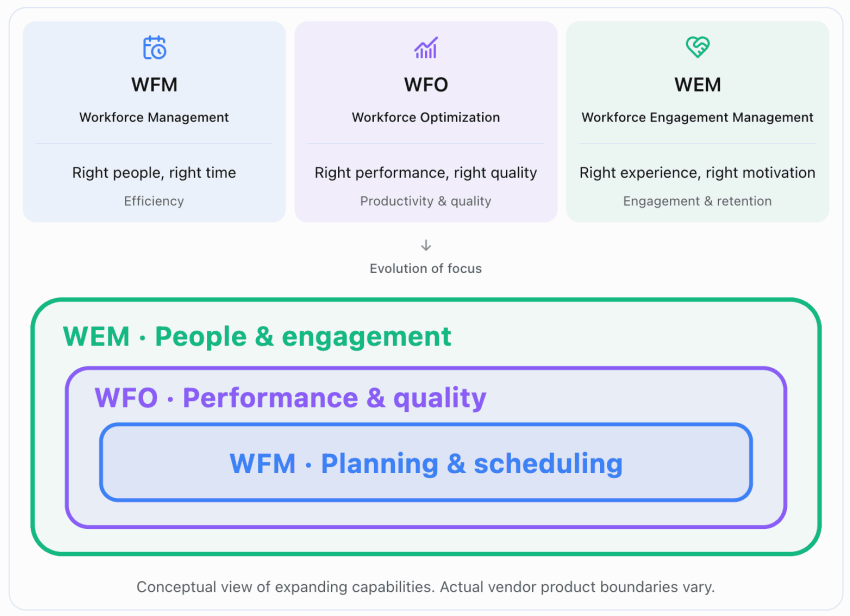
The terms WFM, WFO, and WEM get used interchangeably, but they describe different layers of the same problem:
- WFM helps you forecast volume, build a schedule, and track whether people are following it.
- WFO helps you measure conversation quality and offer both group and individualized coaching to team members.
- WEM helps you give agents more control over their schedules and create feedback loops that support retention.
Here’s a quick breakdown of the differences between these types of WFM tools:
| Layer | Question it answers | Core tools |
|---|---|---|
| WFM | How many people do we need, and when? | Forecasting, scheduling, and intraday adherence |
| WFO | How well is the work getting done? | WFM plus recording, quality management, analytics, and coaching |
| WEM | Will agents stay and keep improving? | WFO plus self-service scheduling, feedback, and recognition |
Looking for a good all-in-one platform to implement your WFO strategies and boost employee engagement? Nextiva Workforce Scheduling covers the WFM layer with forecasting from historical data and adherence monitoring, as well as shift bidding, swaps, and time-off requests through an agent app. You can pair it with Nextiva’s Contact Center solution for AI quality management, scorecarding, and agent assist. By combining the two, you’re ultimately getting a full WFO on one platform.
Core Capabilities to Evaluate for WFO Software
Not every WFO platform offers the same features. Before you compare vendors, it helps to know which capabilities matter most to your team.
Forecasting and capacity planning
Good workforce forecasting goes beyond headcount because it focuses on operational efficiency. You need interval-level forecasts by channel that account for seasonality, marketing campaigns, and how AI self-service is changing the mix of what actually reaches your human agents.
That last point matters more now than it did a few years ago. A Gartner survey of 321 service leaders found that 91% reported executive pressure to implement AI. As more routine contacts get deflected to AI, your forecasts need to model bot and human queues together, or you could easily overstaff for volume that no longer hits your agents.
Scheduling and real-time adherence
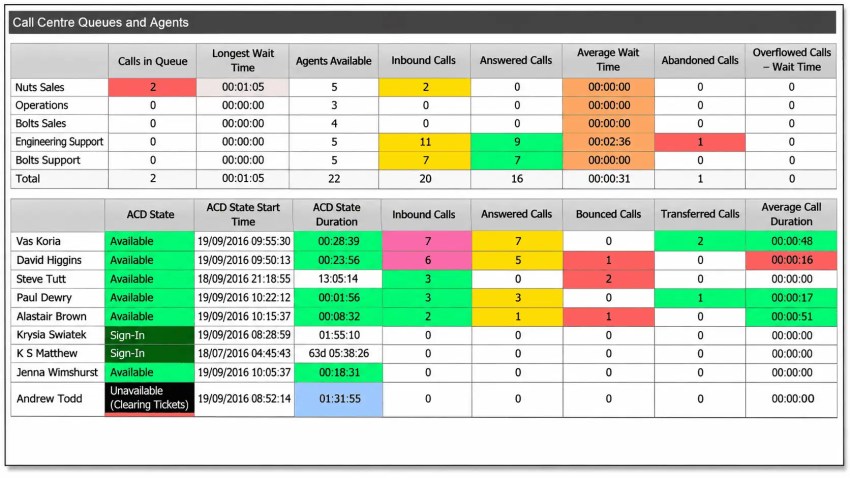
Scheduling tools should handle skills-based schedule generation, intraday reforecasting when volume doesn’t match the plan, adherence alerts when agents go off-schedule, and self-service for shift swaps and time-off requests.
The less time supervisors spend manually adjusting schedules, the more time they have for coaching.
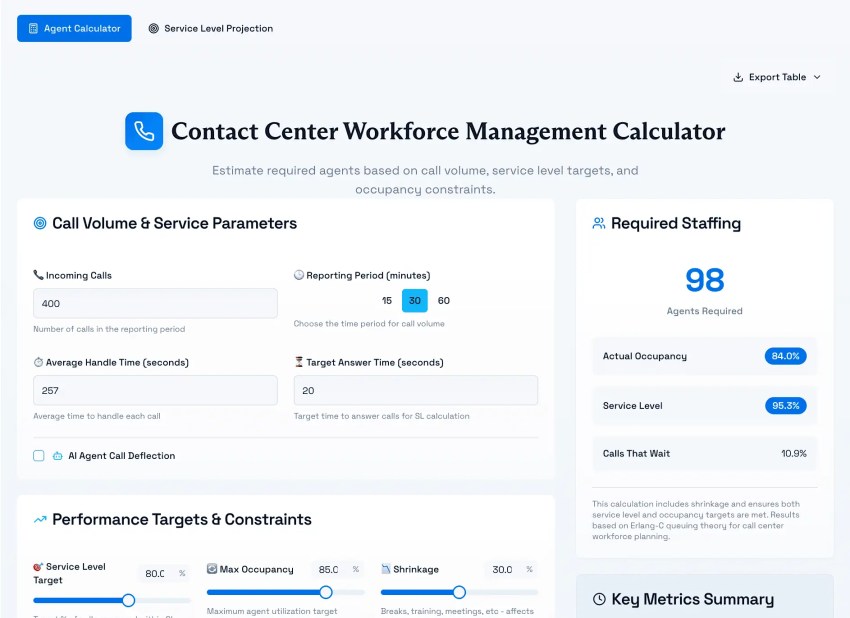
Still estimating headcount manually? Nextiva’s contact center staffing calculator can give you a starting baseline.
Quality management and coaching
Traditional call center quality assurance reviews a small manual sample of interactions, which means you’re grading a small percentage of calls and hoping they represent the bigger picture.
Now, technology has changed that. AI-scored quality management evaluates every interaction and ties coaching to specific moments, making it more actionable and thorough than general feedback based on a comparatively minute sample.
This is especially valuable for onboarding. An NBER study on generative AI in customer support found that novice agents improved by 34% in issues resolved per hour when they had AI assistance, while experienced agents saw minimal change. This makes AI-assisted coaching and agent assist a ramp-time tool. New agents resolve issues faster when the system guides them through interactions in real time.
Integration with your other tools
WFO software doesn’t run in isolation. It needs to connect to the systems that generate the data it forecasts from and the systems that act on its output.
The most critical integrations include:
- Telephony and ACD data: call volumes, handle times, and queue metrics
- CRM: customer records and case data
- HRIS: employee records, skills, and certifications
- Payroll: hours worked, overtime, and PTO balances
Security and compliance
WFO platforms record calls, store transcripts, and log agent activity, which means they’re handling sensitive customer and employee data. If your compliance posture doesn’t cover the WFO layer, a single misconfigured recording policy can create exposure.
Look for:
- SOC 2 compliance as a baseline for how the vendor handles your data
- HIPAA with a signed BAA if your recordings include health information
- PCI DSS if agents handle payment conversations
- Encryption and defined retention policies so you control how long recordings are stored and who can access them
Nextiva supports SOC 2, HIPAA, and PCI DSS.
The Three Archetypes of WFO Software
Not all WFO software solves the same problem. The market breaks into three categories that serve fundamentally different teams, and picking the wrong one wastes budget no matter how good the product is within its lane.
Here’s a quick breakdown of the three categories and what makes them unique:
| Archetype | Built for | Core strengths | Example platforms | Wrong fit when |
|---|---|---|---|---|
| Contact center WFO | Queues across voice and digital | Interval forecasting, adherence, QA, and speech analytics | Nextiva, NICE, Verint (with Calabrio), and Assembled | Teams do not work queues |
| Hourly shift scheduling | Restaurants, retail, and field crews | Labor-law compliance, time clocks, POS links, and shift trading | Homebase, Deputy, and 7shifts | You need interval forecasting or QA |
| Enterprise HCM | HR and payroll at scale | Payroll, skills inventories, and long-range planning | Workday, UKG, and SAP SuccessFactors | You need intraday queue management |
Contact center WFO
Contact center WFO software is built around multichannel interactions and queue-based work. It forecasts how many agents you need at each interval of the day, builds schedules to hit service-level targets (like answering 80% of contacts within 20 seconds), and ties call recording and quality scoring into the same system so coaching is based on actual interactions.
If your team handles customer contacts across voice, chat, email, or SMS, this is the category to shop in.
Hourly shift scheduling
Platforms like Homebase, Deputy, and 7shifts are built for teams where the core problem is covering shifts, not managing queues. They handle labor-law compliance, including overtime rules, break requirements, and scheduling restrictions. They also connect to POS systems, track time, and let employees swap or pick up shifts from their phone.
If your team works in retail, restaurants, or field operations, these tools are purpose-built for that. They won’t forecast contact volume by 15-minute intervals or score call quality because that’s not the problem they’re solving.
Enterprise HCM
Workday, UKG, and SAP SuccessFactors are HR systems of record that manage the employee lifecycle at scale. Depending on the products and modules in use, they can support payroll, benefits administration, skills inventories, and long-range workforce planning across the entire organization, not just the contact center.
Most enterprises use these alongside contact center WFM rather than instead of it. They’re built for questions like “How many people do we need to hire this year?” and “Are our compensation bands competitive?”
Top 5 WFO Solutions for Contact Centers
If you’ve identified that contact center WFO is the right archetype for your team, here are five platforms to evaluate. Each serves different types of operations and contact center sizes, so we’ll discuss them in more depth below.
| Platform | Best for | Core WFO features | Pricing |
|---|---|---|---|
| Nextiva Workforce Scheduling + Contact Center | Mid-market teams that want WFM, QA, and a contact center from one vendor | Forecasting from history, adherence monitoring, shift bidding and swaps, AI quality management, and agent assist | Quote required with Nextiva Contact Center |
| NICE CXone WEM | Large enterprises with complex, multi-site planning | Forecasting, scheduling, quality management, analytics, and performance management | CXone suite prices from $110 to $249/agent/month |
| Verint (with Calabrio) | Enterprises wanting deep WEM and analytics | Calabrio ONE WFM and QM alongside Verint CX automation | Quote-based |
| Assembled | Digital-first teams blending in-house, BPO, and AI agents | Forecasting and scheduling across human, BPO, and AI capacity | WFM $25, $45, or $75/agent/month, plus an undisclosed platform fee |
| Zendesk WEM | Teams already running Zendesk | WFM and QA for Zendesk agents | Workforce Engagement Bundle $50/agent/month |
1. Nextiva: Best for unified WFM and contact center
Nextiva Workforce Scheduling and Nextiva Contact Center run on the same platform, so schedules, quality scores, and routing share one data layer designed to help agents deliver the best possible customer experience.
Key features of Workforce Scheduling:
- Forecasting from historical data to project staffing needs by interval
- Schedule adherence monitoring, break tracking, and time-off management on one dashboard
- Shift bidding, shift swaps, PTO requests, and sick time logging through an agent app
Key features of Contact Center:
- AI quality management with scorecards and QA scoring
- Agent assist with real-time suggestions and knowledge base surfacing during live conversations
- Omnichannel routing across voice, chat, email, messaging, and social
Watch for: Pricing is quote-based and requires Nextiva Contact Center, and there’s no published per-agent rate for Workforce Scheduling on its own.
Pricing: Quote-based with Nextiva Contact Center

2. NICE CXone WEM: Best for large, complex enterprises
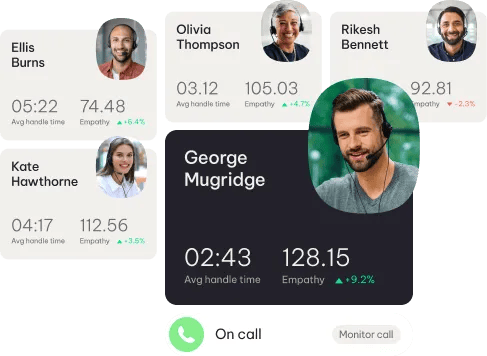
NICE CXone Mpower WEM covers forecasting, scheduling, quality management, performance management, and interaction analytics under one platform.
Key features include:
- AI-based forecasting and scheduling
- AI-powered interaction evaluation and coaching workflows
- Performance management with goal tracking, coaching, and gamification
- Interaction recording and analytics across channels
- Copilots for both agents and supervisors
Watch for: Quote-based pricing and implementation scoped for large enterprises. Smaller teams may find the setup and cost disproportionate. NICE positions this for multi-site operations with hundreds or thousands of agents.
Pricing: Prices range from $110 to $249/agent/month
3. Verint with Calabrio: Best for analytics-heavy WEM
Thoma Bravo completed its acquisition of Verint in November 2025 and is combining it with Calabrio. Both brands and product lines are still active.
Key features include:
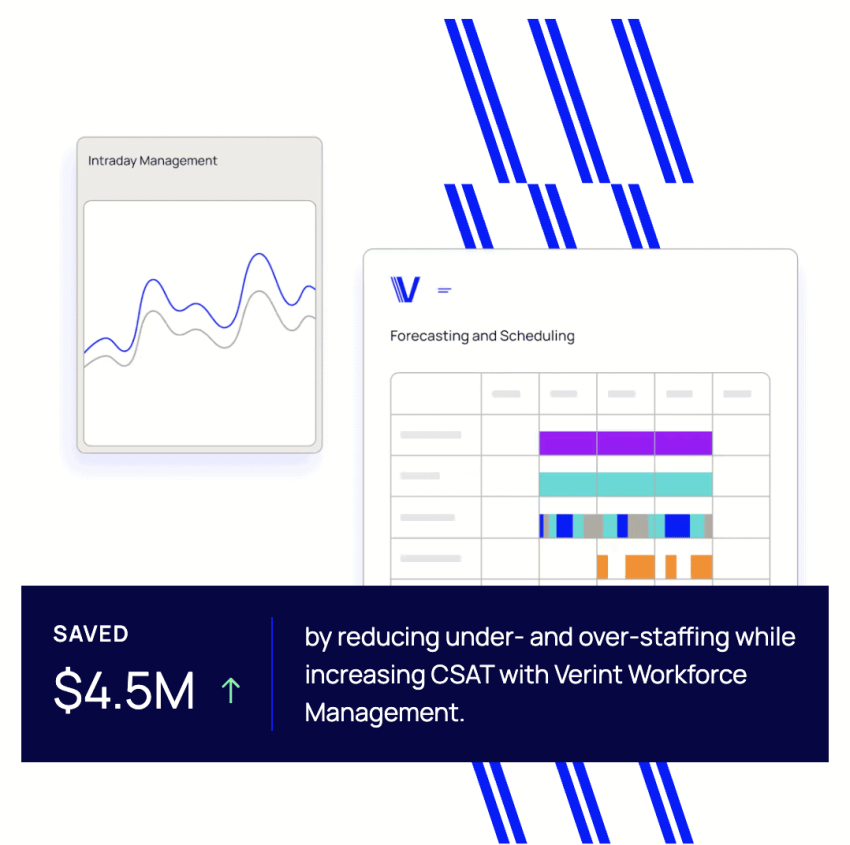
- Forecasting, scheduling, and real-time adherence for multiskilled omnichannel teams
- Automated quality scoring of up to 100% of interactions for both human and AI agents
- Compliance monitoring against applicable requirements, including GDPR, PCI DSS, HIPAA, and MiFID II
- Interaction recording with transcription, AI summarization, and connected delivery
- Calabrio WFM for inbound contact centers, with a separate Workforce Intelligence module for intraday optimization
- TimeFlex for agent-initiated schedule changes
Watch for: The Calabrio and Verint product roadmaps are still converging. If you’re evaluating a multi-year deal, ask specifically how the two product lines will consolidate and which features will carry forward.
Pricing: Quote-based
4. Assembled: Best for blended human, BPO, and AI teams
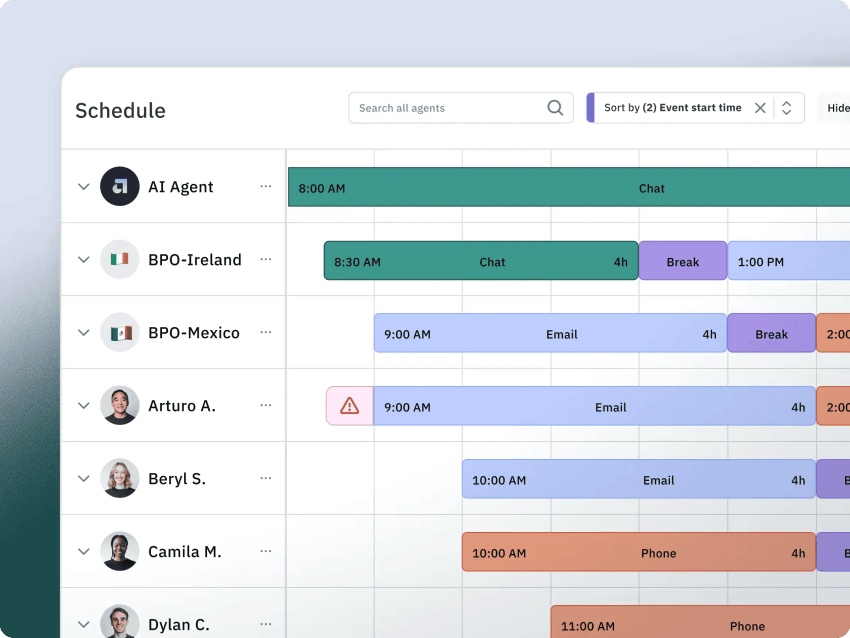
Assembled is built for support operations that schedule in-house agents, outsourced BPO vendors, and AI agents together.
Key features include:
- AI-powered scheduling and ML-based multi-channel forecasting
- Unified dashboard for in-house agents, BPO vendors, and AI agents
- Vendor management add-on with BPO capacity planning, staffing heatmaps, and billing reports
- Real-time adherence monitoring and staffing analytics
- AI Copilot for drafting replies, translating messages, and summarizing conversations (starts at $35/agent/month)
- AI Agents for autonomous resolution across chat, email, SMS, and voice (starts at $0.65/conversation)
Watch for: Assembled is digital-first, so voice-heavy contact centers should test how well the forecasting handles high call volumes.
Pricing: WFM pricing starts at $25 (Core), $45 (Pro), or $75 (Enterprise) per agent per month, plus an undisclosed platform fee. AI Copilot and AI Agents are priced separately.
5. Zendesk WEM: Best for Zendesk-native teams
Zendesk sells workforce management tools and quality assurance as a Workforce Engagement Bundle for teams already running Zendesk for support.
Key features from Zendesk’s WEM page:
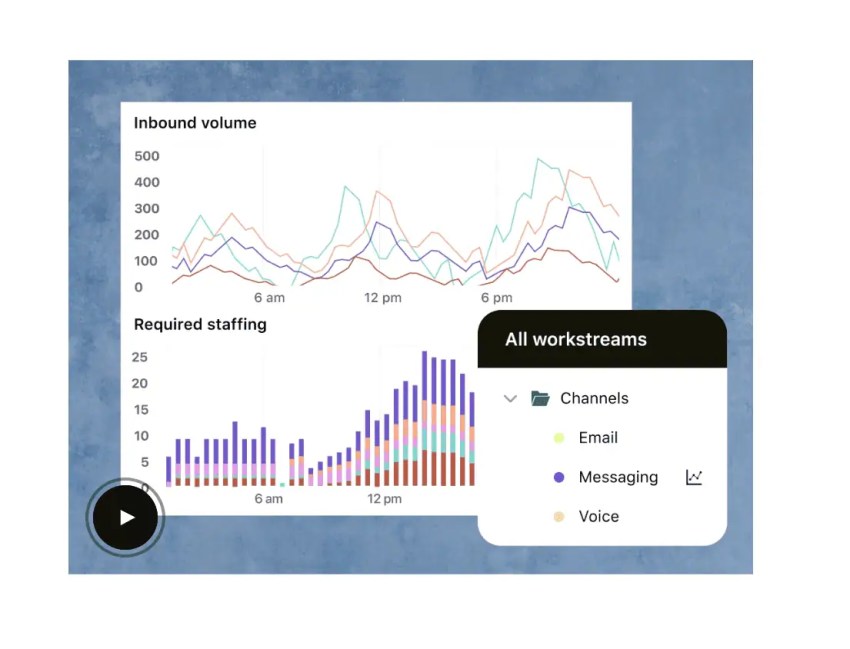
- Automatic forecasting, scheduling, and real-time monitoring
- AI-driven QA that scores interactions across channels, BPOs, agents, and languages
- Performance reporting from schedule adherence to resolution time
Watch for: The bundle serves Zendesk agents only. If your voice teams run on a different platform, you’ll need a separate WFM tool for those agents. The WEM page doesn’t itemize exactly which products the bundle includes beyond WFM and QA.
Pricing: Workforce Engagement Bundle at $50 per agent per month, billed annually
Honorary Mentions: Deputy, Homebase, and 7shifts for hourly and deskless teams
If your team doesn’t work queues, the platforms above aren’t the right fit. Deputy, Homebase, and 7shifts handle shift scheduling, time clocks, and labor-law compliance for retail, restaurants, and field crews. They’re purpose-built for hourly work, and they do it well.
Calculating WFO ROI
The most tangible return from WFO solutions comes from reducing call center shrinkage, which is the percentage of paid hours that aren’t available for customer contacts. This includes paid breaks, meetings, training, and unplanned idle time.
Every contact center has a shrinkage number. Use yours rather than an industry average because the range is wide and an average won’t reflect your actual situation. If you don’t know your current shrinkage rate, measure it before you buy anything.
The table below estimates the dollar value of reducing shrinkage by three percentage points for a 50-agent team. It uses the BLS median wage for customer service reps of $21.53, applies a 1.3x overhead multiplier for benefits and taxes, and calculates how many paid hours you could recover each month. You can swap in your own numbers to see what the math looks like for your team:
| Input | Assumption | Result |
|---|---|---|
| Agents | 50 full-time | — |
| Paid hours | 160 per agent per month | 8,000 hours |
| Shrinkage reduction | 3 percentage points (assumption) | 240 hours returned |
| Loaded hourly cost | $21.53 BLS median wage × 1.3 overhead (assumption) | $27.99 |
| Monthly value | 240 × $27.99 | About $6,718 |
| Annual value | Monthly × 12 | About $80,611 |
Keep in mind that this is just the shrinkage math.
There are several levers that this table doesn’t account for, including:
- Avoid overtime through more accurate scheduling.
- Reduce churn by giving agents more flexibility and increasing engagement.
- Protect service levels and deliver a strong customer experience through accurate staffing.
These benefits will make your agents and customers happy. Nextiva’s Customer Patience Benchmark found that 56% of customers switch channels after a slow response, and 28% abandon the product or service entirely. That means the right staffing can protect your profits while keeping enough agents on staff to help you increase customer retention.
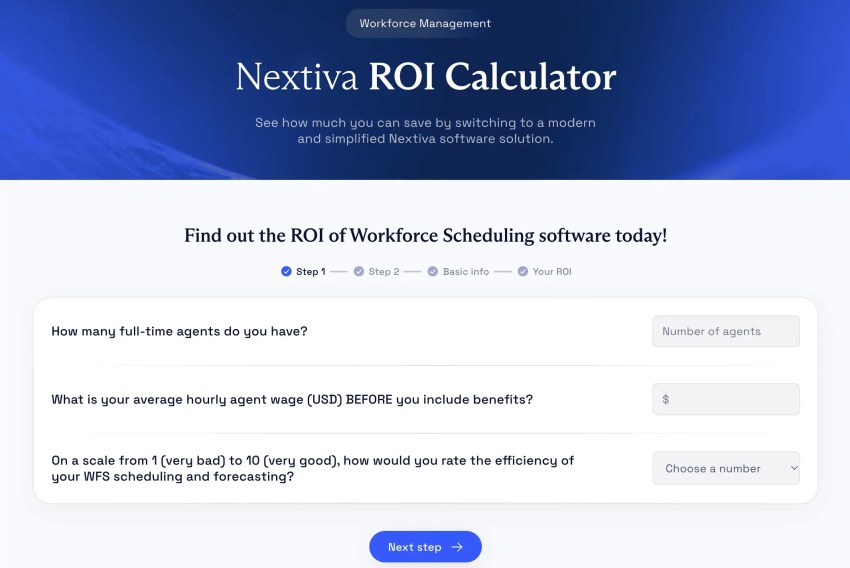
Ready to calculate your potential WFM ROI? Check out Nextiva’s WFM ROI calculator.
A 5-Stage Rollout for WFO Software
You don’t need to roll out every WFO capability at once; this can be overwhelming and ultimately hinder a successful adoption.
Instead, phasing the deployment gives your team time to adjust and gives you a baseline to measure against. Here’s how to get started:
- Stage 1: Audit your current state. Pull 12 months of interval data and measure your current shrinkage rate and schedule adherence. This becomes the baseline you’ll compare against after deployment.
- Stage 2: Integrate your data sources. Connect telephony, CRM, and HRIS feeds so the WFO platform has accurate data to forecast from.
- Stage 3: Pilot with one team. Run the system with a single team for two to four weeks. Compare forecast accuracy and adherence against your baseline, and then address any potential concerns before expanding.
- Stage 4: Train and calibrate. Train supervisors on the new tools, calibrate QA rubrics so scoring is consistent, and confirm that labor laws and rules governing overtime calculations, break requirements, and scheduling restrictions are configured correctly.
- Stage 5: Roll out and tune. Expand to all teams and tune forecasts monthly. Forecasting accuracy improves over time as the system collects more data, but only if someone reviews the output and adjusts inputs.
Pro tip here: If you employ employees in different locations, double-check labor laws. Some states and cities have their own laws around things like overtime or break requirements, so a quick review can help keep you compliant.
Staff Smarter With Nextiva’s WFO Solutions
That dreaded Monday morning spike in customer inquiries doesn’t have to be a surprise. With the right WFO setup, you can forecast in advance, get adherence alerts in real time when agents go off schedule, and let team members pick up an open shift from their phone before the customer call queue starts climbing.
Nextiva Workforce Scheduling paired with Nextiva Contact Center gives you forecasting, scheduling, adherence, quality management, and agent assist on one platform. Many of our customers have combined the two to improve staffing and performance simultaneously.
For example, benefits administrator NEBA improved their answer rates by 20% in the first month after moving to Nextiva Contact Center while also reducing phone wait times and cutting escalation friction.
Are you still building schedules manually based on best-guess forecasts and struggling to keep up with that always-fluctuating call volume? See Workforce Scheduling in action.
Maximize Contact Center ROI with Workforce Scheduling
Never over or under schedule again! Accurately forecast staffing needs, promote agent empowerment, and trim costs.