VoIP
VoIP  Blog
Blog  Business Communication
  Customer Experience
  Leadership
  Marketing & Sales
  Nextiva News
  Productivity

Three phone lines on AT&T Phone for Business sounds affordable at $15/line. Then the invoice shows up. The mandatory fiber bundle adds $85/month. Taxes and fees stack on top. Suddenly, a small team of three is paying over $130/month for a service that does exactly one thing: voice calls. No video conferencing. No SMS. No team messaging. Also, if your team grows to more than six people, AT&T can’t help you.
As VP of GTM at Nextiva, I talk to small business owners making this switch every week. The pattern is almost always the same. They signed up for AT&T because the name felt safe. Then they realized the phone plan couldn’t keep up with how their team works. This guide is an honest breakdown of the best AT&T business phone alternatives available right now, where each platform earns its spot, and where it falls short.
Why Businesses Are Moving Away From AT&T Phone for Business
AT&T Phone for Business was built for a simpler time. If all you need is a landline tied to a physical location, it works. But most businesses have outgrown that model, and the limitations add up fast.
The first thing that catches people off guard is availability. You can only get an AT&T Phone for Business if AT&T Business Fiber is available at your address. No fiber, no phone service. Thousands of business locations are disqualified before anyone even looks at a plan.
Then the bill arrives. AT&T advertises $15/line, but that rate is locked behind a fiber bundle starting at $85/month. Three phone lines run at least $130/month before taxes and equipment charges. Nextiva published a detailed AT&T pricing analysis that walks through the real math.
Hire a seventh employee, and you have hit the ceiling. AT&T Phone for Business caps at six lines per account with no upgrade path. You’d need to rip everything out and start over on a different product.
And what do you actually get for those six lines? Voice calls. That’s it. AT&T does sell a separate product called Office@Hand (powered by RingCentral), but it’s a different system at a different price. G2 reviewers have flagged inconsistent support and billing problems with Office@Hand.
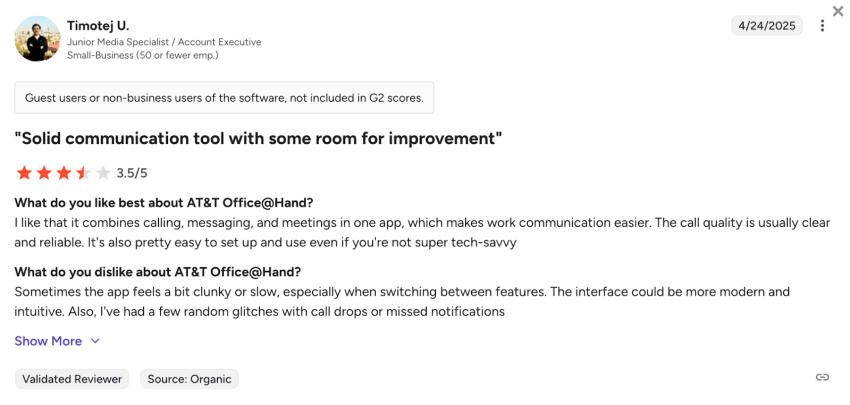
Two separate AT&T phone products, both with significant gaps, neither of which has AI capabilities. This confusion alone pushes many small business owners to start looking elsewhere.
What to Look for in an AT&T Business Phone Alternative
Before jumping into specific platforms, here’s how I’d evaluate any business phone system. I have guided dozens of companies through this decision. The same questions come up every time:
- True all-in cost per user: Advertised prices hide a lot. Look at what’s actually included each month. Watch for mandatory bundles, per-feature add-ons, equipment charges, and hidden fees. A $15/user/month plan with voice, video, SMS, and a mobile app is a completely different value than a $15/line plan that only covers voice calls.
- All-in-one platform: Juggling separate tools for phone calls, video meetings, text messages, and team chat wastes time. A VoIP phone system that handles everything in one place simplifies your day.
- Scalability: Can this platform scale from five users to 50 to 500 without forcing a painful migration? AT&T’s six-line cap is the exact problem to avoid. A scalable cloud-based phone system lets you add team members whenever your business needs change.
- AI and automation: Smart call routing, IVR menus, AI voicemail transcription, and AI receptionists aren’t luxury features anymore. If your phone system can’t handle routine calls on its own, you’re losing money.
- Reliable uptime: Look for a published SLA. A 99.999% uptime means less than six minutes of downtime per year. For small businesses, even short outages hurt. Pingdom research shows that SMBs lose $137 to $427 per minute of downtime.
- CRM and tool integrations: Your phone system should connect to your CRM, help desk, and productivity tools without workarounds. Disconnected systems mean your team bounces between apps and loses context along the way.
- Mobile access: Your team needs to take business calls from a mobile phone without sharing personal numbers.
- Accessible support: 24/7 customer support via phone, chat, and email matters most during setup and number porting. A phone system is only as reliable as the help you get when something breaks.
What Are the Best AT&T Business Phone Alternatives in 2026?
I tested and researched each of these platforms across pricing, features, ease of use, scalability, and real user feedback from G2, Gartner Peer Insights, Trustpilot, and Capterra. Here’s how they stack up.
1. Nextiva: Best overall alternative
If someone asked me to replace AT&T Phone for Business for a five-person team by Friday, I’d point them to Nextiva without hesitating.
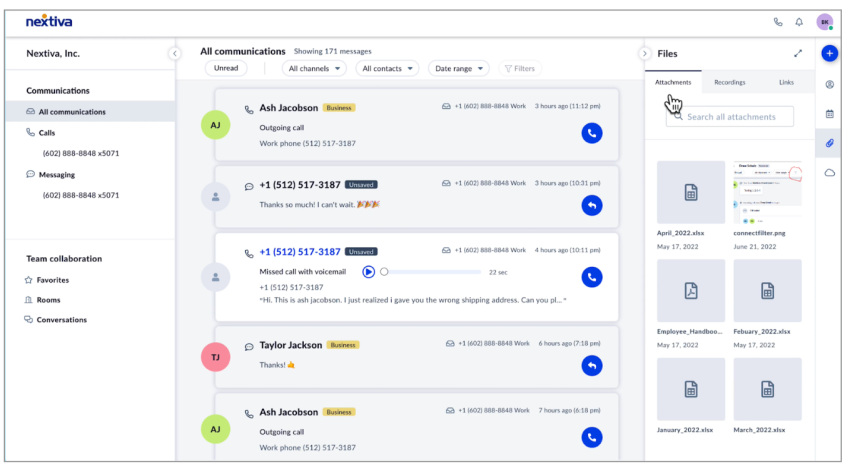
The Core plan costs $15/user/month on an annual billing cycle. This price includes unlimited calling across the U.S. and Canada, video conferencing, business SMS, team chat, a desktop app, and the NextivaONE mobile app on both iOS and Android. There are options for built-in caller ID and voicemail. Compare that to AT&T: $130+/month just for voice, and you still don’t get video, SMS, messaging, or a mobile app.
Need more firepower? The Engage plan runs $25/user/month. It adds call center queues, intelligent call routing, call recording, a toll-free number with 2,000 included minutes, and advanced analytics. Teams handling heavy call volumes will feel the difference immediately.
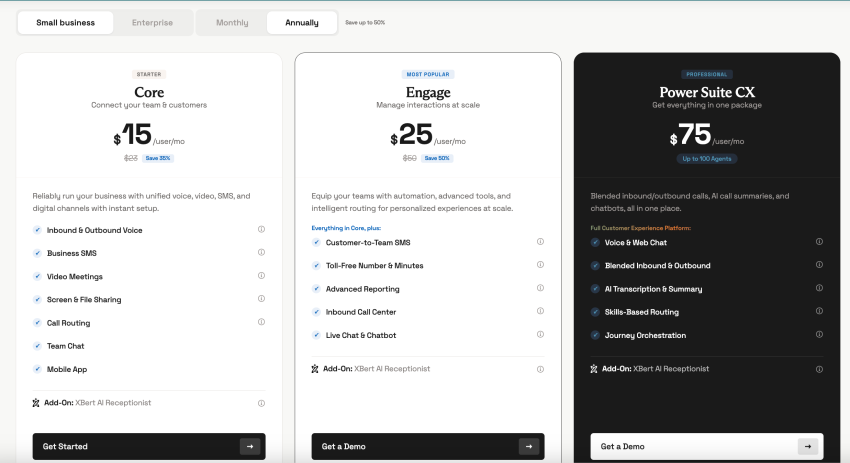
For $99/month (covering 100 sessions), XBert answers every incoming call in a natural, human-sounding voice. Around the clock. It books appointments in real time. It qualifies leads. It answers common questions from your knowledge base. When a caller needs a real person, it transfers the call with full context so nobody repeats themselves. Nothing else on this list comes close at this price. Businesses that lose revenue to missed after-hours calls should take a hard look at what XBert can do.
Reliability is strong. Nextiva strives to maintain a 99.999% uptime and offers 24/7 support through phone, chat, and email.
Users back this up. A software developer on G2 (2026) described how Nextiva brought calls, messages, and tools into one system, replacing scattered apps that led to missed information and slow responses. On Trustpilot (2025), one reviewer said the platform was significantly better than their old phone system and praised the smooth onboarding.
I’ll be upfront about the rough edges. Try to plan around this to have the best possible experience. The Core plan doesn’t include call recording by default (you can add it on). Salesforce and HubSpot CRM integrations require a higher-tier or add-on.
Best for: Small business owners who want voice, video, SMS, team chat, AI, and room to scale in one platform, at a price that beats AT&T’s voice-only offering.
2. Ooma Office: Best budget option for very small teams
If your business just needs phones that ring and people who answer, Ooma Office keeps things simple. The Essentials tier starts at $19.95/user/month with no contracts. Every plan covers unlimited calling to the U.S., Canada, Mexico, and Puerto Rico.
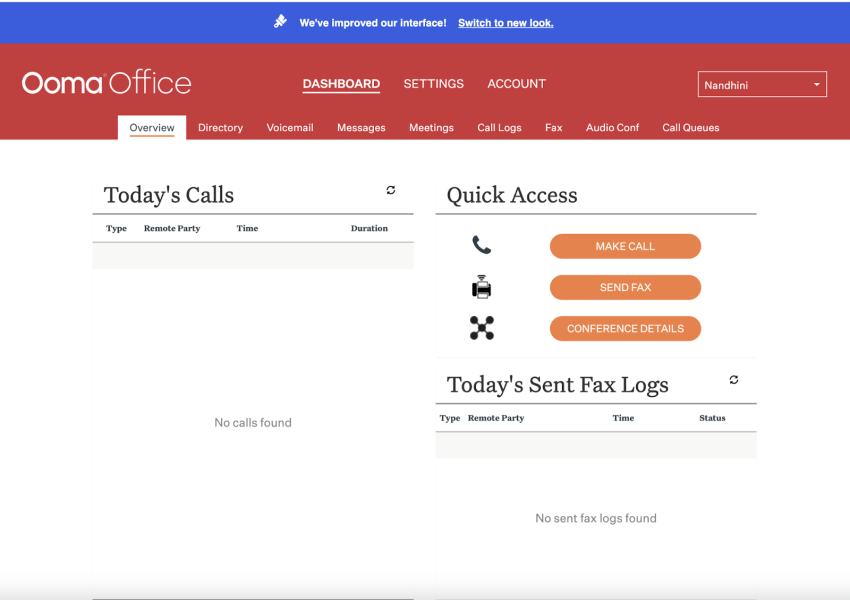
A virtual receptionist, call forwarding, and ring groups come standard on all tiers. G2 reviewers consistently call out Ooma’s ease of use and fast setup. One 2025 reviewer praised the virtual receptionist, saying it “works well and is easy to program.”
The gaps show up once you need more than basic calling. The Essentials plan skips SMS, video conferencing, and a desktop app entirely. CRM integrations only unlock on the Pro Plus tier at $29.95/user/month. AI features don’t exist on any plan. Ooma also doesn’t publish an uptime SLA for standard plans. If reliable uptime matters to your revenue, that’s a blind spot.
Best for: Brick-and-mortar shops with one to five people who need affordable calling and nothing more. If you’ll eventually need video, SMS, or AI, plan for a switch sooner rather than later.
3. Vonage Business Communications: Best for customization and APIs
Vonage plays a unique ball game. The standard VoIP product is capable, but where Vonage really stands out is its Communication APIs. If your business employs developers who want to build custom communication workflows into your own apps, Vonage offers that toolkit.
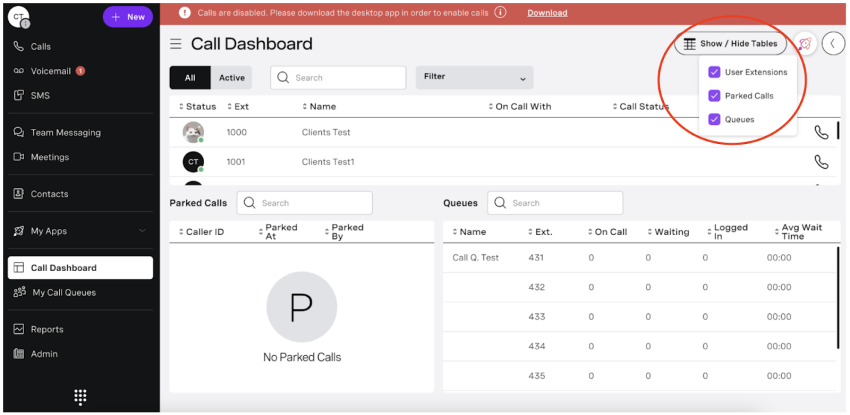
Monthly pricing starts at $13.99/line on the Mobile plan (annual billing). The Premium plan at $20.99/line/month adds video conferencing with up to 200 participants, CRM integrations, and desk phone support.
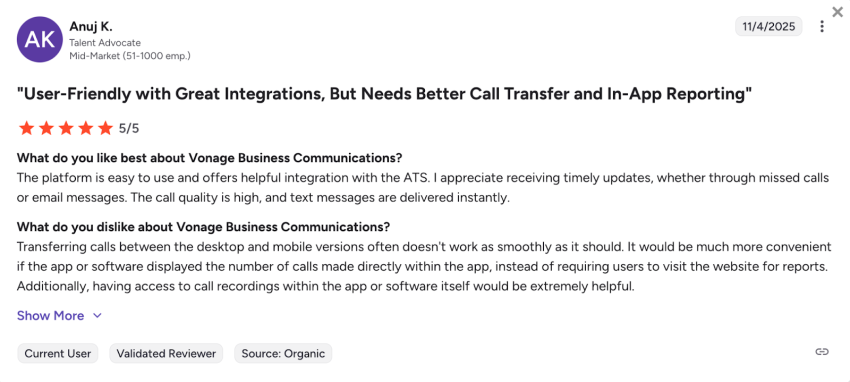
On G2, reviewers like how Vonage pulls voice, video, messaging, and conferencing together. Several reviewers mentioned better coordination with vendors, contractors, and staff.
But there’s some baggage. Vonage requires a one-year contract for its best rates. Many features sit behind higher tiers or paid add-ons. G2 reviewers have pointed out that switching calls between desktop and mobile doesn’t always work reliably.
One more thing worth knowing: Ericsson closed a $6.2 billion acquisition of Vonage in 2022, folding 5G capabilities into Vonage’s platform. This could strengthen the API side, but it also means a telecom infrastructure giant now steers the product roadmap.
Best for: Businesses with developers who need API-level control over communication workflows. Most small businesses don’t need that level of customization and will get more value from Nextiva.
4. GoTo Connect: Best for multilocation businesses
Most VoIP providers charge extra for international calls. GoTo Connect bundles unlimited calling to over 50 countries into every plan. For teams that regularly dial across borders, that alone can justify the price.
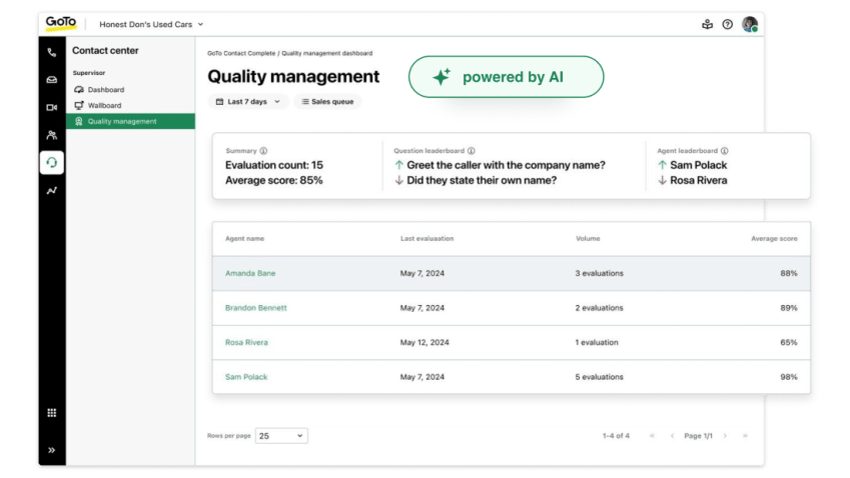
The Phone System plan starts at $27/user/month. The Connect CX plan runs $32/user/month.
Where GoTo Connect earns its spot is in multisite management. Centralized admin controls let you monitor devices across offices, push settings templates, and manage phone lines from a single dashboard. The platform supports over 180 desk phone models and 70+ network devices.
G2 users highlight the platform’s flexibility, quick troubleshooting, and responsive customer service.
The downsides deserve attention. Pricing isn’t always visible upfront. Some tiers force you to request a quote. SMS comes with limited credits and overage charges. Onboarding has a reputation for being rough.
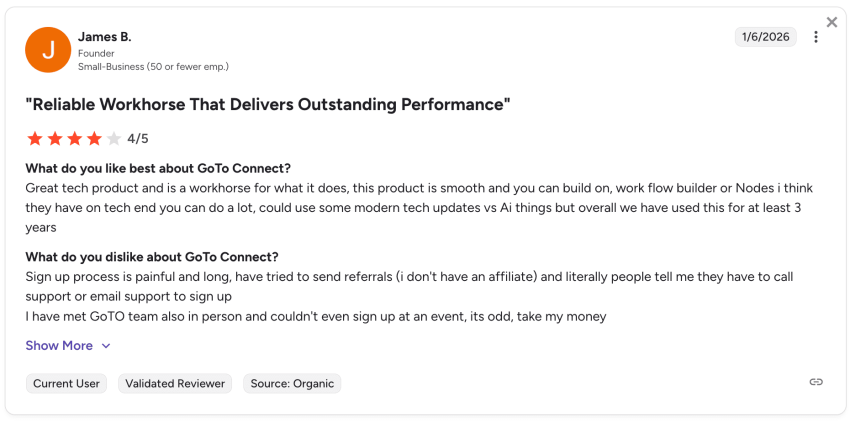
On Trustpilot, a reviewer reported nonexistent technical support and billing errors that resulted in charges for the wrong number of licenses.
Best for: Businesses running multiple locations with heavy international calling needs. If you operate from a single location, Nextiva offers similar calling features at a lower per-user price.
5. 8×8: Best for international calling volume
Depending on your 8×8 plan, you get unlimited calls to up to 48 countries. Video conferencing handles up to 500 participants, and Conversation IQ layers AI-driven call analytics on top.
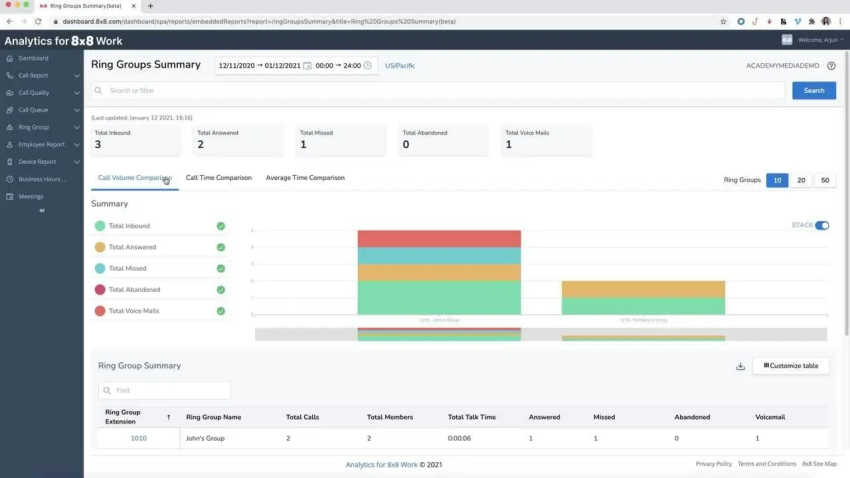
8×8 lets you mix and match plans across your team. You can assign higher-tier licenses to sales reps who need advanced features while keeping support staff on a lighter plan. It helps control costs without forcing everyone onto the same tier.
Public pricing is gone. You’ll need to call sales for a quote. Budget roughly $24 to $28/user/month for the base unified communications plan. Contracts typically lock you in for 12 to 36 months, and early termination fees apply.
G2 reviewers appreciate how 8×8 keeps communication centralized. A user specifically calls out the ease of the admin side.
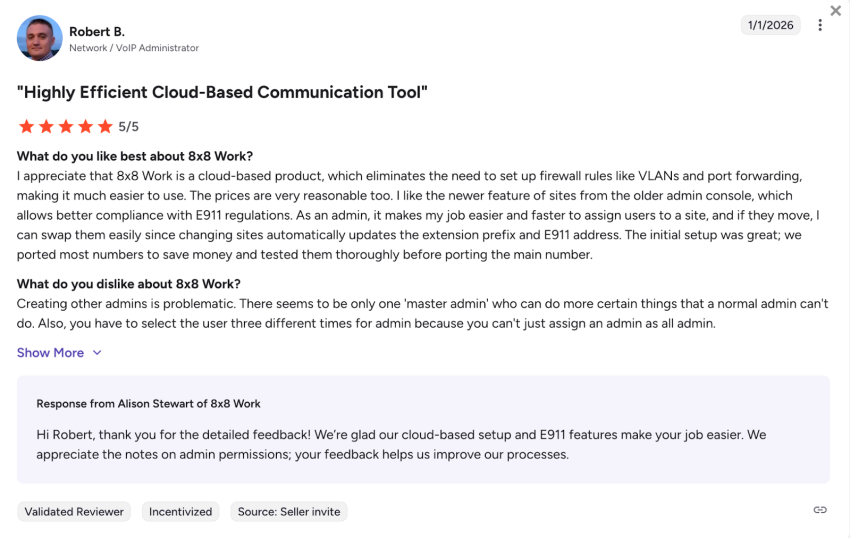
The warning signs are clear, though. A reviewer reported call quality that cuts in and out, and a sales rep who couldn’t help.
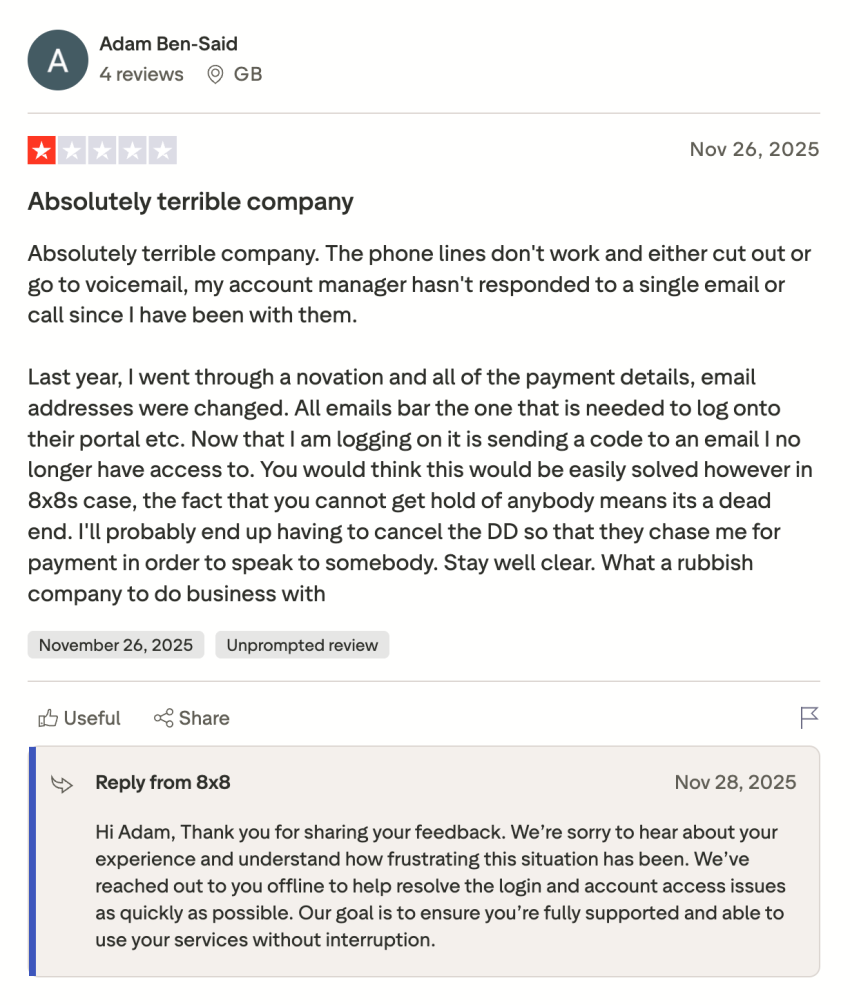
Best for: Midmarket companies with heavy international calling volume that need enterprise-grade video and analytics. Small businesses will likely find the hidden pricing, long contracts, and cancellation headaches frustrating compared to Nextiva’s transparent model.
6. Zoom Phone: An honorable mention
If your team already runs on Zoom for meetings, Zoom Phone is the path of least resistance. The Metered plan starts at just $14.16/user/month, billed annually. Unlimited calling runs $15/user/month. The interface will feel familiar from day one.
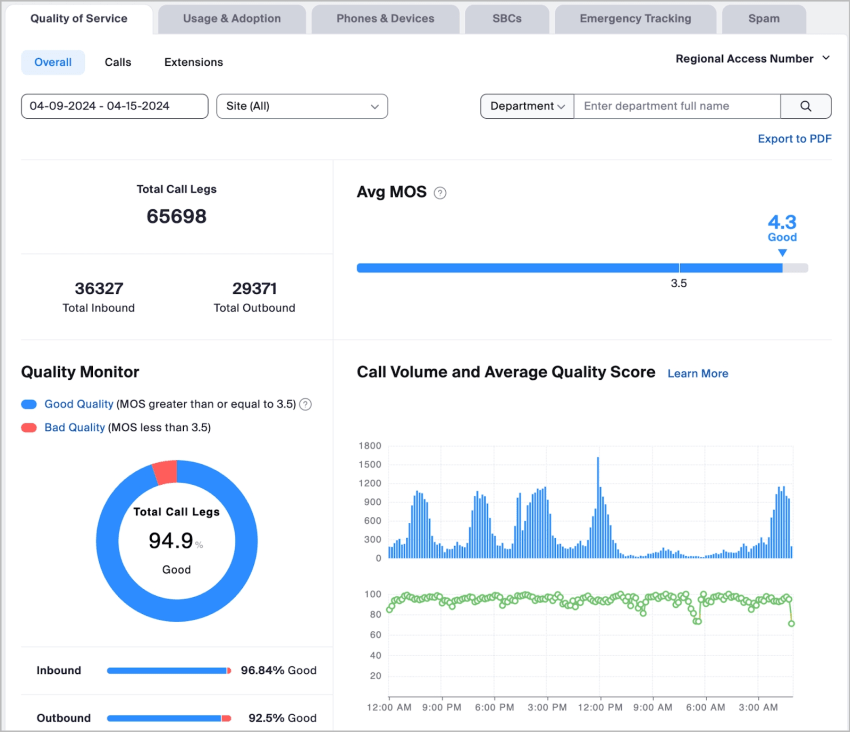
G2 reviewers like the tight integration with Zoom Meetings. Others find that the call quality holds up well and the setup is quick.
The catch is that you’re getting a phone line, not a full communications platform. The base plan skips business SMS. You only get about 10 third-party app integrations. No shared numbers. No auto-replies. No call whispering.
Want the advanced features?
You’ll need to purchase Zoom One Plus separately. When you add the extras, the price advantage fades.
Best for: Teams that already pay for Zoom Workplace and want to tack on a basic phone line at a low cost. Not the right fit for businesses that need unified communications with SMS, CRM integrations, and AI.
AT&T vs. Business Phone Alternatives: A Side-By-Side Comparison
Sometimes a table does the arguing for you. Here’s every platform side by side, using data from their published pricing and feature pages as of March 2026.
| Feature | AT&T Phone for Business | Nextiva | Ooma Office | Vonage Business | GoTo Connect | 8×8 | Zoom Phone |
|---|---|---|---|---|---|---|---|
| Starting price | $85/mo. (bundled) | $15/user/mo. | $19.95/user/mo. | $13.99/line/mo. | $27/user/mo. | ~$24/user/mo. | $14.16/user/mo. |
| Contract required | No | No | No | 1-year (lowest rate) | No | 12–36 months typical | No |
| Unlimited calling | U.S., CA, MX | U.S. and Canada | U.S., CA, MX, PR | U.S. (plans vary) | 50+ countries | 14–48 countries | U.S. and Canada |
| Video conferencing | Not included | Included (all plans) | Pro plan and above | Premium plan+ | Included (all plans) | Included (all plans) | Included |
| Team messaging | Not included | Included | Not included | Included | Included | Included | Included |
| Business SMS | Not included | Included | Pro plan and above | Included | Included (credits) | Included | Not on the base plan |
| CRM integrations | Not native | Outlook, Google, Salesforce, HubSpot (add-on) | Pro Plus only | Premium plan+ | Add-on | Included | Limited (~10 apps) |
| AI features | None | AI voicemail, smart routing, XBert AI ($99/mo.) | None | None native | AI Receptionist (add-on) | Conversation IQ | None |
| Mobile app (VoIP) | Separate product | Included (NextivaONE) | Included | Included | Included | Included | Included |
| Uptime SLA | Not published | 100.00% | Not published | 100.00% | 100.00% | 100.00% | 100.00% |
| Max users/lines | 6 lines | Unlimited | Unlimited | Unlimited | Unlimited | Unlimited | Unlimited |
| 24/7 support | Technical repair | Phone, chat, email | Phone, chat | Phone, chat (limited) | Phone, chat | Phone, chat | Phone, chat |
Look at the “Not included” column under AT&T. That’s the gap. AT&T gives you a phone line. Every other option on this list gives you a full business communications platform.
Nextiva’s $15/user/month Core plan alone covers voice, video, SMS, team chat, and a mobile app.
The AT&T copper retirement: Why switching is becoming urgent
Features and pricing aside, there’s a bigger force at play. AT&T is shutting down its copper network.
Picture this: a property manager in Texas receives a letter from AT&T stating that their copper service will be discontinued in 90 days. Their elevator emergency phones, fire alarm panels, and front-door buzzer all run on those copper lines. They didn’t plan for this. And they now have three months to figure it out.
If your business sits in one of AT&T’s 21 wireline states and still runs on copper, the window to act on your own terms is shrinking. Moving to a cloud-based VoIP provider now means you choose the timeline. Waiting means AT&T chooses it for you.
How to Switch From an AT&T Phone for Business
I have walked businesses through this migration before. The part that surprises most people? How fast it goes. Here’s how to do it right:
- Audit your current setup: Write down every phone number, extension, and call flow your team uses. Don’t forget copper-dependent systems that fly under the radar, like fax machines, alarm panels, and elevator emergency phones.
- Pick your new provider and plan: Match features to your team’s daily needs. Most small businesses find that Nextiva’s Core plan covers everything AT&T offers and much more for less money. If after-hours coverage is a priority, factor in XBert AI for 24/7 call handling.
- Port your numbers: Every provider on this list supports number porting. The key is to keep your AT&T account active while the port processes. Shutting it down early risks losing your business phone number. Porting usually takes seven to 10 business days.
- Set up the new system: Cloud-based VoIP platforms like Nextiva can go live in minutes with just an internet connection. Plug in your desk phones if you have them. Download the mobile app. Configure your auto attendant, call routing, and voicemail, and you’re running.
- Train your team: Most modern VoIP apps are intuitive enough that an hour of training covers the basics. Nextiva’s onboarding team guides you through setup at no extra cost.
- Cancel AT&T: Only pull the trigger after your numbers have ported and the new system is working. That way, there’s zero gap in service.
Start to finish, the switch usually takes one to two weeks. Number porting is the longest part.
When AT&T Phone for Business Might Still Make Sense
I’ve been in enough vendor conversations to know that “best” depends on context. Here are the cases where AT&T still works.
If you’re a brick-and-mortar shop that already has AT&T Business Fiber and you only need one or two basic voice lines, the bundle keeps things simple. No separate VoIP setup. Phone service activates quickly alongside your existing internet.
Some businesses still rely on legacy analog equipment such as fax machines, alarm panels, and POS terminals. If these systems need a traditional connection, keeping AT&T while planning a broader upgrade can make sense in the short term. AT&T also offers automated 5G backup for businesses that need a failover when their primary connection drops. If your team is tiny (one to two lines) and that failover is a must, the bundled approach covers the basics.
Even in these situations, long-term math favors a cloud platform. AT&T’s copper network is being retired. Legacy line prices keep rising. The gap between AT&T Phone for Business’s offerings and those of any modern VoIP provider will only grow wider.
Nextiva: Because Your Business Needs More Than a Dial Tone
AT&T Phone for Business made sense when “business phone” meant a handset bolted to a desk. That era is closing out. Businesses aren’t just leaving legacy phone service behind. They’re rebuilding how they talk to customers.
I evaluated every platform in this guide with the same lens I’d use to advise a friend launching a business. Nextiva delivers the strongest value per dollar, the broadest feature set, and real support when you need it. For businesses that want every call answered around the clock, XBert picks up 24/7 starting at $99/month.
On Nextiva, they’d pay $45/month for voice, video, SMS, team chat, and a mobile app. They could add XBert and still come in under their current AT&T bill.
Nextiva’s Core plan starts at $15/user/month. See how it compares to what you’re paying now.
The best VoIP phone system for businesses.
Get a complete business phone system with advanced features and superior call quality for less.
Frequently Asked Questions (FAQs) About AT&T Business Phone Alternatives
Nextiva is the strongest all-around option. The Core plan at $15/user/month covers unlimited calling, video conferencing, SMS, team messaging, and a mobile app. AT&T charges $85+/month for voice only. Nextiva also offers XBert AI receptionist for 24/7 call handling starting at $99/month. No line caps. No geographic restrictions.
Yes. Every VoIP provider on this list supports number porting. Your existing AT&T business phone number, whether it’s a local or toll-free, transfers to the new provider. Just keep the AT&T account active until the port finishes.
For most teams, by a wide margin. Five users on Nextiva Core pay $75/month (billed annually). The same five users on AT&T Phone for Business pay at least $160/month ($85 fiber bundle plus $15/line). That’s before AT&T’s taxes hit. Nextiva also includes video, SMS, team chat, and a mobile app at no extra charge.
Zoom Phone’s Metered plan starts at $14.16/user/month. That’s the lowest sticker price on this list. But it doesn’t include business SMS, has very few integrations, and lacks advanced features. For the best balance of price and functionality, Nextiva’s Core plan at $15/user/month delivers far more.
Both. Nextiva supports VoIP desk phones from Yealink, Poly, Cisco, and its own branded hardware. You can also use the NextivaONE softphone app on a desktop, Android, or iOS mobile device. Most businesses run desk phones in the office and the mobile app for remote work.
One to two weeks in most cases. The new system can go live in hours. Any stable Wi-Fi or wired connection is enough to run the system. Number porting is the bottleneck, typically taking seven to 10 business days. Your AT&T service remains active during the port, so there’s no coverage gap.
Nextiva and GoTo Connect include video on all plans. Ooma offers it on Pro plans and up. Vonage includes it on Premium plans and up. 8×8 includes it on every plan, with capacity for up to 500 participants. Zoom Phone plugs into Zoom Meetings. AT&T Phone for Business doesn’t offer video conferencing.