VoIP
VoIP  Blog
Blog  Business Communication
  Customer Experience
  Leadership
  Marketing & Sales
  Nextiva News
  Productivity
You already use multiple tools to run your business. As your business grows, your workflows and customer interactions become more complex. Your team depends on different systems to manage leads, support customers, and close deals. When these tools don’t communicate, productivity drops and customer experience suffers.
Customer relationship management (CRM) systems help companies and contact centers solve part of this problem by centralizing customer data and interactions. They allow you to track conversations, manage pipelines, and improve relationships across sales, marketing, and support.
Platforms like Salesforce, HubSpot, or Zoho crm support every customer-facing function. But without integrations, they operate in isolation from other business software and software tools.
What Are CRM Integrations?
CRM integrations connect your CRM system with other business tools so data flows automatically between them. For example, linking your CRM to your phone system logs every call with the corresponding customer information. This saves your team time, eliminates manual updates, and improves accuracy.
These integrations reduce repetitive work, eliminate data silos, and give your team a complete view of every customer interaction in one platform. This improves contact management, strengthens lead tracking, and increases visibility across the entire customer journey.
To see the difference, compare how a simple customer call works with and without integration:
| Step | Without integration | With CRM integration |
|---|---|---|
| Incoming call | Agent answers without context | CRM instantly shows customer profile |
| Finding details | Agent searches multiple tools | All data appears in one place |
| During the call | No history available | Agent sees past interactions and AI sentiment |
| After the call | Manual note-taking and logging | CRM instantly shows the customer profile, AI-powered transcription, and auto-logging |
| Data accuracy | Prone to errors or missing info | Accurate, real-time updates |
| Customer experience | Slower, less personalized | Faster, more personalized |
Types of CRM Integrations
CRM integrations can be divided into several key categories:
- Communication tools: Phone systems, contact centers, messaging platforms
- Marketing automation tools: Email automation, campaign management, and email marketing software.
- Sales tools: Pipeline tracking, lead scoring, and optimized sales processes
- Finance tools: Billing, invoicing, accounting software, payment processing
- Analytics tools: Reporting tools and business intelligence
Understanding these categories helps you prioritize integrations based on your business needs.
Why Growing Businesses Need CRM Integrations?
Disconnected systems slow down teams and lead to inconsistent customer experiences. CRM integrations bring everything together by aligning tools and data across the organization and improving business operations.
With the right integrations, you can:
- Reduce manual data entry
- Improve response times
- Increase sales conversion rates
- Deliver personalized customer experiences
- Maintain accurate, real-time data
When your tools work together, you enhance customer relationships by spending less time switching between systems, and can instead focus more on customer engagement.
The Problem With Most CRM Software
Regardless of which CRM solution you are currently using, you probably also actively use multiple CRM tools, marketing tools, and sales tools, along with other third-party software.
There’s a loss of productivity when your team has to check two, three, or even four different data sources when helping a customer or updating sales notes. This inefficiency in crm’s functionality leads to duplicate data entry, missed updates, and mismatched customer records, which you may not even be aware of.
CRM integrations to the rescue
When teams deal with what they often call an annoying crm that feels complex and disconnected, or start looking for a less annoying crm experience that offers simplicity and smooth integration, they are all aiming for the same outcome: a unified system that supports their work without slowing them down.
Integrating multiple business apps into your CRM is an easy fix. You can connect systems through native integrations, APIs, or middleware tools for better workflow automation and to automate processes.
These integrations can be one-way or bidirectional, depending on how your business functions. However, for CRM software to work best, it must support custom integrations when needed and fit your business processes, including your contact center platform and customer support software.
You’re probably here to improve customer satisfaction and workflows without spending more than necessary. Let’s explore which CRM integrations can help your business scale and enhance the way your team works.
Top CRM Integrations to Skyrocket Your Productivity
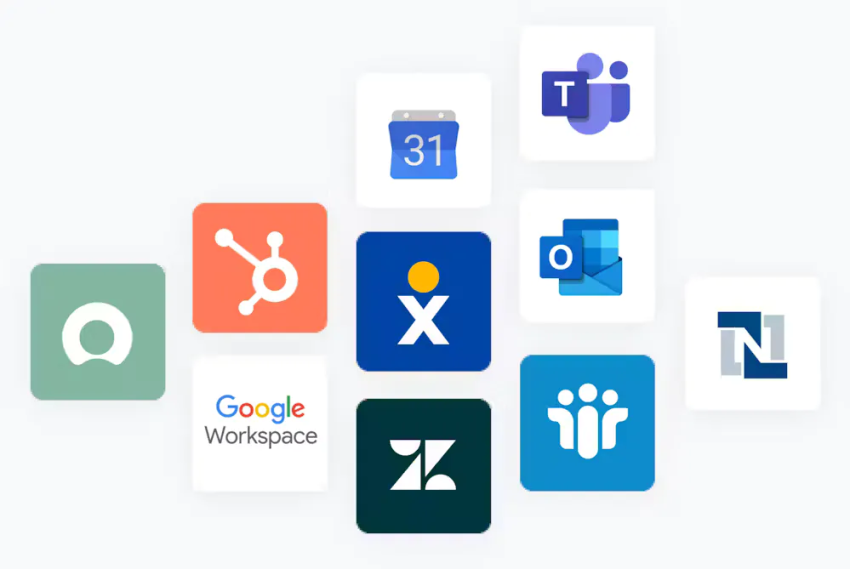
CRM systems can integrate with several business software tools, third-party applications, and communications platforms natively or through an open application programming interface.
Here are some of the best CRM integrations for small businesses on the rise:
1. Marketing automation platforms (to supercharge your campaigns)
You can integrate your CRM system into marketing automation software such as HubSpot, Mailchimp, and Keap to ensure your sales and marketing efforts are perfectly aligned.
These solutions are designed to help improve the efficiency of your marketing campaigns by automating lead nurturing, email marketing, and campaign performance tracking, among other important (but repetitive) marketing tasks.
Integrating your CRM software and marketing automation or email marketing platform lets you share customer information from your CRM system. This helps improve marketing efforts, streamline lead generation and qualification, launch email campaigns, and enhance communication with potential customers.
Modern integrations now connect with marketing cloud environments and use intent-based scoring, which triggers marketing emails the moment a customer shows interest in your CRM’s sales pipeline.

2. Project management tools (to keep teams on track)
Project management tools like Asana, Trello, and Monday.com ensure all tasks are on track and employees know what work is ahead of them. They provide a centralized hub to manage assignments where teams can organize each aspect of a project, assign roles, and manage all the moving parts of a given task.
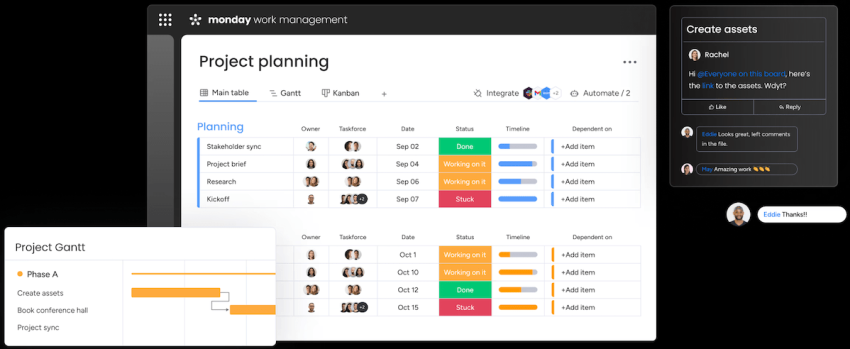
Merging your CRM system and project management tool improves project visibility and client communication by bringing task management and collaboration tools, as well as real-time project updates, into the CRM system. When integrated properly, they help automate workflows and align execution with sales processes.
This connects the sales pipeline to project execution, helps ensure smooth handoff from the sales team to delivery teams or the account manager, and keeps tasks and customer information well organized.
Create a “New Project” task in Asana automatically when a deal is marked “Closed-Won” in your CRM.
3. Contact center platform (to enhance customer interactions)
One of the most important integrations is linking your CRM system and contact center platform.
This setup improves customer engagement, tracks interactions, and strengthens the overall customer experience. It also enhances CRM features by adding communication intelligence and real-time data access.
Many contact center platforms, such as Nextiva’s AI-powered contact center, are built to include native integrations with top CRM solutions, as customer relationship management is a major aspect of customer support.
Nextiva Power Suite CX plan delivers omnichannel engagement across voice and web chat, with AI-powered transcription and summarization. It keeps a complete conversation history, so agents never need to ask customers to repeat themselves.
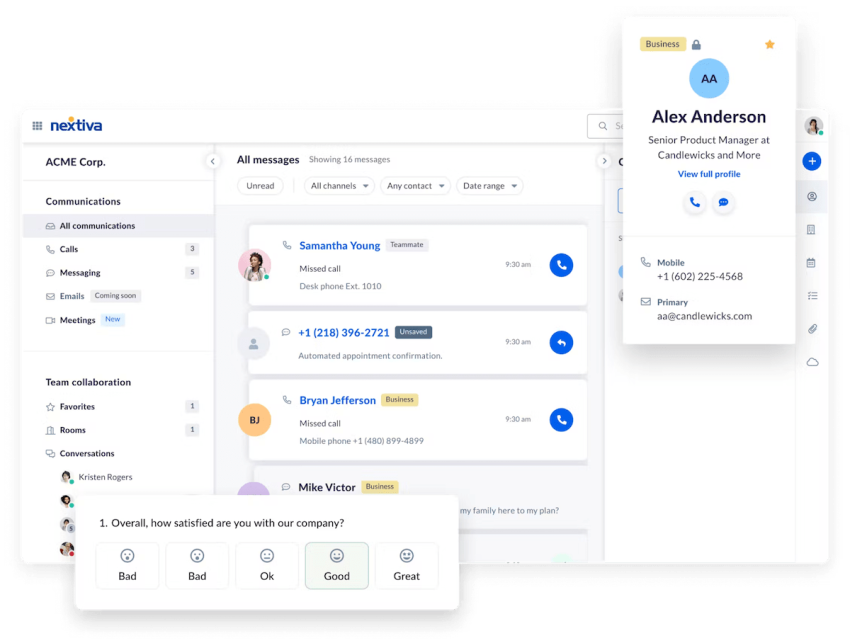
Merging your best CRM software and contact center platform enables you to bring phone calls, emails, chats, and social media interactions into the CRM system, keeping all customer communications across channels and touchpoints properly logged and organized.
This also adds contact center features to your CRM system, including skills-based routing, call recording, and customer interaction sentiment analysis, so you can ensure that your customers receive excellent service. Altogether, this provides a complete view of customer interactions across channels, improves agent efficiency, and increases customer satisfaction.

4. Business intelligence tools (that are actually smart)
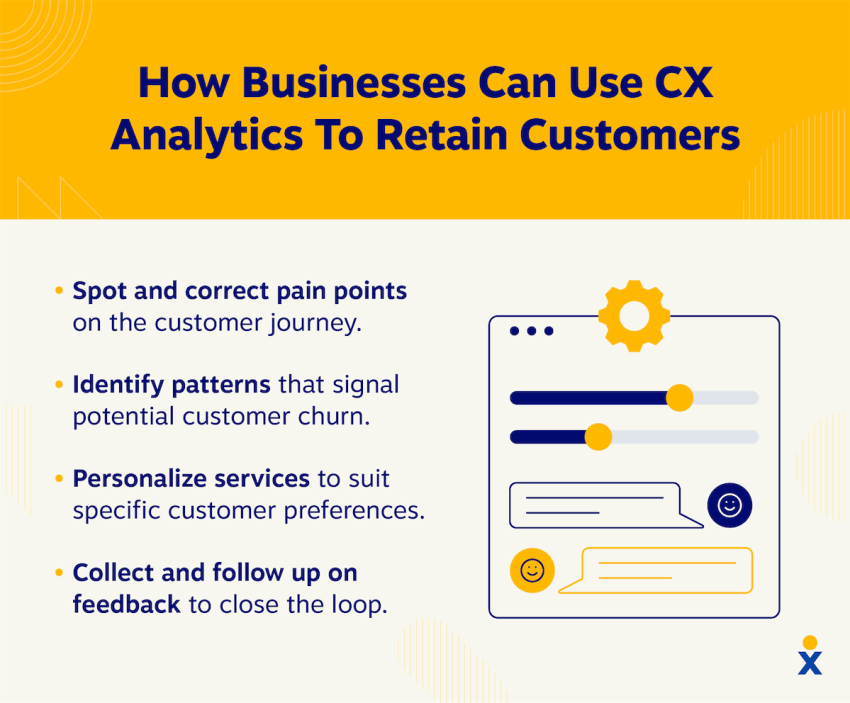
Business intelligence (BI) tools and apps like Tableau, Power BI, and Looker are designed to collect, process, and analyze relevant data from internal and external systems and other business software.
This helps businesses make better decisions based on data and actionable insights, as well as identify areas of inefficiency and optimize their business processes. As such, it’s no surprise that adding customer relationship data to a BI tool is highly beneficial.
Integrating CRM into BI applications allows the business intelligence tool to provide data visualization and reporting based on information from the CRM system. This data can be used for sales forecasting and customer segmentation, which can be displayed on customizable dashboards.
The combined features and data enable better decision-making, identify sales trends, and recognize customer behavior patterns.
5. Business phone system (to streamline communication)
Your business phone is not only your first (and arguably most important) tool for customer communication, but it’s also home to several features and tools designed to make communication more efficient. So there’s every reason to connect it to your CRM platform.
Integrating CRM software into a business phone system allows you to connect your phone calls and CRM data for caller identification and call logging. This improves contact management with a more user-friendly interface.
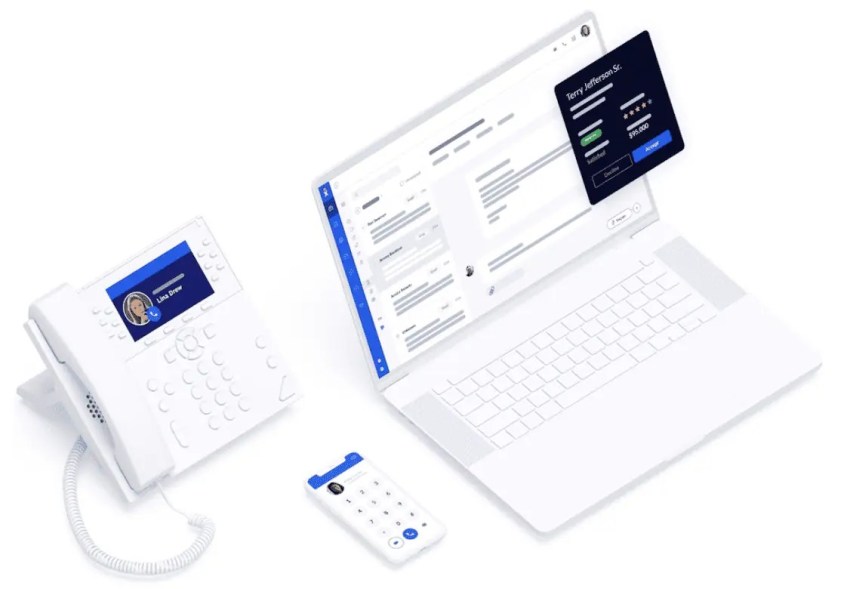
It syncs the CRM system with the agent’s contact list, so all their contact information can easily be accessed when a call comes in and is connected to the caller’s account. As soon as the call is over, the system can automatically log it into the CRM system, along with important information like transcripts and recordings.
The integration also adds phone features like click-to-dial functionality, call recording, and voicemail transcription to the CRM system, allowing you to make and access calls right from the logs. This helps improve the productivity of sales reps and allows for personalized interactions based on the customer’s history.
6. Customer support software (to wow clients)
CRM and customer support software go hand in hand, so it’s only natural that integrating the two would improve them both.
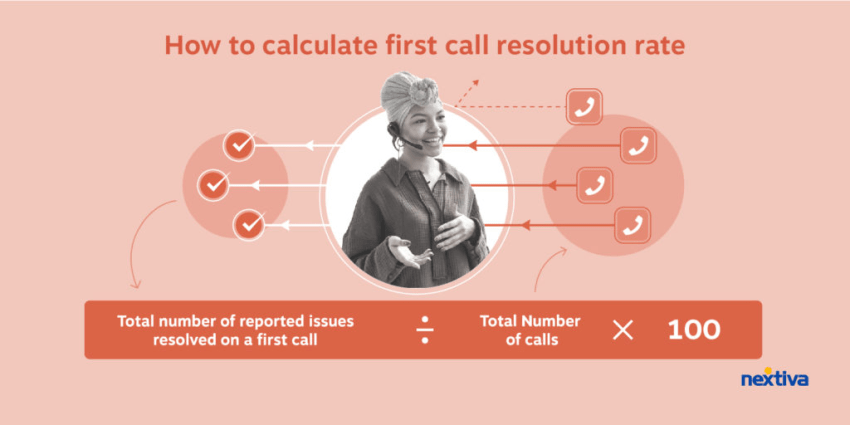
Integrating your CRM into a platform like Zendesk, Freshdesk, or Help Scout combines customer support tickets and inquiries with CRM data, enabling your team to provide better service.
Merging your CRM and customer support software also enables you to create self-service portals, knowledge bases, and automated ticket routing based on customer data. This helps improve resolution times for customer issues and allows for proactive support based on customer history, both of which lead to better customer satisfaction.
Related: 10 Best Customer Communication Management Software
7. Accounting and payment processing tools (to simplify finances)
When you’re frequently receiving and processing payments from customers, it helps to keep your payment processing tools connected to your customer profiles. Integrating CRM software into your payment and accounting tools allows you to view and access customer invoices, payments, and financial data within your CRM system.
Connecting a CRM system to a financial tool like QuickBooks, Xero, or Stripe also unlocks several advantages for organizations. Not only can they automate invoice generation and enable online payments right from within the CRM system, but they can also track sales revenue in real time, gaining new insights into their sales.
This integration helps streamline the billing process by keeping all your customer payment information in one place, allows for a faster reconciliation of customer accounts, and improves your overall revenue visibility.
Ensure your integration is PCI-compliant to keep financial data secure during the sync.
8. Document management systems (to organize your workflow)
Businesses need to track and manage large numbers of customer-related documents, such as proposals, contracts, and forms.
Integrating CRM software into a document management system such as DocuSign, Jotform, or Dropbox Business allows organizations to store and manage any customer documentation right in their CRM system. This allows sales reps and customer service agents to easily access documents as needed.
This integration can also help make sure the latest version of any documentation is available by instantly updating the documents in the CRM system. As such, all customer documents are centralized and accessible.
Maintaining an organized database helps improve collaboration and streamlines the sales cycle, as sales reps and agents can quickly find the documents they need.
How to Integrate Your CRM Successfully
Don’t rush the setup, as poorly planned integrations create data inconsistencies that take months to fix. Follow this structured framework to ensure a smooth transition:
Audit your tech stack
List every tool your team uses across sales, marketing, support, and operations. Identify your primary system of record, whether it’s Microsoft Dynamics, Salesforce, or another central hub.
Define how data should move between systems. Decide if your CRM should push customer data to your communication platform or if interaction data, such as calls, transcripts, and sentiment, should flow back into your CRM.
Assign clear ownership to prevent conflicts and keep your data accurate.
Standardize and clean your data
Prepare your data before syncing to avoid errors across systems. Remove duplicate contacts and accounts, standardize formats such as E.164 phone numbers, and fill in critical missing fields.
Use data validation or enrichment tools to identify outdated or inconsistent records before integration. Clean data improves syncing accuracy and ensures reliable reporting.
Choose your connection method
Select the integration approach that’s suitable for your business needs:
- Native integrations: Providers build these integrations, such as Nextiva with Salesforce. They offer high reliability and real-time syncing with minimal setup.
- Middleware (iPaaS): Tools like Zapier or Make connect multiple apps quickly but may introduce slight sync delays.
- Custom APIs (webhooks): Use these for advanced workflows. APIs let you trigger actions such as opening a customer profile when a call comes in.
Start with native integrations whenever possible. Use APIs only when you need deeper customization.
Map your data fields and define logic
Align how data moves between systems. Match equivalent fields such as last contact date and activity history. Choose between bidirectional or unidirectional syncing and define clear rules for updates and ownership.
Keep your calendar tools and CRM fields aligned to support accurate bidirectional syncing. This step keeps systems in sync and prevents data conflicts.
Run a pilot before full rollout
Avoid syncing your entire database at once. Test with 20 to 30 records across different scenarios. Validate data accuracy, workflows, and system behavior. Check for sync errors or delays. Use a controlled pilot to identify issues early and ensure a smooth full rollout.
Common CRM Integration Challenges
Common CRM integration challenges can slow down performance, create data issues, and impact user adoption if you don’t address them early. Here are the most common issues you may face and how to resolve them:
| Challenge | What happens | How to fix it |
|---|---|---|
| Low user adoption and tool fatigue | Teams avoid using integrations if they add extra steps or complicate workflows | Focus on invisible workflows like automatic call logging so teams benefit without extra effort |
| Data duplication and sync conflicts | Duplicate records or conflicting updates appear due to poor sync rules | Set your CRM as the primary system of record, define clear read/write rules, and use deduplication tools |
| API latency and sync delays | Slow data syncing delays access to customer information during interactions | Prioritize native integrations, reduce middleware layers, and monitor sync performance |
| Security, compliance, and data privacy | Data shared across platforms increases security risks and compliance requirements | Use secure platforms with encryption, follow regulations (GDPR, SOC 2), and audit access regularly |
Nextiva for High-Growth Business Success
A CRM provides the most value when it connects with the tools your team uses every day, especially communication platforms.
Nextiva brings communication and CRM integrations together, so your business can scale without adding complexity. This allows your team to handle higher volumes of customer interactions without losing quality.
With Nextiva connected to your CRM, your team can:
- Access the complete customer context as soon as an interaction starts
- Respond faster with more personalized interactions
- Reduce manual updates and repetitive data entry to automate workflows
- Capture calls, messages, and conversation history automatically with email integration and call tracking
As your operations expand, Nextiva helps you stay aligned:
- Teams work within a single, connected system instead of switching between tools
- Managers gain clear visibility into performance and customer activity
- Customer experiences remain consistent across every touchpoint
Instead of managing disconnected tools, your business runs on a system where communication and customer data stay in sync.
As a result, your CRM evolves from a record-keeping tool into a central hub that supports growth, improves productivity, and helps your team deliver better customer experiences at scale.
Give your CRM superpowers.
Unleash the power of your CRM with Nextiva.
Most modern platforms provide no-code or low-code setup. You can connect widely used tools (like Nextiva) in a few clicks without technical expertise. You only need a developer when you work with custom-built systems, legacy software, or complex workflows.
CRM integration strengthens security when implemented correctly. Centralized data removes the need to export files or move sensitive information between disconnected systems. Providers that meet standards like SOC 2, GDPR, or HIPAA keep your data encrypted and protected during transfers.
Most businesses notice productivity gains within 30 to 60 days. Teams save time by removing manual data entry, often recovering several hours each week per employee. Within six months, integrated data and reporting help increase conversions and reduce customer churn.
Modern integrations use asynchronous syncing and queuing. If one system goes offline, the integration stores the data and syncs it automatically when the system recovers. This process prevents data loss and keeps records accurate.
A CRM focuses on managing customer relationships and sales pipelines, while marketing automation focuses on running campaigns and nurturing leads. Integration connects both for better results.