Customer Experience
  Blog
Blog  Business Communication
  Leadership
  Marketing & Sales
  Nextiva News
  Productivity
  VoIP
VoIP 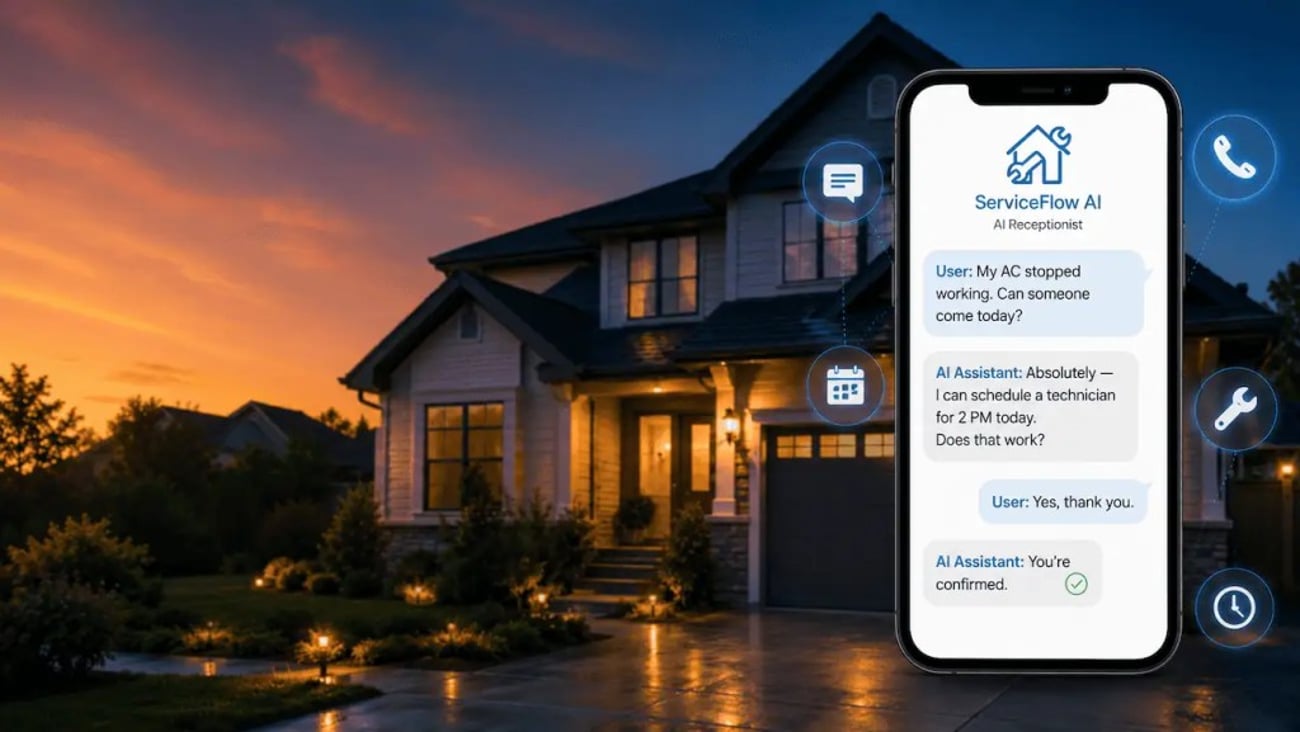

62% of home service customers book with the first business that picks up the phone. At the same time, most home service businesses miss up to 27% of their inbound calls. For a plumbing, HVAC, electrical, or landscaping company, those unanswered rings rarely become prospects waiting patiently for a callback. The homeowner usually keeps moving down the search results until another contractor picks up.
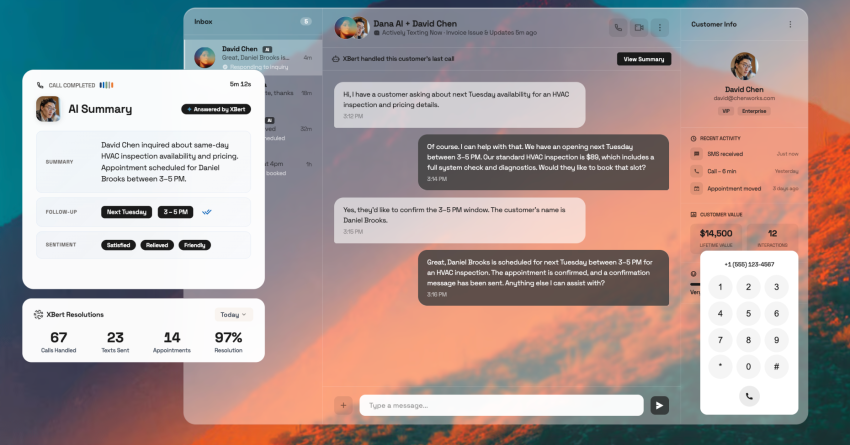
An AI receptionist for home services can answer incoming calls, capture customer details, schedule appointments, and follow up without requiring a field technician to stop working. For small business owners, the real value comes from turning missed calls into booked work while maintaining a responsive customer experience.
Still, buying an AI receptionist raises two practical questions. What will the system actually cost compared with a human receptionist or answering service? More importantly, can it recognize the difference between a routine quote request and an urgent call involving flooding, no heat, or a suspected gas leak?
In this guide, I’ll answer both questions, covering the cost math, emergency call flow, appointment booking, integrations, voice quality, and the AI receptionist tools available to home service businesses.
What an AI Receptionist Does for a Home Service Business
An AI receptionist handles the front-desk work that gets overlooked when everyone is busy. It can answer phone calls, collect caller details, qualify the request, route calls, and schedule appointments through the systems your team already uses.
Modern voice AI can also manage several customer interactions at once. That matters during seasonal spikes, when an HVAC company may receive multiple calls during a heat wave or a plumber may face a surge after freezing weather. Instead of sending callers to voicemail or producing busy signals, the AI answering service keeps each conversation moving.
I recommend looking for a system that connects phone, SMS, website chat, and scheduling. That gives customers several ways to reach the business while keeping their information attached to one record.
AI answering service: Answering and capturing the lead
An AI receptionist answers calls on the first ring, including evenings, weekends, and holidays. Its biggest value is capturing the jobs that would have been lost because no one was available to answer. In some deployments, AI receptionists have reduced missed calls by up to 75%.
That first conversation should feel natural rather than scripted. Using natural language processing, the AI assistant can understand common phrases, ask follow-up questions, and adjust the call flow based on the customer’s answers. A homeowner can explain that the air conditioner is blowing warm air, for example, without selecting from a rigid phone menu.
The system can then capture:
- Contact details: Caller’s name, number, email address, and preferred response method
- Service information: Property address, requested trade, equipment type, and reported problem
- Urgency indicators: Details, such as active flooding, no heat, sparks, smoke, or unusual odors
- Lead context: Customer needs, such as an immediate repair, an estimate, maintenance, or future installation
This inbound call handling creates a complete record before the technician or dispatcher becomes involved. It also reduces the risk of incomplete voicemail messages, forgotten callbacks, and handwritten notes that never reach the scheduling system.
SMS follow-up
After booking, the AI receptionist can send a confirmation text with the service window, address, and next steps. It may also include an intake form, photo-upload link, or preparation instructions.
If the booking isn’t completed, a missed-call textback keeps the lead active by inviting the customer to continue by SMS or providing more details. Because phone, text, and web chat share the same customer record, callers don’t have to repeat their information when the conversation moves between channels.
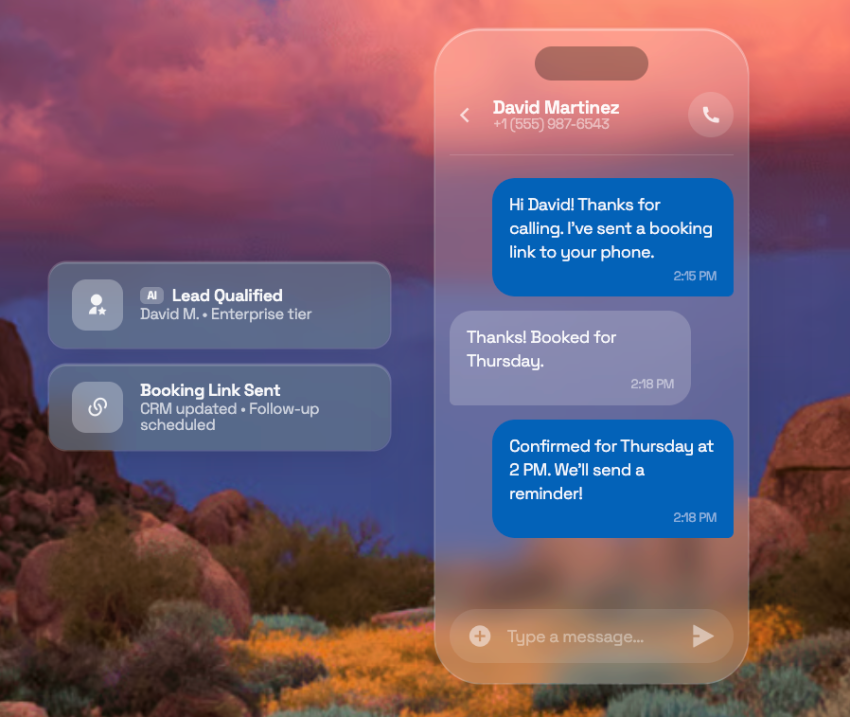
Booking straight into your FSM
A useful AI receptionist should complete appointment booking directly in Jobber, ServiceTitan, or Housecall Pro.
The AI checks availability, confirms the address, selects the job type, and creates the appointment in the field service management (FSM) system instead of leaving a message for the front desk to reenter.
Before choosing an AI platform, confirm that it integrates with your FSM. Direct connections usually provide better control than relying on Zapier, calendar sync, or custom application programming interfaces (APIs).
Emergency Triage: Distinguishing Urgent Calls From Routine Quotes
Emergency triage is where an AI receptionist for home services either earns a contractor’s trust or loses it completely. Nobody wants a system that hears “My basement is flooding” and cheerfully offers an appointment next Tuesday. The AI has to recognize when a normal booking workflow no longer applies, pause it immediately, and route the call to someone who can act.
A reliable setup doesn’t treat every service request the same. The contractor defines which phrases, conditions, and combinations of customer details should trigger escalation.
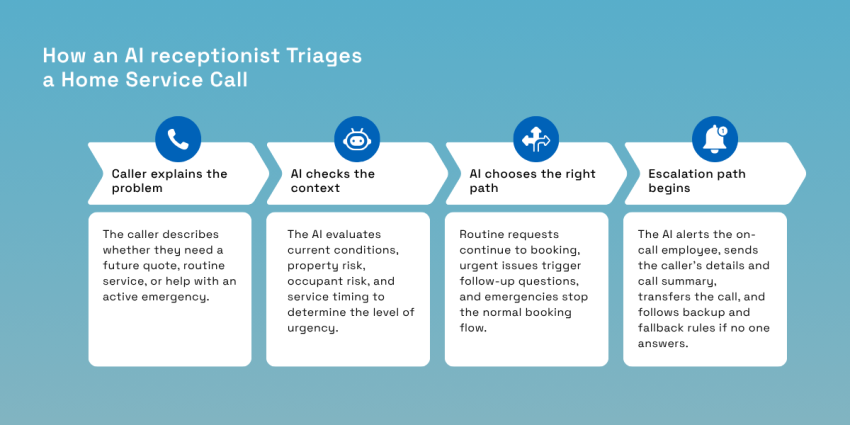
Routine vs. emergency
A routine request can safely enter the normal scheduling system. A request for a water heater quote next month, seasonal HVAC maintenance, landscape design, or a non-urgent electrical estimate usually doesn’t require an immediate response from an on-call technician.
The AI should consider more than a single keyword, especially since calls carry different stakes. “No heat” in mild weather may require same-day attention, while “no heat” during a freeze could trigger the emergency path. “Water near the sink” might describe a slow drip, but “water is pouring through the ceiling” signals an active need.
That distinction comes from combining the caller’s words with context, including:
- Current conditions: The AI checks whether the problem is active, contained, worsening, or already resolved.
- Property risk: It identifies water damage, fire hazards, electrical exposure, gas concerns, and unsafe temperatures.
- Occupant risk: It can ask whether children, older adults, pets, or medically vulnerable people are at risk.
- Service timing: It separates future quotes from failures requiring immediate dispatch.
How AI catches it
Modern voice AI uses natural language processing to interpret customer conversations as they happen. It analyzes each response for emergency phrases, urgency signals, and changes in severity.
Terms such as “burst pipe,” “gas smell,” “sparking,” “flooding,” and “no heat” can trigger predefined rules. The system may then ask focused follow-up questions, such as whether the water is still running, whether the customer has shut off the supply, or whether anyone smells gas inside the property.
| Customer says… | AI action |
|---|---|
| Burst pipe/flooding | Escalate to the on-call technician |
| Gas smell | Prioritize emergency routing, transfer immediately |
| Sparks/smoke | Route to a human |
| No heat | Ask follow-up questions to assess urgency; schedule or escalate based on severity |
Once the emergency threshold is met, the standard appointment booking sequence stops. The AI shouldn’t continue discussing future availability or routine service windows while the customer is facing an active hazard.
The escalation path
Once the AI identifies an emergency, it should escalate the issue to the right person without making the caller repeat their story. An urgent SMS can send the caller’s contact details, address, reported issue, and an instant call summary to the on-call technician, while a live Session Initiation Protocol transfer can connect higher-risk calls directly to a dispatcher or technician.
A reliable escalation workflow includes:
- Primary call routing: The AI first contacts the assigned on-call employee.
- Backup routing: Unanswered calls go to the next contact.
- Timed escalation: Unanswered alerts trigger another channel or a supervisor.
- Audit trail: The platform records the trigger, transcript, transfer, and outcome.
- Fallback instructions: The caller receives clear next steps if the transfer fails.
Contractors should test these paths through realistic demo calls, including background noise, changing urgency, and unanswered transfers. The business controls the keywords, thresholds, transfer sequence, and fallback rules, so the AI receptionist works as an extension of dispatch rather than a black box.

The Cost Math: Flat-Rate SaaS vs. Per-Minute vs. Human
The cheapest option on paper can become the most expensive during peak season. For home service businesses, the right comparison includes annual cost, available coverage, usage charges, and the revenue risk created when nobody answers.
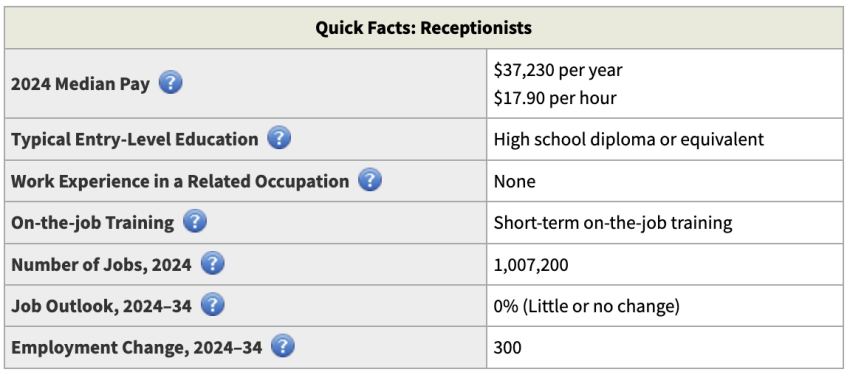
A full-time human receptionist remains the highest fixed expense. The Bureau of Labor Statistics reported a median receptionist wage of $17.90 per hour in May 2024, equivalent to over $37,000 annually before payroll taxes, paid leave, insurance, equipment, recruitment, or training. Private-industry benefits represented another 30.1% of employer compensation in March 2026, bringing the realistic all-in cost into the $50,000 range for many employers.
An AI receptionist gives contractors a more predictable starting point. Nextiva XBert currently starts at $99 per month for 100 interactions, followed by $0.99 for each additional interaction. The base annual cost is $1,188, while actual spending depends on call, text, and chat volume.
| Option | Typical annual cost | Coverage |
|---|---|---|
| Full-time human receptionist | $42,000–$60,000 | Business hours only (~24% of the week) |
| Live answering service (per minute) | $9,600–$36,000+ | 24/7, but bills for hold time; spikes in season |
| AI receptionist (flat-rate SaaS) | $1,200–$9,000 | 24/7, predictable, no per-minute surprises |
Comparing the Top AI Receptionist Options
The best AI receptionist depends on what already runs your business. A contractor using Jobber may value native scheduling above broader flexibility, while a multi-location company may need an AI platform that handles phone calls, texts, and website chat across several departments. Teams with developers can build something more customized with enterprise-grade security.
Before choosing, test each platform against real call volume and customer inquiries. Ask it to book a job, recognize an emergency, transfer calls, update customer data, and handle multiple calls simultaneously.
| Platform | Best for | Pricing model | FSM integration |
|---|---|---|---|
| Nextiva XBert | Voice + text + chat, 24/7, custom training | Flat, from $99/mo | Yes, plus calendar sync |
| Jobber | Existing Jobber CRM users | Tied to the Jobber plan | Native (Jobber only) |
| Zenplus | Calendly booking + outbound reengagement | Per plan | Calendly-based |
| Jodie | Small businesses wanting simple flat pricing | Flat monthly | Limited |
| DIY (Retell/Vapi + n8n/Zapier) | Teams with developer resources | Usage-based | Build your own: no out-of-box FSM |
Nextiva XBert brings calls, AI text messaging, and live chat into one AI front desk. It can answer questions, book appointments, capture caller details, and transfer complex conversations with context. Integrations include Housecall Pro, calendars, and several customer relationship management (CRM) systems.
Jobber AI Receptionist fits businesses already using Jobber. Its AI answering workflow can schedule jobs, create requests, manage appointments, and escalate urgent calls within the same platform, though its strongest integration benefits remain limited to Jobber users.
Zenplus supports inbound and outbound calls at a lower starting price. Since plans remain minute-based and some AI-booked appointments carry extra fees, contractors should include seasonal surges when calculating the full AI answering service cost.
Jodie offers simple front-desk coverage with unlimited call minutes. Lead qualification, recordings, bookings, transfers, and Zapier integrations vary by plan, so businesses should confirm each required workflow before signing up.
For maximum control, teams can build a custom setup using Retell AI or Vapi with n8n, Zapier, APIs, and CRM systems. This route supports custom voice, natural language logic, intelligent call routing, and follow-up actions but requires developer skills and ongoing maintenance.
Background Noise and Latency: The Technical Reality
For home services, AI receptionists rarely speak with callers sitting in quiet offices. Homeowners may call from a roadside, a mechanical room, or a basement with water running across the floor. Contractors may return calls beside idling vans, power tools, HVAC equipment, and active crews.
That’s why I don’t put much weight on polished demo calls. An AI phone answering service needs accurate speech recognition, responsive processing, and a dependable fallback path when the conversation becomes unclear.
Before choosing a platform, test it under realistic conditions. Call from a moving vehicle using hands-free audio. Use the phrases, accents, interruptions, and technical terms your customers commonly use.
Understanding a caller from a jobsite
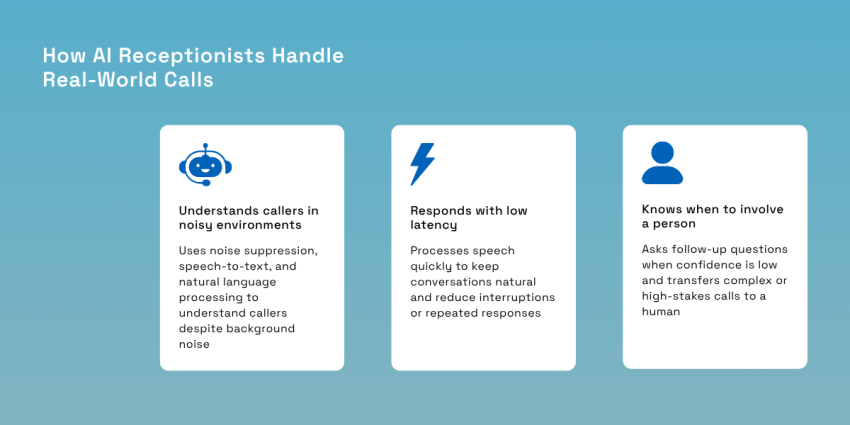
Modern voice AI uses noise suppression to reduce background sound, speech-to-text to transcribe the caller, and natural language processing to interpret intent. It should understand descriptions, such as “water is pouring under the unit,” even when the customer doesn’t know the technical cause.
Noise cancellation can’t recover every missing word. A dependable automated answering service should detect low-confidence transcription and ask a focused question instead of inventing customer details. For high-stakes calls, it should confirm the address, hazard, and callback number before attempting a transfer. Contractors should also run realistic demo calls with jobsite noise and weak reception.
Hear XBert book a same-day appointment and capture job details for a busy HVAC company👇
Why latency has to stay under a second
Every voice interaction adds processing time as speech becomes text, the AI interprets intent, and the response becomes speech again. Delays beyond two seconds can feel unnatural, causing callers to repeat themselves, interrupt, or assume the line has dropped.
Latency under a second keeps the conversation closer to normal human turn-taking. It also matters during emergency triage, where long pauses can increase stress and make the AI phone answering service experience feel mechanical.
The AI + human backup model
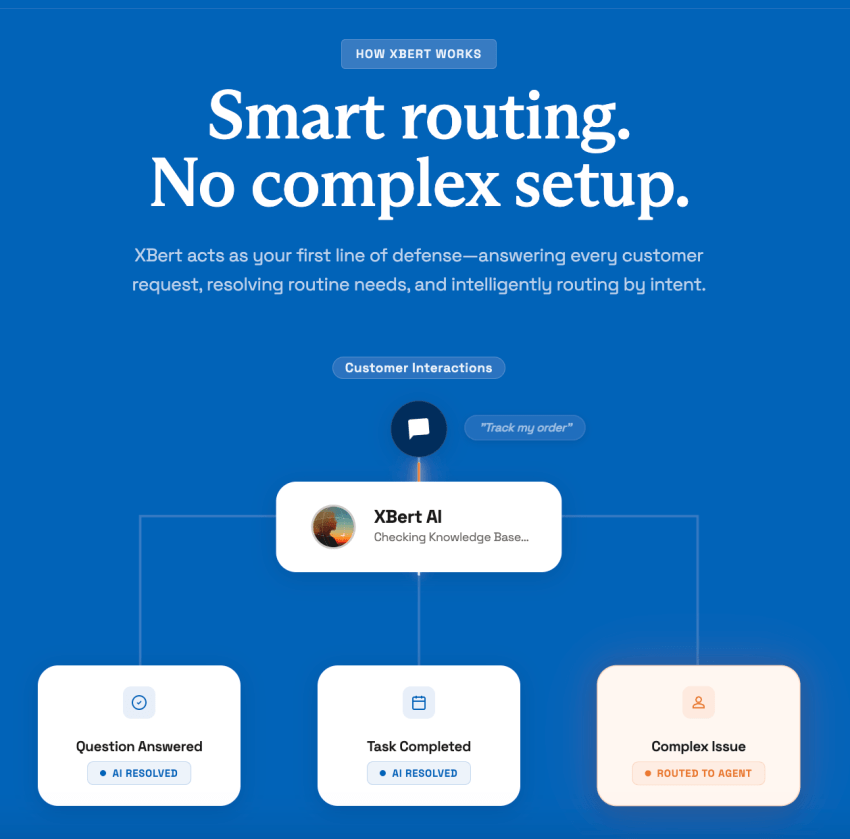
So how does an AI answering service work? The AI handles routine calls, while defined routing rules determine when a person should take over.
For example, AI agents answer frequently asked questions, qualify leads, confirm appointments, and book standard service business visits. An office manager or an on-call technician can take over billing disputes, unusual warranty claims, angry customers, and unclear emergencies. Before launch, the contractor should define authority limits, emergency and confidence thresholds, department rules, and fallback paths.

That hybrid model is especially relevant for home service businesses, where the same person often answers office calls between jobs. For example, Buzz Franchise Brands found that in many franchises, one person acted as both technician and office manager. Their teams used the NextivaONE app to take office calls from the field. Businesses operating this way could benefit from a virtual receptionist that handles routine calls while routing more complex/urgent ones to a person.
Answer Every Call With Nextiva XBert
Every unanswered ring can become a job for a competitor. Homeowners facing no heat, electrical failure, or active water damage usually call around until someone answers.
Nextiva XBert protects those opportunities by answering calls 24/7, qualifying intent, booking appointments, and routing customers to the right team. It also supports AI text messaging and live chat across phone, SMS, and the business website.
XBert starts at $99 per month for 100 interactions, with additional interactions priced at $0.99 each. Since contractors pay per completed interaction rather than per minute, seasonal costs are easier to predict than with a traditional after-hours answering service.
The system connects with Google Calendar, Calendly, Housecall Pro, and other business tools, while ServiceTitan integration is available by request. Contractors can also choose the voice, customize greetings, set call routing rules, and train the virtual receptionist on business information, such as services, policies, hours, and frequently asked questions.
Trade-specific scripting makes an AI agent more practical. Plumbers can screen for active leaks, HVAC companies can ask about indoor temperature, and electricians can flag sparks or panel heat. See Nextiva XBert in action, and test it against the calls your business can’t afford to miss.
Book more jobs. Miss fewer calls. Keep your crew moving.
XBert AI Receptionist helps plumbers, HVAC technicians, and electricians manage every customer conversation in one platform, so jobs stay booked, dispatchers stay organized, and no call goes to a competitor.