Customer Experience
  Blog
Blog  Business Communication
  Leadership
  Marketing & Sales
  Nextiva News
  Productivity
  VoIP
VoIP 


AI customer service tools automate routine requests, route conversations, analyze customer sentiment, and give agents real-time guidance. These AI powered tools can also answer customer queries beyond regular business hours and streamline customer service operations, but their capabilities vary considerably.
Some AI customer support tools focus on customer-facing chatbots, while others specialize in voice AI, ticket management, knowledge retrieval, or agent assistance. The right choice depends on your support channels, team size, existing systems, automation goals, and budget.
To create this guide, we reviewed 12 leading platforms and evaluated each tool based on its AI capabilities, channel coverage, setup requirements, pricing, security, and business fit. The sections below compare each provider’s features, pricing, advantages, limitations, and customer ratings, along with practical guidance on choosing and measuring AI customer service software.
Nextiva ranks first for bringing XBert AI receptionist, contact center AI, and human agent support together in one platform.
What Are AI Customer Service Tools?
AI customer service tools are a powerful suite of technologies designed to enhance every layer of customer interaction, from the first automated greeting to backend ticket handling and real-time support. You may already use chatbots for instant responses, but other tools work behind the scenes to automate routing, ticket handling, and knowledge base support. Here are just a few of these valuable and best AI tools:
- AI chatbots that handle customer inquiries through text or voice
- Virtual assistants that support multimodal interactions across channels
- Agent copilots that suggest real-time replies or summarize past conversations
- Sentiment and intent detection tools that gauge customer tone and urgency
- Automated routing and ticket classification tools that cut down resolution time
- Generative AI that drafts personalized responses, knowledge base articles, or follow-up summaries
- Predictive analytics tools that flag churn risks or forecast common issues before they escalate
- IVR and voice AI systems that streamline phone-based interactions
Powering these tools are advanced AI capabilities and core technologies like natural language processing (NLP) to understand human input, machine learning to improve over time, conversational AI for fluid interactions, LLM-based generative AI to create humanlike content at scale, and natural language understanding to help these systems interpret intent, context, and conversational language.
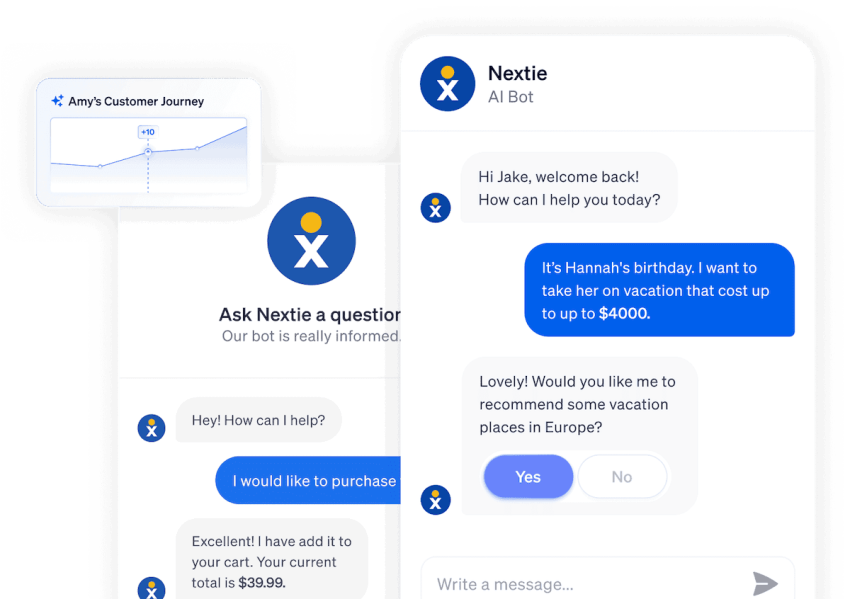
What happens when you utilize these tools and technologies? You gain the benefits of AI, like less manual triage and fewer backlogs. You also get faster, smarter, and more consistent support across every channel, all without overwhelming your team. The strongest AI customer support tools combine customer-facing automation with clear escalation paths for employees.
Types of AI Customer Service Tools and Use Cases
AI customer service tools perform different roles across the support process. One AI tool may interact directly with customers, while others work behind the scenes to route requests, analyze conversations, or assist agents. Some AI agents can also complete approved actions in connected business systems. The examples below show where each tool delivers the most value and which support workflows it can manage.
AI chatbots
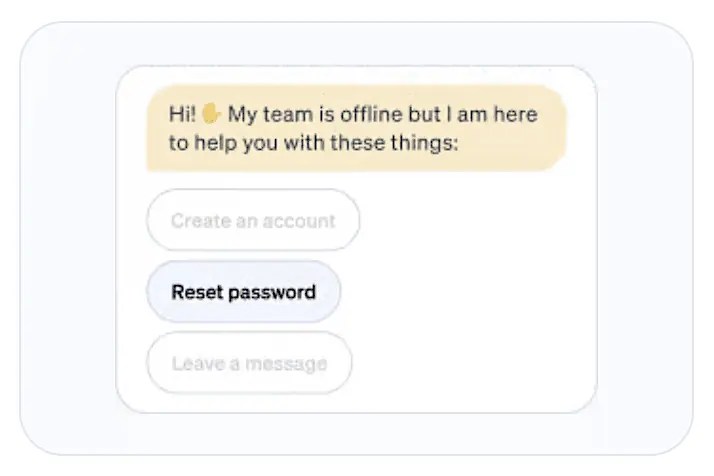
AI chatbots handle text-based conversations through websites, mobile apps, and messaging channels. They work best for frequently asked questions, order updates, basic troubleshooting, and other requests that draw from approved support content. They can also provide chat support outside regular business hours.
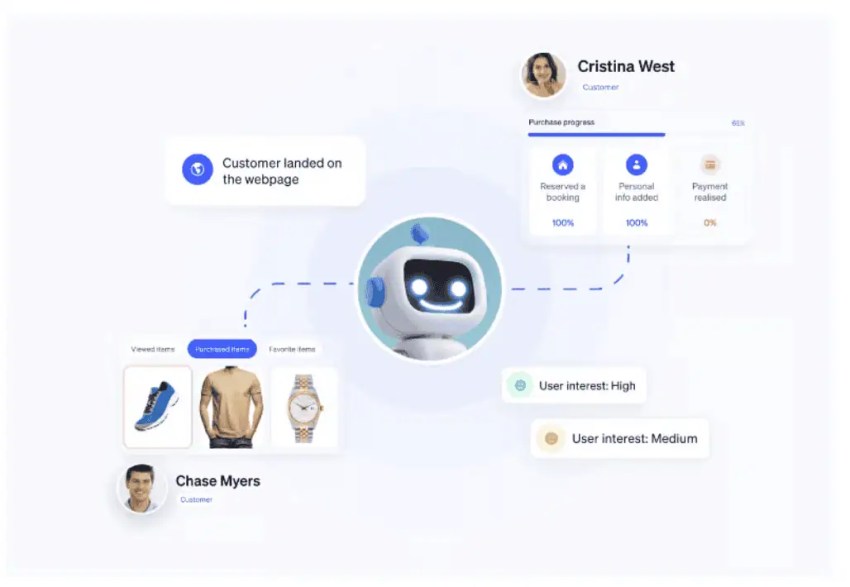
Voice AI
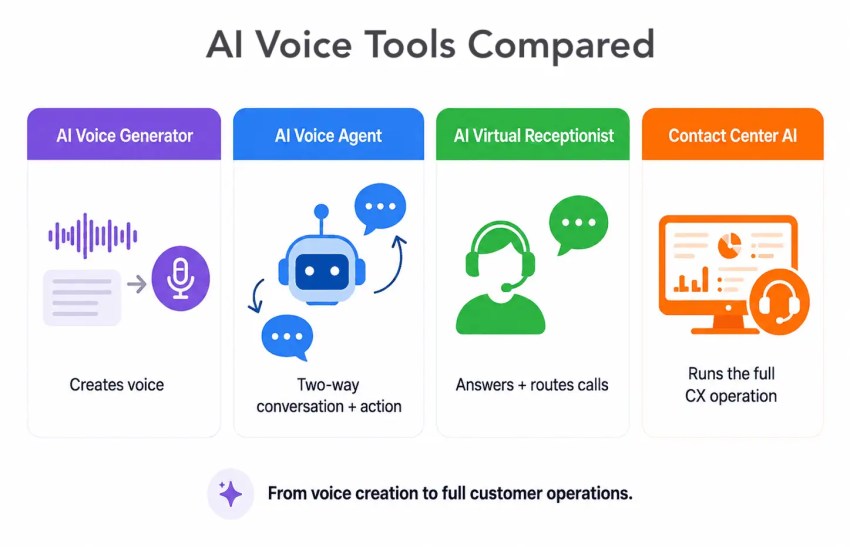
Voice AI is particularly useful for call centers and businesses that receive high call volumes. It uses speech recognition and conversational technology to manage phone interactions. Businesses can use it to answer calls, collect customer information, schedule appointments, route callers, and provide after-hours support.
Sentiment analysis
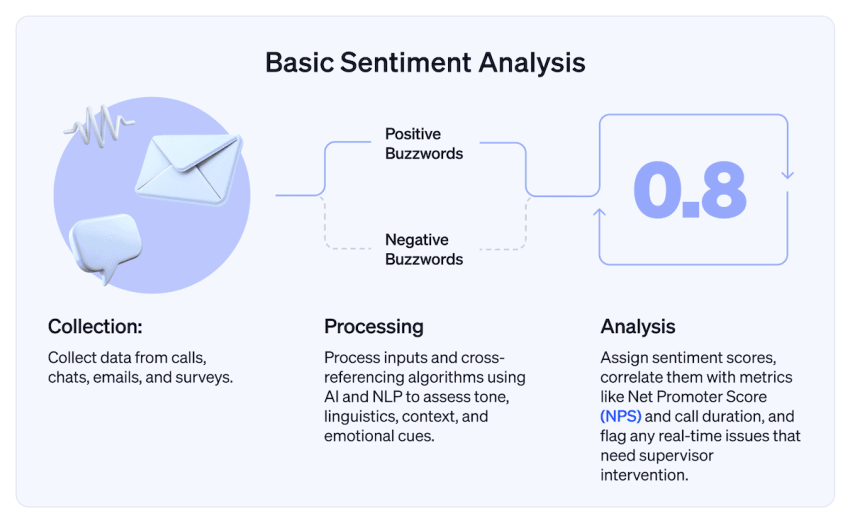
Sentiment analysis evaluates language and vocal signals to estimate whether a customer sounds satisfied, confused, frustrated, or upset. Agents and supervisors can use these signals to adjust their approach or prioritize interactions that may require attention.
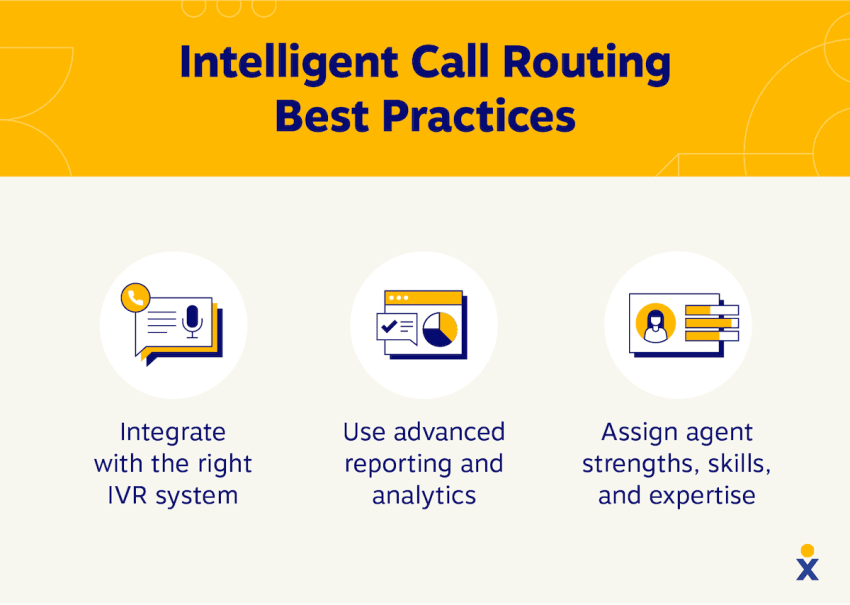
Intelligent routing
Intelligent routing examines factors such as customer intent, language, priority, account history, and agent skills before assigning an interaction. It can reduce unnecessary transfers and direct specialized requests to an appropriate employee or queue.
Knowledge base AI
Knowledge base AI retrieves answers from help articles, policies, product documentation, and other approved sources. It can power customer self service portals or give agents faster access to relevant information during an interaction.
Agent assist
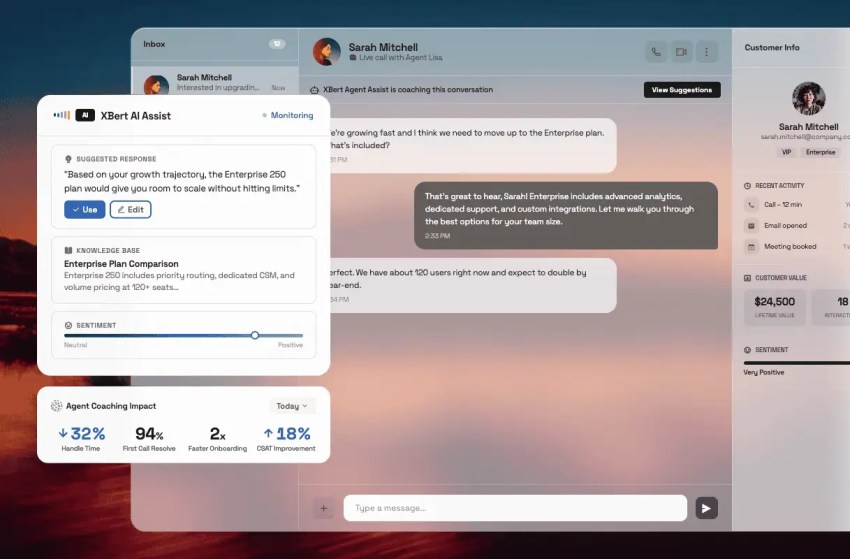
Agent-assist tools support employees during or after customer conversations. They can recommend responses, surface knowledge, provide process reminders, summarize interactions, and create follow-up notes while leaving the final decision with the agent. An AI assistant can surface guidance while support agents retain control of the final response.
How We Evaluated These AI Customer Service Tools
We evaluated each AI customer support platform using seven criteria that directly affect performance, usability, and long-term value. Our research included official product documentation, pricing pages, feature lists, integration catalogs, trial information, and verified user reviews.
- AI capabilities and accuracy: We examined how well each tool recognizes customer intent, retrieves information from approved sources, and answers different types of questions. We also checked for testing tools, customizable instructions, confidence thresholds, human handoffs, and safeguards against incorrect or unsupported responses.
- Integrations: We assessed how each platform connects with help desks, CRM systems, phone systems, calendars, ecommerce platforms, and billing tools. We rated integrations more highly when they could retrieve records, update information, complete tasks, and pass customer context between systems rather than display data from another application.
- Communication channels: We compared support for voice, email, live chat, SMS, social messaging, and self-service. We also checked whether the platform retains conversation history when a customer switches channels or moves from an AI agent to a human representative.
- Setup and management: We reviewed the work required to add knowledge sources, create workflows, test responses, manage permissions, and launch each platform. We also considered how much ongoing work teams need to update policies, review failed interactions, and refine AI responses.
- Pricing and overall value: We compared published starting prices and reviewed how each vendor charges for AI usage. Costs may depend on seats, resolutions, sessions, conversations, tokens, or calling minutes. We also accounted for implementation fees, integrations, telephony, premium features, and usage overages.
- Reporting, security, and governance: We looked for reporting tools that distinguish between AI-handled and human-handled interactions. We also checked whether each platform tracks resolution rates, transfers, customer satisfaction, and agent performance. Our security review covered permissions, audit trails, data retention settings, redaction tools, and published compliance standards.
- Business size and use case: We considered whether each tool suits small businesses, growing support teams, or large contact centers. We based this assessment on its features, pricing model, setup requirements, supported channels, and the technical resources required to manage it.
The Best AI Customer Service Tools At a Glance
The right AI customer service tool depends on your support channels, team size, budget, and use case. Here’s a quick look at the 12 leading options before we review each platform in detail.
| Tool | Best for | Starting price | AI capabilities | Trial or free option | Company size |
|---|---|---|---|---|---|
| Nextiva | Unified voice and digital customer service | XBert starts at $99/month | AI receptionist, agent assist, summaries, sentiment analysis, intelligent routing | Demo available | Small business to enterprise |
| Zendesk | AI-powered ticketing at scale | From $19/agent/month annually | AI agents, intent detection, Copilot, intelligent triage, QA | 14-day trial | Midsize to enterprise |
| Intercom | Outcome-based AI support for digital teams | Help desk from $29/seat/month annually; Fin from $0.99/outcome | Autonomous resolutions, Copilot, workflows, voice and messaging | 14-day trial | Startup to enterprise |
| Freshdesk | Accessible help desk automation | From $15/agent/month annually | Freddy AI Agent, Copilot, ticket categorization, insights | Free program and 14-day trial | Small to midsize |
| Ada | High-volume autonomous customer service | Custom quote | Multichannel AI agents, actions, multilingual service, testing | Guided demo; trial availability varies | Midsize to enterprise |
| Kustomer | CRM-centered omnichannel service | Custom quote | AI agents, customer timeline, workflow automation, summaries | Demo; selected offers vary | Midsize to enterprise |
| Balto | Real-time guidance for voice agents | Custom quote | Live prompts, compliance checklists, QA, coaching | Demo | Midsize and enterprise contact centers |
| ChatBees | Knowledge-grounded support search | Flex add-ons from $25/month annually | Retrieval-augmented answers, knowledge search, support automation | 14-day Standard trial | B2B and internal support teams |
| Help Scout | Simple AI support for growing teams | Free plan; AI Answers $0.75/resolution | AI Answers, AI Drafts, summaries, shared inbox | Free plan; three-month AI Answers trial for new customers | Small to midsize |
| NiCE CXone | Enterprise contact center automation | From $110/agent/month | Agentic automation, Enlighten AI, routing, workforce tools, analytics | Demo | Enterprise |
| Genesys Cloud CX | Enterprise journey orchestration | From $75/user/month annually | Predictive routing, bots, agent copilot, journey and workforce AI | Qualified free trial | Midsize to enterprise |
| Drift | Conversational marketing and buyer engagement | Custom quote; not available to new customers | AI chat, lead qualification, routing, conversational playbooks | None; product is being sunset | Existing Drift customers |
The lowest advertised price rarely represents the total cost. Add seat charges, AI resolutions or sessions, telephony usage, premium channels, integrations, onboarding, storage, and annual commitments when comparing vendors.
Top 12 AI Customer Service Tools for 2026
The tools below support different customer service needs, from automating routine requests to assisting agents during live interactions.
1. Nextiva

Nextiva brings AI-powered customer service, business communications, and contact center tools into an all in one platform. It is particularly useful for businesses that communicate with customers across phone, SMS, chat, email, and other digital channels but do not want to manage a separate tool for each one.
XBert, Nextiva’s AI employee, can manage customer conversations without requiring an agent to handle every interaction. Businesses can provide their website or company information during setup, then add instructions that control how XBert answers questions and completes tasks. This determines what the AI can discuss, schedule, collect, or promise.
XBert can manage several conversations at once, which makes it useful during busy periods, after business hours, and when employees cannot answer the phone. It also records transcripts and interaction details so teams can review what customers asked, how the AI responded, and what happened next.
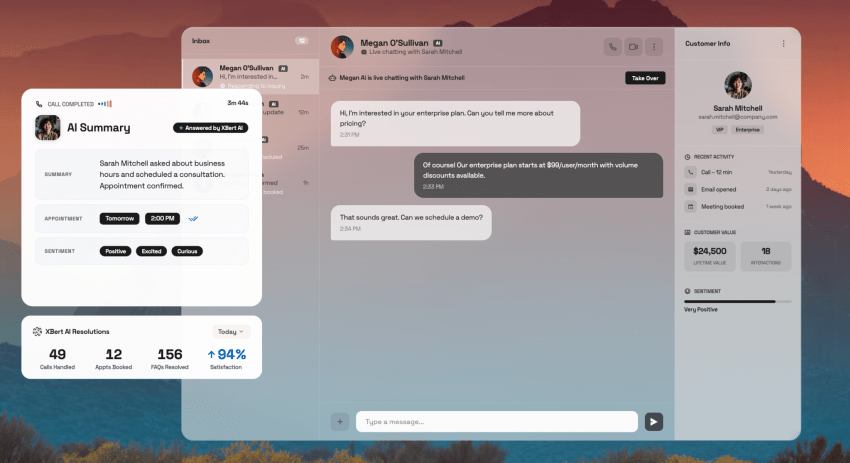
For customer service teams with human agents, Nextiva brings communication history and customer information into the same workspace. An employee who receives an escalated interaction can see the context collected by the AI instead of restarting the conversation. Managers can also study interaction patterns to find recurring questions, knowledge gaps, coaching opportunities, and common reasons customers contact the business.
This structure makes Nextiva suitable for multiple stages of growth. A small business can use XBert to cover front-desk tasks, while a larger service team can connect AI automation with staffed customer service operations.
Key AI features
- Contact center AI: Supports staffed service operations with conversation intelligence, workflow automation, routing, and tools for agents and supervisors.
- Multichannel AI receptionist: Manages qualifying calls, text conversations, and website chats around the clock.
- Appointment scheduling: Connects with supported calendars to book appointments based on current availability.
- Lead intake: Collects names, contact details, service needs, and other qualifying information.
- Custom instructions and guardrails: Follows business-specific rules for answers, scheduling, promises, and escalation.
- Contextual handoffs: Transfers the interaction and collected information when a customer needs a team member.
- Real-time agent coaching: Analyzes live conversations and gives agents relevant knowledge, recommended responses, and process guidance before the interaction ends.
- Sentiment analysis: Detects changes in customer tone that may indicate frustration, confusion, or escalation risk, giving agents and supervisors additional context.
- Interaction records and summaries: Creates transcripts, summaries, and performance reports that reduce manual documentation and support future follow-ups.
Pricing: XBert costs $99 per month for up to 100 qualifying AI conversations. Additional conversations cost $1.50 each. A call counts when it lasts at least 30 seconds, while a text or chat counts after three or more AI responses.
The plan does not require a long-term contract and includes a 30-day money-back guarantee. Nextiva contact center pricing depends on the number of users, communication channels, usage, and selected capabilities. View Nextiva pricing →
Pros and Cons
 Pros
Pros
Published XBert pricing makes initial cost estimates easier
No long-term contract for the standalone XBert plan
Can handle several customer conversations simultaneously
 Cons
Cons
Complete contact center pricing requires a custom quote
Businesses must prepare accurate information and instructions before launch
Availability of integrations and contact center functions depends on the selected product or plan
G2 rating: Nextiva has a rating of 4.5 out of 5 based on more than 3,600 G2 reviews as of August 2026. This score covers the broader Nextiva platform rather than XBert alone.
Best for: Businesses that want to automate front-desk conversations now and connect AI with broader voice and digital customer service as they grow.
2. Zendesk

Zendesk, a cloud-based platform for SaaS customer service solutions, blends AI tools seamlessly into a tried-and-tested ticketing ecosystem. Zendesk AI tools include intent detection, auto-tagging, and macro suggestions.
The native bot builder is straightforward, and Zendesk’s marketplace integration is one of the largest out there, with a vast selection of apps for agent workflows. Strong analytics and omnichannel workflows make Zendesk a reliable platform for customer support teams.
The platform suits teams that already organize support around tickets, service-level agreements, and defined escalation processes. Its extensive marketplace also provides tight integration with CRM, ecommerce, workforce management, and collaboration tools.
Key AI features
- AI Agents: Resolve eligible customer requests using approved knowledge and configured service procedures.
- Intelligent triage: Detects intent, language, and sentiment to categorize and prioritize incoming requests.
- Zendesk Copilot: Suggests responses, next steps, and relevant information inside the agent workspace.
- Generative search: Retrieves answers from connected knowledge sources without requiring agents to search manually.
- AI-powered quality assurance: Reviews customer interactions against defined service standards and highlights coaching opportunities.
Pricing: Zendesk Support starts at $19 per agent per month when billed annually. Omnichannel Suite plans, Copilot, workforce management, quality assurance, and additional AI resolutions may increase the total. A 14-day trial is available. View Zendesk pricing →
Pros and Cons
Pros
Fits teams with established ticketing and SLA processes
Large integration marketplace
Supports gradual adoption of AI
Cons
AI features and add-ons can make pricing difficult to calculate
Setup and administration may be excessive for smaller teams
Advanced capabilities may require higher plans
G2 rating: Zendesk has a 4.3 out of 5 rating based on approximately 7,000 reviews as of August 2026.
Best for: Midsize and enterprise teams that need AI within a structured ticketing and omnichannel support environment.
3. Intercom

Intercom is a conversational AI platform centered on Fin AI Agent and an integrated help desk. Fin uses approved company knowledge to answer questions, follow support procedures, and transfer conversations that require human judgment.
Businesses can use Fin with Intercom’s help desk or connect it to selected external platforms. This makes it useful for teams that want to add an autonomous AI agent without immediately replacing their existing support system.
Key AI features
- Fin AI Agent: Resolves eligible customer requests across supported digital channels using company knowledge.
- Fin Procedures: Follows defined steps to complete multistage requests, such as account changes or order-related tasks.
- External actions: Retrieves or updates information in connected business applications during a conversation.
- Simulations: Tests Fin against sample customer questions before making a workflow available to customers.
- Copilot: Gives human agents contextual answers and writing assistance within the Intercom inbox.
Pricing: Fin starts at $0.99 per outcome. Intercom’s Essential help desk plan starts at $29 per seat per month when billed annually. Advanced costs $85, and Expert costs $132 per seat per month annually. Some communication channels and add-ons cost extra. A 14-day trial is available. View Intercom pricing →
Pros and Cons
Pros
Can work with Intercom or selected external help desks
Includes useful testing and simulation controls
Strong fit for digital-first service teams
Cons
Outcome charges can grow quickly at high volumes
Buyers must understand what Intercom counts as an outcome
Advanced help desk plans have relatively high seat prices
G2 rating: Intercom has a 4.5 out of 5 rating based on approximately 3,900 reviews as of August 2026. The score covers feedback across Intercom’s product profiles, so buyers should also examine reviews related specifically to Fin and customer support.
Best for: SaaS companies and start-ups prioritizing contextual conversations and real-time customer engagement
4. Freshdesk

Freshdesk combines ticketing, self-service, workflow automation, and Freddy AI. Its visual workflow builder makes it easier for support teams to create routing and escalation rules without extensive development work.
Businesses can introduce its AI capabilities gradually. They may begin with ticket classification and response assistance, then add Freddy AI Copilot for selected agents or Freddy AI Agent for automated customer service.
Key AI features
- Freddy AI Agent: Answers common customer questions and completes eligible self-service requests.
- Freddy AI Copilot: Drafts replies and presents relevant information to agents working on tickets.
- Freddy AI Insights: Analyzes service data to flag trends, changes, and potential operational issues.
- Automatic ticket classification: Categorizes requests based on their intent and content.
- Priority and routing suggestions: Directs urgent or specialized requests to the appropriate queue or agent.
Pricing: Freshdesk Growth starts at $15 per agent per month when billed annually. Pro costs $55, and Enterprise costs $89 per agent per month annually. Freddy AI Copilot costs $29 per selected agent per month. Additional AI Agent sessions cost $49 per 100 sessions. A free program and 14-day trial are available. View Freshdesk pricing →
Pros and Cons
Pros
Public pricing and a free option simplify initial evaluation
Teams can buy Copilot for selected agents
Visual workflow tools suit nontechnical administrators
Cons
The base plan, Copilot, and AI sessions have separate charges
Advanced routing and analytics require higher plans
Costs become less predictable as AI usage grows
G2 rating: Freshdesk has a 4.4 out of 5 rating based on more than 3,700 reviews as of August 2026. Its large review base provides useful feedback from both smaller support teams and larger service departments.
Best for: Small and midsize support teams that want an accessible help desk with a gradual path into AI.

5. Ada
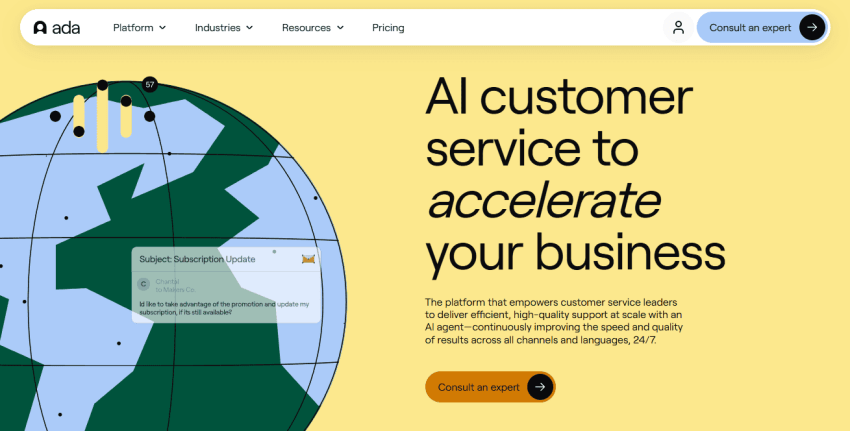
Ada focuses on self-service automation across messaging, email, and voice. Its AI agents can answer questions, follow approved procedures, resolve tickets and other customer inquiries, and complete tasks through connected business systems.
The platform is designed for companies with enough customer volume to justify a dedicated automation program. Businesses can train AI agents on their knowledge, set escalation conditions, and specify which account- or transaction-related actions the AI may complete.
Key AI features
- Autonomous AI agents: Interpret customer requests and determine the steps required to reach an approved outcome.
- Multichannel deployment: Supports automated customer conversations through messaging, email, and voice.
- Business-system actions: Completes eligible tasks by retrieving or updating information in connected applications.
- Multilingual support: Serves customers across languages without requiring a separate AI agent for each market.
- Testing and coaching tools: Let teams examine AI behavior, update instructions, and address unsuccessful responses.
Pricing: Ada uses custom pricing based on conversation volume, channels, languages, integrations, and deployment requirements. Businesses should confirm implementation services, usage limits, overage charges, and trial eligibility directly with Ada. Request Ada pricing →
Pros and Cons
Pros
Built specifically for high-volume autonomous service
Supports system actions rather than only answering questions
Suitable for multilingual service operations
Cons
Standard pricing is not publicly available
Requires well-maintained knowledge and integrations
May be more platform than smaller teams need
G2 rating: Ada has a 4.6 out of 5 rating based on more than 170 reviews as of August 2026. The score is positive, but its smaller review sample provides less evidence than the profiles of more established help desk platforms.
Best for: Midsize and enterprise businesses with high support volumes and the resources to manage an autonomous-service program.
6. Kustomer

Kustomer uses a CRM-centered service model that organizes conversations, transactions, orders, and account activity around the customer rather than an individual ticket. This gives agents a broader view of the customer’s relationship with the business.
Its AI can use this context to support automated conversations, summarize previous interactions, and give agents relevant information. The platform is particularly useful for ecommerce, retail, marketplace, and subscription companies with repeat customers and frequent transactions.
Key AI features
- Kustomer AI Agents: Manage eligible customer conversations using company knowledge and connected customer data.
- Customer timeline analysis: Uses previous interactions, transactions, and account activity to add context.
- Agent response generation: Drafts replies based on the current conversation and available customer information.
- Automatic conversation summaries: Condenses longer interaction histories so agents can review cases faster.
- Proactive workflow triggers: Starts actions when customer behavior, transactions, or account data meet defined conditions.
Pricing: Kustomer uses custom pricing. Buyers should request an itemized quote covering platform licenses, AI usage, communication channels, implementation, data migration, and integrations. Request Kustomer pricing →
Pros and Cons
Pros
Gives agents and AI access to broader customer history
Strong fit for transaction-heavy businesses
Supports proactive workflows based on customer activity
Cons
Public pricing is unavailable
Data migration may require considerable preparation
Smaller teams may prefer a simpler shared inbox
G2 rating: Kustomer has a 4.4 out of 5 rating based on more than 560 reviews as of August 2026. The review volume is large enough to provide useful feedback, particularly for buyers evaluating CRM-centered customer service.
Best for: Midsize and enterprise service teams that need AI and agents to work from a unified customer timeline.
7. Balto
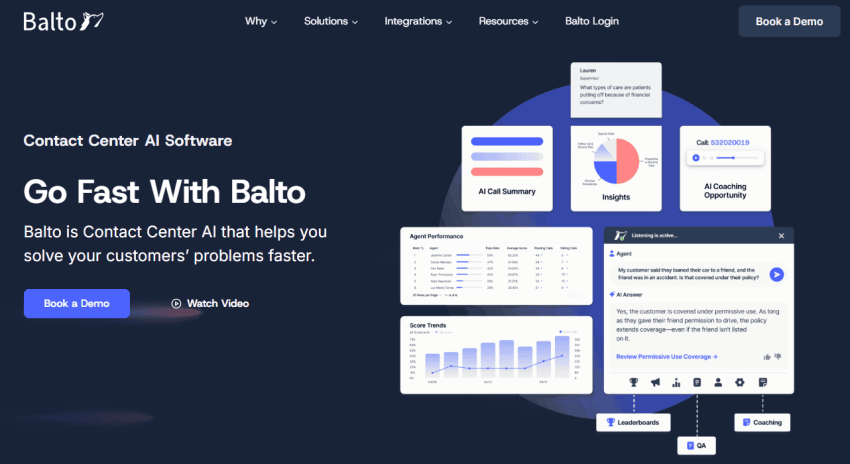
Balto supports human agents during live phone conversations. It analyzes what the customer and agent say, then presents relevant prompts, approved answers, and process reminders while the call is still in progress.
The platform also connects live guidance with quality assurance and coaching. Managers can see where agents miss required steps and use those findings to provide more focused training.
Key AI features
- Live conversation recognition: Detects topics, questions, objections, and required process steps during phone calls.
- Dynamic agent prompts: Changes the guidance shown to an agent as the conversation develops.
- Real-time answer retrieval: Presents approved information without requiring the agent to search other systems.
- Compliance checklists: Tracks whether agents complete required disclosures and process steps.
- Automated QA and coaching: Scores conversations and turns performance findings into focused coaching opportunities.
Pricing: Balto does not publish standard rates. Pricing depends on agent count, selected products, integrations, and implementation requirements. Confirm minimum user or contract requirements in the final quote. Request Balto pricing →
Pros and Cons
Pros
Delivers guidance while agents can still influence the call
Strong compliance and coaching applications
Built specifically for voice-based teams
Cons
Does not replace a phone system, CRM, or contact center platform
Public pricing is unavailable
Offers less value to email- or chat-focused departments
G2 rating: Balto has a 4.8 out of 5 rating based on more than 590 reviews as of August 2026. This is one of the highest scores in the comparison, although buyers should focus on reviews from voice-based teams with similar agent workflows.
Best for: Voice-focused contact centers that want AI to guide agents during live conversations and support targeted coaching.
8. ChatBees

ChatBees uses retrieval-augmented generation to find information across company documentation, historical tickets, and other connected sources. It can generate answers for customers or reduce the time agents spend searching through technical knowledge.
The platform can also build knowledge graphs from past tickets and automatically scan new requests for relevant information. Teams can connect ChatBees to their own knowledge base to improve answer retrieval. It may complement an existing help desk rather than replace a complete customer service platform.
Key AI features
- Ticket Copilot: Generates answers and guidance for agents handling support requests.
- Knowledge graphs: Maps relationships found across historical tickets and connected support content.
- Automatic reference resolution: Links new requests with relevant previous information and documentation.
- Periodic knowledge ingestion: Updates connected information sources according to a defined schedule.
- Automatic ticket scanning: Reviews incoming tickets to find applicable knowledge and possible answers.
Pricing: ChatBees Flex add-ons start at $25 per month when billed annually or $29 monthly. The Standard plan costs $249 per month annually or $269 monthly and includes 200 tickets per month. Enterprise pricing is customized. A 14-day Standard trial is available. View ChatBees pricing →
Pros and Cons
Pros
Focuses on knowledge-grounded technical answers
Publishes pricing and offers a trial
Can add AI to an existing support operation
Cons
Has a very limited public review footprint
Standard plan limits the included ticket volume
May not replace an omnichannel help desk
G2 rating: ChatBees does not have any verified G2 reviews yet. Buyers should depend more on a product trial, customer references, and direct technical testing until independent feedback becomes available.
Best for: Technical, B2B, and internal support teams that need AI to retrieve information from documentation and historical tickets.
9. Help Scout

Help Scout combines a shared inbox, knowledge base, customer profiles, website support widget, and lightweight AI. Its email-style interface makes it accessible to teams moving from a basic support address to dedicated AI customer support software.
AI Answers handles common website questions, while AI Drafts and AI Assist support employees inside the inbox. Customers can still reach the support team when the AI cannot complete a request. Its focused feature set suits teams that need straightforward automation rather than basic analytics spread across several tools.
Key AI features
- AI Answers: Responds to common customer questions through Help Scout’s Beacon website widget.
- AI Drafts: Creates replies using approved knowledge and previous customer conversations.
- AI Assist: Changes the tone, length, wording, or language of an agent’s response.
- AI Summarize: Condenses longer conversations into key points for faster review.
- Custom knowledge sources: Expands the information AI Answers can use beyond the standard Docs knowledge base.
Pricing: Help Scout offers a standard plan at $25 per user/month. AI Answers costs $0.75 per completed resolution and includes a three-month trial for new customers. Paid plan costs depend on users, contacts, inboxes, and features. View Help Scout pricing →
Pros and Cons
Pros
Familiar interface reduces training requirements
Free plan lowers the initial commitment
Provides a direct path from AI to human support
Cons
Lacks the voice and workforce depth of a contact center platform
AI Answers carries a separate usage charge
Larger teams may outgrow its routing controls
G2 rating: Help Scout has a 4.4 out of 5 rating based on approximately 440 reviews as of August 2026. Its review sample provides useful evidence for smaller and growing teams, which make up the platform’s primary market.
Best for: Small and growing support teams that want a straightforward shared inbox, knowledge base, and customer-facing AI.
10. NICE CXone
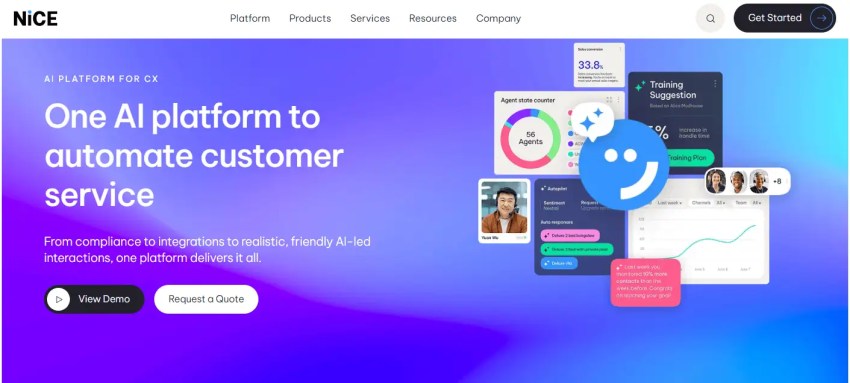
NiCE CXone combines voice, digital service, routing, workforce management, quality assurance, and analytics in an enterprise contact center platform.
Its AI supports several roles. Customers can use automated self-service, agents can receive guidance, supervisors can monitor service activity, and workforce teams can forecast demand. This broad scope makes CXone suitable for complex operations that want to consolidate several contact center functions.
Key AI features
- Enlighten AI: Analyzes customer interactions for sentiment, behaviors, and service outcomes.
- Conversational automation: Handles eligible customer requests through automated voice and digital self-service.
- CXone Copilot for Agents: Presents contextual information and guidance during customer interactions.
- CXone Copilot for Supervisors: Highlights operational changes, service risks, and areas that need attention.
- AI-powered workforce management: Forecasts interaction demand and supports staffing and scheduling decisions.
Pricing: NiCE does not publish complete standard pricing for every configuration. Current listings suggest that some packages may start around $110 per agent per month, but the final quote depends on editions, modules, channels, users, and usage. View NiCE CXone pricing →
Pros and Cons
Pros
Applies AI across customer, agent, supervisor, and workforce workflows
Strong quality management and analytics
Suits complex omnichannel contact centers
Cons
Deployment may require significant technical resources
Complete pricing requires a sales consultation
Smaller businesses may not need its broad capabilities
G2 rating: NiCE CXone has a 4.3 out of 5 rating based on more than 1,700 reviews as of August 2026. Its substantial review base gives enterprise buyers a broad source of feedback on contact center deployment and daily use.
Best for: Large contact centers that need AI across self-service, agent guidance, quality assurance, workforce planning, and analytics.
11. Genesys Cloud CX
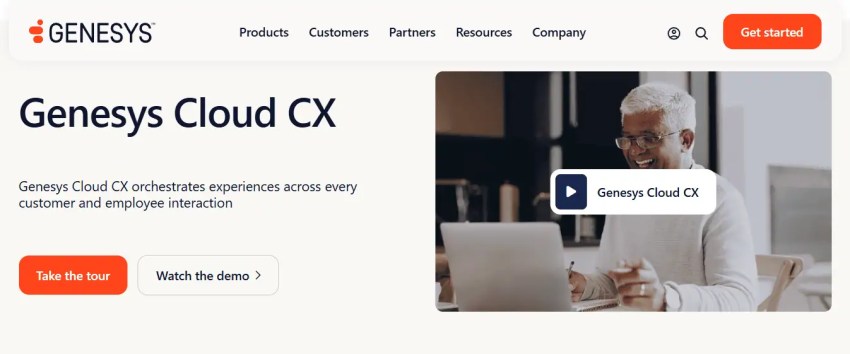
Genesys Cloud CX combines communication channels, intelligent routing, workforce engagement, analytics, and customer journey tools. It suits organizations with several queues, regions, business units, and customer paths.
The platform can use customer and interaction signals to support routing decisions rather than relying only on agent availability. It also connects predicted contact demand with workforce planning, making it useful for large operations where staffing directly affects service levels.
Key AI features
- Predictive routing: Uses customer and interaction signals to select an appropriate agent or queue.
- Virtual agents: Manage eligible customer requests through automated voice and digital conversations.
- Agent Copilot: Presents knowledge, summaries, and recommended actions inside the agent workspace.
- Journey analysis: Examines activity across several interactions and stages of the customer relationship.
- AI workforce forecasting: Predicts contact demand to support staffing and scheduling decisions.
Pricing: Genesys Cloud CX starts at $75 per user per month when billed annually. Certain AI capabilities require AI Experience tokens, and additional usage charges may apply. A qualified free trial is available in supported regions. View Genesys pricing →
Pros and Cons
Pros
Strong routing, workforce, and journey capabilities
Published starting price provides an initial reference
Suits complex global operations
Cons
Token-based AI usage can complicate cost forecasting
Implementation requires experienced administrators
Smaller teams may not use its full range of capabilities
G2 rating: Genesys Cloud CX has a 4.4 out of 5 rating based on more than 1,500 reviews as of August 2026. The large sample is particularly relevant to organizations evaluating complex contact center and omnichannel operations.
Best for: Midsize and enterprise organizations with complex routing, workforce, and customer journey requirements.
12. Drift

Drift focuses on website conversations, lead qualification, account engagement, and sales routing. It uses visitor activity and CRM information to tailor conversations and direct high-intent prospects toward relevant content, meetings, or sales representatives.
The product differs from a conventional help desk because it prioritizes buyer engagement and pipeline creation rather than post-purchase case management.
Salesloft acquired Drift in 2024. In March 2026, Clari and Salesloft announced the gradual sunset of Drift and named 1mind as its intended successor. Since the tool remains in this comparison, readers should confirm its current availability and migration path before purchasing.
Key AI features
- Bionic Chatbots: Respond to open-text website questions using approved company and brand information.
- Visitor recognition: Uses account, CRM, and website signals to tailor each conversation.
- Automated lead qualification: Collects information and determines whether a visitor meets defined sales criteria.
- Fastlane: Lets qualified visitors bypass standard forms and move directly to the appropriate next step.
- AI Insights: Groups and analyzes topics that appear across website conversations.
Pricing: Drift does not publish standard rates. Drift is being gradually sunset and should not be evaluated as a new purchase. Existing customers should contact Salesloft to confirm current availability, pricing, contract terms, support period, and transition options. Request Drift pricing →
Pros and Cons
Pros
Strong focus on B2B website conversion
Uses account and visitor data to personalize engagement
Connects website activity with sales routing
Cons
Drift is being gradually sunset
Not a complete help desk or contact center platform
Public pricing is unavailable
G2 rating: Drift has a 4.4 out of 5 rating based on more than 1,200 reviews as of August 2026. Drift’s ownership, product direction, and transition plans have changed since many earlier reviews were published.
Best for: Existing Drift customers and B2B teams assessing conversational website engagement, provided they confirm the remaining support period and migration options with Salesloft.
When and Where to Use AI in Customer Support
| Use Case | AI Tool Example | Outcome |
|---|---|---|
| Triage + classification | Nextiva, Freshdesk, Zendesk | Faster routing, reduced backlog |
| FAQ and self-service | Ada, Intercom, ChatBees | Lower ticket volume |
| Real-time agent assist | Balto, Nextiva, Genesys | Higher FCR, reduced average handling time |
| Proactive engagement | Drift, Kustomer | Increased CSAT and retention |
| Summarization + insights | Nextiva, ChatBees, Help Scout | Faster documentation, better QA |
AI to Replace vs. AI to Assist Customer Service Agents
AI is more likely to replace individual customer service tasks than entire roles. It can manage predictable requests that follow clear rules, while human agents remain necessary for situations involving judgment, empathy, negotiation, or policy exceptions.
| AI can handle independently | AI should assist a human agent | A human should lead |
|---|---|---|
| Business hours and location questions | Troubleshooting with several possible causes | Serious complaints and relationship recovery |
| Order, delivery, or appointment status | Reviewing account history | Requests involving vulnerable or distressed customers |
| Basic password reset instructions | Drafting a personalized response | Policy exceptions requiring authority |
| Routine ticket classification | Finding relevant policies and previous interactions | Negotiations, cancellations, and high-value retention |
| Conversation summaries and tags | Recommending the next step | Sensitive legal, medical, financial, or safety decisions |
| Approved appointment changes | Providing compliance reminders | Cases with incomplete or conflicting information |
Businesses should automate a task when the request is clear, the answer comes from an approved source, and an error can be corrected. Human review becomes more important when AI must interpret emotion, access sensitive information, make an exception, or take an action with significant consequences.
The goal is not to achieve the highest possible advanced automation rate. Businesses should measure whether AI resolves the issue, transfers the correct context, reduces customer effort, and gives agents more time for complex work.
Here are a few signs you might be depending too much on AI
- Customers repeatedly ask for a human agent or restart conversations.
- Automated interactions end without solving the original request.
- Repeat contacts rise even though the reported containment rate improves.
- Agents receive escalations without the conversation history or actions already taken.
- Employees spend more time correcting AI summaries, classifications, or responses.
- The AI provides confident answers when company policies are unclear or incomplete.
- Customer satisfaction declines for the workflows with the highest automation rates.
The strongest approach combines both models. Use AI to manage repetitive work and support employees with information, summaries, and guidance. Keep human agents responsible for situations that require judgment, empathy, accountability, or authority.
AI Customer Service Strategies That Drive Results in 2026
Gartner found that 91% of customer service and support leaders felt executive pressure to implement AI in 2026. That urgency makes a clear implementation strategy essential because adopting artificial intelligence without defined use cases, safeguards, and human handoffs can create more problems than it solves. The question isn’t whether to adopt AI, but how to implement it effectively.
6 Winning AI Strategies for 2026
Strong AI strategies connect automation to customer expectations, service goals, and clear human handoffs.
1. Hyper-Personalization at Scale
Modern AI analyzes customer profiles, purchase history, and past interactions to deliver personalized responses in real time. Companies use AI to understand not just what customers ask, but the context and emotions behind each request.
Nextiva’s Unified-CXM platform consolidates customer data from multiple sources into a single view, enabling personalized support across voice, chat, SMS, and email without agents switching systems.
2. AI-Powered Chatbots for Common Issues
62% of customers prefer engaging with chatbots over waiting for human agents, but only when those chatbots deliver accurate, relevant responses. Deploy chatbots for high-volume, low-stakes, and repetitive tasks like order tracking and FAQs while keeping humans available for complex issues.
3. Sentiment Analysis for Smarter Routing
AI-powered sentiment detection identifies frustration, urgency, or confusion in customer messages. Nextiva’s real-time sentiment analysis routes upset customers to senior agents, alerts supervisors to high-risk conversations, and adjusts automated responses based on emotional tone.
4. Predictive Customer Service
Anticipate customer needs before they arise. Send proactive notifications like “Your package is delayed – here’s a new ETA” or “We noticed your usage dropped. Need help?” This shifts support from reactive to proactive, reducing inquiry volume while improving satisfaction.
5. Real-Time Agent Assist
75% of CX leaders see AI as a force for amplifying human intelligence, not replacing it. Agent assist technology surfaces relevant knowledge articles, suggests responses, analyzes sentiment, and automatically summarizes calls, helping agents work faster without replacing them.
6. Omnichannel AI Support
Maintain conversation context as customers move between chat, email, and phone. Nextiva unifies all channels on a single platform with shared data, so customers never repeat themselves and agents see complete interaction history regardless of how customers reach out.
Emerging Trends to Watch
Several key trends are shaping AI customer service in 2026:
Seamless channel switching. Customers expect to jump between chat, email, social media, and voice without repeating information. Integrated AI tools connect these touchpoints automatically.
Proactive support. Instead of waiting for customers to reach out, AI anticipates needs and provides assistance before problems occur. Continuous learning can improve recommendations as teams review outcomes and update approved content.
Agent empowerment over replacement. The best implementations position AI as a co-pilot that surfaces knowledge and generates suggestions, helping agents handle difficult moments more effectively.
Transparent, responsible AI. 73% of clients are more critical of commercial communication than in previous years. Customers want to know when they’re talking with bots, how their own data is used, and what safeguards prevent bias.
How to Choose the Right AI Vendor
When evaluating AI customer service platforms, prioritize these factors:
Integration capabilities. Ensure seamless connections with your existing CRM, helpdesk, and communication tools: Salesforce, Zendesk, ServiceNow, or whatever your team uses.
AI quality. Test how well the platform understands natural language and handles real-world conversations. Request demos with your actual customer data.
Omnichannel support. Choose platforms that work across chat, email, SMS, voice, and social media with unified data and consistent experiences.
Security and compliance. Verify GDPR, HIPAA, or SOC 2 compliance as needed. Modern platforms automatically mask sensitive information like credit card numbers and addresses during conversations and in transcripts.
Analytics and reporting. Look for rich insights on KPIs, sentiment trends, and team performance to measure success and identify improvement opportunities.
Try platforms before committing, and involve both front-line agents and IT teams in the selection process.
How to Track AI’s Effectiveness
Success isn’t just about deploying AI; it’s about knowing whether it’s working and delivering the expected outcomes. Here are the key metrics that separate good guesses from smart growth.
AI containment rate
The containment rate measures the percentage of customer inquiries fully resolved by AI tools such as chatbots, IVR, and virtual agents. It’s used to evaluate how well an AI tool performs common workflows like password resets or providing shipping status updates. A high containment rate signals effective automation, but you should pair it with satisfaction metrics to confirm the experience is smooth and that customers are truly happy.
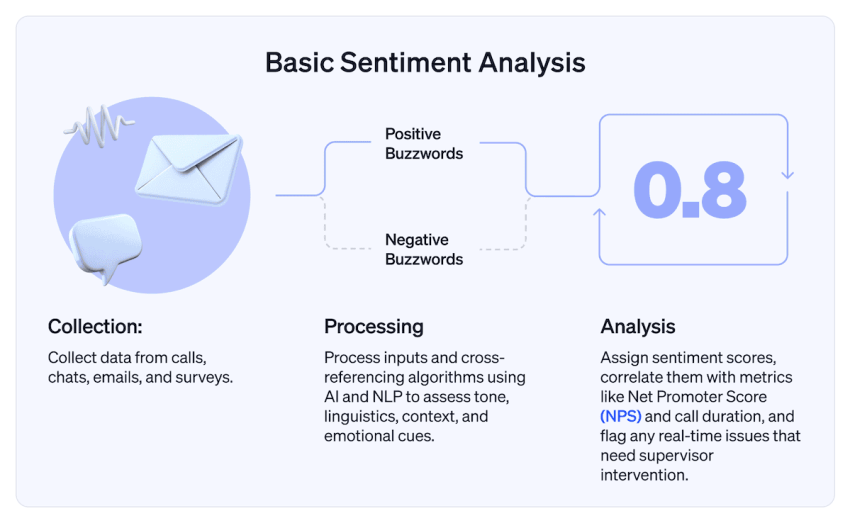
Escalation rate
You can track how many AI-initiated interactions end up with human agents through the escalation rate. A moderate rate is fine, but a rate that’s too low might suggest customers are stuck in automation loops. A deeper look at escalation rates can help identify which customer issues are too complex, emotionally sensitive, or unclear for AI to resolve on its own.
Average handling time
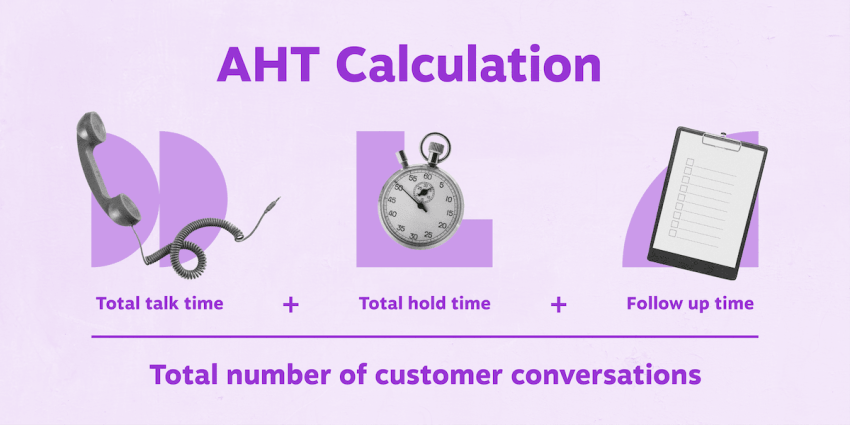
This metric compares the time it takes to resolve issues with and without AI involvement. When it’s effective in suggesting next actions, summarizing issues, and routing tickets intelligently, AI should reduce average handling time and improve response times. If it doesn’t, use this metric to identify the specific workflows where AI might be adding friction or where it can be used to accelerate processes.
CSAT and customer effort score
CSAT and customer effort score (CES) help gauge how users feel after an AI interaction. Break these down by channel (chatbots, IVR, or live chat) to see where automation is helping or hurting. CES is particularly important in determining whether AI-led or AI-assisted interactions are easy or are making customers jump through hoops.
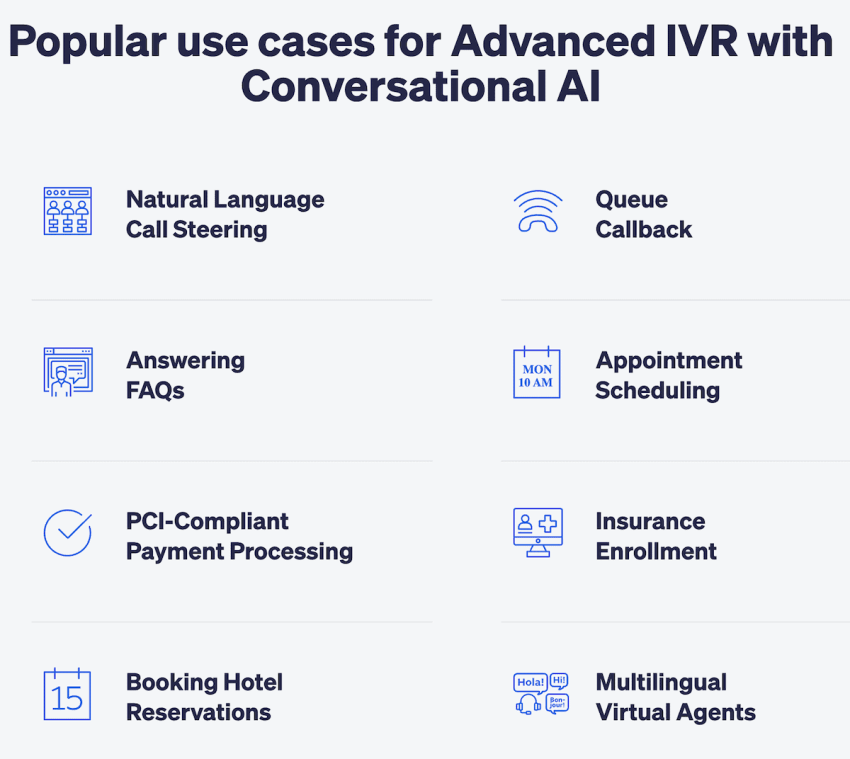
Knowledge deflection rate
When customers solve their issues through AI-surfaced help articles or self-service workflows without creating tickets, it’s a win for everyone. A good knowledge deflection rate shows the strength of your knowledge base and the AI’s ability to surface the right information for each customer.
Agent satisfaction
AI should lighten your agents’ loads, not frustrate them. The agent satisfaction metric helps you evaluate if AI enables your agents by helping them reduce manual workload or give valuable insights. It also shows you whether AI is actually making agents’ jobs harder because of poor suggestions or unclear handoffs. You can measure this metric through internal pulse surveys or direct feedback after shifts.

Best Practices for Implementing AI Support
While most AI customer service tools today offer practical plug-and-play functionality, it takes more than deploying them to gain customer service success. Here are some practices that you and your team can use to implement AI support.
- Start with narrow use cases. Don’t try to automate everything at once. Start with high-volume, low-stakes tasks like order tracking, billing concerns, or password resets. Check results and ROI, then gradually expand AI to other workflows.
- Use a unified knowledge base to ground all AI responses. Your AI is only as good as the information it pulls from. Consolidate your help content, structure it well, and update it frequently to keep your AI sharp. Keep in mind that AI thrives on clean and structured inputs, so make sure your AI bots have a trusted, centralized source to pull data from.
- Monitor interactions to refine performance and detect drift. AI isn’t “set it and forget it.” To optimize its use, regularly review transcripts, chat logs, and customer sentiment scores. This enables you to catch errors or outdated responses. You can also use customer feedback buttons and surveys to refine performance regularly.
- Train and retrain your AI on actual customer language. Train on real conversations and relevant training data. Use real tickets and social media messages, including messy language (slang, typos, and emotion-laced messages), to help your AI understand how customers really speak. By feeding your AI real interactions, you can help it understand intent, tone, and natural language variations.
- Give customers easy access to human agents when needed. You don’t want to trap users in automation loops, so always offer a human fallback. Make it easy to escalate, especially when urgency or emotion is involved. Offering a clear path to human help for time-sensitive complaints, cancellations, and complex issues helps you preserve customer trust.
- Align AI with your CRM to add context to every interaction. Integrate AI with your Salesforce, HubSpot, Zoho, or whichever CRM tools you use. This allows agents and bots to reference previous purchases, tickets, and history for faster and more personalized support. When your AI understands a customer’s preferences and pain points, every conversation becomes smarter and more satisfying.

Automate More of Your CS Processes With Nextiva
Since each AI customer service tool has its own strengths, it might seem like a good idea to use a different platform for each process. However, juggling separate tools can be chaotic. Instead of relying on disparate tools, you can improve efficiency and boost productivity with a unified platform like Nextiva.
Unlike other vendors that specialize in just one feature, Nextiva provides a CX platform that’s easy to deploy and powerful enough to scale with enterprise growth. As a powerful UJET alternative, it brings AI into every part of the customer support journey:
- Conversational AI for chat, voice, and email support
- Real-time agent assist for better conversations and faster resolutions
- Call summary generation that turns every call into structured data
- Smart routing and CRM context to personalize every interaction
- Reliable omnichannel support, from live chat to phone to SMS
With Nextiva, you get a unified AI-powered customer experience platform. One login. One source of truth. Endless potential to make service faster, easier, and more human.
AI won’t replace your team, but it will transform their capabilities. The future of customer service is about machines and humans working smarter together.
Start building smarter customer experiences with Nextiva today.
Top AI-Powered Contact Center Solution
Transform your customer interactions with a contact center platform that saves you time and money, reduces agent and supervisor stress, and flexibly adapts to fit your needs.