VoIP
VoIP  Blog
Blog  Business Communication
  Customer Experience
  Leadership
  Marketing & Sales
  Nextiva News
  Productivity
Microsoft no longer supports Skype for Business, which means your business must either succumb to Microsoft Teams or find a suitable replacement. Whether you’re still using the online version or you’ve been investing effort into your on-premises assets, it’s time to migrate away.
The good news is that there are plenty of alternatives to Skype for Business on the market. The bad news is that there may be too many to digest. In this guide, we’ve compiled the best five, based on market perception, feature set, and general suitability.
Before we begin exploring the best Skype alternatives, let’s revisit the past, recall why we all used this cherished communication tool, and prioritize what we need from a new collaboration app.
Why Teams Originally Chose Skype for Business
Ease of use and familiar interface
Skype for Business has been one of the favorite interfaces across businesses. It was similar to using Skype in the consumer market. For anyone born in the ’90s, it had the same feel as MSN Messenger. It was comfortable and familiar, making chatting with colleagues easy.

Like MSN, signing in to Skype for Business was straightforward, and setup was easy. Specialists configured it, and there were plenty of Microsoft admins who completed it, but it was simply an easy tool to chat, call, and meet on.
The intuitive interface and limited functionality also meant a low learning curve for new employees — speeding up adoption time.
Free or affordable communication
Unless international or integration requirements led you to choose a complex plan, the free version gave you access to video calls, messaging, and online meetings. This empowered businesses to save money on PSTN calling and conference bridges while introducing remote communication. While Microsoft Lync preceded this, it was unwieldy and an early-adopter technology (compared to Skype) that few people were confident using.

Even with paid plans, you could still benefit from low-cost international calling. This opened the door for small teams on limited budgets to make powerful connections across the world without being restricted to localized business.
Basic collaboration functions in one app
The most pressing use case for Skype for Business was that it brought everything available (at the time) into a single app. Skype wasn’t just a softphone; it was a unified communications app.
Messaging, voice calls, conference calls, and video conferences in a single application meant a single user interface to navigate and a unified platform for your real-time communications.
During meetings and calls, you could share your screen and upload files. During meetings and calls, you were introduced to screen sharing, a whiteboard, and file uploads. This was revolutionary at the time, as it meant you didn’t need to use a webinar or a slow-uploading file-sharing platform for cross-team collaboration.
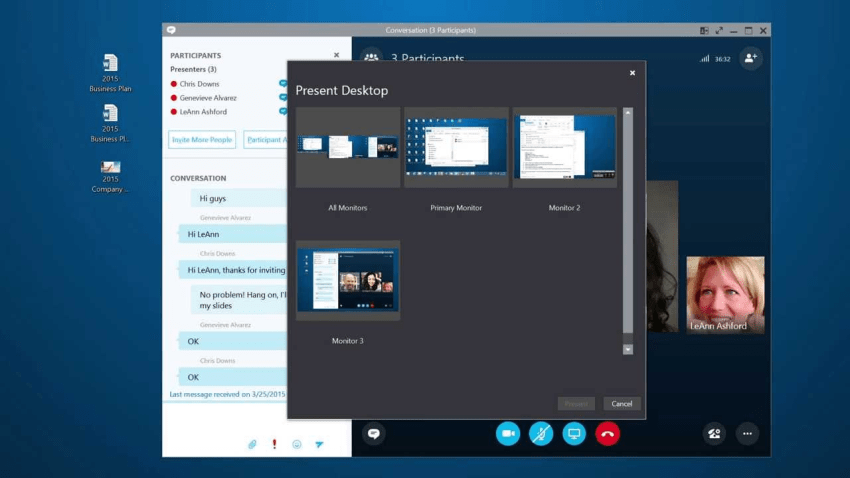
Group chats for simple team coordination facilitated the creation of virtual team communication, and reliance on emails and voicemails with significant gaps between communication threads became a necessity of the past.
Integration with Microsoft’s ecosystem
The most significant win for Microsoft and telephony admins was early compatibility with Outlook and basic sync with Microsoft products and back-end systems. Unless, of course, you had disparate teams. Uniting the telephony and IT teams to co-manage a product caused rifts and confusion in some cases. This is unheard of today, and Skype for Business was the protagonist.
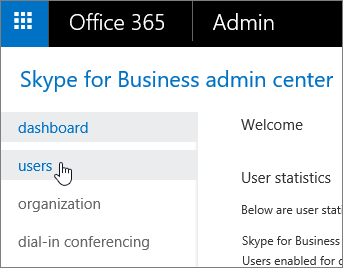
A single, unified communications app incorporated into the Microsoft ecosystem was attractive to organizations already using Microsoft tools.
While these strengths helped Skype dominate early digital communication, workplace communications evolved rapidly around it. Today’s modern tools have taken the best features of Skype and molded them into exactly where they need to be for future-proof collaboration.
Why Businesses Are Now Searching for an Alternative
Skype’s shutdown accelerated the move to more reliable, cloud-based platforms. Microsoft retired Skype for Business Online back in 2021, and extended support for the final on-premises server version ended on October 14, 2025.
With official support now expired and Microsoft enforcing migrations to Teams, any business still operating on legacy Skype infrastructure is doing so without security updates, patches, or technical assistance.
With many great Skype for Business alternatives available and Microsoft enforcing migrations to Teams for most users, you would need an extremely pressing reason to remain with Skype today.
Even before its discontinuation, limitations made it less useful for modern business needs. Microsoft made it clear that Teams was the sole focus and Skype (both business and consumer models) would receive no attention.
Limited scalability
As international businesses collaborating remotely in real time became the norm, management across growing teams became difficult to sustain. Without collaboration features like grouping or channels, anybody could message their peers and executives. There was a lack of organization compared to what we see today with message threads and channel-based working.
Skype also lacked enterprise-grade features for structured workflows, which meant Skype often became disorganized. There was no single way to collaborate, which often led to a lack of productivity.
Outdated collaboration tools
With Microsoft focusing on Teams, we witnessed minimal development for integrations with CRMs or help desk tools. It lacked an omnichannel inbox, and admins had limited control over the tools they were tasked with supporting.
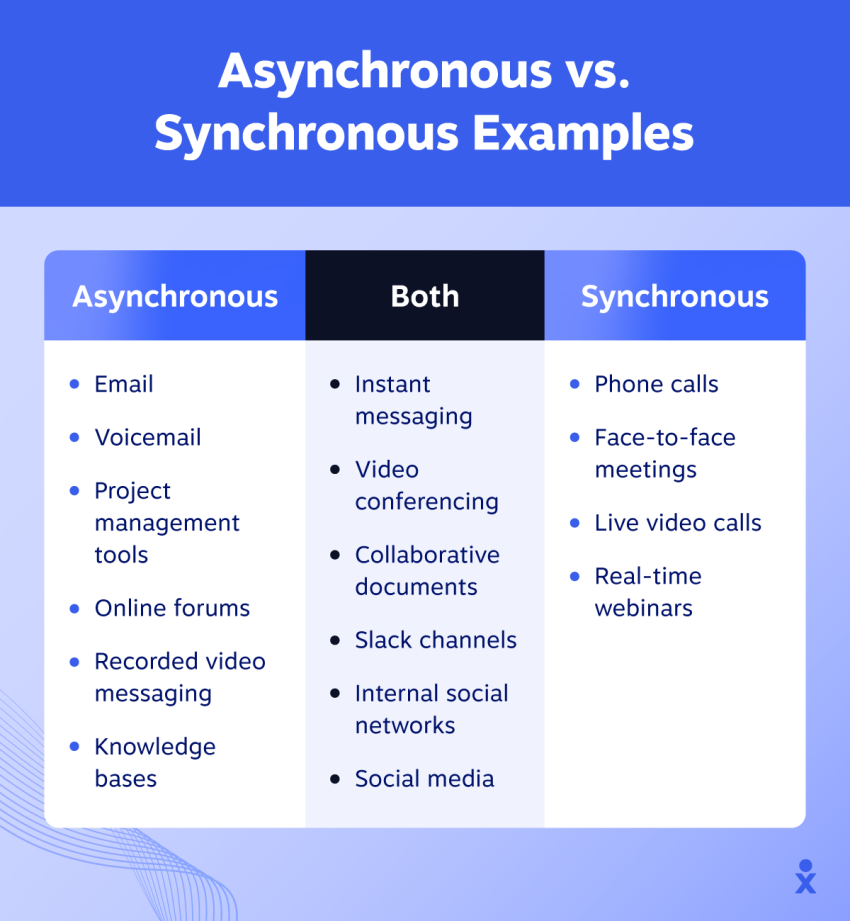
Skype also always focused on instant messaging and real-time calling rather than asynchronous communication. Messages weren’t always saved for the next time you logged on, meaning conversations could end abruptly, and users were left needing to send an email or call to follow up on the end of their chat.
Security and compliance challenges
Compared to today’s standards, Skype for Business surfaced without sufficient protection for businesses. If, for example, you work in an industry requiring HIPAA, PCI, or SOC compliance, you would have to choose another tool or work within rigid constraints.
As businesses grew, this problem multiplied. The lack of built-in compliance and security often meant investing in expensive third-party programs to keep your communications data safe.
No unified platform for customer or team communication
Skype was built for personal communication first and business use second. It was also designed to thrive in internal communications. You could invite external guests if your admin enabled federation, but IT security teams, concerned about sharing private information, frowned on it, and it never became the norm.
Skype always lacked the multichannel capabilities businesses now require (third-party contact centers existed but came at a cost). Customer-facing teams nowadays require a single platform for both internal and external communication. The cost of switching between platforms has been widely documented and is something businesses are keen to avoid.

Top 5 Skype Business Alternatives
1. Nextiva
🏆 Best overall replacement for Skype for Business

Nextiva delivers a unified voice, video, team chat, SMS, customer conversations, and analytics in one intuitive platform as a complete upgrade from Skype. You get both internal and external communications, real-time and asynchronous options, and the ability to integrate with several CRM and line-of-business applications.
Unlike standalone calling tools, Nextiva merges internal and external communication so teams can collaborate and serve customers in one workspace. There’s no app switching, and all usage and call reporting gets unified in a single admin space.
Why it stands out
- Unified workspace for voice, virtual meetings, messaging, and customer interactions
- Centralized team chat, meetings, and client communication with NextivaONE
- 99.999 percent uptime for business-grade reliability
- Native CRM, call routing, analytics, and automation
- More advanced capabilities than Skype ever offered
- HIPAA, PCI, and SOC 2 compliance

Key features
- HD voice and video: On-net and PSTN calls are crystal-clear.
- Team chat and file sharing: Persistent workspaces store chat history and keep common files and documents readily available.
- Call routing and IVR: The same provisioning portal programs how customers reach contact center agents and back-office staff.
- AI-powered transcriptions and summaries: All calls and meetings get documented actions and minutes.
- CRM integration: A two-way data sync with apps like HubSpot, Dynamics, and Salesforce is created, then triggers are added to update systems when changes occur.
- Mobile and desktop apps: Unified apps mean you have access to all your contacts and information on the move (Android and iOS).
- Omnichannel messaging in one thread: Clients reach your customer service team on their channel of choice without having to repeat themselves when switching from web chat to a call.
Best for
Companies that want an all-in-one communication system that realigns internal collaboration and customer-facing communication on a single platform.
2. Microsoft Teams
Best for businesses tied to Microsoft 365

Teams is the natural transition path for organizations tied to Microsoft’s productivity suite. It provides chat, meetings, and collaboration tools with strong integration across Outlook and OneDrive. You may even be using Teams today, after migrating from Skype for Business.
Microsoft Teams Phone System enables PSTN calling, but it costs extra and can be tricky to deploy if you don’t have the in-house Microsoft/PSTN expertise. With options like Direct Routing and Operator Connect, as well as its calling plans, it’s not an easy migration to navigate.
If you already use Microsoft for the rest of its suite, it’s an obvious choice. Teams is built on a SharePoint foundation. If you’re storing all your data and documents in SharePoint, it makes sense to surface them on Teams.
| Pros | Cons |
|---|---|
| End-to-end Microsoft 365 integration | Additional licensing required for Teams Phone |
| Large video meeting capacity | Possibly overly complex for small businesses |
| Persistent chat for teams and departments | Steeper learning curve for non-Microsoft users |
Best for
Microsoft-first organizations replacing Skype for Business with minimal disruption.
Related Reading: 85% of Teams users pick another phone system
3. Zoom
Best for video-first companies

Zoom is widely recognized for high-quality video and easy-to-join meetings. It is a popular replacement for teams that depended heavily on Skype’s meeting features.
With features like breakout rooms, emoji reactions, and a built-in messaging app, Zoom pioneers certain functionality, gaining favor over competitors like RingCentral, Slack, and other full-featured video providers.
While Zoom is launching new functionality for specific industry verticals, like end-to-end encryption and AI Companion, the number one association with Zoom remains video, which is considered superior to its heavy-hitter competitors.
If real-time video isn’t a primary concern for your organization, favor a different Skype for Business alternative.
| Pros | Cons |
|---|---|
| Fast setup and user-friendly meetings | Quickly costly add-ons |
| Large meeting and webinar capacities | Previous security concerns |
| Optional Zoom Phone add-on | Limited team chat compared to other collaboration platforms |
Best for
Teams that need a reliable video conferencing solution at scale with a simple joining and management experience.
4. Webex
Best for companies requiring strong admin controls
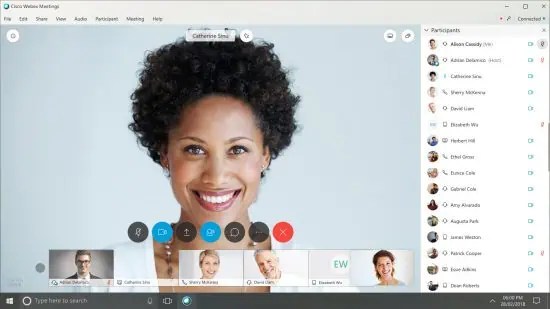
Webex provides secure video meetings, messaging, and calling with advanced admin settings that appeal to regulated industries. Known for large implementations and hybrid deployments (a combination of on-premises and cloud), Webex is a firm favorite when complexity is involved.
If you already have meeting rooms equipped with Cisco infrastructure, integration between devices and collaboration software is seamless. What’s more, it’s maintained using the same Webex Control Hub for speedy provisioning and troubleshooting.
| Pros | Cons |
|---|---|
| Comprehensive security framework | Higher total cost |
| Robust admin and compliance tools | Less intuitive for smaller teams |
| Full UC suite with Webex Calling | Advanced features in higher-tier plans only |
Best for
Enterprises and regulated businesses prioritizing security; businesses already using complex Cisco meeting room setups.
5. Google Meet
Best for Google Workspace users

Google Meet offers simple, browser-based video meetings tightly integrated with Gmail, Calendar, and Drive, making it a lightweight choice for organizations using Google Workspace.
The major component holding Google back from integrating with other leading vendors in the unified communications as a service space is its lack of an established VoIP solution. While Google Voice does exist, it costs extra, and Google has a history of chopping and changing products arbitrarily.
| Pros | Cons |
|---|---|
| Easy browser-based access | Limited calling features without Google Voice |
| Simple, clean interface | Less robust than full UC platforms |
| Affordable through Workspace plans | Potentially difficult navigation for non-Google users |
Best for
Teams that want a minimalist, low-friction meeting tool within Google Workspace.
Making the Switch to Nextiva
Skype’s legacy shaped modern business communication, but the workplace has outgrown its capabilities. Microsoft acknowledges this and has chosen to go all-in on Teams, which might not be the right move for your business.
Today’s teams require unified communication, reliability, integrations, and a true business-grade communications platform. To check off all these requirements, you need a comprehensive platform that’s easy to use, configure, and manage.

Nextiva integrates internal communication and customer interactions into a single, modern system, putting it at the forefront as the most complete Skype for Business alternative. With fair pricing, easy-to-get-started setup, and the ability to scale both up and down over time, Nextiva checks all the boxes.
Whether a team needs video meetings, messaging, calling, automation, or omnichannel customer support, Nextiva delivers a unified, scalable platform that future-proofs communication.
Want to see Nextiva for yourself? Learn more about Nextiva here. 👇
One app for all your conversations.
Call, message, and meet. Stay connected in a single workspace, and
easily move between all the ways you collaborate.