Customer Experience
  Blog
Blog  Business Communication
  Leadership
  Marketing & Sales
  Nextiva News
  Productivity
  VoIP
VoIP 


Nobody enjoys waiting on hold, even if you play their favorite song.
Whether someone is calling their bank, healthcare provider, or internet provider, long queue times create frustration before the conversation even starts. Every minute increases the likelihood that they’ll hang up, try another support channel, or abandon the interaction altogether. That’s why more and more businesses are replacing traditional hold queues with scheduled callback systems.
Instead of remaining on the line, customers can choose a convenient date and time to receive a return call from the right agent. It’s a simple change, but it’s one that improves the customer experience while helping contact centers manage demand more efficiently.
The need has never been greater. According to Nextiva’s Customer Patience Benchmark, 72.3% of callers expect a response within five minutes. If they don’t receive one, 56.3% will try another support channel, and 18% will leave a negative review. Separate industry data shows that 75% of U.S. adults prefer callbacks over waiting on hold, and 28% have completely abandoned companies due to excessive hold times.
A scheduled callback system alleviates this problem. ✅
What Is a Scheduled Callback System?
A scheduled callback system allows callers to book a specific date and time for a return call from your business instead of waiting on hold.
Once your customer selects a suitable time, the system reserves the callback, stores the necessary information, and automatically prompts an available agent at the scheduled appointment time. The agent receives the customer’s details and initiates the callback without requiring the customer to remain in a queue.
Scheduled callback vs. ASAP callback
Although both options remove the need to wait on hold, they solve different problems.
An ASAP callback allows callers to keep their place in the queue virtually. They hang up, go about their day, and receive a callback when they reach the front of the line.
A scheduled callback gives callers more control by allowing them to choose a specific date and time that fits their schedule. Rather than joining the current queue, they book a future interaction.
| Feature | ASAP callback | Scheduled callback |
|---|---|---|
| Callback timing | As soon as an agent becomes available | At a customer-selected date and time |
| Queue position | Retains the caller’s place in the current queue | Creates a future appointment outside of the live queue |
| Best suited for | Unexpected queue spikes | Planned customer conversations |
| Customer control | Low | High |
| Workforce planning | Reactive | Proactive |
Why waiting on hold is a customer experience killer
Waiting on hold isn’t simply an inconvenience. It actively damages the customer experience.
Long queues create uncertainty because customers don’t know how long they’ll be waiting or whether they’ll even reach the right person. As frustration grows, callers abandon the interaction altogether or attempt to contact your business through another channel.
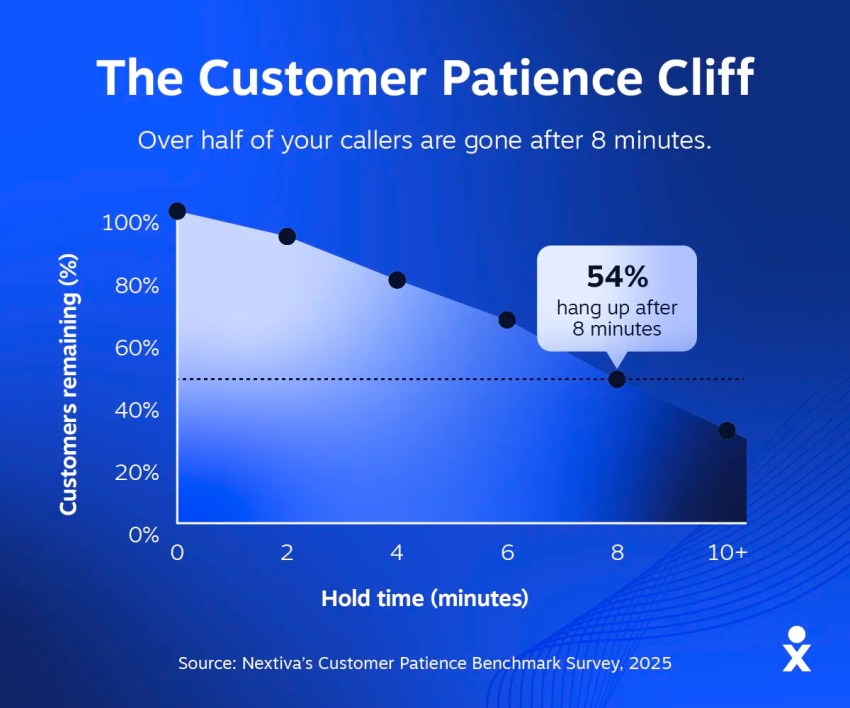
A 2026 consumer survey published by Flai exploring why callers hang up shows that 54% of callers hang up within eight minutes, and 31% refuse to wait more than five minutes under any circumstances. That has a direct impact on your contact center’s productivity and profitability. Agents spend time handling frustrated customers instead of resolving inquiries, call abandonment rates increase, and demand becomes harder to predict during busy periods.
Scheduled callbacks solve this by replacing idle waiting with certainty. Customers know when they’ll receive a call, and your contact center gains greater control over workloads and staffing throughout the day.
The Business and Financial Value of Callback Scheduling
The biggest benefit of scheduled callbacks isn’t shorter queues; it’s creating a better balance between customer expectations, agent availability, and operating costs. Platforms like Nextiva Contact Center make this possible by combining intelligent routing, workforce optimization, and callback scheduling in a single cloud platform.
Reclaiming abandoned callers and protecting revenue
Every abandoned call is a lost sale, an unresolved support issue, or a customer who takes their business elsewhere.
The impact is particularly noticeable in healthcare. Studies have shown that up to 60% of patients abandon calls if wait times exceed one minute. Even average hold times of around 50 seconds can have a measurable impact on patient satisfaction and appointment bookings.
Even I, with a broken wrist, have been guilty of giving up in the queue despite needing to arrange an appointment. I needed that wrist appointment to write blog posts like these, but the thought of waiting much longer was exhausting.

Offering a scheduled callback captures the customer’s intent before they leave the queue, allowing your team to continue the conversation at a convenient time instead of losing the customer altogether.
Lowering telecom costs by reducing active hold time
Every minute a caller spends waiting on hold consumes network resources (and comes with an associated cost). Even though you’re not talking to them, it still counts as a billable minute on the phone.
Whether you’re using SIP trunks, toll-free numbers, or cloud telephony services, active queue time contributes to your telecommunications costs without creating any value for the customer. Scheduled callbacks remove much of that unnecessary hold time by allowing callers to disconnect while retaining their place in the workflow.
Leveling out daily call volume spikes
The first hour of the morning, lunch breaks, and the end of the working day often generate significant increases in call volumes, placing additional pressure on agents and increasing queue times. Scheduled callbacks allow you to smooth those peaks by moving non-urgent conversations to quieter periods when agents have greater capacity. In fact, technical data from Teliqon demonstrates that intelligent callback queues reduce wait times by up to 32% while helping contact centers balance daily workloads.
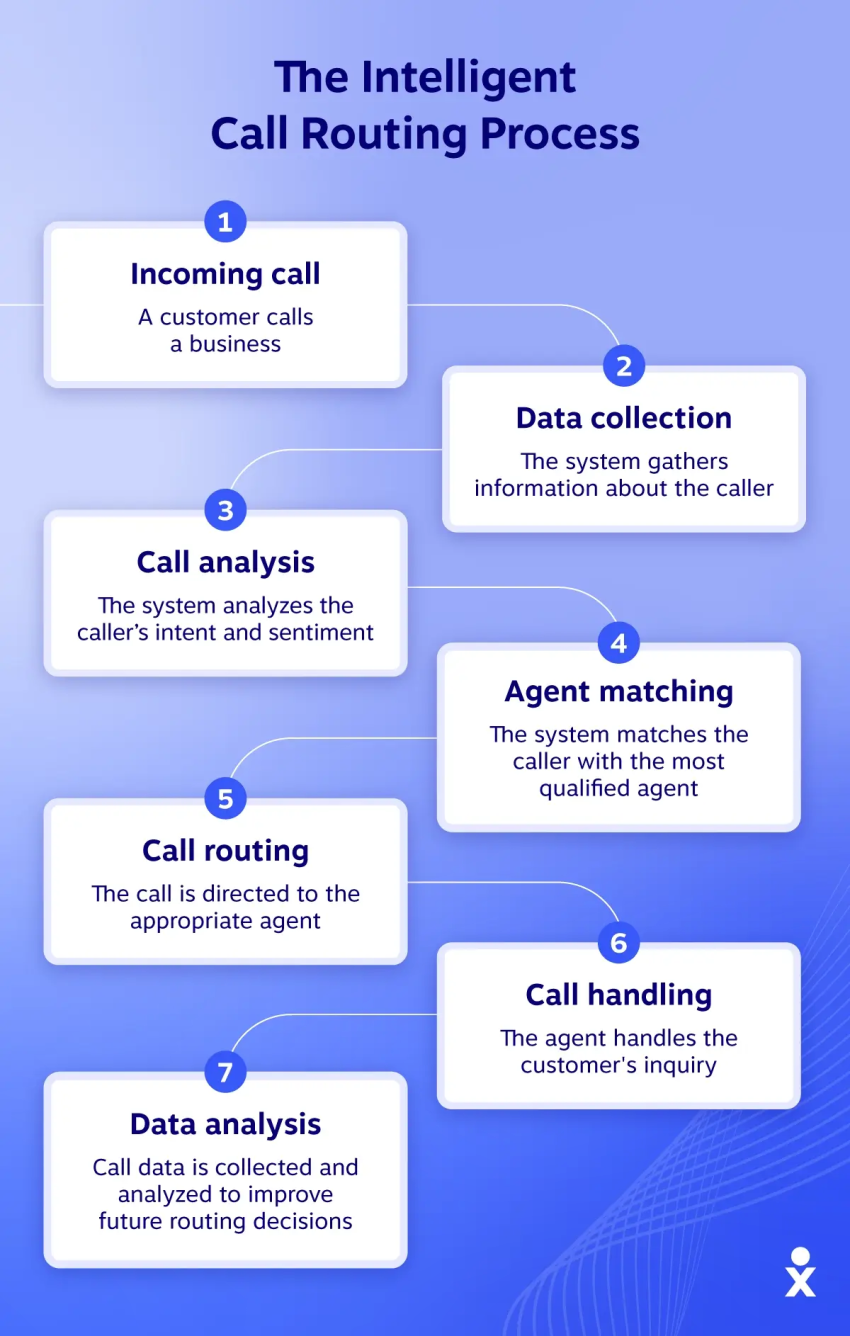
As highlighted by Webex, scheduled options allow organizations to balance call volume throughout the day, safely mitigating pressure during intense peak shifts. You can manage demand proactively, improving service levels without adding more staff, rather than simply reacting to queue spikes.
How a Scheduled Callback System Works
From the customer’s perspective, requesting a callback takes just a few seconds. Behind the scenes, your contact center captures the request, schedules the callback, and ensures it reaches the right agent at the right time. Each stage is automated to reduce manual work while giving agents the context they need before the conversation begins.
Nextiva, for example, brings these processes together through AI IVR, intelligent routing, and CRM integrations, creating a slick experience for both customers and agents.
The step-by-step callback workflow
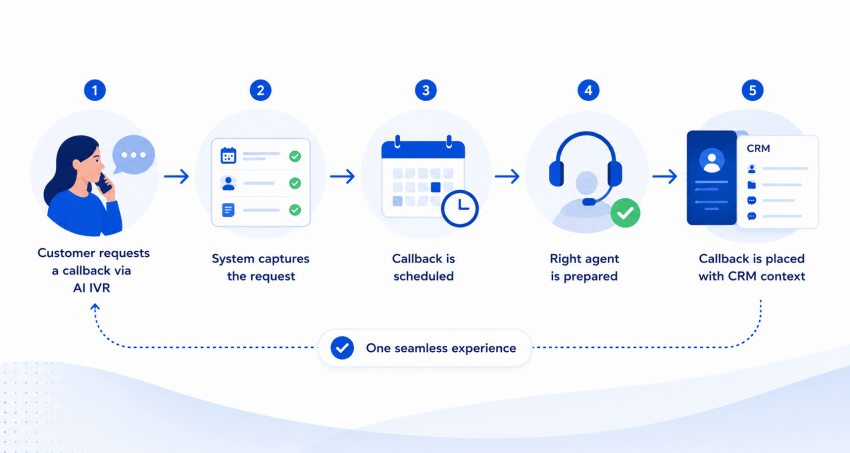
Every scheduled callback follows the same five-step journey:
- The customer requests a callback: Instead of waiting on hold, the caller chooses a callback option through the AI IVR.
- The system captures the request: The platform records the caller’s details, reason for contacting your business, and preferred callback time.
- The callback gets scheduled: The appointment is stored and linked to the appropriate queue, routing rules, and agent skills.
- The right agent is prepared: As the scheduled time approaches, the platform identifies the best available agent and prepares the interaction.
- The callback is initiated: The customer receives the call, and the agent receives all the relevant context through a CRM screen pop.
Although these steps happen independently, together they create what feels like one seamless experience.
Data integration and agent context capture
Rather than calling back with no context, your contact center should present three things before the conversation begins:
- Customer details
- Previous interactions
- The reason for the callback
Modern CRM integrations automatically populate this information through a screen pop, allowing agents to continue the conversation instead of asking customers to repeat themselves. Many platforms can also synchronize callback appointments with agent calendars, helping supervisors plan workloads while ensuring every scheduled conversation is delivered on time.
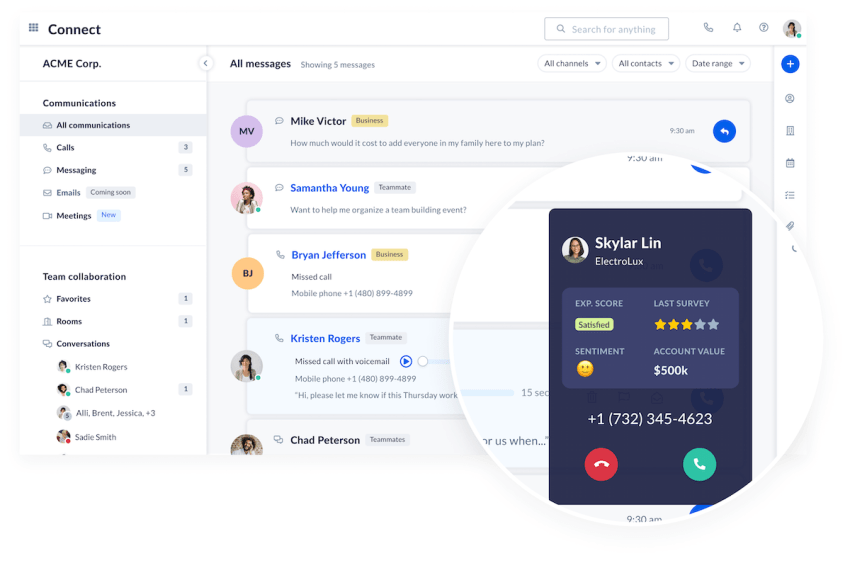
How ACD queue engines process scheduled slots
When a callback slot opens, your automatic call distributor (ACD) decides who should receive it.
Rather than assigning callbacks in a simple first-in, first-out order, the platform evaluates agent availability, required skills, and routing priority. If the preferred agent is unavailable, the callback can be routed automatically to another qualified team member without delaying the customer.
Common Technical Hurdles and How to Solve Them
Scheduled callbacks are relatively straightforward to deploy, but advanced queue troubleshooting requires you to account for real-world failure states. Without the right safeguards, unique engineering edge cases can quickly undermine the customer experience.
Nextiva addresses these challenges with native queue controls, intelligent routing, and automated scheduling logic.
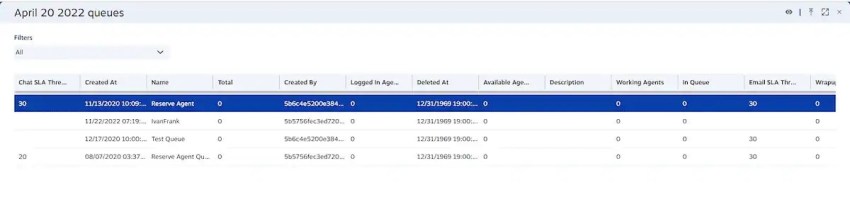
Preventing the double-dial problem
One of the most common callback issues occurs when a customer books a callback but then decides to call back before their scheduled time. Without additional logic, your contact center can end up handling two conversations for the same inquiry while the original callback remains scheduled.
A well-designed callback system checks for existing appointments during inbound routing. If an active callback already exists, the system prompts the caller to confirm the existing booking, schedule a new time, or cancel the callback altogether. This prevents duplicate conversations while giving customers complete control over their appointments.
Managing time zones and scheduling horizons
Offering callbacks sounds simple, but what if your customers, agents, and business hours span multiple locations? Every booking should be validated against the customer’s local time zone, live agent availability, and your scheduling window.
For IT engineering teams tasked with implementing caller-scheduled callbacks in cloud contact centers, capacity limits must be rigorously managed over strict scheduling horizons. For example, architecture built natively within AWS Connect configures specific limits, such as restricting capacity to 10 callbacks per hour, using Lambda environment variables. By defining a restriction like DAYS_IN_ADVANCE=7, infrastructure teams create 56 hourly slots for standard 9 a.m. to 5 p.m. shifts over a rolling seven-day window.
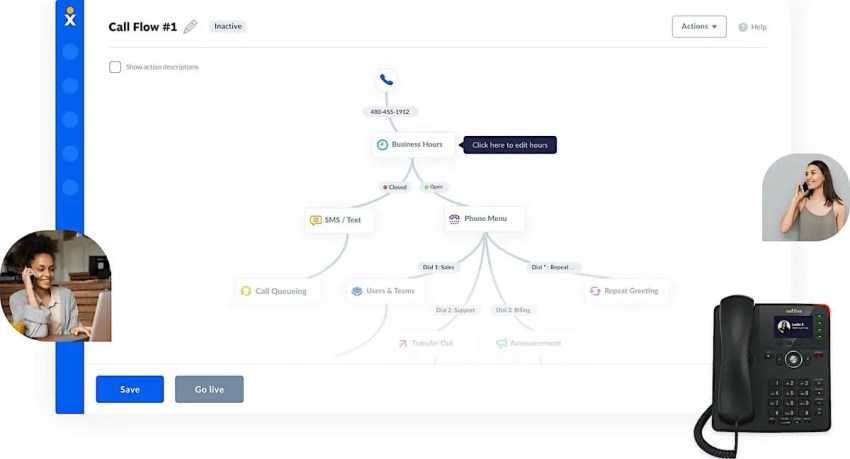
This architectural safeguard prevents databases from becoming overloaded while giving workforce planners clear sight lines for staffing requirements.
Resolving agent-side delivery blockages
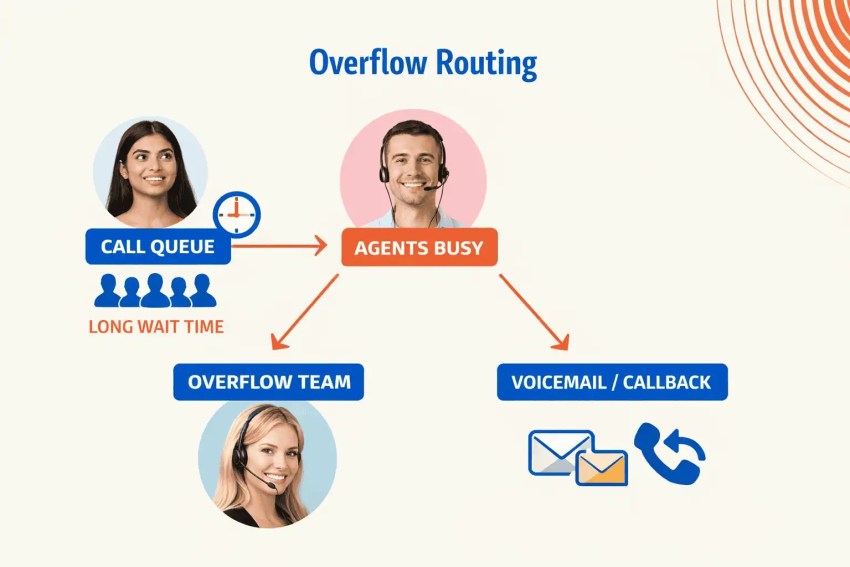
Even the best schedule can’t guarantee that an agent will be free at the exact moment a callback is due. Rather than allowing appointments to fail, enterprise callback platforms continuously monitor agent availability and automatically adjust delivery when required.
If the preferred agent isn’t available, the platform uses dynamic escalation logic to route the callback to the next qualified agent, delay the callback by a predefined period, or trigger an alert based on your routing rules.
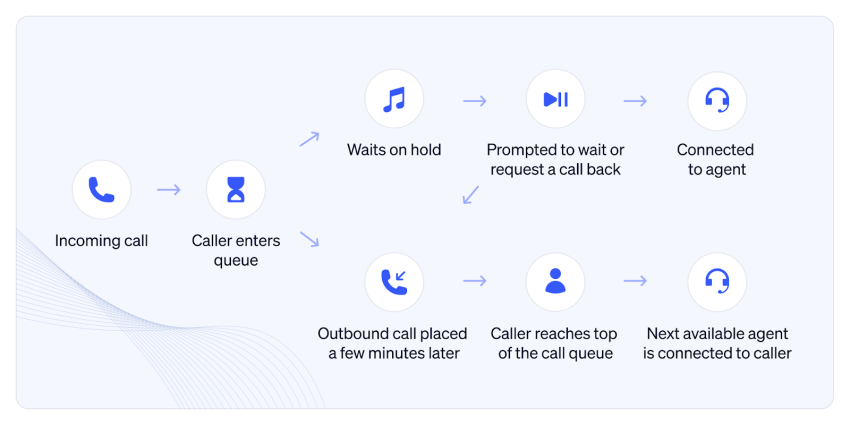
How to Choose Callback Architecture for Your Business
Not every scheduled callback system is built the same way.
The right architecture depends on your existing telephony platform, the level of customization you need, and the internal resources available to support it. Some businesses want a solution they can deploy in days, while others are happy to invest in custom development to meet highly specific requirements.
For most businesses, the choice is one of three approaches.
| Architecture | Best for | Advantage |
|---|---|---|
| Native CCaaS | Customer service and contact centers | Fast deployment with built-in callback management |
| API-driven | Highly customized environments | Complete flexibility and control |
| CRM-driven | Sales and account management | Native CRM workflows and customer visibility |
1. Native CCaaS platform callbacks
If you want the fastest route to deployment, a native CCaaS platform is usually the best choice. The platform includes core capabilities like callback scheduling, intelligent routing, and workforce management, which reduces the need for custom integrations or ongoing maintenance.
Platforms like Nextiva Contact Center also provide enterprise-grade reliability, striving for 99.999% uptime, along with SOC 2, HIPAA, and PCI DSS compliance. That allows you to deploy quickly while meeting demanding security and compliance requirements.

2. API-driven custom integrations
If your callback workflow is highly specialized, an API-driven architecture gives you complete control. Using cloud services like AWS Connect, Lambda, and DynamoDB, developers can build custom scheduling logic, routing workflows, and database integrations that match your exact business processes. The trade-off is that you’re responsible for ongoing software development, platform maintenance, and continuous performance testing.
3. CRM-driven dialer workflows
Some businesses already manage customer interactions from within their CRM. Instead of scheduling callbacks through the contact center, the callback becomes a CRM task that’s assigned to an agent for follow-up.
This approach works particularly well when your priority is sales follow-up, account management, or customer success. However, because CRM dialers aren’t tightly integrated with live inbound queue states, they’re generally less effective for high-volume inbound contact centers.
Best Practices for Implementing Scheduled Callbacks
The way you configure your callback strategy has a direct impact on customer satisfaction, agent productivity, and queue performance. Small adjustments to thresholds, routing, and reporting can make the difference between a callback system that simply works and one that actively improves your contact center.
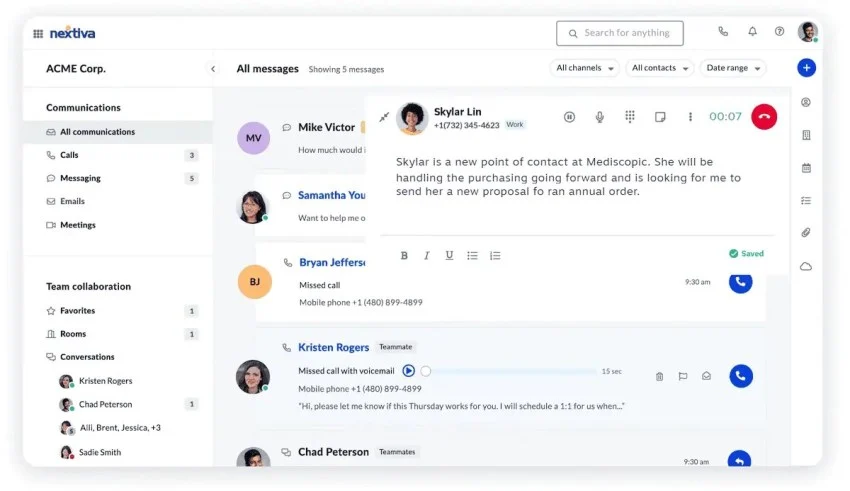
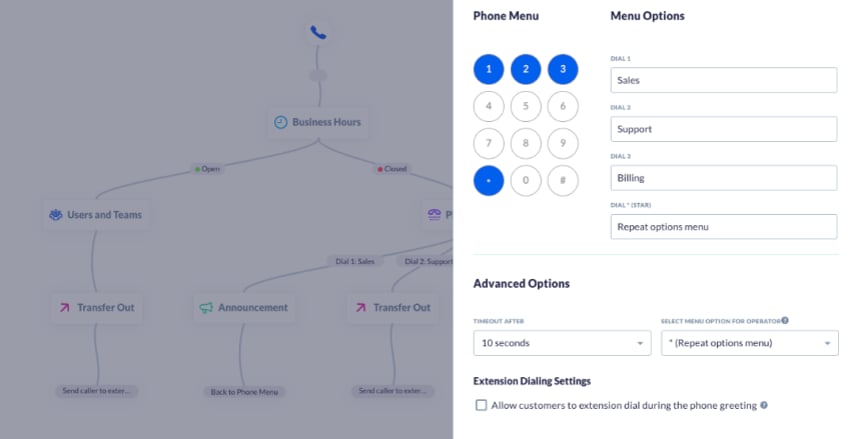
Nextiva makes these configurations available through a web-based administration portal, allowing supervisors to adjust callback rules without custom development.
Setting dynamic queue wait time thresholds
It’s important to recognize that not every caller wants a callback. If your estimated wait time is only a minute or two, most customers would rather stay on the line than wait for a return call later in the day.
Five9 research indicates that 81% of businesses have implemented AI in their contact centers to orchestrate smarter, human-centered service designs. Leveraging this automation, you should configure your callback option to appear dynamically only when:
- Queue wait time or estimated wait time exceeds a set threshold (usually two to three minutes).
- Agent demand is sharply increasing.
- Live service levels begin to fall.
Providing SMS fallback options
Giving customers more than one way to resolve their inquiry reduces pressure on your contact center while improving convenience. For example, if queues are heavily congested, you could allow callers to opt to receive a text message with a booking link, continue the conversation via an interactive SMS thread, or complete a simple self-service journey.
Tracking callback performance metrics
Once your callback system is live, measuring performance becomes just as important as configuring it. Focus on three key metrics:
- Callback abandonment rate: The percentage of customers who fail to answer when the system calls back.
- Agent wrap-up time: How long agents spend documenting interactions post-call.
- First-contact resolution: Ensuring the scheduled call thoroughly resolves the query.
Monitoring these consistently helps you identify opportunities to refine scheduling rules, improve workforce planning, and deliver a better customer experience over time.
Turn Hold Time Into Productivity With Nextiva Contact Center
Customers don’t judge your business by how long they wait. They judge it by how quickly they get the help they need. For a long time, contact centers have been too attached to legacy time-based metrics. Modern customer experience programs must focus on first-contact resolution and ease of access.
A scheduled callback system transforms one of the biggest frustrations in customer service into a better experience for everyone involved. Customers no longer waste time listening to hold music, agents work from a more balanced queue, and your contact center gains greater control over staffing and service levels.
Nextiva Contact Center offers a perfect scheduled callback system that improves every stage of the customer journey:
- AI IVR captures callback requests automatically.
- Intelligent routing connects customers with the right agent based on skills.
- CRM integrations provide agents with the context they need before every conversation.
Whether you’re looking to reduce call abandonment, improve workforce efficiency, or eliminate long hold times, Nextiva gives you the tools to do it from a single cloud platform.
Ready to see how scheduled callbacks can improve your contact center?
Explore Nextiva Contact Center here.
Your AI-Powered Contact Center
Create amazing customer experiences with AI-powered contact center software. Scalable contact center platform built for omnichannel customer conversations.
Frequently Asked Questions About Scheduled Callbacks
Scheduled callbacks capture a caller’s details and reason for contacting you before they leave the queue. Instead of abandoning the call out of frustration, customers receive a confirmed callback at a convenient time, protecting revenue and brand reputation.
Yes. Scheduled callbacks allow customers to book appointments outside of business hours, with callbacks automatically queued for the next available working period. This enables you to offer an expanded customer experience across global time zones without staffing an overnight contact center.
Nextiva Contact Center uses intelligent callback scheduling to move non-urgent conversations out of busy queues and into available time slots. This helps reduce peak-hour wait times, balance agent workloads to prevent burnout, and improve service levels without expanding your headcount.
Yes. Nextiva integrates natively with major CRM platforms like Salesforce, HubSpot, and Zendesk. When a scheduled callback connects, agents receive a screen pop containing customer details, previous interactions, and information captured during the initial IVR routing step.
Most callback systems follow standard retry protocols, attempting the call a set number of times (e.g., three attempts spaced 10 minutes apart). If the customer still doesn’t answer, your platform can automatically trigger a follow-up workflow, like sending an SMS with a rescheduling link.