Customer Experience
  Blog
Blog  Business Communication
  Leadership
  Marketing & Sales
  Nextiva News
  Productivity
  VoIP
VoIP 


Businesses need to answer common questions, collect intake information, respond to texts, and book appointments without adding another staff member. A virtual receptionist can handle these tasks across phone, SMS, and web chat, then transfer complex requests to a human with the relevant context.
A recent study of over 85 businesses found that small businesses fail to answer 62% of their calls. The study estimated more than $62,000 in average annual lost revenue from missed calls.
Quick Recommendations
- Best fit for small business intake and appointment booking: Nextiva XBert AI
- Best fit for AI, SMS, web chat, and CRM workflows: Nextiva XBert AI
- Best fit for teams that want human escalation: Smith.ai
- Best fit for industry-specific workflows: Rosie
- Best fit for multilingual enterprise interactions: PolyAI
- Best fit for contact centers: Replicant or Talkdesk
- Best fit for lifelike voice conversations: SoundHound Smart Answering
Try the best AI answering service free for 14 days
XBert AI answers questions and captures leads. Add your 24/7 answering service in minutes.
What to Evaluate Before Choosing a Provider
A virtual receptionist should fit the business’s workflows, customer channels, and staffing model. Compare providers against the following criteria.
24/7 availability
Round-the-clock coverage helps businesses answer after-hours calls, emergency requests, and customers in different time zones. AI receptionists can provide continuous coverage without the salary commitments associated with a full-time overnight team.
Check whether the provider supports:
- After-hours call handling
- Emergency-call escalation
- Holiday schedules
- Overflow coverage during busy periods
- Simultaneous calls
- Human fallback when the AI cannot resolve a request

Customizable call scripts and knowledge
A virtual receptionist should use the business’s terminology, policies, services, and tone. It should also identify when a caller is frustrated or requests sensitive assistance.
Businesses should be able to define:
- Greetings
- Brand messaging
- Frequently asked questions
- Intake fields
- Call-handling rules
- Escalation instructions
- Business hours
- Emergency procedures
- Information and tone guidelines
These controls support a more consistent customer journey.
Appointment scheduling and calendar sync
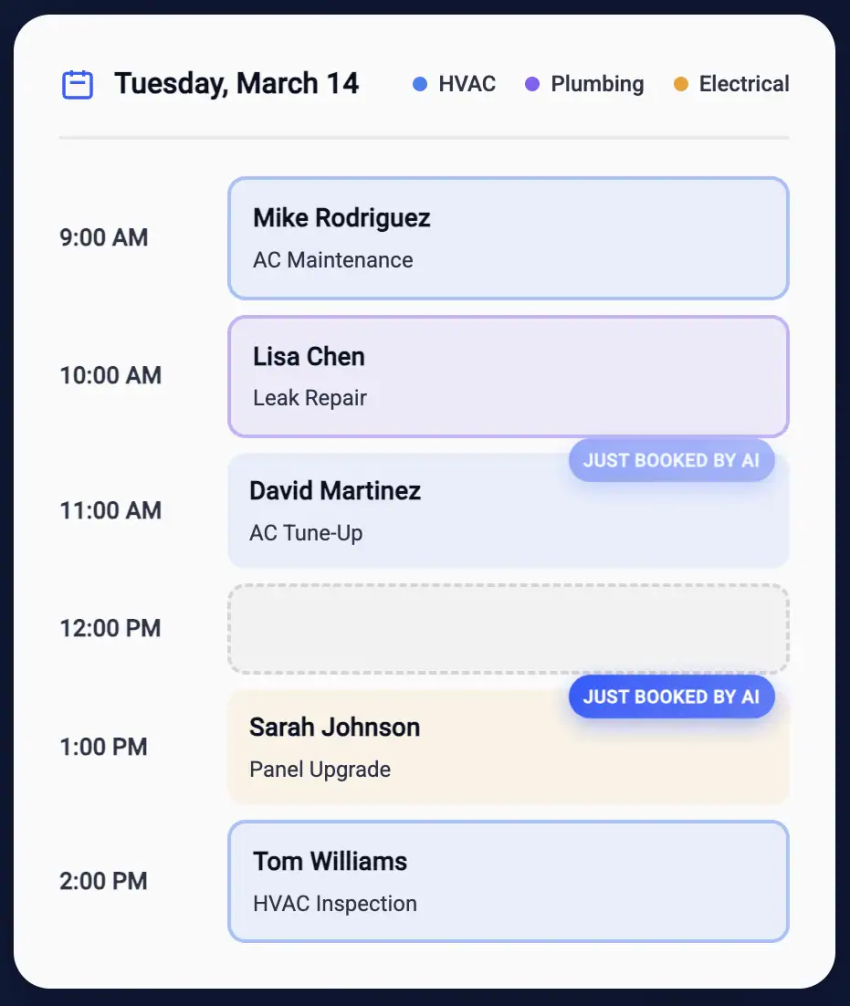
Appointment automation should check availability before booking. It should also prevent double bookings and send confirmations, reminders, and rescheduling updates.
Typical integrations include:
- Google Calendar
- Microsoft Outlook
- CRM-based calendars
- Scheduling systems
- Automated availability checks
- Appointment confirmations and reminders
Nextiva XBert AI supports calendar integration, appointment booking, confirmations, rescheduling, and reminders.
Intake and lead capture
Businesses that receive service requests, legal inquiries, healthcare questions, or sales leads need structured intake. The receptionist should collect required information before transferring the caller or creating a follow-up task.
Useful intake fields may include:
- Name and contact details
- Service or product requested
- Location
- Preferred appointment time
- Urgency
- Existing customer status
- Insurance or account information
- Project details
- Consent for text communication
The information should flow into the CRM, ticketing system, or calendar without requiring staff to retype it.
CRM and business tool integration
Every inbound interaction should create a useful record. Integrations can reduce post-call work and help teams follow up on leads and unresolved requests.
Look for connections with:
- Salesforce
- HubSpot
- Zoho CRM
- Calendar systems
- Ticketing platforms
- Customer data platforms
- Workflow automation tools
Nextiva XBert AI can connect with CRM, scheduling, and ticketing systems to log calls and trigger follow-ups.

Multichannel support
A modern receptionist can handle more than voice calls. Depending on the provider, it may support:
- Voice calls
- Text messages
- Web chat
- Social media channels
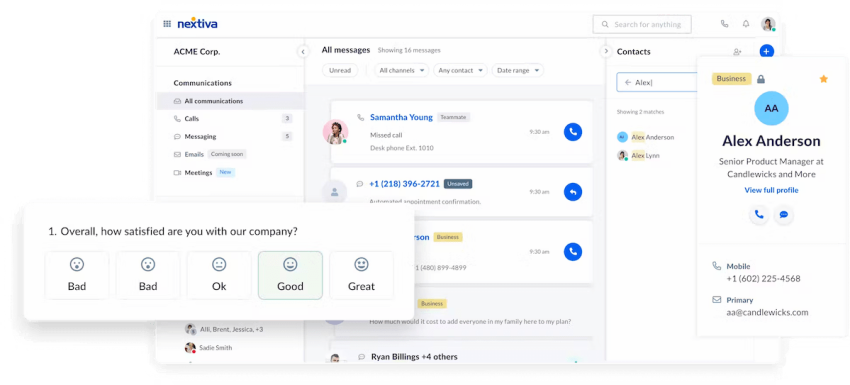
A unified communication approach gives staff one view of customer interactions across channels. Businesses should confirm whether SMS and chat are included in the base plan or billed separately.
Call routing and transfer
When the AI cannot resolve a request, it should send the call to the right person or department. A useful transfer includes the caller’s reason for contacting the business and the information already collected.
Smart call routing can use:
- Caller ID
- Toll-free numbers
- Business hours
- Agent availability
- Predefined workflows
- Customer location
- The nature of the inquiry
- Emergency status
Nextiva XBert AI can hand off conversations to human staff with context, which reduces the need for callers to repeat their information.
Bilingual or multilingual support
Multilingual support helps businesses serve customers who speak little or no English. Many providers support English and Spanish, while enterprise platforms may support a wider range of languages.
Verify:
- Supported languages
- Voice quality for each language
- Language detection
- Human escalation in the selected language
- Whether multilingual support costs extra
- Whether translated transcripts are available
AI and automation
AI receptionists use natural language processing to understand requests and complete routine tasks. Common capabilities include:
- Answering FAQs
- Collecting intake details
- Capturing leads
- Scheduling appointments
- Routing calls
- Sending texts
- Handling follow-ups
- Creating transcripts
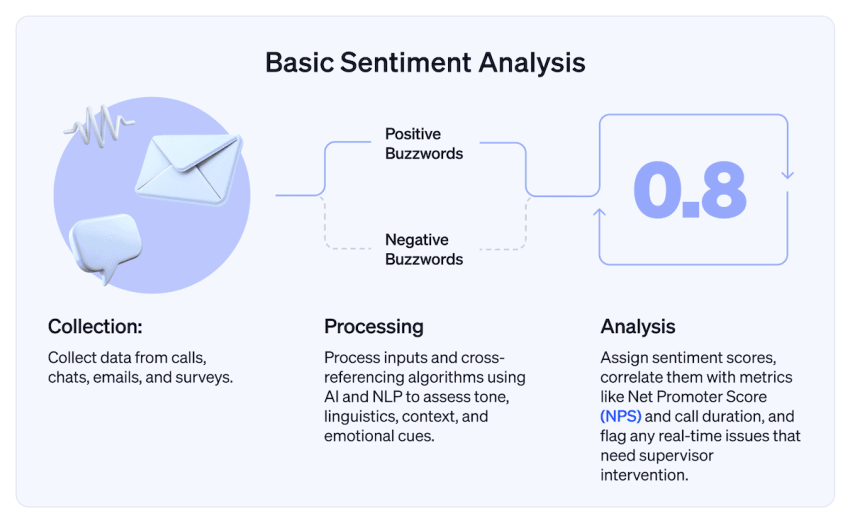
- Detecting caller sentiment
Businesses should distinguish between AI-only services, AI answering services, and hybrid services. An AI-only service handles the interaction through software. An AI answering service may focus on automated call handling across voice and messaging.
An automated receptionist can reduce routine work, while a hybrid model may suit businesses that need human judgment for every high-value lead or sensitive conversation.
Reporting and analytics
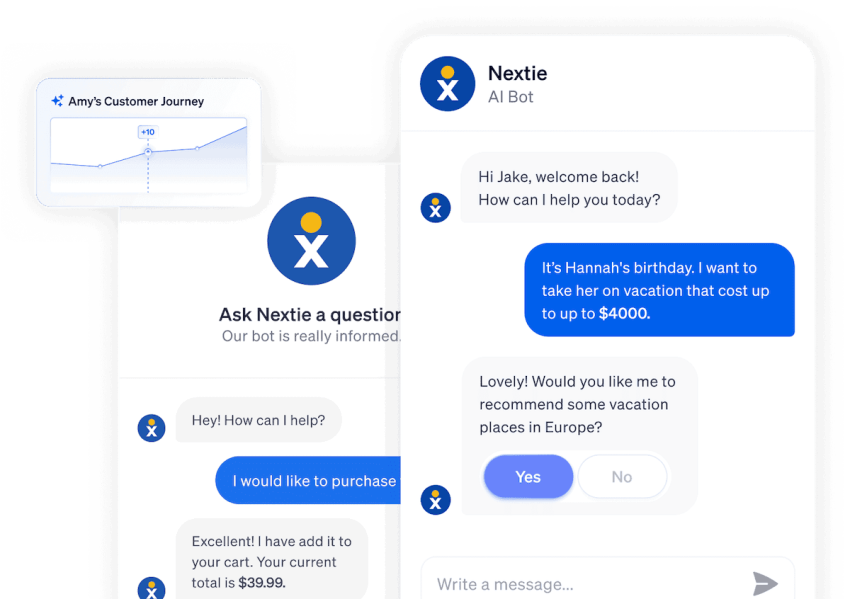
Reporting helps teams measure service quality and staffing needs. Useful reports include:
- Call volume
- Response times
- Missed calls
- After-hours calls
- Customer sentiment
- Resolution rates
- Appointment bookings
- Lead conversions
- Transfer rates
- Call duration
- Transcript quality
The provider should define its reporting terms clearly. For example, a “resolution” may mean that the AI completes a caller’s request, while a conversation may include several messages or call events.

Security and compliance
Businesses that handle health, payment, legal, or financial information need clear security documentation.
Important considerations include:
- HIPAA support
- A signed Business Associate Agreement
- Data encryption
- SOC 2 Type II certification
- PCI DSS support
- Access controls
- Call recording policies
- Data retention rules
- Secure transfer procedures
- Reliable uptime
Nextiva states that its enterprise AI voice agents support SOC 2, PCI DSS, and HIPAA requirements. Businesses should confirm which compliance controls apply to the selected plan and use case.
Pricing and Service Models
Virtual receptionist pricing can vary by provider and usage model.
| Pricing model | How it works | Best fit |
|---|---|---|
| Per user | Charges based on the number of staff members | Teams that need shared access |
| Per minute | Charges for talk time | Businesses with predictable call duration |
| Per call | Charges for each handled call | Low-volume teams |
| Per conversation or resolution | Charges for completed interactions or defined outcomes | Businesses using AI across voice and messaging |
| Monthly allowance | Includes a fixed number of calls, minutes, or resolutions | Businesses with stable usage |
| Custom enterprise pricing | Uses negotiated volume, security, and integration terms | Large organizations and contact centers |
| Hybrid human and AI | Combines software charges with live-agent fees | Businesses that need human escalation |
Nextiva XBert AI costs $99 per month for up to 100 conversations. Additional conversations cost $1.50 each. Nextiva also provides a 14-day free trial and does not require a long-term contract. A business should confirm how its plan defines a resolution before comparing it with per-minute or per-call pricing.
Top Virtual Receptionist Services
The following providers serve different business sizes and operating models. Pricing, availability, integrations, and compliance features can change, so buyers should verify current terms before purchasing.
| Provider | Best fit | AI or human coverage | AI or human coverage | Pricing approach |
|---|---|---|---|---|
| Nextiva XBert AI | Small and midsize businesses that need intake, booking, SMS, and chat | AI with human handoff | Voice, SMS, web chat, CRM, calendars, ticketing, contextual transfers | $99/month for 100 conversations, then $1.50 per additional conversation |
| Smith.ai | Professional services that want live-agent escalation | Hybrid AI and human | Voice intake, lead qualification, scheduling, CRM workflows | Plans based on call volume |
| Abby Connect | Businesses that want a high-touch answering service | AI and receptionist support vary by plan | Calls, scheduling, bilingual support | Plan-based pricing |
| Dialzara | Solopreneurs and small teams | AI | Calls, FAQs, routing, scheduling | Usage-based or plan-based pricing |
| Synthflow AI | Agencies, enterprises, and regulated teams | AI workflow automation | Voice flows, routing, scheduling, analytics | Custom or usage-based pricing |
| Rosie | Property, home-service, and other industry-focused businesses | AI | Calls, bilingual conversations, summaries, scheduling | Plan-based pricing |
| SoundHound | Retail, hospitality, and customer-facing brands | AI | Conversational voice, orders, payments, FAQs | Custom or enterprise pricing |
| PolyAI | Global enterprises with high call volume | AI with enterprise workflows | Multilingual voice, verification, resolution, routing | Custom or enterprise pricing |
| Replicant | Contact centers that need automated Tier 1 support | AI | Authentication, data collection, inbound and outbound calls, analytics | Custom enterprise pricing |
| Talkdesk | Organizations already using a contact center platform | AI within a CCaaS platform | FAQs, scheduling, notifications, routing, reporting | Platform and usage-based pricing |
| Goodcall | Small and midsize businesses that want branded AI agents | AI | Calls, FAQs, routing, CRM automation, multiple phone lines | Plan-based pricing |
1. Nextiva XBert AI
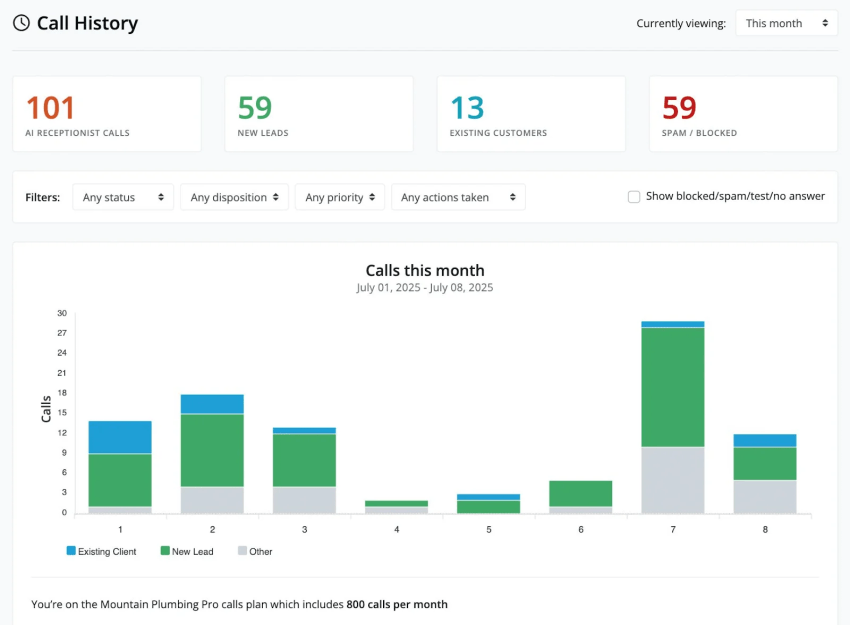
Nextiva XBert AI is an AI receptionist that answers calls, texts, and web chats 24/7. It can answer common questions, collect intake information, qualify leads, book appointments, send confirmations, reschedule appointments, and route complex requests to a human.
XBert AI can work with an existing business number through call forwarding. It supports simultaneous inbound and outbound calls, so a team can continue handling customer conversations while the AI manages new requests.
The receptionist can learn from business websites, FAQs, and other approved information. It can also:
- Manage overflow answering service calls
- Integrate with CRM, calendar, and ticketing systems
- Track transcripts
- Detect caller sentiment
- Route calls based on business rules
- Capture lead and intake details
- Book, confirm, and reschedule appointments
- Send and receive text messages
- Transfer conversations with context
XBert AI costs $99 per month for 100 conversations, with additional conversations priced at $1.50 each. Nextiva offers a 14-day free trial without a long-term contract.
Best for: Small and midsize businesses that want one platform for voice, SMS, web chat, intake, appointment booking, and human escalation.
Hear why XBert AI is the best AI receptionist
XBert AI receptionist handles customer questions, captures leads, and books appointments. Try it free for 14 days.
2. Smith.ai
Smith.ai combines AI screening with live receptionist support. Its workflows can screen and qualify leads, collect intake information, complete forms, and send data to connected CRMs. Businesses can escalate complicated calls to a live agent.
Smith.ai suits teams that want automation for routine inquiries but still need human involvement for sensitive or high-value conversations. The service is often considered by legal, professional-services, and agency teams.
A published comparison lists Smith.ai plans based on call volume, including a Starter plan with 50 calls for $95 per month and a Basic plan with 150 calls for $270 per month.
Best for: Professional services and agencies that need structured intake with a human fallback.
3. Abby Connect
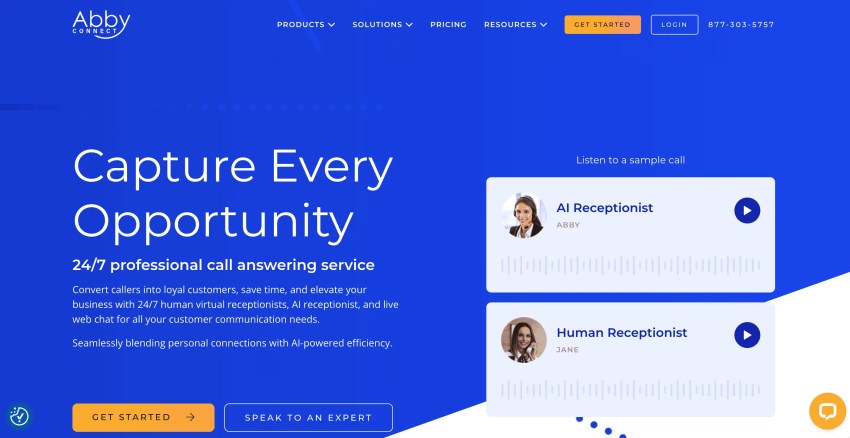
Abby Connect provides answering and receptionist support for businesses that want a high-touch customer experience. Its services can support call handling, appointment coordination, and bilingual communication depending on the selected plan.
Businesses should confirm which tasks are automated, which are handled by live receptionists, and whether CRM or calendar integrations are included.
Best for: Teams that want receptionist support with a stronger human-service component.
4. Goodcall
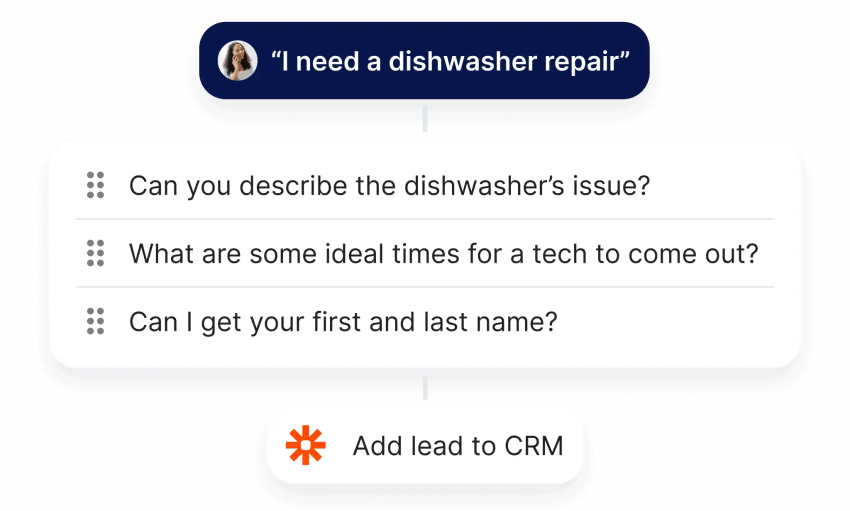
Goodcall lets businesses create branded virtual agents with distinct voices, personalities, and instructions. Each AI phone agent can:
- Handle calls
- Answer FAQs
- Route conversations
- Push results into CRMs through Zapier
- Support multiple phone numbers
- Use different brand personas across phone lines
Goodcall can suit businesses that need separate workflows for different locations, services, or brands. Buyers should verify its current integrations, usage limits, and escalation options.
Best for: Small and midsize businesses that want a customizable AI receptionist for multiple phone lines.
5. Synthflow AI
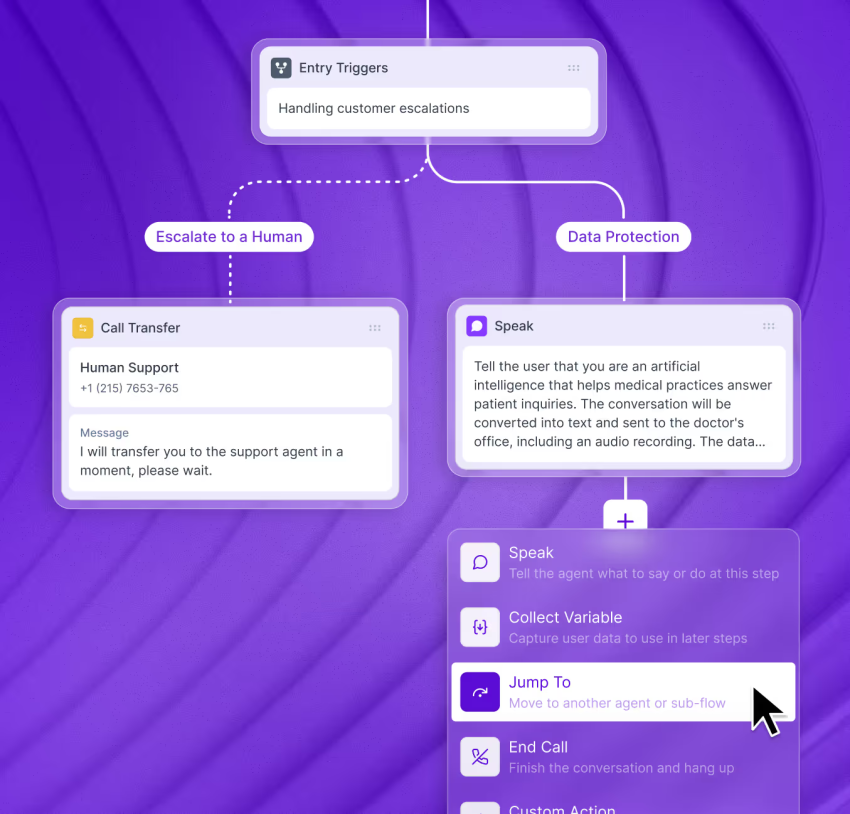
Synthflow AI focuses on configurable voice workflows. Its no-code designer allows teams to:
- Create call flows
- Automate appointment scheduling
- Capture analytics
- Customize routing logic
- Define escalation rules
- Connect business workflows
Synthflow is positioned for businesses that need more control over conversation logic and data handling. Regulated organizations should verify the current scope of its SOC 2, GDPR, and HIPAA support before deployment.
Best for: Regulated industries and agencies that need configurable AI voice workflows.
6. Rosie
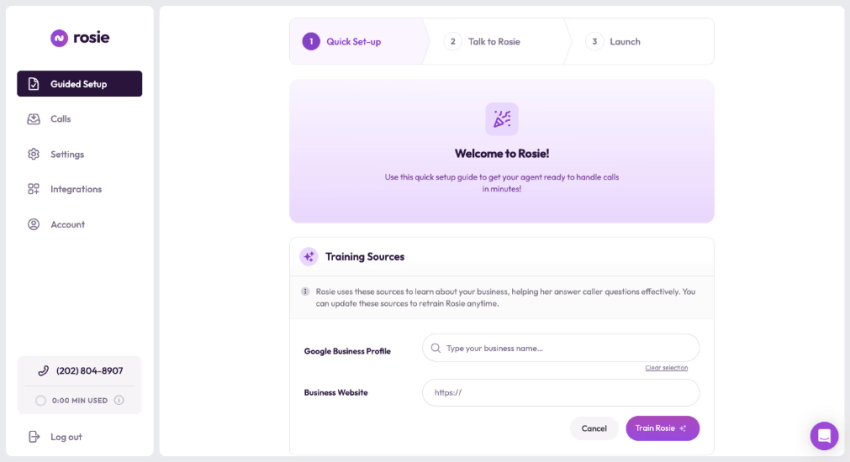
Rosie provides pre-trained industry AI agents for law firms, property management and home services companies.. Businesses can start with an industry-focused workflow instead of building every call path from the beginning.
Each online virtual receptionist can be trained on website information, handle bilingual conversations, and summarize calls for follow-up.
Best for: Service businesses that need industry-specific language and workflows.
7. SoundHound Smart Answering
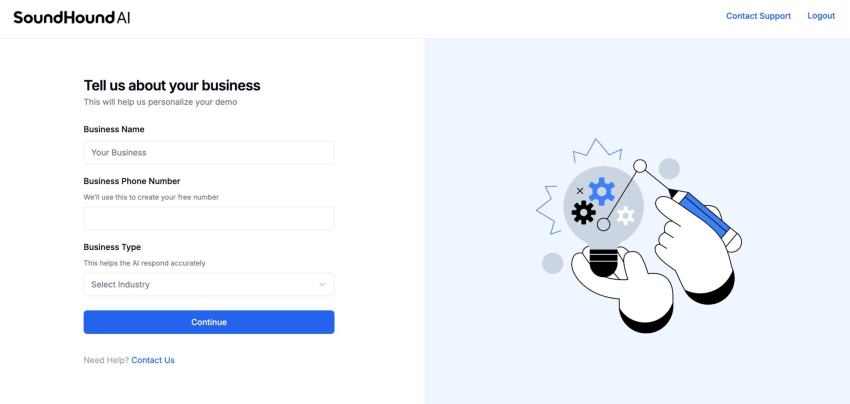
SoundHound begins with a business discovery process that captures what the company provides, which customers it serves, and how the receptionist should respond.
Its conversational AI is designed to handle interruptions, natural speech, slang, and context. This allows callers to speak naturally instead of navigating a rigid auto-attendant menu.
Businesses should evaluate its performance for order capture, payment workflows, appointment requests, and escalation before replacing existing staff.
Best for: Hospitality, retail, and service brands that prioritize natural voice interactions.
8. PolyAI Voice Assistant
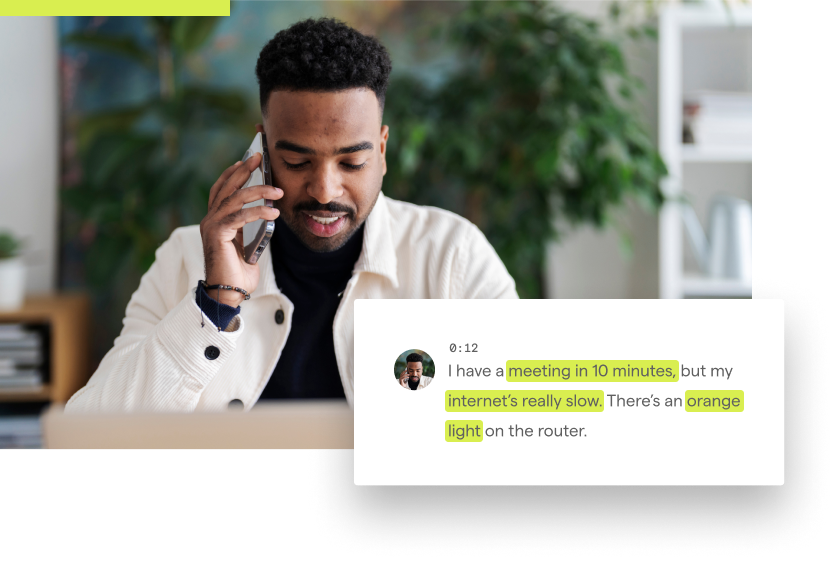
PolyAI builds conversational agents for high-volume, multilingual customer interactions. Its assistant can:
- Greet callers
- Verify information
- Resolve routine requests
- Handle multiple languages
- Maintain context across a conversation
- Transfer calls when necessary
PolyAI is designed for enterprise deployments with complex workflows and international customer bases. Smaller organizations may find its implementation requirements more extensive than those of a small-business receptionist.
Best for: Enterprises that need multilingual voice automation across multiple locations or markets.
9. Replicant Voice AI
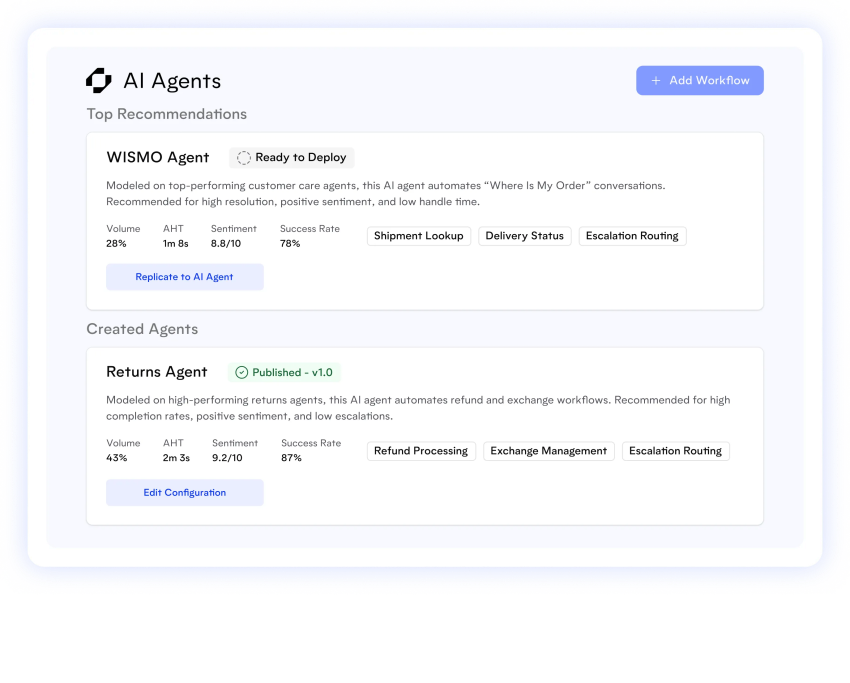
Replicant automates repetitive inbound and outbound calls with its proprietary voice engine.
It can:
- Authenticate callers
- Collect data
- Answer questions
- Transfer calls
- Track handle time
- Measure resolution rates
- Analyze customer sentiment
Replicant focuses on contact-center use cases rather than a basic office receptionist. It may suit enterprises that want to automate repetitive Tier 1 conversations at high volume.
Best for: Contact centers seeking automated inbound and outbound workflows.
10. Talkdesk Virtual Agent
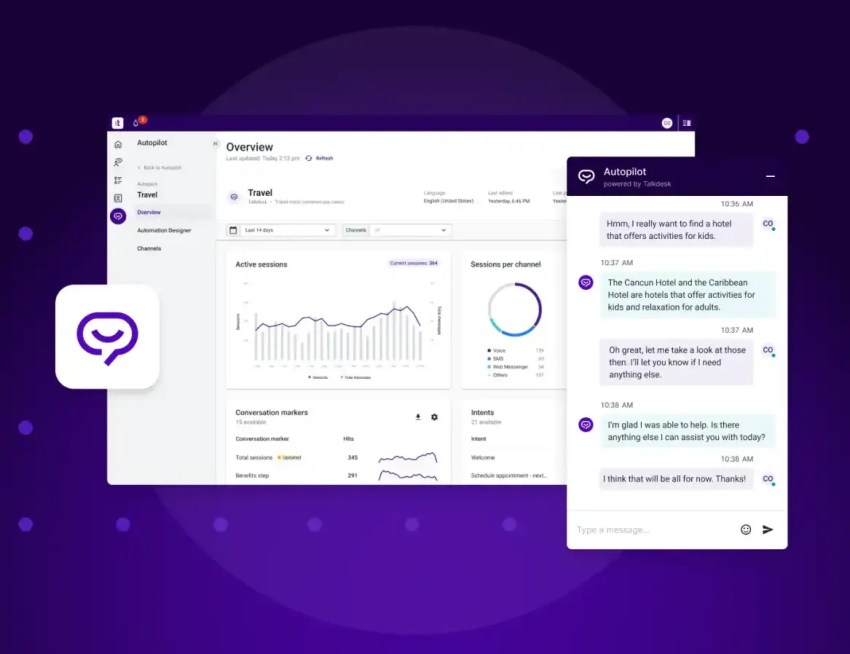
Talkdesk’s Autopilot virtual agent integrates with its contact center as a service ecosystem. This allows companies to manage automate service appointments and calls alongside routing, reporting, and other contact-center functions.
The no-code builder lets nontechnical users create AI call flows for:
- FAQs
- Scheduling
- Notifications
- Routing
- Self-service requests
Businesses already using Talkdesk may find the integrated approach easier to manage. New buyers should compare the total cost of the contact-center platform with a standalone receptionist.
Best for: Organizations that already use Talkdesk or need a broader CCaaS platform.
11. Dialzara
Dialzara focuses on AI receptionist services for small teams and solo operators. It may suit businesses that want automated call handling without deploying a full contact-center platform.
Buyers should compare its caller billing, included minutes or interactions, appointment features, text support, and human transfer options against their expected call volume.
Best for: Solopreneurs and small businesses that need basic automated call coverage.
Implementation Checklist
A virtual receptionist performs better when the business prepares its information and escalation rules before launch.
- Create the knowledge base. Add services, prices, hours, locations, policies, FAQs, and restrictions.
- Define intake fields. Specify the customer information required for each service or lead type.
- Set calendar permissions. Decide which calendars the receptionist can view, book, cancel, or reschedule.
- Write transfer rules. Identify the people, departments, and conditions that require escalation.
- Configure emergency handling. Add a separate path for urgent service calls or safety concerns.
- Set SMS consent rules. Confirm when the service may send texts and how customers can opt out.
- Review recording policies. Check consent, retention, access, and transcript settings.
- Connect business systems. Link the CRM, scheduling platform, ticketing system, and notification tools.
- Test fallback behavior. Confirm what happens when the AI lacks information, detects frustration, or cannot reach a human.
- Measure results. Track missed calls, appointment bookings, transfers, resolution rates, response times, and lead conversion.
- Test real scenarios. Call after hours, interrupt the AI, request a reschedule, send a text, ask an uncommon question, and request a human.
- Review transcripts. Correct inaccurate answers and update the knowledge base after launch.
Scale Customer Response With Nextiva
A virtual receptionist keeps a business available when staff are busy, offline, or handling another customer.
Nextiva XBert AI can:
- Answer business calls
- Respond to texts and web chats
- Handle basic questions
- Collect intake information
- Book and reschedule appointments
- Send confirmations and reminders
- Capture leads
- Route escalations
- Sync details with CRM and ticketing systems
- Track transcripts and call outcomes
Nextiva’s AI receptionist is designed for businesses that need 24/7 coverage without hiring another receptionist. It can support service businesses such as HVAC, plumbing, electrical, landscaping, and pest control companies that depend on fast intake and appointment booking.
Answer every call 24/7: Try Nextiva XBert here. 👇
Your AI receptionist that never misses a call.
XBert is your AI answering service that handles calls, texts, and chats 24/7. It greets customers, books appointments, and captures leads while your business grows.
Virtual Receptionist FAQs
A virtual receptionist is software that answers calls, understands requests, completes tasks like booking or data capture, and routes conversations without a human operator.
Nextiva XBert AI is the strongest fit in this comparison for a business that needs FAQs, intake, texts, and appointments.
It also supports calls, SMS, and web chat, along with calendar, CRM, and ticketing integrations. Its plan costs $99 per month for 100 conversations, with additional conversations priced at $1.50 each.
Nextiva XBert AI can work with an existing business number through call forwarding.
The service can also transfer conversations to a human with relevant context. Before launch, confirm whether the transfer includes the caller’s answers, transcript, intent, and urgency.
They use predefined knowledge, retrieval from your site or documents, and escalation paths. If confidence is low, they confirm details, gather essentials, and transfer with context.
Track:
-Missed calls
-Answered calls
-Booked appointments
-Lead conversion
-Response times
-After-hours calls
-Escalation rates
-Resolution rates
-Revenue influenced by handled calls
-Staff time saved
Businesses can compare these results with the cost of hiring another receptionist or helpdesk employee. The free AI Receptionist ROI calculator can help estimate potential savings and revenue impact.