Marketing & Sales
  Blog
Blog  Business Communication
  Customer Experience
  Leadership
  Nextiva News
  Productivity
  VoIP
VoIP 

You’ve probably been pitched several products marketed as sales intelligence and been told they solve the same problem. Well, it turns out they don’t. One tells you who to call, while another tells you who’s shopping right now. A third cleans up the records you already have, and a fourth tells you what happened on the calls your reps already made. The key distinction is simple: Bought data tells you who to call, while your own call data tells you what happened when you did.
Before you sign anything, you need to know which one you’re missing and how to tell if the data inside it is any good.
What Sales Intelligence Software Is (and What It Is Not)
Sales intelligence software collects, organizes, or analyzes information that helps revenue teams decide whom to contact, when to prioritize an account, or what to do after a sales interaction.
The problem is that the category has become broad enough to hide important differences.
A contact database helps answer, “Who exists, and how can I reach them?” Intent data tries to identify accounts showing signs of current interest. Data enrichment, meanwhile, fills missing or outdated information in records you already own. Conversation intelligence examines the calls and other interactions your team has already had.
Those are different jobs, and a product that’s excellent at one can be mediocre at another.
| Category | Question it answers | Representative tools | Who it fits |
|---|---|---|---|
| Contact and company data | Who exists, and how do I reach them? | ZoomInfo, Apollo, Cognism, Lusha | Outbound teams building lists from scratch |
| Intent and buying signals | Who is in the market right now? | Bombora, 6sense, Demandbase, G2 | ABM teams prioritizing a known account list |
| Data enrichment | What is wrong with the records I own? | Breeze Intelligence, ZoomInfo Operations | RevOps teams fixing CRM hygiene |
| Conversation intelligence | What was actually said on the call? | Gong, Chorus, Nextiva, Avoma | Teams whose pipeline stalls after first contact |
This category map matters because the four jobs above solve different problems. If your sales development representatives (SDRs) can’t find enough accounts that match your ideal customer profile, then a contact database or sales intelligence platform may solve a real coverage problem.
A team with plenty of leads and a weak close rate doesn’t need a bigger database. It needs to understand why the calls it’s already having aren’t converting. That distinction determines which category to shop in, and shopping in the wrong one is how five-figure contracts end up bolted onto a stack that already has eight tools in it.

Two ideas are also worth defining before looking at a single vendor. The first is your ideal customer profile (ICP), meaning the traits shared by accounts that become good, retained customers, not just any account. The second is technographic data, which describes the technology stack a target company already runs. A prospect’s stack is often a stronger signal of budget and fit than headcount alone because it tells you what they’ve already chosen to spend money on.
A tool that returns strong firmographic data (things like company size, industry, and revenue) but weak technographic data will confirm that a company exists without telling you whether it’s ready to buy from you specifically.
The same distinction helps explain where sales intelligence fits beside the rest of the stack. Your CRM, or customer relationship management system, is generally the system of record. Salesforce and HubSpot, for example, hold account, contact, pipeline, and activity data. A sales engagement platform helps teams act through sequences, tasks, and outreach. Sales intelligence adds context that helps determine who deserves attention and what that attention should be based on.
Category lines are also blurring on their own. Apollo.io has folded sequencing into its contact database. ZoomInfo now owns a conversation intelligence product. That convergence is beneficial for buyers in some ways, since fewer logins usually means less friction. However, it makes like-for-like pricing comparisons harder since you’re no longer comparing one thing to one thing.
Why Buyers Need This Now
The old assumption that buyers want a seller involved throughout the buying process has weakened.
Gartner’s research on the B2B buying journey found that 75% of B2B buyers prefer a sales experience without a representative for at least part of their purchase. Buyers research, shortlist, and form opinions largely on their own, which means the handful of interactions a seller does get have to land. A generic pitch built from a stale contact record likely won’t survive that filter.
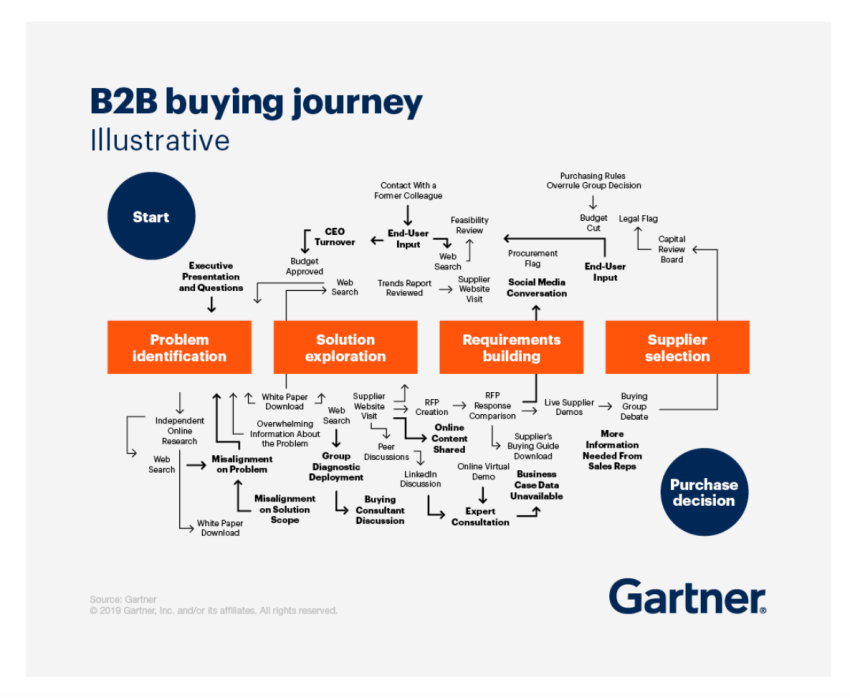
Sellers aren’t obsolete, though. The same Gartner research found that B2B buyers are 1.8 times more likely to close a high-quality deal using supplier-provided digital tools alongside a rep, rather than researching alone. The rep’s job has changed from being a gatekeeper of information to being a resource that buyers pull in once they’re already informed. Here, arriving prepared matters more than arriving first.
The cost of getting this wrong has also gotten sharper. Salesforce’s 2026 research found that 73% of B2B buyers actively avoid sellers who send irrelevant outreach. A poorly targeted email used to just get ignored. Now, it can get you filtered out of consideration entirely. The same research found that 57% of sales professionals say their sales cycles are getting longer, so every outreach attempt is carrying more weight than it used to.
Intent and enrichment data solve the problem by telling a rep which accounts are showing real buying signals and handing them a detail specific enough to make the outreach more relevant.
The Data Decay Math and How to Test a Vendor
This is the part of the buying process I would pay the closest attention to. A sales database isn’t a purchase you make once and own forever. It behaves more like inventory with a shelf life. People change jobs, companies restructure, phone numbers change, and departments disappear. Think of a contact database as something you rent, whether the invoice says so or not.
What the numbers actually say
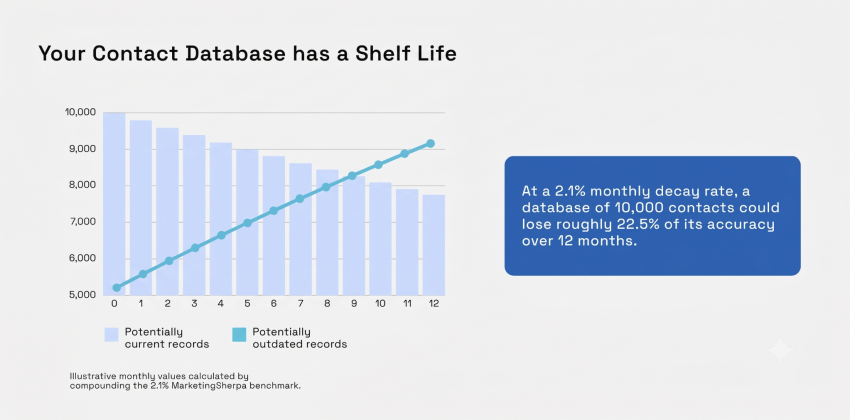
An established benchmark from MarketingSherpa, published in HubSpot’s database decay simulation, puts B2B data decay for contacts at roughly 2.1% a month. Compounded across a year, that works out to close to 22.5%. The monthly figure is the measured rate, and the annual figure is derived from it, not a separate measurement.
Suppose you start January with 10,000 contact records. Using the benchmark as a simple annualized illustration, roughly 22.5%, or about 2,250 records, could become outdated over the course of a year.
You may also see figures closer to 70% annual decay, depending on your source. That range usually describes email addresses specifically, not entire contact records like title, phone, and company.
That doesn’t mean every record disappears. It means some fields within the record may no longer be reliable. For instance, a direct dial may fail, a title may change, or the contact may leave the company. It could also be that the email address may no longer belong to the same person.
That distinction matters when vendors advertise coverage or accuracy.
A provider can return data for 95% of your records and still have meaningful accuracy problems. I’d rather see a vendor admit that it can’t match a contact rather than confidently write an outdated title or phone number into the CRM.
What decays fastest, and why
Different types of sales intelligence data have different shelf lives.
Intent signals tend to be highly time-sensitive. A company researching a topic this week may no longer be actively researching it next month. The value of the signal can fall quickly if your team doesn’t act on it.
Contact fields are also fragile. Job titles, direct dials, and work emails can change when people move. This is especially relevant for SDRs and account executives working named accounts, where one wrong executive contact can lead to several touches going nowhere.
Firmographic data usually changes more slowly. Employee count, company location, industry classification, and company size may still require updates, though they don’t generally shift at the same speed as an individual’s employment details. Technographic data also changes on its own schedule as companies add or remove software.
That suggests a better maintenance approach than running the same bulk cleanup on every field once a year.
For example, a team could use:
- Quarterly CRM checks: Review high-value contact and account fields against current data.
- Job-change monitoring: Update ownership and outreach plans when a key contact moves.
- Fresh intent signals: Give buying signals a short window before lowering their priority.
- Field-level rules: Refresh titles and contact details more often than slow-moving firmographic data.
The exact cadence should reflect your sales cycle and ICP. A company selling into a stable group of large enterprises may have different data needs than a team targeting fast-growing technology companies.
No sales intelligence tool can permanently eliminate data decay. Ordinary job mobility and business changes keep creating new records and invalidating old ones. Think of it as a vendor selling a process for maintaining data, with varying sources and refresh methods, rather than a permanent cure.
The checklist to shop with
Published accuracy claims are important background information, but your test is more useful when deciding whether to spend real money.
Before signing anything, run a spot check you control instead of trusting a vendor’s accuracy claim. Pull 20 accounts whose real details you already know, ideally current customers, and run them through the vendor’s platform. Compare the results, field by field.
Check the information your team needs. A provider with strong firmographic coverage but weak direct-dial coverage may still be the wrong fit for an outbound motion.
Separate match rate and accuracy. Match rate measures whether the provider found a record to return, while accuracy measures whether the information returned is correct. Those are separate tests. A high match rate on stale or incorrect records can be worse than a low match rate because bad data can look like coverage.
I would also test data enrichment on records you know are incomplete. Contact enrichment sounds impressive in a demo, but the practical question is simpler. Does the provider fill the fields you actually need, and does it do so correctly?
For companies operating across regions, compliance deserves the same level of scrutiny. Ask how they source and maintain personal data. If your use case involves contacts subject to the General Data Protection Regulation (GDPR) or California Consumer Privacy Act (CCPA), review the vendor’s current documentation and contract terms with the appropriate legal or privacy stakeholders.
Before signing any contract, pay attention to renewal terms. Teams often compare the year-one subscription price and overlook credit consumption, usage limits, implementation work, or a higher renewal rate. Ask for those details in writing.
| Criterion | What to confirm before you sign |
|---|---|
| Coverage in your segment | Test against your actual ICP, not the vendor’s demo list. Coverage varies enormously by region and company size. |
| Accuracy, not match rate | Run the 20-account spot check. Ask about accuracy measures and how recently the vendor verified each record. |
| Credit model | What consumes a credit, what happens when they run out mid-quarter, and do unused credits roll over? |
| CRM writeback | Which objects and fields sync natively, and what requires custom mapping? |
| Compliance and renewal | Look at GDPR and CCPA postures, how the vendor sources contacts, and the year-two rate in writing. |
Top Sales Intelligence Tools Compared
The right sales intelligence tool depends heavily on the problem you identified earlier. Note that some of these vendors sell on quote-only, seat-based, or credit-metered pricing, while other sales intelligence platforms publish entry-level plans. Treat the pricing models below as a reference, and check the vendor’s official pricing page before budgeting.
Credit consumption, not the sticker price, is usually the line item that surprises a team in year one. Apollo.io, for example, lists self-serve annual plans that run from roughly $49 to $119 per seat per month (annual billing), but the real cost still depends heavily on how fast a team burns through Apollo’s phone and enrichment credits. As of this writing, Apollo does offer a free plan with 900 credits per seat per year.
That said, here’s a practical comparison of several major options based on their main role in the sales intelligence space.
| Platform | Best for | Primary data type | Pricing shape | CRM fit |
|---|---|---|---|---|
| ZoomInfo | Enterprise teams needing the widest database | Contact, company, intent | Annual seat plus credits | CRM agnostic, deep integrations |
| Apollo.io | SMB outbound, database plus sequencing | Contact, engagement | Self-serve, credit metered | Salesforce and HubSpot |
| Cognism | EMEA outbound needing verified mobiles | Contact, compliance-focused | Annual data only | Standard connectors |
| Breeze Intelligence | HubSpot shops enriching in place | Enrichment, visitor ID | Bundled into HubSpot tiers | HubSpot native only |
| Nextiva | Teams whose gap is call context, not lead volume | First-party conversation data | Per-user platform pricing | Salesforce, HubSpot, Zoho |
ZoomInfo
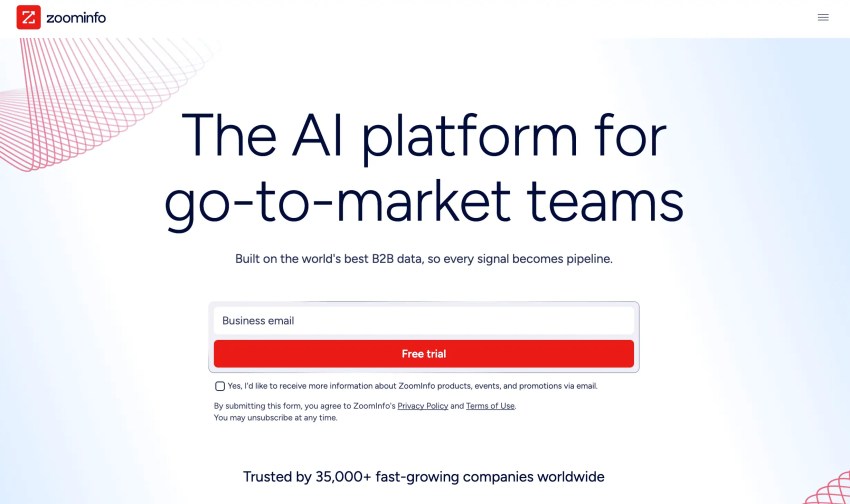
ZoomInfo is generally a fit for larger-revenue teams that need extensive contact and company coverage and expect deep CRM integrations.
Its breadth can be valuable, but buyers should still test the data against their own ICP. A vendor’s strongest coverage may not line up with a specialized vertical, a particular geography, or a smaller company.
Be sure to review the usage terms. Credits and feature packaging can affect how much data a team can access during a contract period.
Apollo.io
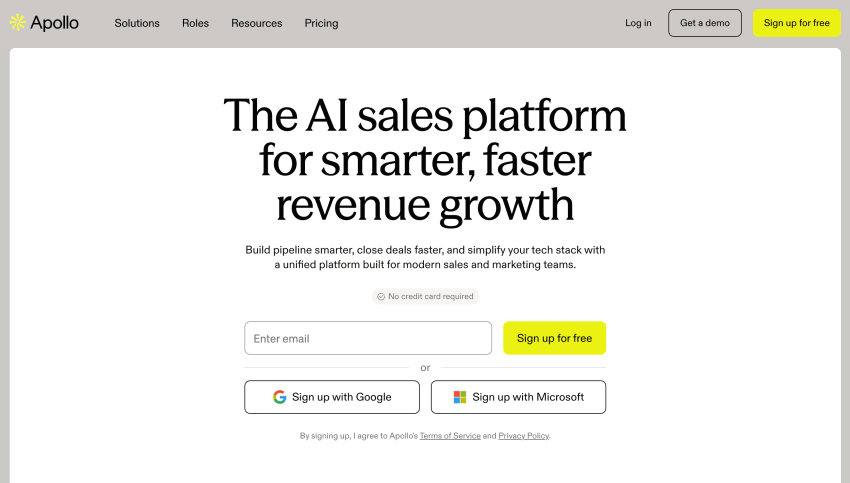
Apollo.io appeals to teams that want a prospect database and sales engagement functions in the same product.
While that can reduce the need for separate software in some stacks, it can also create a comparison problem. If you’re comparing Apollo against a pure contact database, separate the value of the data from the value of the sequencing and engagement features you would otherwise buy elsewhere.
For a lean revenue team, consolidation may be worth more than choosing the strongest standalone tool in every category.
Cognism
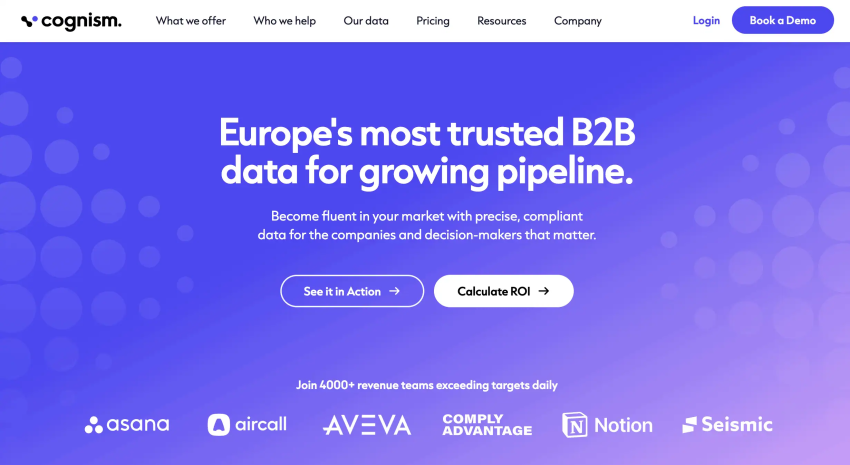
Cognism is often evaluated by teams prospecting internationally, particularly where verified mobile data and compliance practices are important considerations.
Coverage still needs to be tested at the field level and within your target market. “Good international coverage” is too broad to make a purchasing decision with. A US-heavy ICP, an EMEA outbound motion, and a multi-region sales organization can produce very different test results.
Breeze Intelligence
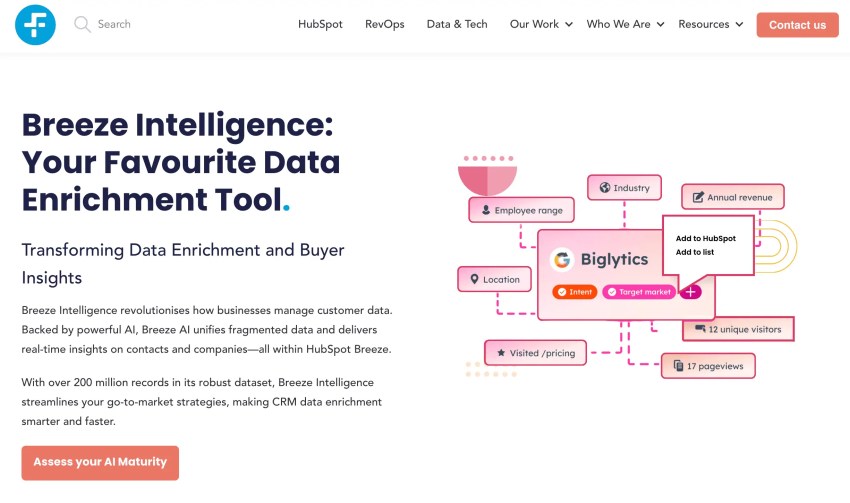
Breeze Intelligence makes the most sense when your company already uses HubSpot and wants enrichment inside that environment.
The advantage is workflow proximity. If enriched data lands where the team already works, adoption can be easier than managing another standalone platform. The limitation is just as clear, though.
Buyers shouldn’t treat Breeze as a universal replacement for every contact database or intent data product without testing the exact coverage they need.
Nextiva
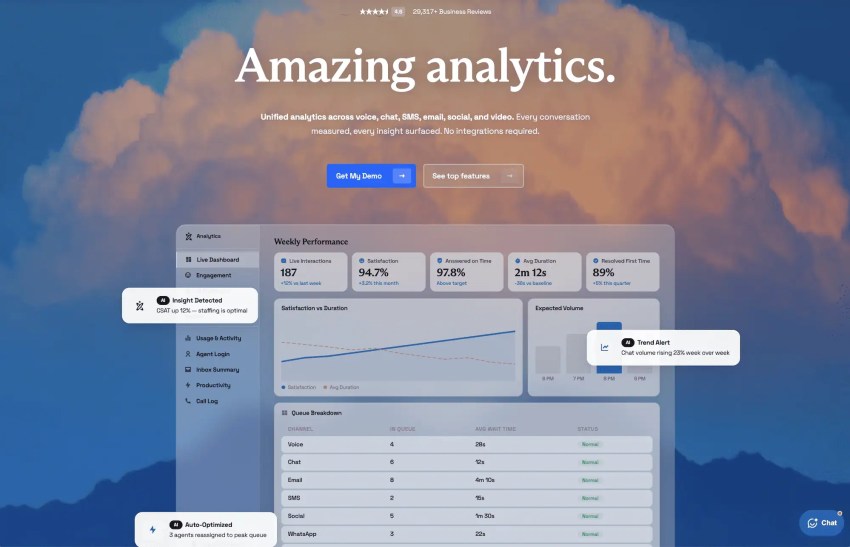
Nextiva belongs in this comparison for a different reason. It’s not a third-party contact database, and treating it as one would mislead buyers.
Nextiva’s customer analytics platform analyzes conversations across voice and digital channels, including email, social media platforms, chat, and video, with capabilities that include transcription, intent recognition, sentiment analysis, keyword analysis, trend analysis, conversion tracking, and custom reporting. While the platform doesn’t require integrations or configuring data pipelines, it does support integrations with CRMs like Salesforce, HubSpot, and Zoho.
Aside from the sales intelligence tools above, it’s also worth looking into LinkedIn Sales Navigator. Powered by artificial intelligence, it helps you grow your sales pipeline by uncovering high-quality leads, streamlining lead generation, personalizing engagement, and understanding buyer intent. Use the platform’s analytics to help you measure your sales performance.
Tool Sprawl as a Hidden Cost
One reason why I would resist adding software without a clear category is that the sales stack is already crowded.
Salesforce’s 2026 sales statistics report says sellers use an average of eight tools to close deals. The same source found that 42% of sales reps feel overwhelmed by the number of tools, and overwhelmed sellers are 45% less likely to achieve their quota.
Sales enablement teams often end up owning this problem by default since they’re the ones stitching a sales engagement platform, a CRM, and a sales intelligence tool into a single onboarding flow for every new rep. Every new subscription should have to justify itself by what it replaces or consolidates (e.g., reporting, sales process automation) rather than what it adds.
Gartner’s 2024 seller survey found a related, but different, result. Around 50% of sellers felt overwhelmed by the amount of technology required for their job, and 72% felt overwhelmed by the number of skills required.
Gartner also found that sellers who effectively partner with artificial intelligence tools were 3.7 times more likely to meet their quota.
The First-Party Layer Most Stacks Are Missing
Some of the tools discussed so far sell you data about someone else. There’s a second source sitting inside your own company already, and that’s the calls your reps make every day, most of which get logged as “call completed” and nothing else.
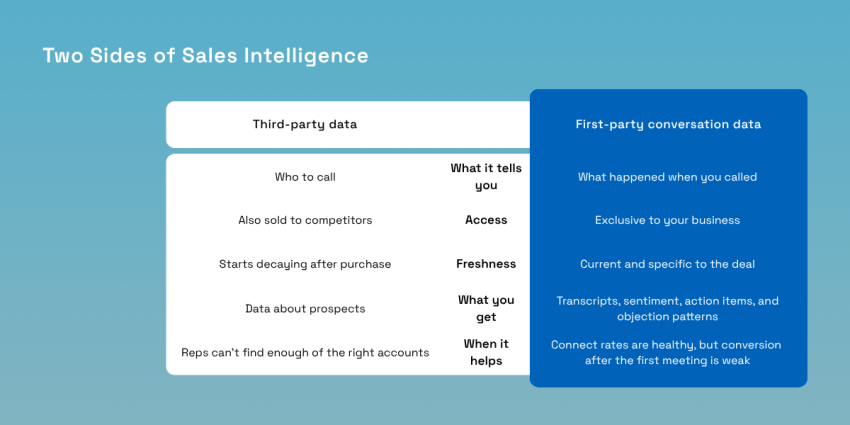
Your calls are already sales intelligence
Third-party data, however accurate, is a snapshot of a stranger. It’s sold to your competitors at the same time as you, and it starts decaying the day you buy it.
A recorded discovery call is different. It’s first-party, exclusive to you, current, and specific to the actual deal in front of you. No competitor can purchase access to it.
Most CRMs quietly tolerate a gap here.
When reps underlog their calls, the CRM still shows that a call happened, but it rarely reveals what was said, such as what the buyer pushed back on or what they cared about. Automatic transcription closes that gap without asking reps to change their habits, which is why it works.
Reliance Partners, an insurance agency running roughly 1,000 calls a day across sales, billing, and support, shows what this process looks like in practice. The company grew its revenue by 327% and chose Nextiva specifically for the call data, not just for the phone system that comes with it. It now uses that data to build per-team activity portals.
What conversation intelligence produces
The value of call intelligence is in what a rep or manager can do with the output, not the technology producing it. In practice, that means four things:
- A transcript tied directly to the contact record
- Sentiment and topic extraction pulled from the call automatically
- Action items generated without manual review
- Objection patterns visible across every rep on the team instead of one deal a manager happened to sit in on
The last point is where this approach changes sales intelligence outcomes, not just record-keeping. Once every objection across every call is searchable, a manager can pull the four calls where a rep handled the exact pricing objection well and use them to train the rest of the team. Without that, coaching runs on a manager’s memory of the call they sat in on, which is a smaller and less reliable sample.
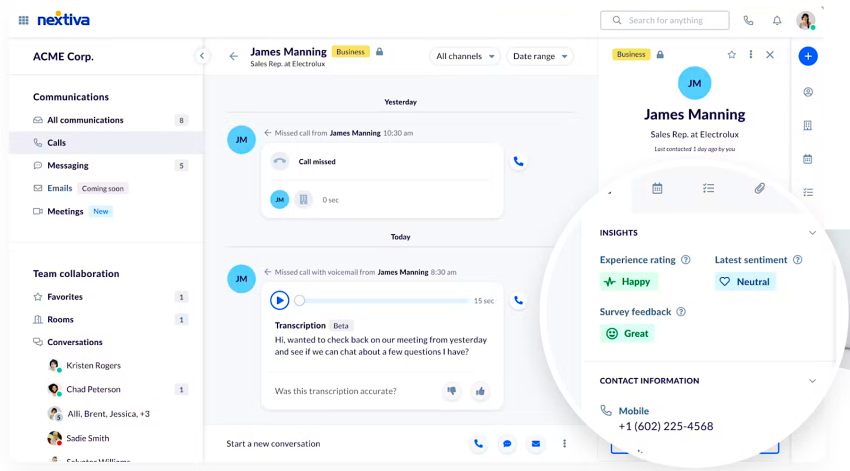
Here’s a 10-minute test to run before buying sales intelligence software. If connect rates are healthy but conversion after the first meeting is weak, inspect the conversations. You may have enough prospects. The missing information may be sitting in calls your team already completed. The problem might be the context, or what happens on the call, not the coverage or how many people are on the list, and just having a bigger database won’t fix it.
If reps genuinely can’t find enough of the right accounts to call at all, then buy the database. These two problems don’t exclude each other. A team can have both, but they require different tools, and buying the wrong one first leads to costly mistakes.
Turn Your Conversations Into Sales Intelligence
You, or your buying committee, came here looking for a database, and that makes sense because a database gives you something tangible on day one, such as a list you can hand to a rep to start calling. But bought data only ever answers one question, and that is who to call. The more valuable half of sales strategies is sitting inside conversations your team is already having and mostly discarding once the call ends.
Nextiva’s sales intelligence platform does four things with that half of the category. Every call gets transcribed and summarized automatically. Sentiment and intent get pulled from both phone calls and digital channels like chat and text, so a conversation that starts in one channel and continues in another still shows up as one record instead of two disconnected ones.
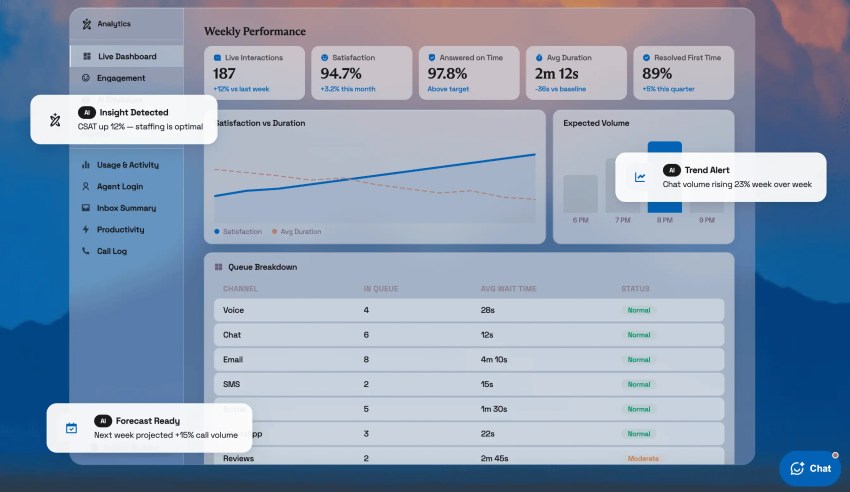
That conversation data syncs back to the CRM automatically, so the context lands on the contact record without a rep typing a summary after the fact. Dashboards then surface objection patterns across the whole team.
This also solves the tool sprawl problem directly. A team running a separate call recording tool, a transcription service, and an analytics dashboard is paying for three subscriptions to do what one platform can do. Nextiva replaces those three instead of adding a fourth tool on top of them.
If your team already has a contact database and a sales cycle that stalls somewhere after the first meeting, the gap probably isn’t a lack of leads. Ask for a walkthrough of Nextiva’s analytics and reporting platform to see the reporting suite in action and find out what’s actually being said on the calls your reps are already making.
Nextiva’s Analytics & Reporting Platform
Unified analytics across voice, chat, SMS, email, social, and video. Every conversation measured, every insight surfaced. No integrations required.