Customer Experience
  Blog
Blog  Business Communication
  Leadership
  Marketing & Sales
  Nextiva News
  Productivity
  VoIP
VoIP 

When you’re a small team, a basic phone system works fine. But as you scale, that same system becomes a bottleneck. Call volumes increase, but visibility into what drives conversions disappears. Agents get bogged down in manual tasks, compliance risks creep in, and productivity gaps widen.
Outbound calling software is built to fix this. It automates the mechanics of dialing, so your team can focus on generating revenue with strategic, live conversations.
If you make low-volume calls, a standard VoIP phone system is likely all you need. But if you run high-volume, time-sensitive campaigns where every second counts, or you’re specifically an outbound call center, you’re in the right place. This guide covers the software that powers that growth.
What Is Outbound Calling Software?
Outbound calling software helps teams place proactive calls at scale using dialers, calling lists, campaign tools, and analytics. It is the engine teams use when calls are a primary growth driver, not just a side task.
It replaces manual dialing with an automated system that aggregates queues, caller ID, SMS, call recordings, and voicemails in one unified workspace.
Why move away from manual dialing?
The advantages of dedicated outbound calling software go beyond just speed. Removing the manual friction of dialing offers you the following key advantages:
- More live conversations: Reps don’t wait to dial the next call; the system does it for them. If it detects an answering machine, it instantly skips to the next number, maximizing talk time.
- Better connect rates: Advanced features like local presence (matching the area code to the prospect’s) and caller ID authentication prevent your number from being labeled as spam.
- Cleaner CRM data and reliable reporting: The platform automatically logs every call, outcome, and note directly to your CRM. This eliminates human error and ensures reports reflect reality.
- Stronger coaching and quality control: With automatic recording and transcription, managers can identify coaching moments in real time rather than relying on random sampling.
- Built-in compliance guardrails: Automated workflows for Do Not Call (DNC) suppression and time-of-day restrictions protect your brand from costly violations.
Common outbound use cases
Outbound call center teams leverage this software differently depending on their goals:
- Prospecting: Sales teams use predictive or power dialers to burn through cold lists efficiently.
- Retention: Account managers use intelligent routing to ensure high-value clients reach their dedicated agent immediately.
- Collections: Finance teams leverage high-volume automated dialing to recover payments while maintaining strict compliance.
- Re-engagement: Marketing teams use omnichannel outreach (voice and SMS) to reactivate dormant leads.
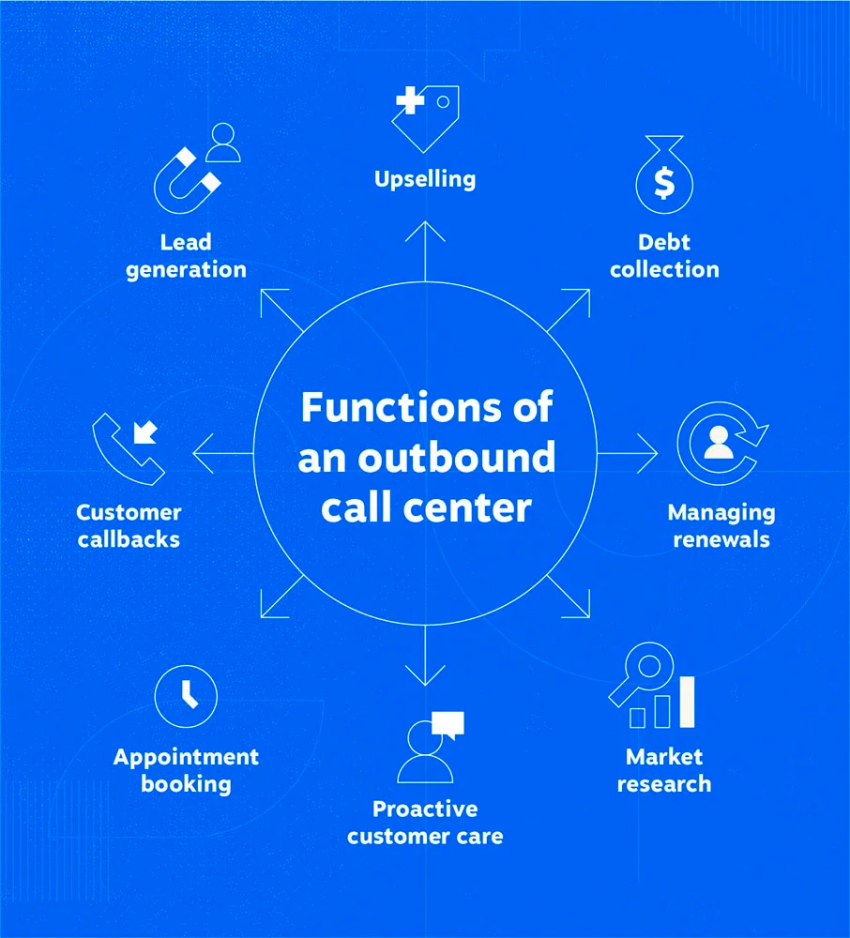
In any use case, outbound calling platforms help scale your calling workflow optimally as your volume grows.
Key Features to Look for in an Outbound Calling Software
Outbound calling software addresses your pain points only when the fundamentals are strong. Don’t get distracted by flashy add-ons; focus on the key areas that support scale, control, and performance.
Dialer modes that match your motion
One dialer type cannot fit every campaign. Your platform must support the specific rhythm of your team:
- Power dialer: Best for steady, high-activity sales teams that need speed but want to hear the connection.
- Predictive dialer: Best for high-volume environments where algorithm-driven pacing maximizes agent utilization.
- Preview dialer: Best for complex, consultative sales where agents need to review CRM history before dialing.
- Progressive dialer: Best for balancing automation with a steady, human pace — ideal for avoiding abandoned calls.
Tip: If a platform locks you into just one mode, it limits how your strategy can evolve.
Native CRM integrations
Surface-level syncing isn’t enough. You need native CRM integrations with Salesforce, HubSpot, or your system of record.
Two-way sync is important. When a rep logs a note in the dialer, it should appear in the CRM instantly. When a lead status changes in the CRM, it should update the calling list automatically. Without this, your data hygiene will crumble at scale.
Intelligent campaign and list management
Scale breaks when calling lists get messy. You need robust outbound calling tools to manage who gets called and when.
Segmentation filters list by time zone, lead score, or interaction history. Automatic reuse rules queue calls that are busy or unanswered, ensuring no lead is lost. Support for multitouch sequences (call → SMS → email) to boost connection rates is also essential.
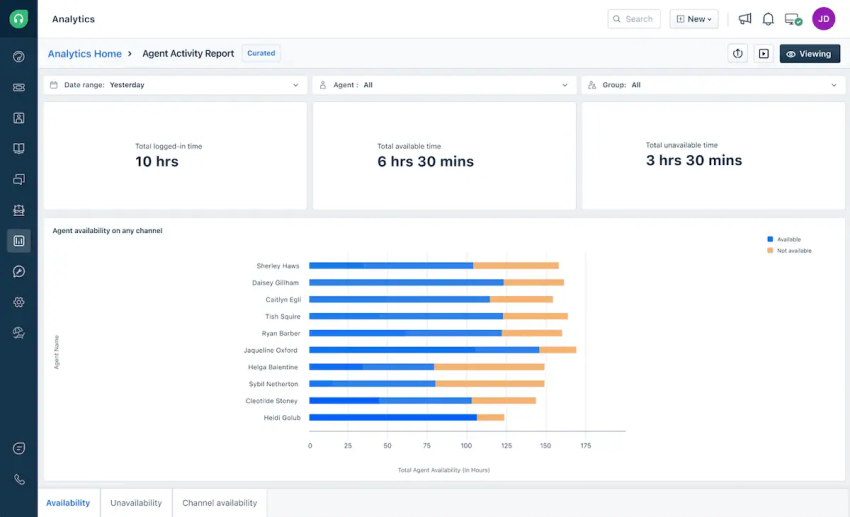
Actionable analytics and reporting
Data is useless if you can’t act on it. Look for dashboards that answer specific questions in real time:
- Real-time views of call volume, connect rates, agent productivity, and conversion rates.
- Agent-level and campaign-level reporting.
- Outcome tracking tied to pipeline and customer engagement.
- Quality assurance tools like call recording, transcription, scorecards, and sampling, if coaching and compliance matter.
Compliance and trust guardrails
As you scale volume, you scale risk. Your platform must protect your brand reputation:
- DNC management: Automatic suppression of numbers on DNC lists.
- Local presence: Tools to display local area codes to improve pickup rates (while adhering to legal standards).
- Caller ID authentication: Support for STIR/SHAKEN protocols to prevent your calls from being flagged as spam risk.
These are not optional when you’re operating at scale and don’t want the CX or customer satisfaction to degrade as you simply scale the numbers.
Top 8 Outbound Calling Software Solutions
This section helps you compare different outbound call center software options without being overly theoretical. It attempts to identify the use case for which this software serves best, helping you make informed decisions.
1. Nextiva
Best for: Teams that want outbound dialing with a broader CX and a unified communications platform.
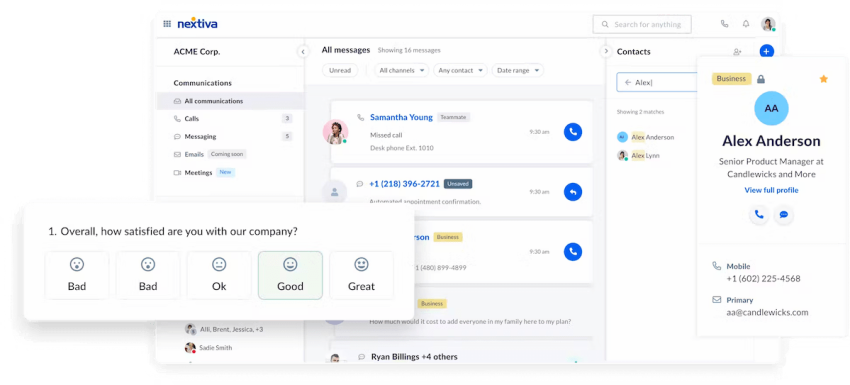
Nextiva saves you from a patchwork of tools by providing a unified communications platform for sales and customer outreach. It connects dialing, routing, analytics, and customer context in one system so leaders can manage proactive outreach as part of the full customer journey.
Why it stands out
Nextiva offers features for integrating non-sales functions, such as a helpdesk, to create a comprehensive communication system for businesses. You don’t pay for isolated tools that don’t contribute to the business context; instead, you receive a complete system. Here’s why it stands out:
- Streamlines outbound sales calls and customer engagement without splintered tools.
- Blends different dialers and CRM integration so reps spend more time on live calls and less time on manual dialing workflows.
- Automates reporting with customer data context to help leaders see trends in conversions while mapping to agent performance.
- Supports omnichannel communication so outbound plays connect with broader customer interactions.
Key outbound strengths
| Key Features | Availability | Context |
|---|---|---|
| Multiple Dialer Modes | Yes | Supports predictive, power, progressive, and preview dialers. |
| CRM Integration | Yes | Deep native syncing with major CRMs. |
| Real-Time Dashboards and Metrics | Yes | Live connect rates, call volume, outcome reporting, and agent productivity KPIs. |
| Omnichannel Outreaches | Yes | Voice + SMS + callback workflows |
| Call Recording and AI-Powered Insights | Yes | Records calls and transcribes communications to drive performance insights. |
| Call Routing and Compliance Features | Yes | Smart call queues, IVR, DNC suppression, and consent tracking are embedded into workflows. |
Checklist for evaluating Nextiva
Use these questions to verify if Nextiva fits your specific workflow during a demo or trial.
1. Can I launch an outbound calling campaign with CRM integration quickly on Nextiva?
Yes. Nextiva offers native, prebuilt integrations with major CRMs like Salesforce, HubSpot, and Zoho. Unlike generic VoIP tools that require third-party connectors (like Zapier) for basic syncing, Nextiva allows you to log calls, view customer records, and trigger workflows directly within the CRM interface immediately after setup.
Explore Nextiva’s top CRM integrations.
2. Can I switch dialing modes (predictive, power, preview) per campaign?
Yes. You’re not locked into a single dialing logic. You can configure specific campaigns to use predictive dialing (for maximum volume on cold leads) and others to use preview or progressive dialing (for high-value account management). This flexibility lets you match the pace of the dialer to the quality of the list.
3. Is Nextiva easy to deploy on remote devices?
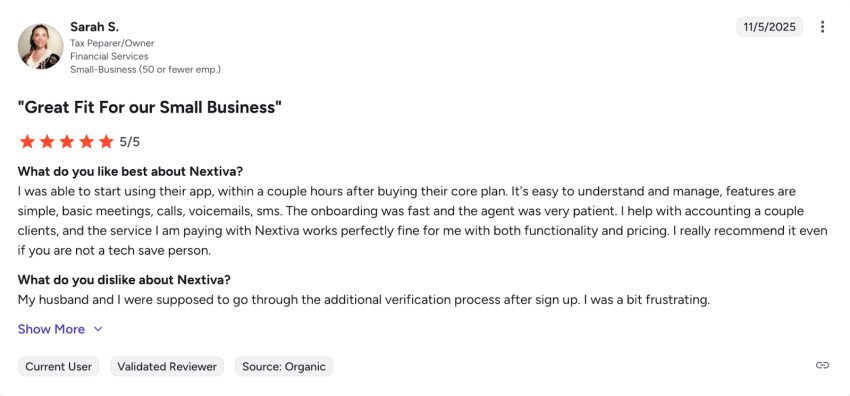
Yes. Nextiva is entirely cloud-based. Agents can access the full outbound suite via a browser-based web portal or the dedicated desktop and mobile apps (iOS or Android). This means you can onboard remote agents in minutes without shipping hardware or configuring complex VPNs. Users have found Nextiva’s onboarding process especially streamlined.
4. Does Nextiva offer reliable technical support?
Nextiva is known for its Amazing Service®, offering 24/7 support. Unlike budget dialers that rely on ticket-based email support, Nextiva provides enterprise-grade reliability and access to live support channels, which is critical when running time-sensitive outbound campaigns.
Read more Nextiva reviews on G2.
2. Kixie
Best for: Sales teams that live inside Salesforce or HubSpot and want fast dialing speed.
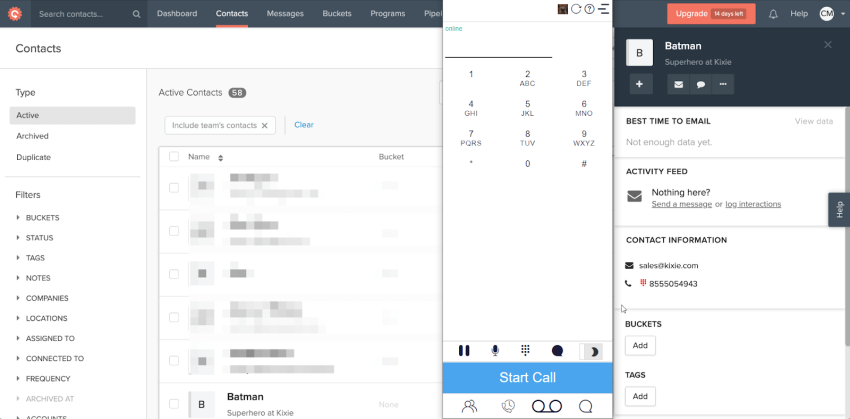
Kixie increases outbound sales calls inside CRMs. It’s especially effective for teams where connect rates, pace, and CRM-driven follow-ups directly impact pipeline speed. It feels light compared to deep contact center tools, but it wins where sales cadence and dialing performance matter most.
Why it stands out
Kixie improves daily call volume with a sales-first dialer experience and strong CRM workflows. It’s good for SDR and BDR teams in small- to mid-market sales organizations with a clear, list-based motion.
Checklist for evaluating Kixie
1. Does Kixie provide a customizable reporting dashboard?
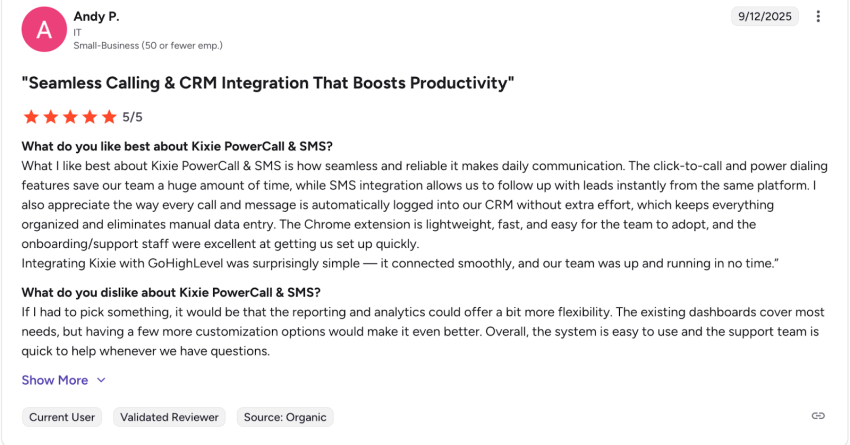
While Kixie excels at speed and activity logging, some user reviews note that its native reporting can be rigid compared to full contact center suites. During your demo, ask to see how to build custom reports for specific KPIs (e.g., connect rate by time of day). If the native options aren’t enough, check to see if you will need to rely on their API or a third-party BI tool.
2. Can I scale operations beyond just sales teams?
Yes, but with caveats. Kixie is purpose-built for high-velocity sales. While it scales well for adding more sales reps, it may feel limited for complex support or omnichannel service workflows compared to unified CX platforms. If you plan to merge sales and support onto one system later, test their ring groups and inbound routing capabilities first.
3. Which CRM integrations does Kixie support?
Kixie is best known for its deep, bidirectional sync with HubSpot, Salesforce, and Pipedrive. It can trigger workflow automations (like sending an SMS) based on a call outcome. If you use a niche CRM, check its Zapier integration reliability, as native support is focused on the major players.
3. PhoneBurner
Best for: Sales teams that want outbound calling built into a sales CRM workflow.
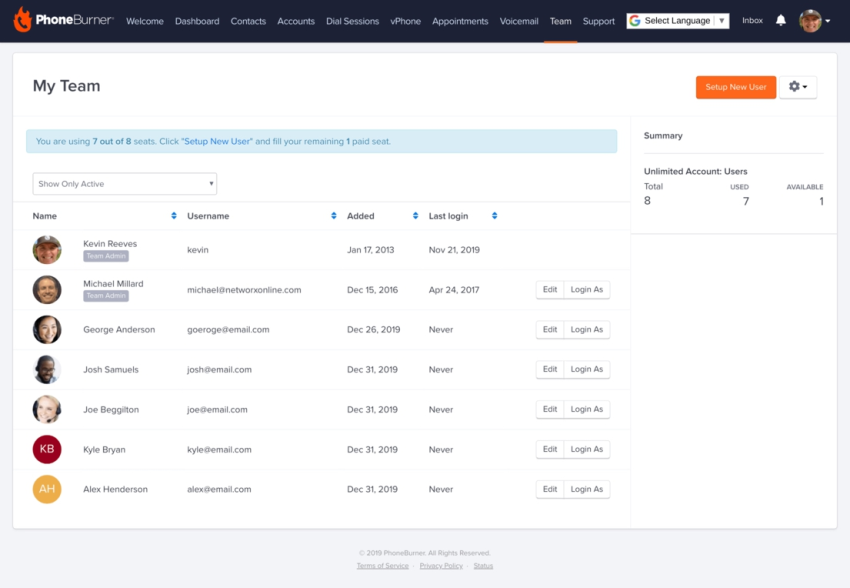
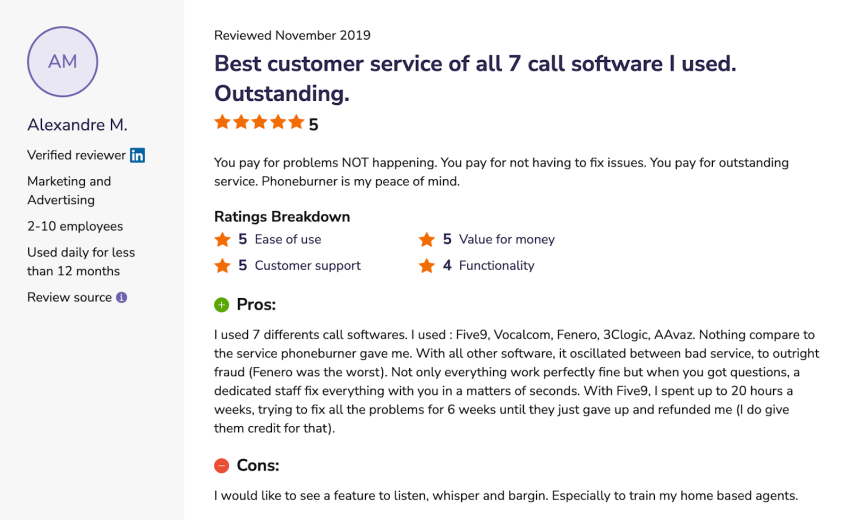
PhoneBurner caters to teams focused on outgoing calls and lead engagement rather than full call center complexity. It lets you configure power dialing workflows to reduce dead time during manual dialing, ensuring reps spend more time on live calls.
Why it stands out
It doesn’t cater to the full range of call center complexity, but it’s strongly focused on outgoing calls and lead engagement. PhoneBurner offers built-in voicemail drop and disposition software, keeping reps moving through lists efficiently.
Checklist for evaluating PhoneBurner
1. Does PhoneBurner have a parallel dialer?
No. PhoneBurner is strictly a power dialer. It dials one number at a time to ensure there is no telemarketer delay (the pause before an agent speaks). If your strategy requires blasting four lines at once to maximize volume at the cost of user experience, PhoneBurner isn’t the right tool. It prioritizes connection quality over raw churn.
2. Are features like whisper or barge available in PhoneBurner for coaching?
Check your tier. While PhoneBurner has added coaching features, some legacy plans or lower tiers may limit real-time monitoring capabilities. Ask specifically if the Live Listen and Barge features are included in your quote, as these are critical for onboarding new reps.
4. Close
Best for: Sales teams that want outbound calling built into a sales CRM workflow.
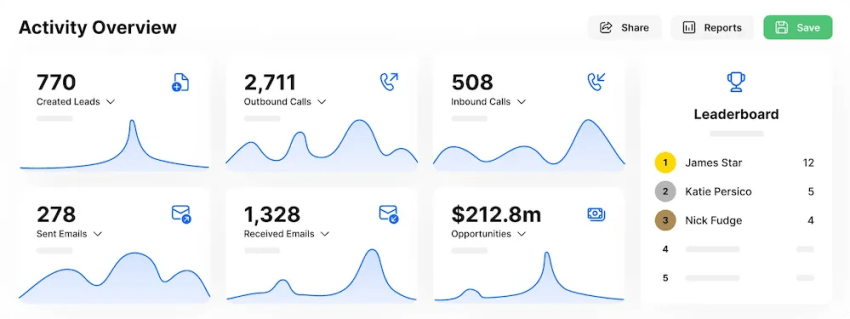
Built as a sales-first CRM with calling at its core, Close keeps reps rolling through lists with minimal idle time. It offers features, such as call tracking and activity logging, to tie phone conversations directly to deals and conversion metrics.
Why it stands out
Close is a standout choice if your primary goal is tight alignment between calls, follow-ups, and your sales pipeline. It gives reps context and managers clarity without the overhead of a full outbound contact center software stack.
Checklist for evaluating Close
1. Is Close a standalone dialer or a CRM?
It’s a CRM first. Close is a dedicated sales CRM with calling built in. It’s not designed to sit on top of another CRM (like Salesforce). If you already love your current CRM, Close might not be the right fit unless you are willing to migrate your data.
One of the reviews mentions feeling limited in advanced reporting and customization capabilities. It might be helpful to discuss what you expect from reporting and analytics and to check it with Close’s team.
Similar feedback gets repeated in a few recent G2 reviews.
2. Does it support predictive dialing?
Yes, on the highest tier. Close offers a predictive dialer, but it’s typically gated to their Scale plan. If you’re a smaller team on a budget, verify if the power dialer included in lower plans provides enough throughput for your needs.
3. Can I customize reporting and roles easily?
Verify granularity. Users praise Close for speed but note that advanced reporting and custom permission roles can be limited in lower tiers. During the trial, try to create a custom role and see if you can restrict their ability to bulk-export leads, which is a common security requirement.
5. CloudTalk
Best for: Remote and global teams that need international phone numbers and flexible calling operations.
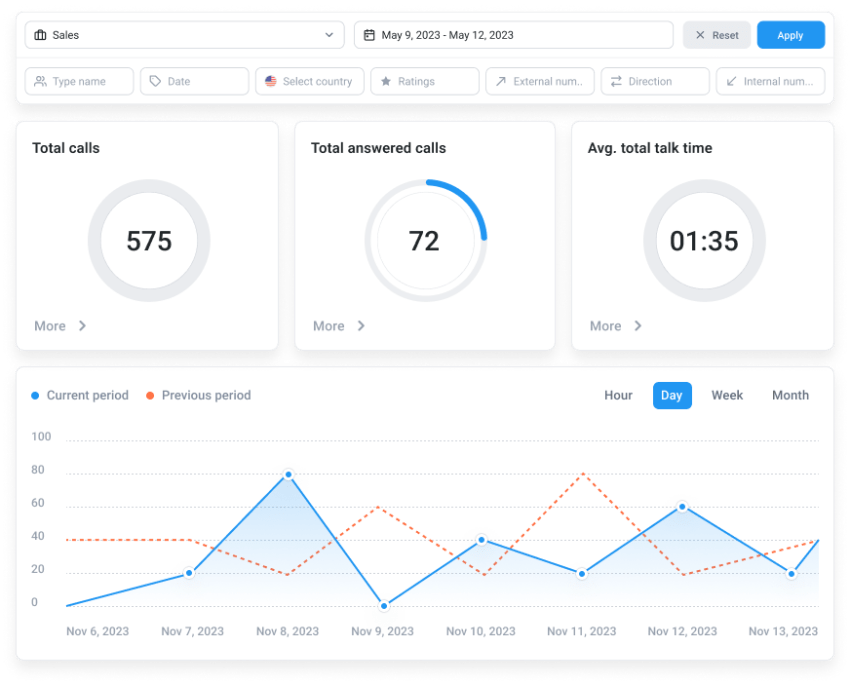
CloudTalk offers a call center-friendly experience with useful outbound tooling, especially for distributed teams. It delivers built-in call queues, routing, and analytics without the complexities of a heavy enterprise system.
Why it stands out
CloudTalk offers international number options and number management. It also delivers QA-friendly features like recording and monitoring.
The platform is an ideal fit for both sales and support teams conducting proactive outreach across regions. SaaS teams selling internationally find CloudTalk to be reliable.
Checklist for evaluating CloudTalk
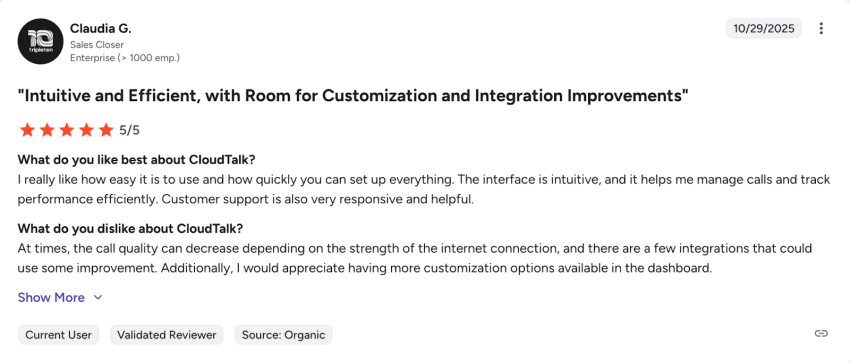
1. Is the interface intuitive for nontechnical users?
Generally, yes. CloudTalk is designed for ease of use, but some reviews mention that advanced configurations (like complex IVR trees) can have a learning curve.
Pro Tip: Have your actual sales manager, not just IT, try to change a routing rule during the trial to see if it’s user-friendly enough for daily operations.
2. How easy is it to manage international numbers?
This is its strength. CloudTalk excels at procuring international numbers in over 160 countries. However, always verify the proof-of-address requirements for the specific countries you need, as this is a regulatory hurdle that no software can bypass entirely.
3. How smooth is the contact import process?
Test this. Some users have reported friction when importing large lists during free trials. Upload a sample file of 500 contacts during your demo to ensure custom fields (like company size or lead source) map correctly without manual cleanup.
6. JustCall
Best for: Teams that want outbound calling plus texting and lightweight omnichannel follow-up.
JustCall supports voice and SMS outreach in the same workflow, so reps don’t juggle separate tools. It has CRM integrations that automatically log calls, texts, and outcomes. The platform offers flexible number management (local, toll-free, and international), which supports pickup rates and global reach.
Why it stands out
JustCall offers reliable call tracking and analytics for performance management. It empowers the SDR team that usually mixes calls and texts during outreaches. The platform is well-suited to support and collections teams, where SMS improves response rates.
Checklist for evaluating JustCall in a trial or demo
1. Is the call quality reliable across different regions?
Validate network requirements. While JustCall uses top-tier carriers, call quality on VoIP is heavily dependent on local internet stability. Since some users have reported drops during peak hours, we recommend running a network test (provided by most vendors) during your trial to ensure your team’s home Wi-Fi can handle the HD voice codec.
2. How responsive is their support?
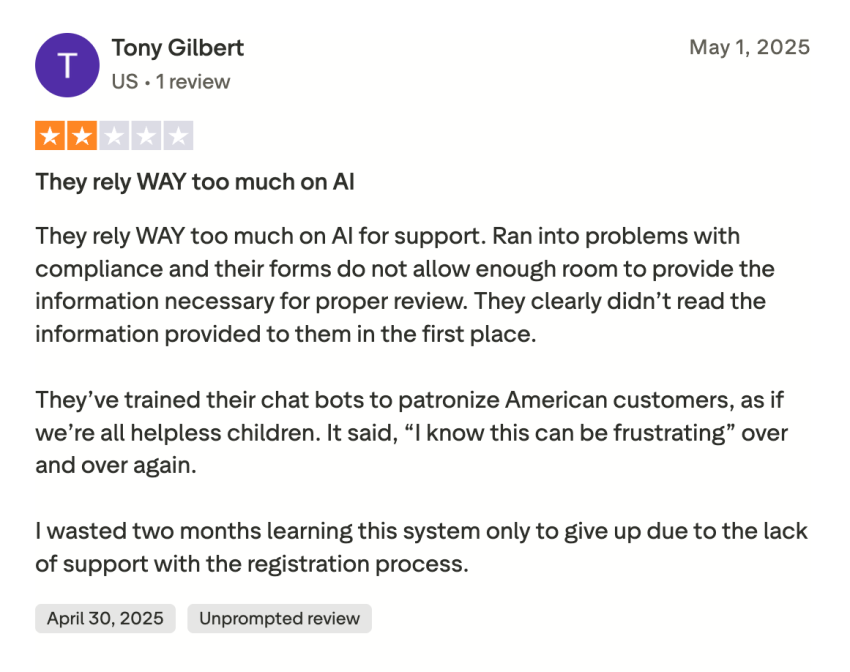
Users have mixed feedback. Reviews on support responsiveness vary. Since you’re trusting them with your phone lines, ask about their service-level agreement. Do they offer 24/7 live chat for critical outages, or is it email-only for your price tier?
7. CallHippo
Best for: SMB teams that want outbound dialers with quick setup and international reach.
CallHippo lets reps navigate lists with fewer manual clicks. It lets you use a global number with a local caller ID to help improve connect rates. The platform supports the basic tools of QA, coaching, and follow-up efficiency.
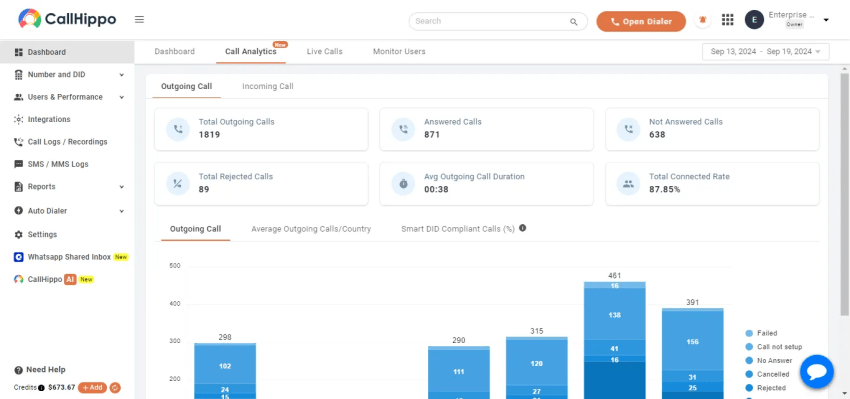
It comes with easy porting and management, making it simple to keep existing numbers or deploy new ones as needed. KPIs are available on activity logs, which users can view without exports.
Why it stands out
Fast setup and ease of use are two pros that users often talk about in their reviews on G2. It means teams can create outbound calling campaigns with minimal onboarding time. The platform supports voicemail and callback workflows, making it easier to do follow-ups on no-answer outcomes.
It’s great for small companies and those expanding outbound to new regions for the first time.
Checklist for evaluating CallHippo
Q1. Is there a steep learning curve?
Users find the basic dialer easy, but setting up advanced workflows (like Global Connect or distinct office hours for different numbers) can be tricky. Ask the sales engineer to walk you through the setup of a Smart Switch rule to see if it’s intuitive for your team.
Q2. Is bulk upload available on all plans?
Check limitations. Ensure that the bulk import feature is enabled for your specific tier. Some starter plans in the industry limit how many contacts you can upload at once, which can be a bottleneck for high-volume campaigns.
8. Squaretalk
Best for: Teams that want outbound calling plus SMS and campaign management without a huge enterprise footprint.
Squaretalk’s ease of use and feature breadth make it appealing for teams that need to streamline phone calls, SMS, and campaign workflows together. It combines predictive dialing features with useful tools for campaign management.
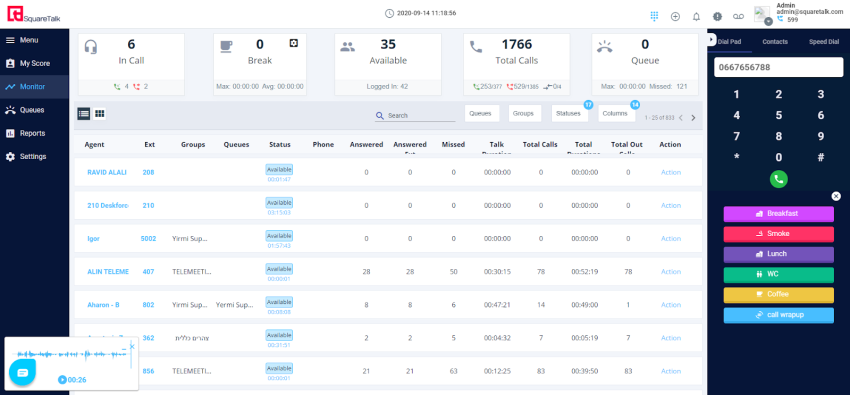
The platform delivers SMS management functionality with support for outbound messaging. It’s a great fit for outbound call centers or marketing-adjacent teams that run surveys and outreach campaigns.
Why it stands out
The platform combines voice, messaging (SMS/WhatsApp), and CRM integration to support multichannel outreach from a single interface. Users also appreciate the quick onboarding and ease of use, especially for nontech teams.
Checklist for evaluating Squaretalk
1. Does Squaretalk have a reliable mobile app?
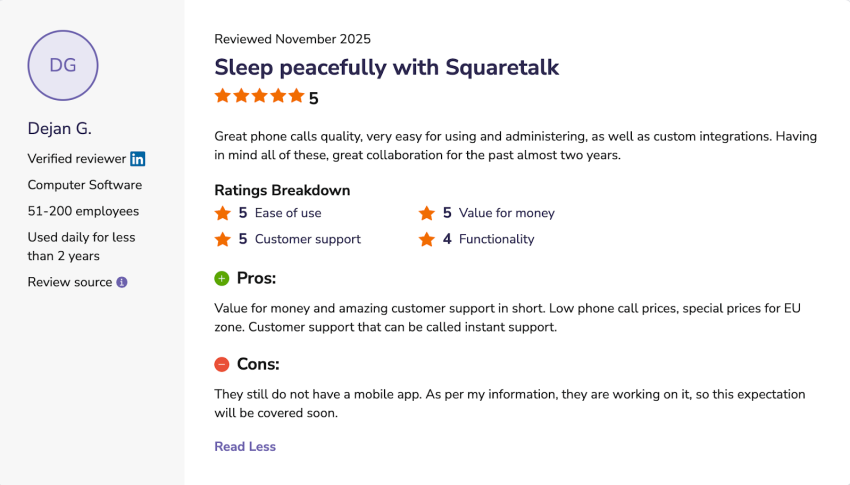
Recent reviews indicate the mobile app was a work in progress or lacked feature parity with the desktop version. If your agents are field-based, test the mobile app specifically for call transfer and CRM logging functions to make sure it meets your needs.
2. Is the predictive dialer easy to configure?
Test the logic. Predictive dialers require fine-tuning to avoid abandoned calls. Ask for a demo of the pacing algorithm settings. You want to ensure you can adjust the dial rate (e.g., dialing three lines vs. five lines per agent) easily without needing support to do it for you.
For a deeper dive into optimizing your outbound calling strategy and improving performance across your entire sales operation, check out the complete guide to outbound call tracking for sales teams.

Why Top Outbound Teams Choose Nextiva
The right outbound calling software does two things: it keeps your reps active, and it keeps your data clean. If a tool makes you choose between speed and visibility, it’s the wrong tool.
While point solutions like Kixie or PhoneBurner are excellent for specific niches, Nextiva is the choice for organizations that need reliability at scale. It offers the ability to handle high-volume prospecting and high-touch customer management in a single interface.
Nextiva combines outbound calls with inbound routing, CRM data, and omnichannel history, turning previously disconnected sales activities into a coherent growth strategy.
Don’t just buy a tool for today’s volume. Choose a platform that powers your next stage of growth.
Your complete call center solution.
Nextiva makes outbound calling a breeze. All conversations in one platform. Empowering agents. Satisfying customers.