Customer Experience
  Blog
Blog  Business Communication
  Leadership
  Marketing & Sales
  Nextiva News
  Productivity
  VoIP
VoIP 

Watching businesses rethink their phone system, I’ve noticed how they often get confused about call automation. Most of their mistakes come from assuming that different tools work interchangeably or that, because everything is “automated,” they basically do the same job. In fact, they don’t.
Some business owners want to improve the customer experience in their company without alienating their callers or overwhelming their human staff. They often ask if they can use interactive voice response (IVR) or an auto attendant, thinking this is an either-or decision. The problem here is the framing.
IVR and auto attendants handle different moments in a call. Understanding that difference and how an AI receptionist changes what’s possible helps you make smarter, more effective decisions.
Try the best AI answering service free for 14 days
XBert AI answers questions and captures leads. Add your 24/7 answering service in minutes.
What’s the Difference Between an Auto Attendant and IVR?
Auto attendants and IVR systems both automate call handling, but have different roles for different business needs.
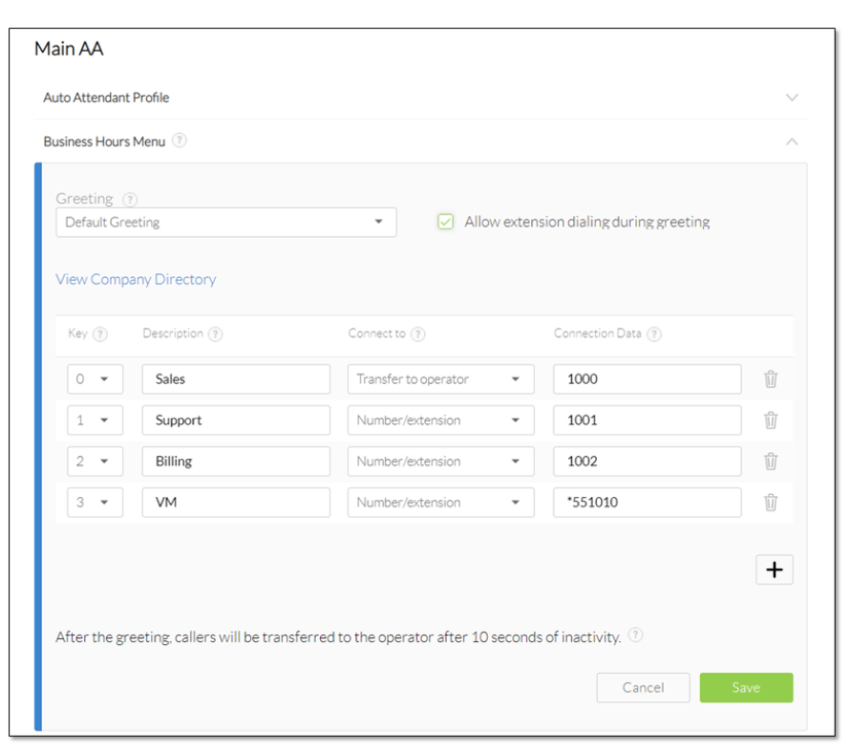
An auto attendant functions as a virtual receptionist. It answers incoming calls and routes callers to the right department, team, or employee through predefined menu options.
An IVR (Interactive Voice Response) system routes calls, collects information, authenticates callers, retrieves data from connected business systems, and completes tasks without requiring assistance from a live agent.
For example, an auto attendant might transfer a caller to the billing department. An IVR system can verify the caller’s identity, access account details, and provide billing information automatically before a live agent becomes involved.
Modern AI-powered phone systems expand on traditional IVR capabilities. Instead of forcing callers through menu trees, they understand natural language, recognize intent, and resolve requests through conversational interactions.
What an Auto Attendant or Virtual Receptionist Is & When It Works Best
An auto attendant doesn’t require a live agent per se. It’s a virtual receptionist tool that guides callers to the right personnel or department. Having an auto attendant provides your customers with an intuitive experience that lets them navigate various options with minimal waiting time.
What an auto attendant is designed to do
With pre-configured menus, an auto attendant is meant to:
- Greet incoming calls
- Help callers find specific departments/the right person
- Answer basic FAQs
Instead of a live agent, an auto attendant is your digital front desk for the office. It replaces a live person who typically answers every single call with “Hello, how can I direct your call?” It’s as simple as that. It doesn’t complete complex tasks or access your CRM. Its strength is to move people efficiently.
When used effectively, auto attendants help keep phone calls organized. Missed calls are minimized, and teams can manage call volumes without hiring human receptionists. It’s usually cost-effective because most business phone systems include it at no extra charge.
Where auto attendants excel
If your callers already know what they need or who they want to speak to, auto attendants make getting from point A to point B faster. In practice, auto attendants handle caller requests that are straightforward and don’t require interpretation.
I’ve seen these being handled efficiently in:
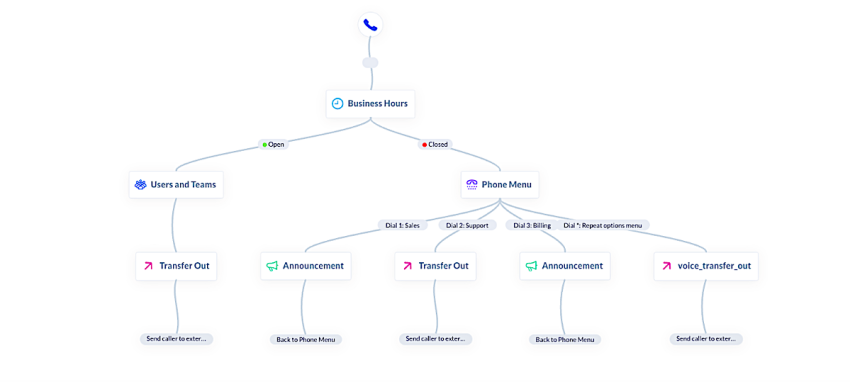
- Routing customer calls: This is especially useful when a company has clear functional lines (e.g., sales, billing, and support) and callers already know which line they want to link up with. Think “Press 1 for Sales. Press 2 for Billing.” It can be as straightforward as that.
- Managing predictable call routing: Instead of having a human receptionist type up the same handoff multiple times a day, auto attendants can be used for handling incoming calls. They manage the initial sorting (without the fatigue).
- Helping small businesses with limited staffing: When there’s no one manning the front desk, auto attendants can prevent calls from going unanswered. This reduces workload for employees who would otherwise have to cover the front desk or phones, especially after hours. Instead of callers reaching voicemail, an auto attendant can route urgent calls immediately, get enough details, or capture a message to ensure a follow-up the next day.
- Dispersing informational requests accurately: Queries such as confirmation of business hours or contact information don’t require judgment or empathy. Automating them frees up the human staff for other tasks that require their skills.
In all these scenarios, automation isn’t cold or distant. It supports efficiency and respects the caller’s time.
Where auto attendants fall short
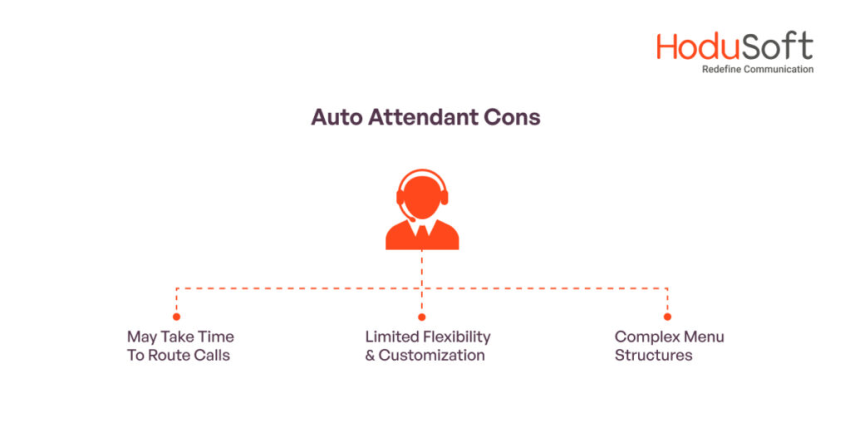
Auto attendants thrive in basic, straightforward tasks. For a lengthy menu, nested options, or any assumptions that the caller understands internal org charts, applying an auto attendant won’t work.
Because auto attendants don’t adapt in real time, they don’t understand intent. They depend on callers to confirm the menu, not the other way around. This rigidity can hurt customer satisfaction, especially when modern consumers expect faster and more convenient response times.
If your company is struggling with this, it’s time to look beyond basic routing.
How are legacy auto attendants and AI auto attendants different
While a traditional auto attendant is a rigid, one-way routing tool, modern AI auto attendants (often called AI Receptionists) turn basic call answering into a dynamic conversation.
| Feature | Traditional auto attendant systems | AI auto attendant / automated answering service |
|---|---|---|
| User interface | Press-button dial pad menus (DTMF) | Natural spoken conversation |
| Menu depth | Static, rigid hierarchies (“Press 1, then Press 4”) | Flat structure; callers state their business instantly |
| Customer interaction | One-way navigation (The caller adapts to the machine) | Two-way dialogue (The machine adapts to the caller) |
| Information delivery | Limited to fixed recordings (e.g., repeating store hours) | Dynamic FAQ answering (e.g., “Are you open on Easter Sunday?”) |
| Workflow integration | Basic call transfers only | Connects to calendars (Google/Outlook) to book appointments |
| Handling mistakes | Disconnects or loops if an incorrect key is pressed | Self-corrects, asks clarifying questions, or transfers with context |
What an IVR System Is & When It Works Best
A more complex automated phone system, IVR, works as a digital receptionist. Similar to an auto attendant, it lets callers interact with your company through voice commands and keypad selections.
However, unlike an auto attendant, IVR can resolve requests.
What IVR is designed to do
Going beyond call routing, IVR can connect to external CRM and databases, like a CRM or the billing line, to complete actions, while auto attendants usually operate standalone within the phone system.
When IVR is activated, its AI handles the caller’s request end-to-end. That can start with tasks like retrieving information and validating identities. IVR can finish a task without any human assistance.
The system is designed to move and finish a call. That means letting callers answer questions, confirm details like order status, or schedule (and reschedule) an appointment.
Where IVR excels
IVR is ideal for high-volume environments. When the same questions are asked repeatedly, particularly during peak hours, automation prevents the queue from backing up. IVR keeps the response times predictable.
It works particularly well for:
- Checking status (especially for e-commerce businesses): Callers phone in to see whether their order has been shipped or if a request has been processed. In this scenario, there’s no need for a live agent. Finding the status usually means fast, accurate answers, and an IVR can pull up and relay that information directly.
- Confirming payments and balances that have a similar pattern: Instead of a caller waiting on hold for sensitive data, they can complete the transaction or credit card payments safely over the phone with an IVR securely and move on. It’s also preferable when callers want to finish the task without speaking to a human or live receptionist. Financial institutions or businesses dealing with routine billing inquiries use IVR to minimize friction from daily call handling.
- Verifying identities, accounts, or basic information: Verification can be time-consuming for agents, but automating the process ensures consistency. It also keeps human staff focused on situations that require reasoning or decision-making.
IVR is particularly beneficial for industries that have structured, repeatable workflows, like healthcare, law, and real estate. Instead of tying up live agents with cyclic requests, IVR absorbs the demand. It streamlines operations by reducing wait times.
When you sum up all of those benefits, IVR can help your business procure meaningful cost savings without compromising customer experience.
Where IVR falls short
With all their bells and whistles, traditional IVR systems have a reputation problem. And honestly, they’ve earned it. Long menus, unnatural prompts, and rigid logic make an IVR a barrier instead of a solution.
Multi-layer menu options only frustrate people, especially when they are left without an answer. Poor design leads to more escalation, which triggers further frustration, causing call drops.
On paper and if implemented exceptionally well, IVR significantly improves efficiency. In the real world, though, a bad IVR system pushes callers back to live agents, defeating the purpose.
Because of these scenarios, newer approaches powered by artificial intelligence are starting to become the solution.
How are traditional IVR systems and AI-powered IVR different
Traditional IVR and AI-powered IVR serve a similar purpose, but the caller experience can vary based on how each system processes and responds to customer requests. The table below makes it easy to see how they compare.
| Feature | Traditional IVR | AI-Powered IVR |
|---|---|---|
| Navigation | Menu-driven phone trees | Conversational interactions |
| Caller input | Touch-tone selections or basic voice commands | Natural language conversations |
| Intent recognition | Follows predefined rules and keywords | Understands intent, context, and phrasing |
| Personalization | Limited account-based responses | Personalized responses based on customer data and history |
| Routing | Fixed workflows and transfer paths | Dynamic routing based on the caller’s request |
| Self-service capabilities | Handles predefined tasks | Supports more complex, multi-step requests |
| Customer effort | Requires navigating menus | Allows callers to state their needs directly |
| Escalation handling | Transfers calls based on preset rules | Routes calls with customer context and conversation history |
| Maintenance | Requires manual updates | Continuously improves through AI-driven learning and optimization |
Traditional IVR systems depend on predefined menus and workflows. Callers must follow a set path, often listening to multiple options before reaching the right destination.
AI-powered IVR takes a different approach. Instead of navigating menu trees, callers can explain what they need in their own words. The system interprets their intent and determines whether it can resolve the request automatically or route the interaction to the appropriate employee.
As a result, AI-powered IVR reduces customer effort, shortens resolution times, and creates a more natural support experience while still providing the automation benefits of traditional IVR.
IVR vs Auto Attendant
Most confusion around IVR vs. auto attendant disappears once you remove the complexity factor and instead focus on intent.
The core difference
Here’s the simplest way I explain auto attendant and IVR to teams to evaluate their call flows:
| Capability | Auto Attendant | IVR |
|---|---|---|
| Key role | Moves callers to the right person/department | Resolves inquiries without human interaction |
| Typical interaction | Where do you want to go? | What are you trying to do? |
| Best use case | Directing incoming calls quickly | Completing repetitive tasks |
| Caller expectations | Speed and clarity | Completion and resolution |
| Human involvement | Hand off to human staff early | Minimize dependency on live agents |
These differences matter because call center IVR behaves differently from a basic menu system. By contrast, auto attendants stay intentionally simple. Both tools are valuable and serve their purposes. Neither replaces the other, and the confusion only surfaces when users treat them similarly.
Common misuse scenario
Where I see things break down is when businesses apply the right system in the wrong moment, like:
- Stretching an auto attendant beyond its limit: When you add layer after layer of options, you trap your callers in logic that doesn’t match how they think. That makes the system rigid, and the wait times increase.
- Forcing every call to go through IVR: Not all callers need to go through verification prompts. In this case, automation slows down the experience, particularly during peak hours when call volumes spike.
In both misuse scenarios, the technology isn’t failing. What’s breaking the flow is the design. When the purposes of both systems disconnect, the result is friction. Customer interaction becomes impersonal, and human staff ends up undoing the system’s work.
When each tool is used intentionally, modern call handling works efficiently. That’s why AI plays a key role in bridging the gap.

How AI Changes the Equation
AI’s impact goes beyond what callers hear on the line. It also alters the assumption about how callers behave.
From menus to intent
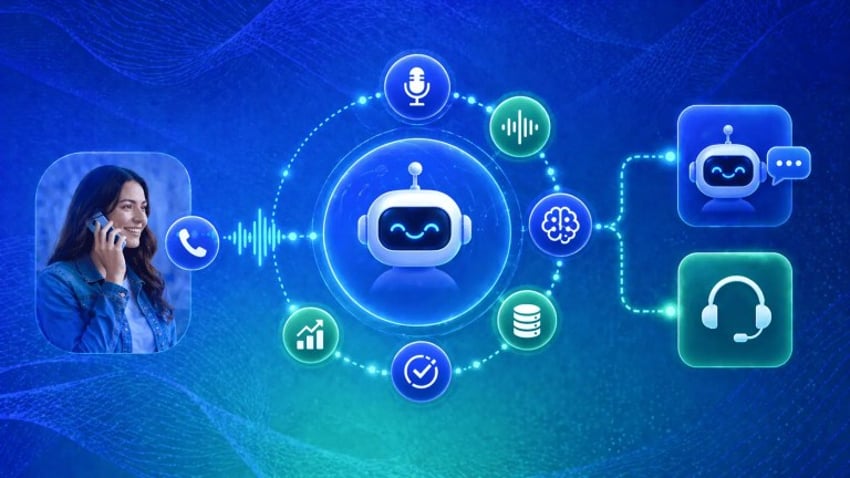
Traditional phone systems require callers to adapt to the menu presented to them. AI-powered systems flip that on its head, so an AI receptionist listens to what the callers say. It interprets intent using natural language processing so it can understand caller questions and respond in real time.
AI makes the interaction more like a conversation than one of pure navigation. Instead of pressing keypads, callers can explain the purpose of their call in their own words.
An AI voice system determines if the query can be handled automatically or if it’s something to pass along. That split-second decision alone eliminates friction in phone calls, especially for people calling outside normal business hours when offices are closed.
This is also where having an AI virtual receptionist becomes relevant.
Smarter routing & smarter resolution
AI doesn’t force you to choose between routing and resolution. What it does is blend both to cater to your needs. When an AI agent answers incoming calls, it evaluates the complexity of the task as the conversation happens.
Simple requests like answering FAQs or confirming appointments are resolved efficiently by AI. More nuanced situations are escalated to human staff with context already captured. That saves time and improves overall response times.
This approach also alters call handling between teams. Instead of rigid preset flows, they can rely on systems that adapt in the moment. That means they’ll have routing, IVR, and AI operate as a cohesive workflow.
That’s also why the best implementations tend to come from vendors that treat AI as part of the key infrastructure, not just an add-on.

Why this matters for CX
When a customer calls, they think of outcomes. They don’t process in terms of departments or extensions. They want faster answers and fewer transfers. They demand that the interactions respect their time. AI makes all these possible as it aligns automation with intent, and not organizational charts.
From appointment scheduling to lead qualification to call routing, AI removes unnecessary steps to complete the process.
For small businesses, these systems change what’s possible. Using them improves customer satisfaction without additional staffing. When there’s a unified VoIP phone system, the experience feels cohesive instead of piecemeal.
Hear why XBert AI is the best AI receptionist
XBert AI receptionist handles customer questions, captures leads, and books appointments. Try it free for 14 days.
Why a Fully Integrated Approach Works Best
Customer calls can’t be categorized into a single grouping. One customer might phone in to confirm a simple detail, while another may have changed their mind and want to speak to a person. Designing call flows just for routing or strictly for transactions overlooks how people genuinely behave.
Real-world call flows aren’t binary
Conversational AI adapts in real time. An AI receptionist can answer questions and gather context. It can also decide whether to continue letting AI handle the request or not. Flexibility is more important than achieving a 5-rated call experience on every interaction.
Operational benefits
Having an auto attendant, IVR, and AI receptionist integrated in a single platform means:
- Workflows stay intact
- Call data stays connected, making call management better
- Call handling scales without fragmentation
Each technology serves a different purpose within the call flow, and the result is a fuller, more consistent customer experience.
| Stage | Technology | Purpose |
|---|---|---|
| Answer incoming calls | Auto Attendant | Greets callers and provides the first point of contact. |
| Collect information | IVR | Gathers account numbers, order details, PINs, or other information and verifies identities. |
| Understand requests | AI | Interprets natural language, identifies intent, and understands context. |
| Resolve routine issues | AI or IVR | Schedule appointments, handles self-service tasks such as payments, account updates, and order tracking. |
| Escalate complex cases | Human Agent | Receives the full conversation history and customer information for faster resolution. |
For example, an auto attendant may answer the call and present high-level routing options. An IVR system can then verify the caller’s identity and collect account information.
Once the system understands who the caller is, AI can interpret the request, answer questions, complete routine tasks, or route the conversation to the right employee with all relevant context attached.
By combining auto attendants, IVR, AI, and human agents, businesses can automate repetitive tasks while still delivering personalized support when customers need it.
This approach reduces call handling times, improves self-service rates, and helps support teams focus on more complex customer issues.

Whatever Your CX Needs, Nextiva Has You Covered
Don’t stress out choosing between auto attendants and IVR. They’re not competing technologies. Your decision shouldn’t be focused on which one to choose, but on how smartly you can combine them.
With AI and unified phone systems, your business doesn’t have to force callers into rigid routes. Callers can meet the system where they are and be guided to the right outcome.
Nextiva brings auto attendant routing, IVR functionality, and AI-powered conversation handling in one package, all without rebuilding your entire system. Our flexibility enables small businesses and growing teams to modernize their phone systems gradually while improving customer satisfaction immediately.
Top-Ranked AI-Powered Contact Center Solution
Transform your customer interactions with a contact center platform that saves you time and money, reduces agent and supervisor stress, and flexibly adapts to fit your needs.
Frequently Asked Questions About Auto Attendant and IVR
No. Voicemail records messages for later review, while IVR interacts with callers in real time. An IVR system can route calls, collect information, verify identities, and support self-service tasks.
Most modern auto attendants operate as part of cloud-based VoIP or UCaaS phone systems, which require an internet connection to process and route calls. Some on-premises phone systems may use different infrastructure, but cloud deployments are the most common today.
Yes. Traditional IVR systems do not require AI to function. They depend on predefined rules, touch-tone keypad inputs, and basic voice commands to route calls, fetch information, and guide customers through self-service options.
A multi-level auto attendant uses multiple layers of menus to route callers more precisely. For example, a caller may select “Support” from the main menu and then choose between technical support, billing support, or account assistance from a secondary menu.
Yes. Modern cloud-based auto attendants can route calls beyond the physical office network. When a caller selects a menu option, the system can route the call directly to an employee’s mobile phone, an external landline, or a business phone app on their smartphone, ensuring remote teams never miss an inquiry.