Customer Experience
  Blog
Blog  Business Communication
  Leadership
  Marketing & Sales
  Nextiva News
  Productivity
  VoIP
VoIP 
Not happy using WhatsApp for your business communications? Perhaps you want to separate your personal and business life when it comes to the apps you use. Maybe you’re worried about what Meta (WhatsApp’s parent company) will do with your data.
You’re not alone. Many small (and large) businesses are looking for WhatsApp alternatives as they move to better business communications platforms built for that exact purpose.
In this guide, we dive into the functionality you could be missing, the limitations of choosing WhatsApp, and provide the eight best WhatsApp alternatives on the market.
Why Businesses Choose WhatsApp
WhatsApp has become the standard means of communication for billions of people worldwide. Before we look at alternatives, it’s important to understand why it got to this point.
Familiar and frictionless for staff and customers
If you’re looking for a communications tool with a familiar look and feel — particularly in the UK and India — it makes total sense to choose the very platform you already have in your pocket.
Most employees and customers already have WhatsApp installed, which removes onboarding friction and speeds up adoption. If you’ve been using WhatsApp for the last five, 10, or even 15 years for personal communication, why make the counterintuitive decision to introduce a new learning curve and interfere with habits and preferences?
Even for new users, the interface is intuitive, so staff need little training to send updates, share media, and run informal group chats. For external customer communications, using a channel people already check multiple times a day can increase open and response rates compared with email.
Mobile first and always on
WhatsApp is designed for mobile use, which suits frontline and remote teams who rarely sit at a desk. If you’re looking for a way to stay connected with your entire team, WhatsApp is going to be near the top of the list.
Basic features like push notifications and read receipts help teams move fast on order updates, scheduling, and quick support inquiries. You get a single place for both customers and internal staff to check in and get updates.
Lightweight customer engagement
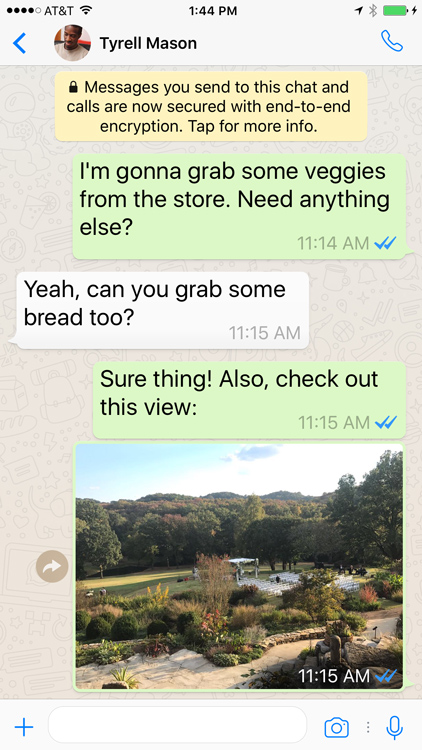
For small teams, WhatsApp Business and the WhatsApp Business API make it easy to send simple notifications, answer FAQs, and handle one-to-one support without investing in a full contact center stack. You get a separate phone number for your business and personal use, separating contacts so you can focus on your business customers without risking confusing your personal contacts or accidentally copying and pasting the wrong information or images from your favorite group chats.
Personal WhatsApp vs. WhatsApp Business
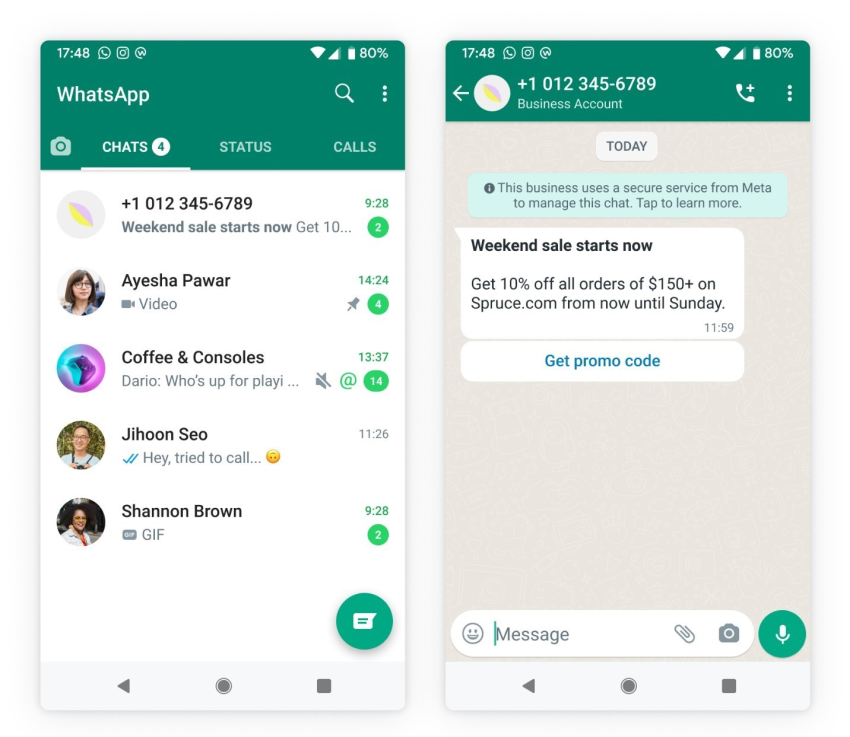
Before we go further, let’s look at the key differences between personal and business WhatsApp:
| Feature/Use Case | Personal WhatsApp | WhatsApp Business (App) | WhatsApp Business Platform (API) |
|---|---|---|---|
| Intended for | Individuals | Small businesses and small teams | Growing teams needing scale and automation |
| Separate business and personal numbers | Uses a personal number | Business profile with a separate business number | Dedicated business number |
| Team access | Primarily single user (plus linked devices) | Limited team access via linked devices | Multi-agent access via CRM/helpdesk integrations |
| Customer messaging | One-to-one personal chats | One-to-one customer support | One-to-one support at scale |
| Receiving message notifications | Personal message alerts | Business message alerts | Handled by connected business tools (API-based) |
| Outbound business notifications | Not system-triggered | Manual only | Automated, templated notifications |
| FAQs and quick replies | No | Quick replies | Automated FAQs via bots/workflows |
| Integrations and automation | No | No | CRM, bots, workflows |
| Best for | Friends and family | Small teams handling simple support | Businesses without a full contact center stack |
Why Enterprises Look for WhatsApp Alternatives
WhatsApp is excellent for personal use and small business communications, but it’s reaching its limits under the pressure of business requirements. As companies grow, the very features that make WhatsApp so user-friendly (simple interfaces and end-to-end encryption on personal devices) can become significant risks for IT and compliance departments.
Limited control over data and compliance
WhatsApp is owned by Meta, raising concerns for enterprises about data residency, retention policies, and audit requirements, especially in regulated industries. While there is plenty of documentation provided by both companies with regard to business and customer data, the never-ending worry about the risk of change and stories of user data leakage put a lot of people and businesses off trusting Meta.
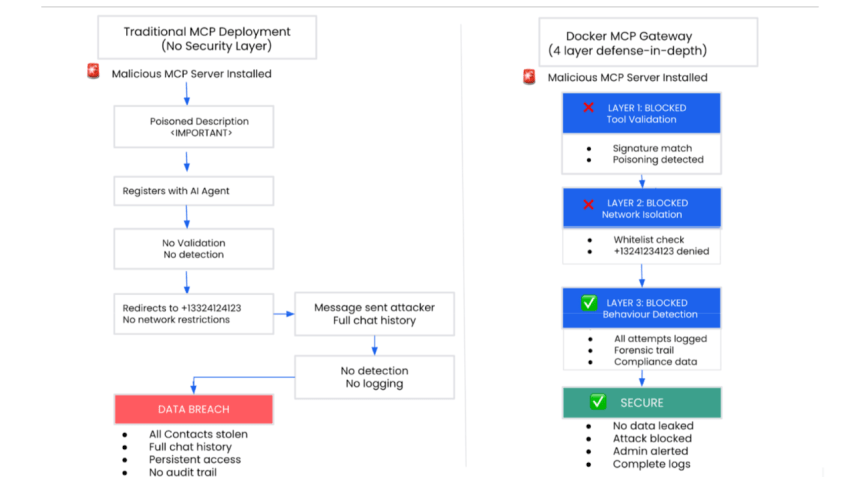
On a platform basis, it’s difficult to enforce consistent retention, legal hold, or export of conversations across thousands in your user base when data lives in personal accounts. There is always the risk of forwarding the wrong information to the wrong chat or pasting sensitive information into the wrong chat. It’s far easier to remove that risk by separating personal and business communication.
Blurred lines between personal and work messaging
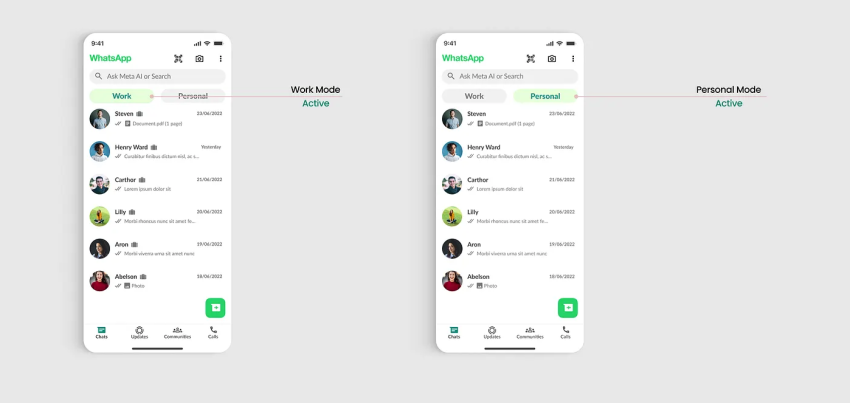
Perhaps the most important thing to flag for employee morale and mental health is the potential to start treating WhatsApp for Business like your personal WhatsApp account. It’s very easy to get sucked into thinking it’s just a message when in reality, you’re never letting your brain switch off from work.
Each WhatsApp account gets tied to a single phone number, so many employees mix personal and work conversations in one interface for ease of use. While this makes it easier to manage chats, it makes it harder to control leaks of sensitive data and to offboard staff cleanly when they leave. Likewise, when you’ve got staff trying to streamline their messages, the likelihood of them using their provided business account for personal use is high.
Fragmented team collaboration
WhatsApp group chats work for small teams, but they quickly become noisy and unstructured for cross-functional work, case management, or structured approvals. Even in small businesses, multiple in-company group chats can become unmanageable.
A lack of shared inboxes, queues, or assignments leads to missed messages and duplicate replies — and creates misinformation and duplication of tasks.
Limited enterprise-grade features
WhatsApp isn’t a full collaboration or customer experience platform. It lacks built-in workforce management, advanced analytics, or deep integrations with business systems without relying on extra tools. When you lay this out, there’s a wide gap between a personal messenger (great for chatting with your friends) and a business collaboration tool.
Scaling to multiple brands, regions, or product lines requires complex API orchestration and manual routing logic — a huge step up from personal use and, at this point, a world away from what you’re used to on your cell phone.
Check out top WhatsApp Business alternative and learn how companies use SMS to communicate more effectively.

What to Look for in a WhatsApp Enterprise Alternative
Switching away from WhatsApp doesn’t mean you have to sacrifice speed or ease of use. However, to improve your business communication, you need a solution that offers more than just chat. When choosing a WhatsApp Business alternative, prioritize these four key pillars.
Centralized and searchable conversation history
Data fragmentation creates blind spots in your operations. A robust enterprise alternative should eliminate these silos by offering:
- A single source of truth across business communication channels, users, and teams so leaders can search conversations, audit responses, and trace customer journeys.
- Enterprise-grade export options, role-based access controls, and audit logs.
Omnichannel support on a unified platform
Customers expect to reach you on their terms. Your platform should bridge the gap between disparate communication methods by providing:
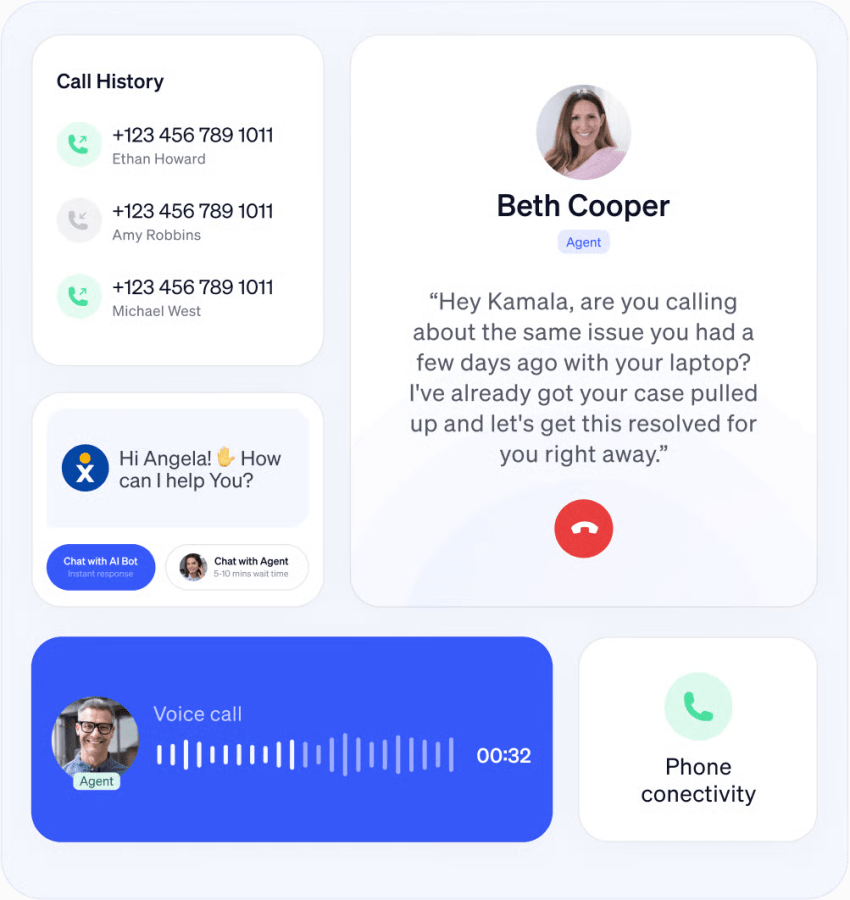
- Omnichannel support to send and respond to phone, SMS, email, web chat, and multiple messaging apps, including WhatsApp, with routing and reporting in one place.
- Ability to add channels over time without recreating workflows or retraining teams from scratch.
See why omnichannel contact centers are loved by all:

Security, compliance, and data sovereignty
For enterprises, the risks associated with consumer-grade apps are simply too high. To protect your intellectual property and meet regulatory standards, look for:
- End-to-end encryption or strong in-transit and at-rest encryption, plus options for regional hosting when required by regulation.
- Fine-grained retention policies, e-discovery capabilities, and controls that keep corporate records inside company-owned systems instead of personal devices.
Can VoIP be hacked? Protect your business from VoIP security risks.

Automation and AI that scale service
Manual processes effectively cap your team’s potential throughput. To scale your operations without endlessly increasing headcount, prioritize a solution that offers:
- Native automation for routing, tagging, and follow-up, along with AI-powered agents that can resolve routine requests and summarize conversations.
- Low-code builders so operations and CX leaders can manage flows without always involving engineering.

Top 8 WhatsApp Enterprise Alternatives
The market is flooded with messaging apps, but only a few meet the demands of professional business use. We’ve tested and analyzed the leading providers to help you choose the right app – whether you need a secure alternative for internal chat or a comprehensive customer engagement platform.
1. Nextiva
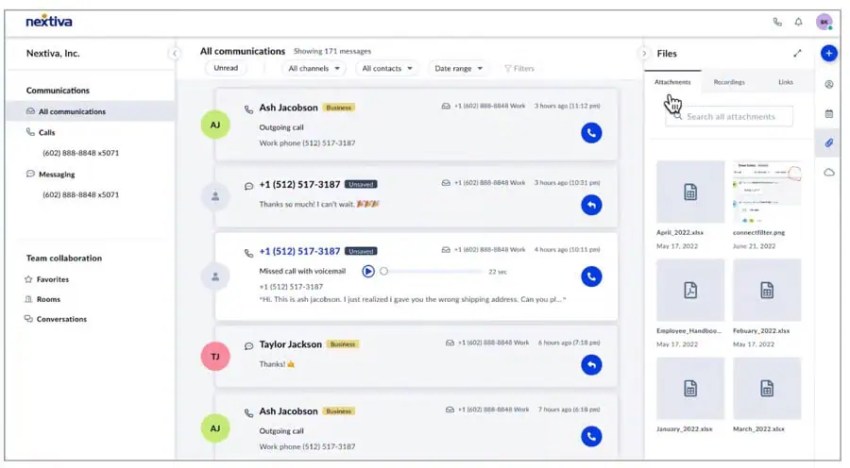
Businesses choose Nextiva because it’s an all-in-one platform that combines business voice, contact center, SMS, team chat, and an AI virtual receptionist into a single workspace. You get the basic chat functionality like WhatsApp, plus the option to bring in other channels to a unified customer experience layer instead of managing them as standalone tools.
Nextiva centralizes call, chat, and message history across teams and then layers on AI for call summaries, agent assist, and virtual receptionists that can handle common requests before involving a human.
It’s a strong fit for organizations that want to streamline communications, reduce vendor sprawl, and gain full visibility into customer journeys from first touch to renewal. Users get everything in a single interface, and admins have one platform to manage.
2. Element.io
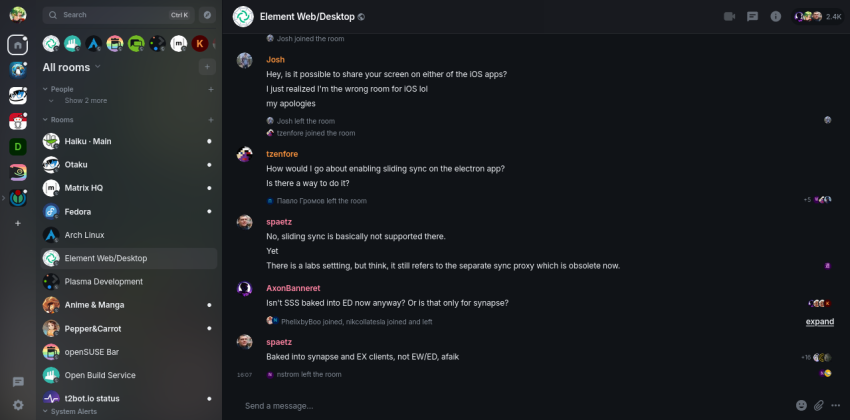
Element.io is an enterprise collaboration platform built on the Matrix protocol that offers consumer-style messaging with enterprise controls. A favorite for developers that opt for open-source software, it supports end-to-end encrypted conversations, self-hosting, and data sovereignty so organizations can own and control their messaging data.
It’s particularly attractive for regulated sectors and public organizations that need WhatsApp-style usability with stronger compliance and interoperability. That said, using open-source software must always come with the warning that you may need to expend time and energy to support it yourself.
3. Connecteam
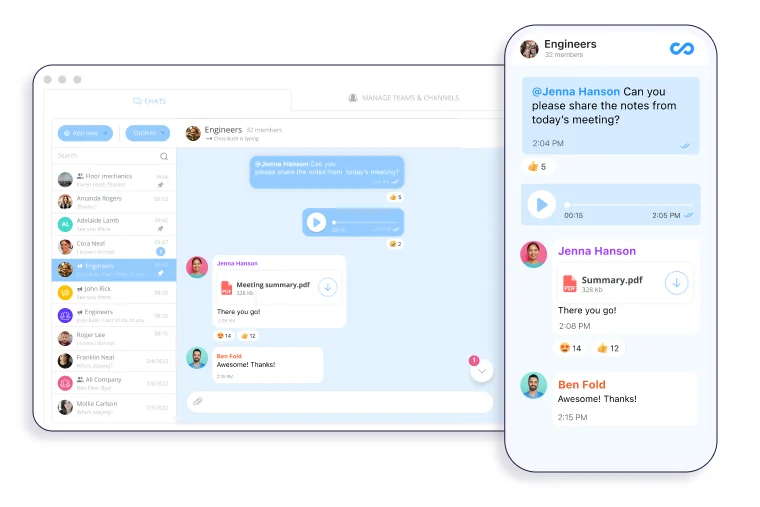
Connecteam is a mobile-first staff communication app designed for frontline teams that combines chat, company updates, a directory, surveys, and forms.
While it encompasses multiple products and features like employee engagement and a staff time clock, it suits businesses looking for a WhatsApp alternative thanks to its built-in chat functionality. Here, you get structured channels, announcement feeds, and secure company-only messaging.
Connecteam is best for organizations that need to reach field workers and shift-based employees with operational updates alongside HR and scheduling tools.
4. Front
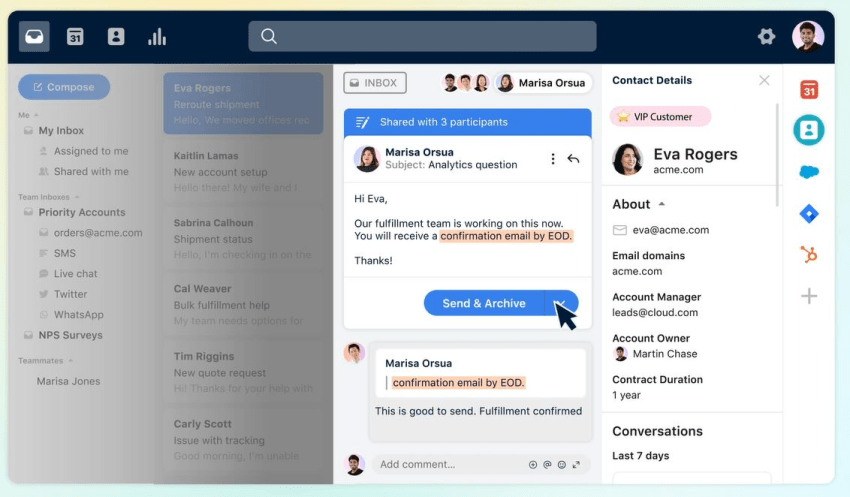
Front is a customer communication hub that brings email, WhatsApp, and other messaging channels into one shared inbox so teams can collaborate on responses without stepping on each other’s toes. Commonly used for support and order management queries, Front offers routing, assignment, internal communication, and automation rules that turn informal chats into trackable workflows.
Businesses choose Front as a strong alternative when the main WhatsApp challenge is managing high volumes of customer conversations across multiple teammates.
5. Respond.io
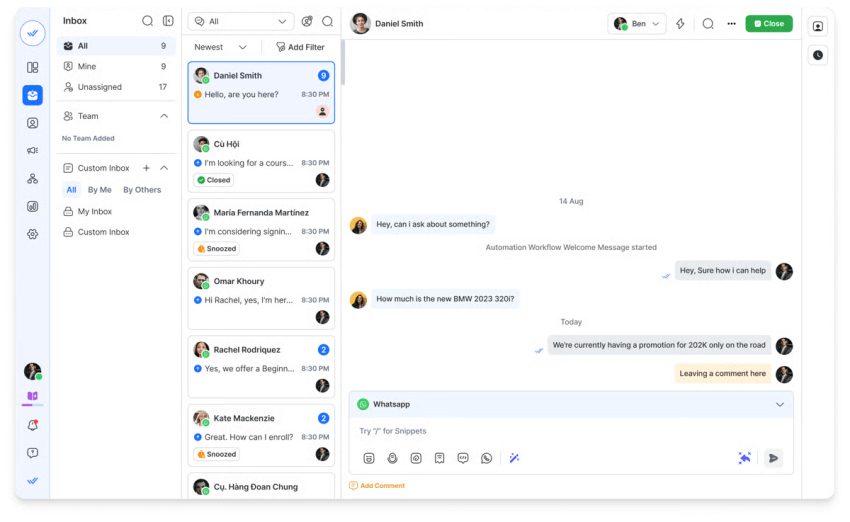
With Respond.io, the clue really is in the name. When a customer contacts you, this is the platform to respond to them.
As an AI-powered conversation platform that unifies WhatsApp, other messaging apps, and VoIP calls in one customer timeline, businesses serving B2C clients can run high-volume campaigns and automate outreach, qualification, and support across messaging channels.
Respond fits teams that want to keep WhatsApp as a channel but surround it with better routing, automation, and analytics — and, most importantly, remove WhatsApp from your personal device.
6. Microsoft Teams
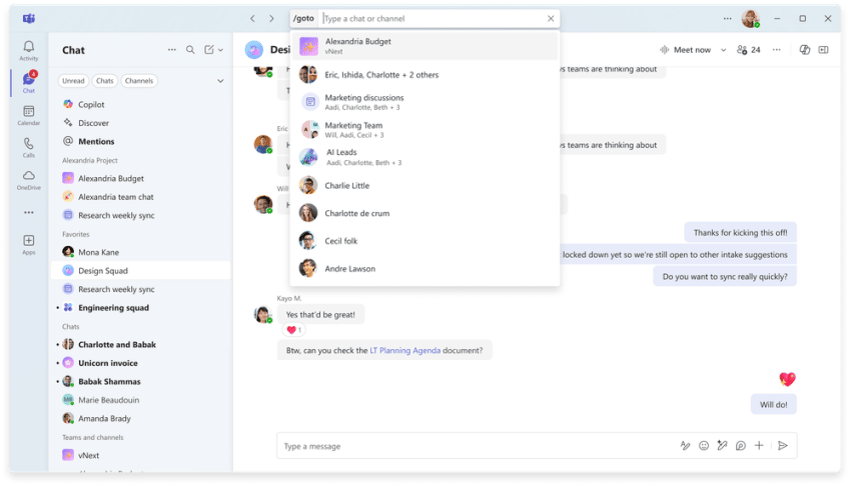
If you’re already using the Microsoft stack for things like SharePoint, Word, PowerPoint, etc., you’re likely already under pressure to use Microsoft Teams for chat and collaboration.
It’s a full enterprise collaboration suite that combines chat, channels, meetings, and file sharing with deep integration into Microsoft 365. Teams provides a structured workspace for departments and projects, with governance and retention policies managed through enterprise admin tools.
While it’s undoubtedly a strong fit for organizations already standardized on Microsoft that need a more controlled environment than informal WhatsApp groups, there’s a feeling of overwhelm and oversubscription if you’re simply looking for a WhatsApp alternative.
7. Slack
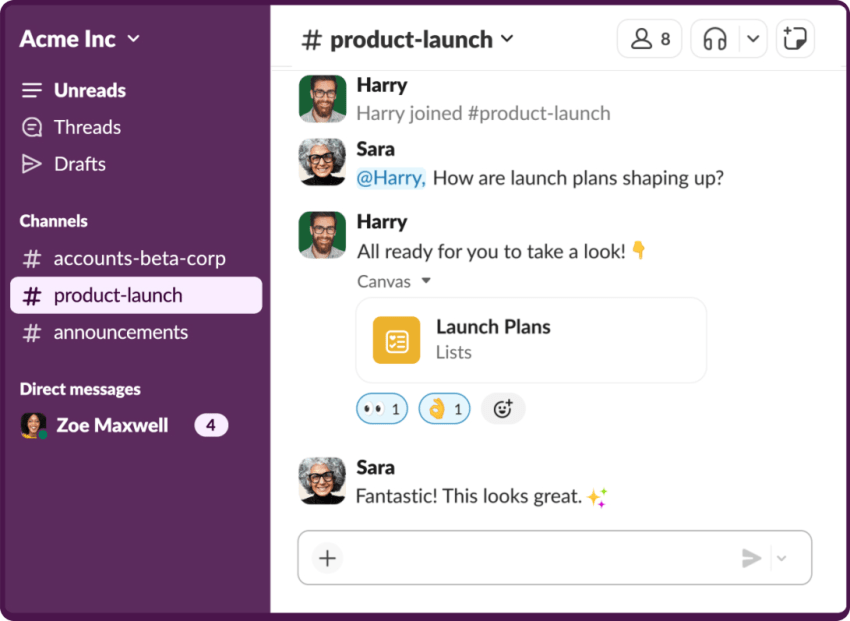
Since its acquisition by Salesforce, Slack has evolved from a simple messaging app into a work operating system. Slack has recently integrated powerful features like Salesforce channels and Agentforce, enabling teams to deploy AI agents directly within their chats to automate tasks and query CRM data.
Slack is great for teams that require extensive integrations, bots, and workflows. It organizes conversations into topic-based channels with a powerful search function, making it ideal for development, sales, and support teams looking to automate their work.
8. Wire
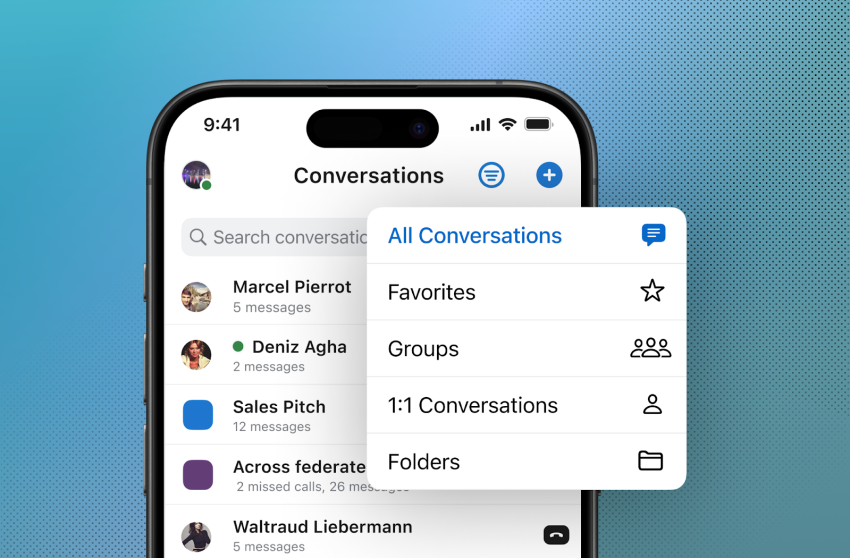
Wire is a secure messaging platform built for enterprises in privacy-sensitive regions that need a compliant alternative to consumer messengers. What’s more, it looks rather like WhatsApp, so it is a common alternative for businesses looking for a near match when it comes to interface. The platform offers end-to-end encryption, strong identity controls, and deployment options that align with EU data protection requirements — a must-have, considering where a large portion of WhatsApp customers reside.
Wire is a good fit when the primary driver for leaving WhatsApp is security posture and regulatory alignment rather than feature depth.
Nextiva: Best Choice for WhatsApp for Companies
While WhatsApp can remain a useful channel for customer conversations, it should not be the system of record for an enterprise communication strategy. There may be some edge cases in small businesses of one or two people — but even then, you run the risk of sharing sensitive data and ending up treating your business contacts like personal connections and blurring the lines between work and pleasure.

As the best WhatsApp Business alternative, Nextiva gives you a single platform for voice, messaging, contact center workflows, and AI assistants, so your team sees the entire customer journey regardless of where the first message happened.
With Nextiva, you get functionality like:
- System of record: Every customer interaction is logged, searchable, and tied to a single customer profile instead of scattered across personal devices and apps.
- Omnichannel messaging: WhatsApp, SMS, voice, video calls, live chat, and social messages all flow into one shared workspace for your entire team.
- Enterprise-grade security: Built-in compliance and security controls reduce the risk of sensitive customer data being exposed or mishandled.
- CRM and contact center workflows: Native customer context and routing tools remove the need to patch together multiple platforms.
- AI-powered automation and insights: Intelligent communication tools help teams respond faster, prioritize conversations, and uncover trends across channels.
- Work-life separation: Business communications stay professional and auditable without mixing personal contacts and conversations.
- Scalable infrastructure: The platform grows with your business as you add agents, channels, and locations.
Ready to try your new WhatsApp alternative? Try Nextiva here.
One app for all your conversations.
Your business phone calls, texts, meetings, and contacts in one place. Stay connected in a single workspace, and
easily move between all the ways you collaborate.