VoIP
VoIP  Blog
Blog  Business Communication
  Customer Experience
  Leadership
  Marketing & Sales
  Nextiva News
  Productivity

If your phone bill is eating into your profits, it’s time to use the cost-effective alternative, VoIP. Voice over Internet Protocol (VoIP) replaces traditional phone lines with your existing internet connection, reducing communication expenses.
But VoIP is more than just a budget-friendly option. It’s a flexible communication tool packed with essential and advanced features that enhance your business communications.
However, not all VoIP service providers offer the same features. It’s crucial to select a virtual phone service with the calling features your team needs both now and as your business needs grow. Let’s explore the top VoIP features every business phone system should have.
VoIP at a Glance
VoIP stands for Voice over Internet Protocol. Simply put, it means making phone calls over the internet instead of traditional landlines and private branch exchanges (PBXs). Here are some benefits of VoIP for businesses big and small:
- Cost savings: VoIP phone services often cost significantly less than traditional phone systems, especially for long-distance and international calls.
- Scalability: Easily add or remove lines as your business needs change.
- Flexibility: Make and receive calls from anywhere with an internet connection, using computers, smartphones, or dedicated VoIP phones.
- Advanced features: VoIP phone systems come bundled with functionality that drives better communications and customer experience.

Now onto the VoIP features list.
Top VoIP Features To Look For
- Voice Calls
- Caller ID
- Call Forwarding
- Call Transfer
- Call Routing
- Three-way Calling
- Conference Calling
- Call Park
- Auto-attendants
- IVR
- Call Queues
- Custom Music on Hold
- Voicemail
- Voicemail Transcription
- Video Conferencing
- Instant Messaging
- Business Text Messaging
- Online Faxing
- Call Recording
- Call Analytics
- Call Screening
- Anonymous Call Rejection
- DND (Do Not Disturb)
- Number Porting
- Hot Desking
- Mobile App
- Unified Communications
- CRM integrations
- Business Phone Numbers
Here’s a closer look at each:
Core Call Handling
The following telephony features form the backbone of a modern business phone system and make communication more efficient, flexible, and professional.
1. Voice Calls
HD voice calls are the bread and butter of any phone system. With VoIP, you make calls over the internet and the call quality is typically excellent.
You also often get more flexibility in where and how you can make calls. It’s not just about talking, it’s about clear, reliable communication from anywhere with an internet connection.
2. Caller ID
Think of VoIP caller ID as your digital peephole. Before you pick up, you know who’s calling. It’s great for prioritizing calls, preparing for important conversations, or avoiding unwanted interruptions.
In a business setting, it can help you greet callers by name, adding a personal touch to your interactions.

3. Call Forwarding
Call forwarding is a lifesaver for mobile and remote workers or anyone who’s not always at their desk. You can set calls to automatically redirect to your cell phone, home office, or even a colleague when unavailable. It ensures you never miss important calls, even on the go.
4. Call Transfer
Transferring calls enables efficient call management in a team setting. You can quickly pass a call to the right person without making the caller hang up and dial again. It’s smooth, professional, and saves everyone time.
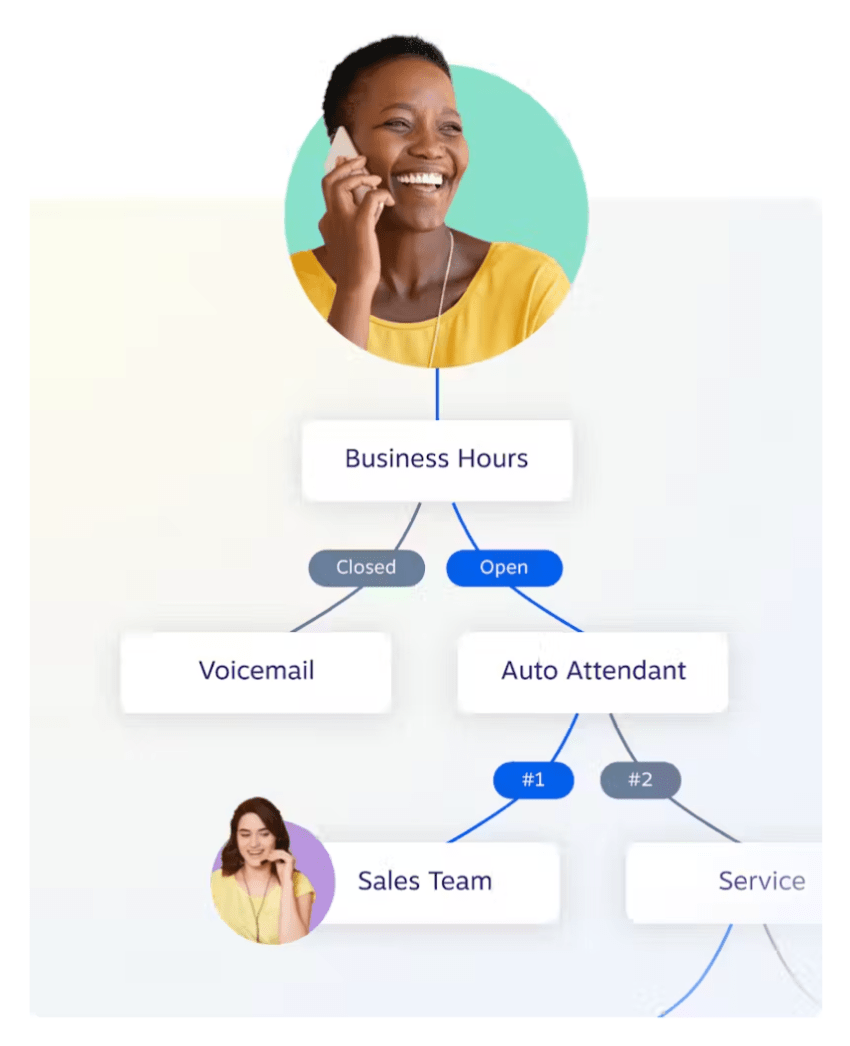
5. Call Routing
It’s like a smart traffic controller for your incoming calls. You can set up rules to route calls based on various factors — time of day, caller ID, or which department customers are trying to reach.
Advanced call routing ensures calls get to the right person quickly, improving customer service and internal efficiency.
6. Three-way Calling
Sometimes you need to bring another person into the conversation. Three-way calling lets you do that on the fly. It’s great for quick team consultations or bringing in an expert during a client call.
7. Conference Calling
This is your go-to feature when you need to get more than three people on a call. With conference calling, you get a virtual meeting room where multiple team members or clients can join for discussions, presentations, or collaborative sessions.
8. Call Park
Call parking is particularly useful in office settings where people move around a lot. Instead of transferring a call to a specific extension, you can ‘park’ it in a virtual spot.
Then, anyone can pick it up from any phone in the system. It’s handy when you’re not sure where a colleague is or if you need to change locations during a call.

Customer Service
These VoIP phone features enhance customer satisfaction and team efficiency.
9. Auto-attendants
Auto-attendants are virtual receptionists that greet callers with a professional message and help them navigate to the right department or person.
You get a 24/7 front desk that never takes a coffee break. This feature streamlines your call handling, ensuring callers get to the right place quickly without tying up your staff.

10. IVR (Interactive Voice Response)
This is the next level of auto-attendant. Instead of just directing calls, IVRs can handle simple tasks and inquiries. Callers can interact using voice commands or their phone keypad.
For example, they might check their account balance, make a payment, or get basic information without speaking to a human agent. It’s a great way to handle high call volumes and routine inquiries.
Related: What Is Interactive Voice Response (IVR)? Why & How To Use It
11. Call Queues
When all your agents are busy, call queueing keeps callers in line. Instead of getting a busy signal or being sent to voicemail, callers wait their turn.
It’s better than traditional call waiting and can set up different queues for different departments or types of calls. It’s a balancing act between managing high call volumes and keeping wait times reasonable.
12. Custom Music on Hold
Hold music turns potentially frustrating wait times into a branding opportunity. Instead of generic elevator music, you can play information about your products or services, share company news, or set a mood that aligns with your brand. It’s a chance to engage with a captive audience, so use it wisely.
13. Voicemail
Voicemail is your catchall for when you can’t answer calls. But modern voicemail systems are more than just message recorders.
You can customize voicemail greetings for different situations, get notifications when you receive a message, forward your voicemails to your phone, and even access your voicemails from email or a mobile app.

14. Voicemail Transcription
Voicemail transcription turns voicemail messages into text, making them much easier to scan and manage. Instead of listening to each message, you can quickly read through them, prioritize responses, and search for specific information later.
Voicemail transcription is a real-time-saver, especially for busy professionals who receive a lot of voicemails.

Productivity & Collaboration
Productivity features streamline communication and teamwork. They provide multiple communication channels for your team to choose the most appropriate method for each customer interaction.
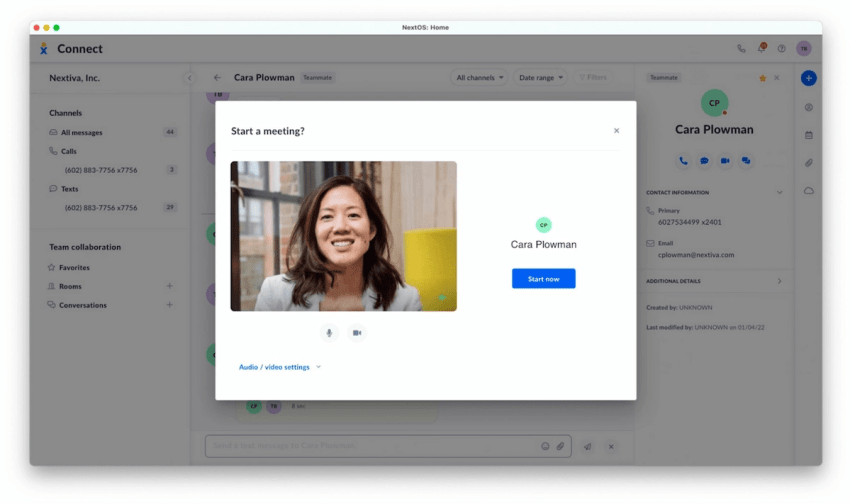
15. Video Conferencing
Video calls are must-haves for remote and hybrid work environments. Video conferencing adds a visual dimension to your calls, allowing face-to-face interactions, no matter the location.
You can read body language, share screens to review documents together, and use virtual backgrounds to maintain a professional appearance from anywhere. It’s not just for internal meetings either; use it for client presentations, job interviews, or virtual events.
16. Instant Messaging
Team chat brings the quick, casual nature of SMS into your work environment. It’s great for those questions or comments that don’t quite warrant an email or a call.
Need a quick answer? Ping a colleague. Want to share a link? Instant message it over.
Most hosted PBX phone systems come with instant messaging capabilities. That’s great for customers who want other options besides email and phone calls.
It keeps communication flowing without cluttering inboxes or interrupting calls. Just be mindful of your company’s policies on saving or archiving these conversations, especially if you discuss sensitive information.
17. Business Text Messaging
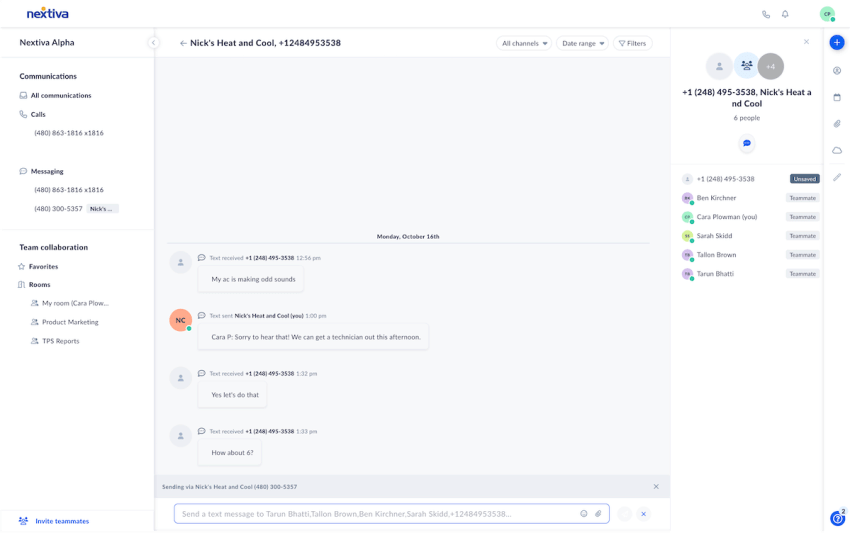
Business text messaging bridges the gap between personal and professional communication. You can send and receive texts using your business number, keeping your personal number private.
It’s perfect for quick client updates, appointment reminders, or brief team communications. Remember, while texting is informal, keep it professional when using your business number.
18. Online Faxing
Yes, faxing is still a thing in some industries, particularly legal and healthcare. Online faxing brings this old-school technology into the digital age. Digital faxing benefits include faster delivery, enhanced security, easier storage, and seamless integration with modern workflows.
You can send and receive faxes directly from your computer or mobile phone — no paper required. It’s more secure than email for sensitive documents and provides a paper trail when you need it. Plus, it saves trees and office space from bulky fax machines.
Advanced Call Management
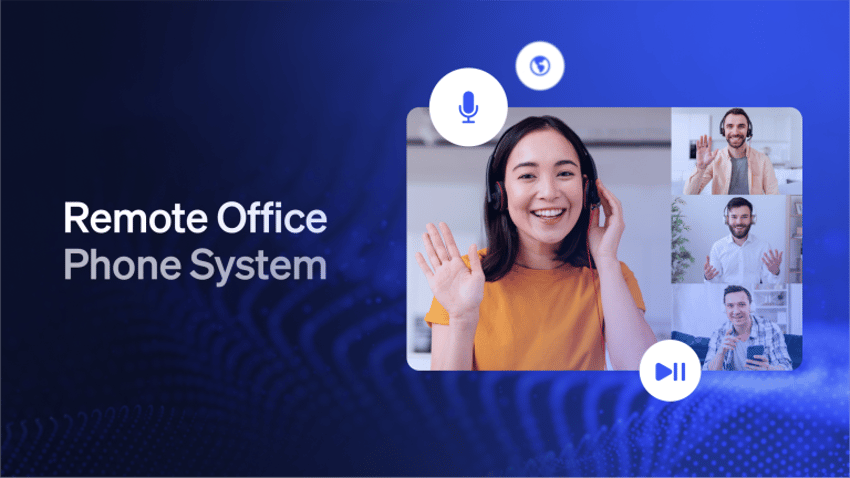
Call management features give you greater control over your calling environment, helping you manage interruptions, improve quality, and gain insights into your communication patterns.
19. Call Recording
Recording calls means having a photographic memory for your phone conversations. It’s invaluable for training new employees, reviewing complex discussions, and ensuring quality customer service.
In some industries, call recording is essential for legal compliance. Just remember to inform callers they’re being recorded, which is both a legal requirement and good business etiquette. Also, make sure you have a secure system for storing and accessing these recordings.
20. Call Analytics
Call analytics decipher your phone traffic. VoIP solutions provide data on call volumes, peak times, average call duration, and individual agent performance.
Businesses use these insights to optimize staffing, identify training needs, and improve operational efficiency. For example, if you notice a spike in calls every Monday morning, you might schedule more staff for that time. It’s about making data-driven decisions to improve your operations.

21. Call Screening
A virtual bouncer that lets you set up rules to filter incoming calls based on various criteria. Use call screening to prioritize calls from existing clients or block known telemarketers.
You can send certain calls straight to voicemail or redirect them to a specific department to better manage your time and ensure the most important calls get through.
22. Anonymous Call Rejection
Call blocking is your shield against mysterious “Unknown” or “Private” number calls. Anonymous call rejection automatically blocks calls from hidden numbers, reducing interruptions from potential spam or unwanted calls.
However, use this feature judiciously — some legitimate callers might use blocked numbers for privacy reasons.
23. DND (Do Not Disturb)
DND is your “peace and quiet” button. When activated, it sends all inbound calls directly to voicemail without your phone ringing. It’s perfect for when you’re in a meeting, working on a crucial project, or just need some uninterrupted focus time.
Many systems allow you to schedule DND times, so you could set it to automatically activate during your daily planning hour, for example.

Bonus Features
Here are some more add-ons that reputable cloud-based phone systems offer.
24. Number Porting
Number porting lets you keep your existing phone number when moving to a new VoIP provider. It ensures your clients can reach you at the number they’ve always used, maintaining business continuity.
The process might take a few days to a couple of weeks, but it saves you the headache of updating your contact info on every business card, website, and client record.

25. Hot Desking
Hot desking lets you log into any device and still have all your agent profile settings show up automatically. With this VoIP feature, you use the extension of the phone you’re currently using.
It’s a useful feature for those business owners and small businesses running low on office space or call centers with field agents on cell phones.

26. Mobile App
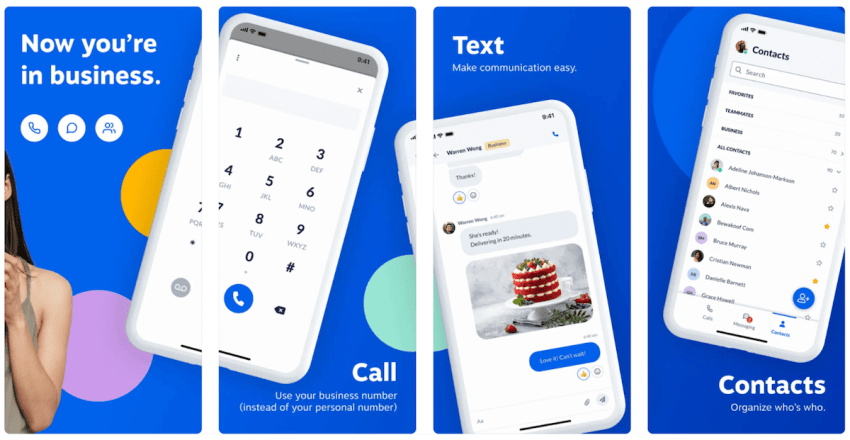
A mobile app lets you carry your office phone in your pocket. Softphones turn your smartphone, desktop, or tablet into an extension of your business phone system.
Make and receive calls using your work number, transfer calls to colleagues, or check voicemail, all while sipping a latte at your favorite café.
It’s perfect for remote workers, business owners, or anyone who needs flexibility in their work location. Just remember, a strong internet connection is key for the best call quality.
27. Unified Communications
Unified Communications as a Service (UCaaS) brings together various tools — voice, video, messaging, and file sharing — into one cohesive communications platform. Instead of juggling multiple apps, you have a single interface for all your communication needs.
Start with a chat, escalate to a call, and then switch to video conferencing, all without missing a beat. Unified Communications make collaboration smoother and more intuitive, regardless of where your team is.
28. CRM Integrations
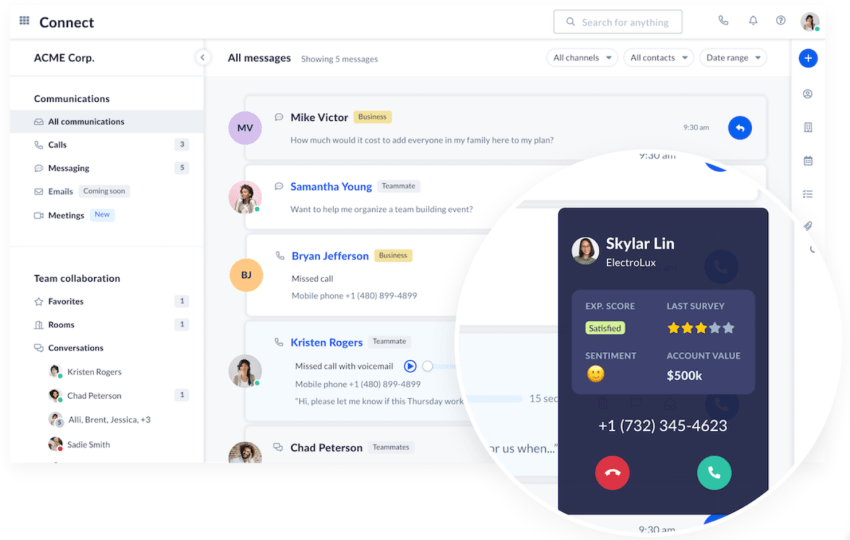
When integrated with your customer relationship management (CRM) software, your phone system can automatically log calls, pull up customer information during incoming calls, and dial out directly from your CRM.
You have a client’s entire history at your fingertips the moment they call. CRM integrations help businesses provide more personalized service and keep all customer interactions neatly organized in one place.
29. Business phone numbers
Many VoIP phone services let you choose business phone numbers that suit your business needs. You can select from local numbers to build a community presence, toll-free numbers for national accessibility, or virtual numbers for location-independent operations.
You’re not limited to one type, mix and match to create a phone identity that aligns with your business strategy.

How To Choose the Right VoIP Phone Features
Selecting the right VoIP phone system features is like picking tools for your toolbox. You want what you need without unnecessary clutter. Here’s how to approach it:
- Analyze your workflow: Look at how your team communicates daily. Do you need video conferencing for remote meetings? Is call routing essential for your customer service? Understanding your workflow helps identify must-have VoIP system features.
- Consider your business size: Small businesses might prioritize basic features like call forwarding and voicemail, while larger organizations may need advanced options like call analytics and CRM integrations.
- Think about growth: Choose features that can scale with your business. What you need now might differ from what you’ll need in a year or two.
- Evaluate customer needs: If you’re customer-facing, choose features like IVR or custom hold music that enhance the caller experience.
- Assess team mobility: If your team works remotely or on the go, mobile apps and softphones should be high on your list.
- Look at integration possibilities: Consider features that integrate with your existing tools. CRM integration, for instance, can significantly streamline operations.
- Balance cost and benefit: Some advanced features come at a premium price. Weigh the cost against the potential benefit to your operations.
- Start with essentials: Begin with core features and add on as needed. Most VoIP providers offer flexibility in feature selection.
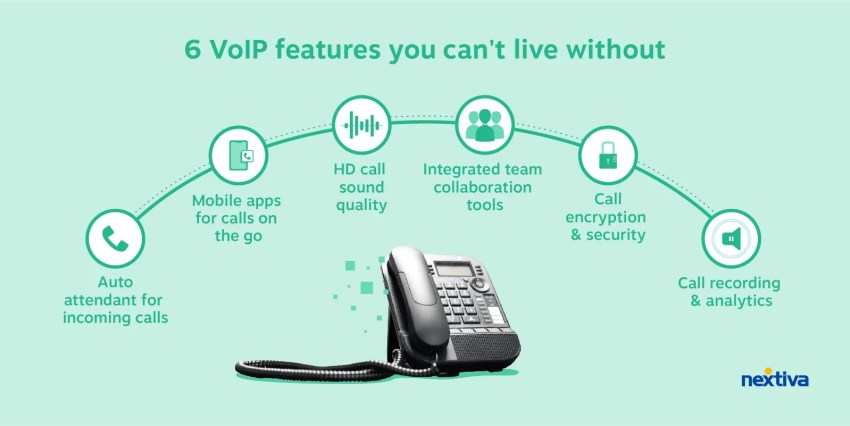
The goal is to enhance productivity and communication, not to have the longest list of VoIP features. Choose wisely to transform your communication system from good to great.
Nextiva: The Smart Choice for Scalable and Feature-Rich VoIP
VoIP technology isn’t just about phone calls, it’s a mix of features that define how your business communicates. Think streamlining operations, boosting customer satisfaction, and increasing productivity, all through a single platform.
Nextiva makes this a reality. We offer essential and advanced VoIP features from clear and HD voice calls to advanced unified communications and seamless CRM integration. Whether a small business or a growing enterprise, Nextiva’s scalable VoIP phone service adapts to your needs.
You only pay for what you use and get more than calling features:
- Reliable call quality: Never miss important conversations.
- Intuitive Interface: Keep your team up and running in no time.
- Amazing Service: Expert help is just a call away.

Experience the reliability and clarity of Nextiva VoIP.
Get your questions answered and see how Nextiva offers the features you need.